- Installs
- —
- Apple does not publish download counts
- Rating
- 4.8
- Ratings
- 45
- 45 reviews
- Version
- 2.3.0
- Updated 29 May 2026
- Released
- 26 Dec 2023
- Tracked since 10 May 2026
- Size
- 25 MB
- Needs 17.6
Screenshots



About AI OCR - Scan Text
The description on the store listing
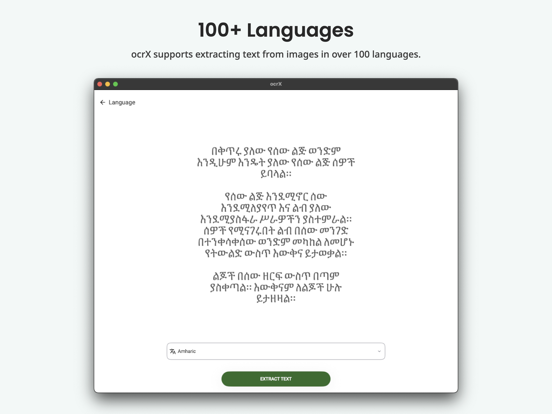
Scan and extract text from images with incredible accuracy using ocrX. It supports extracting text from images in over 100 languages.
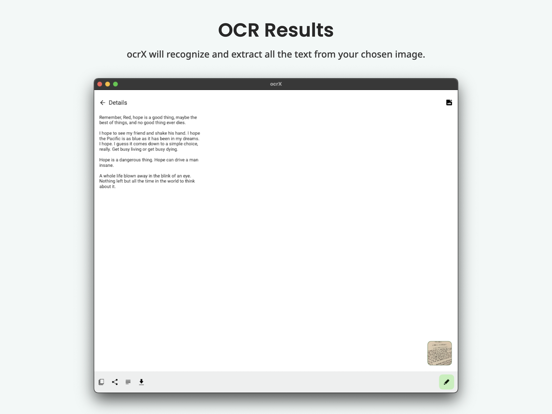
Recognize text from any images using our powerful OCR (Optical Character Recognition) engine. Supports handwritten texts. You can share the extracted text from the app directly. ocrX also supports exporting the extracted text as a Text or PDF file.
Features:
- High accuracy OCR.
- Supports 100+ languages.
- History of scanned images.
- Edit the extracted text to make changes if required.
- Share the extracted text to your preferred app.
- Copy the extracted text to the clipboard.
- Export the extracted text as a Text or PDF file.
How to use:
1. Open the …
Read the full description
Scan and extract text from images with incredible accuracy using ocrX. It supports extracting text from images in over 100 languages. Recognize text from any images using our powerful OCR (Optical Character Recognition) engine. Supports handwritten texts. You can share the extracted text from the app directly. ocrX also supports exporting the extracted text as a Text or PDF file. Features: - High accuracy OCR. - Supports 100+ languages. - History of scanned images. - Edit the extracted text to make changes if required. - Share the extracted text to your preferred app. - Copy the extracted text to the clipboard. - Export the extracted text as a Text or PDF file. How to use: 1. Open the app and tap on the New button. 2. Select the image from your Photo Library. 3. Crop the image if required. 4. Choose the language of text inside your image. 5. That's it. ocrX will scan and extract text from the image automatically. We would love to hear from you. Feel free to reach out to us at [email protected] for feedback or any queries. Your usage of this app is governed by the following policies: Privacy Policy: https://legal.ocrx.app/privacy-policy Terms of Service: https://legal.ocrx.app/terms-of-service Everything else is governed by the terms presented under Apple's End User License Agreement. Apple's EULA: https://www.apple.com/legal/internet-services/itunes/dev/stdeula/ Cheers! :)
Installs
Apple does not publish download counts. Estimates are in testing.
We publish iOS estimates only after they pass a back-test against real numbers. Chart history below is measured.
Estimated store revenue Estimated Beta
App Store, worldwide, monthly rate from the last 12 chart days to 19 Nov 2026
Below the top 100 grossing apps in the markets we calibrate. In the United States that usually means under about $6.4M a month. App Store purchases and subscriptions only, before Apple's 15 to 30% fee. Ads and web payments are not included.
Ratings
45 ratings, 45 reviews
No rating breakdown published for this app.
Recent reviews
Latest public reviews from the store
No reviews in our sample for this app yet.
Top chart positions
Latest App Store chart ranks by country, last 10 days
Not in any tracked top chart in the last 10 days.
AI OCR - Scan Text history
Release, install milestones, listing and store changes
- First released on the store 26 Dec 2023
Update frequency
How often AI OCR - Scan Text ships a new version, month by month
1 updates in the last 12 months. More often than most similar apps: they shipped a median of 0 updates in the same year.
Recent versions
Current version 2.3.0
- Version 2.3.029 May 2026
- Bug fixes and performance improvements.
- Version 2.2.021 Aug 2025
- Bug fixes and AI OCR improvements.
Listing keywords
Words and phrases AI OCR - Scan Text repeats most in its store listing
Top phrases: extracted text (6), scan and extract (2), share the extracted (2), text as text (2), text from images (2).
Highlighted words also appear in the title. Counts cover the title, short description and description.
Compliance
What the listing and the app package show
- Store status
- Live
- Upkeep
- Updated 29 May 2026
- Age rating
- 4+
Apps like AI OCR - Scan Text
 iKon.MNiKon.MN★ 4.56
 Amharic ReaderAntenehSeifu★ 3.85
 Light Lux MeterAexol Studio★ 4.02
 Energy CURBCurb, Inc.★ 2.18
 Decibel Meter - Sound AnalyzerRychard Matskevich★ 3.51
 VPN - Super Smart Proxy VPNXienhag Technology★ 4.09
 Calibre SyncDUONG THUY PHAM★ 3.95
 Finder - Find My Lost DeviceAlex Bavdey★ 3.69
 Ching ChingGavin McGinney★ 4.71
AI OCR - Scan Text: questions and answers
Who makes AI OCR - Scan Text?
AI OCR - Scan Text is published by Aculix Technologies LLP.
When was AI OCR - Scan Text last updated?
The latest version (2.3.0) was released on 29 May 2026.
Is AI OCR - Scan Text free?
Yes. AI OCR - Scan Text is free to download.
Is AI OCR - Scan Text still available?
Yes. AI OCR - Scan Text is live on App Store as of 1 Jul 2026.
Track AI OCR - Scan Text and its competitors
Watch any app for new versions, rating drops, chart moves and removals. Free plan, no card.