App intelligence on every store page.
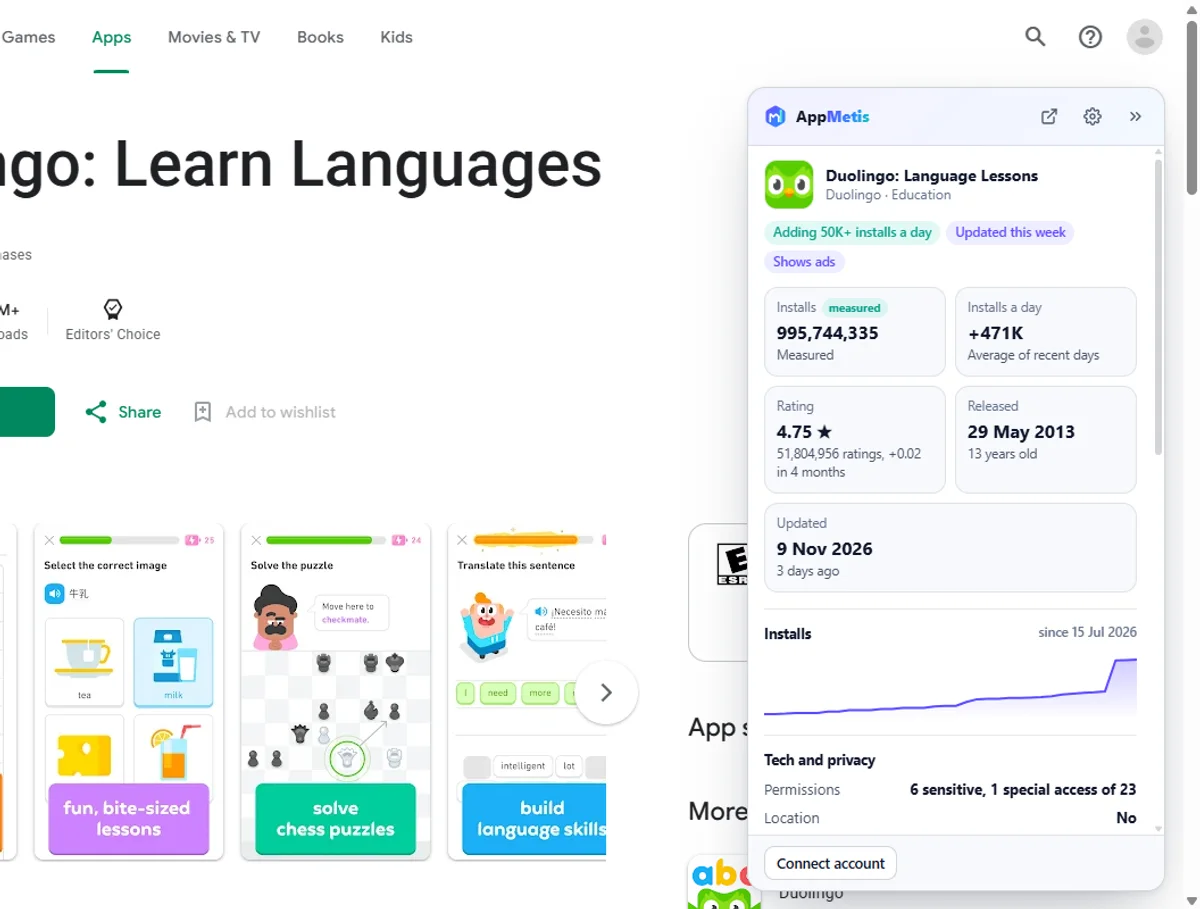
See measured installs, installs per day, chart places in 50 countries, revenue estimates, SDKs and listing history right on Google Play and the App Store. It is free and works without an account.
Version 1.0.1. Chrome, Edge, Brave and other Chromium browsers.
On every app page
Everything you would look up, in one panel
Measured installs
Exact Google Play installs instead of the store's 1M+ bucket, installs per day and installs added in the last 30 days, with a four month chart.
Chart places in 50 countries
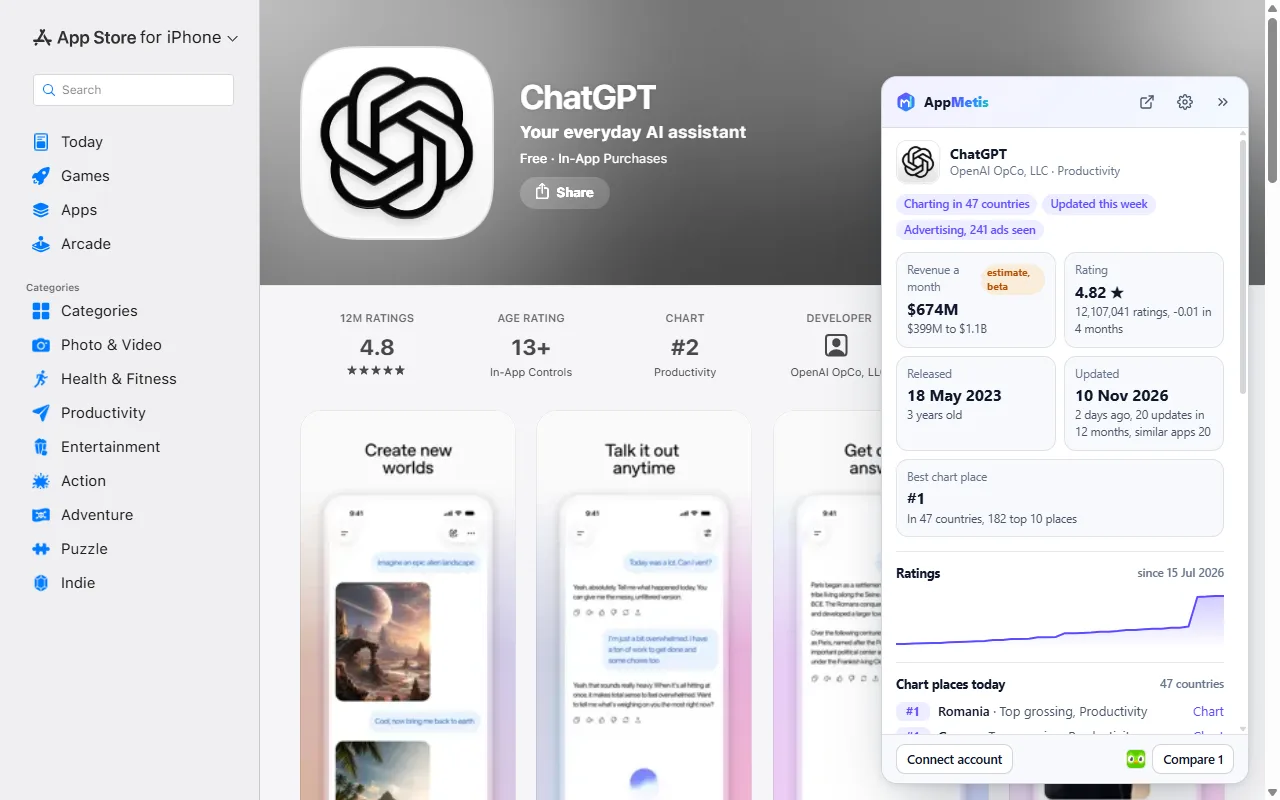
Best place today, how many countries rank the app and its top places in overall and category charts.
Revenue estimate
Monthly App Store revenue range from a model calibrated on reported figures, clearly marked as an estimate.
Listing change history
Title, icon, category, content rating and developer changes with dates, plus the latest versions.
Signals at a glance
New this month, fast growing, charting now, updated this week, title just changed, no update in years.
Tech and privacy
SDK count and top SDKs, ad networks, sensitive permissions, location, camera and microphone access.
Review topics
What reviewers praise and what they complain about, from the latest reviews.
Developer card
Portfolio size, total installs, country and website. Email and phone with a plan that includes contacts.
Both stores
Also on the other store? One click jumps to its listing and its AppMetis profile.
While you browse
The stores, upgraded
Numbers on app cards
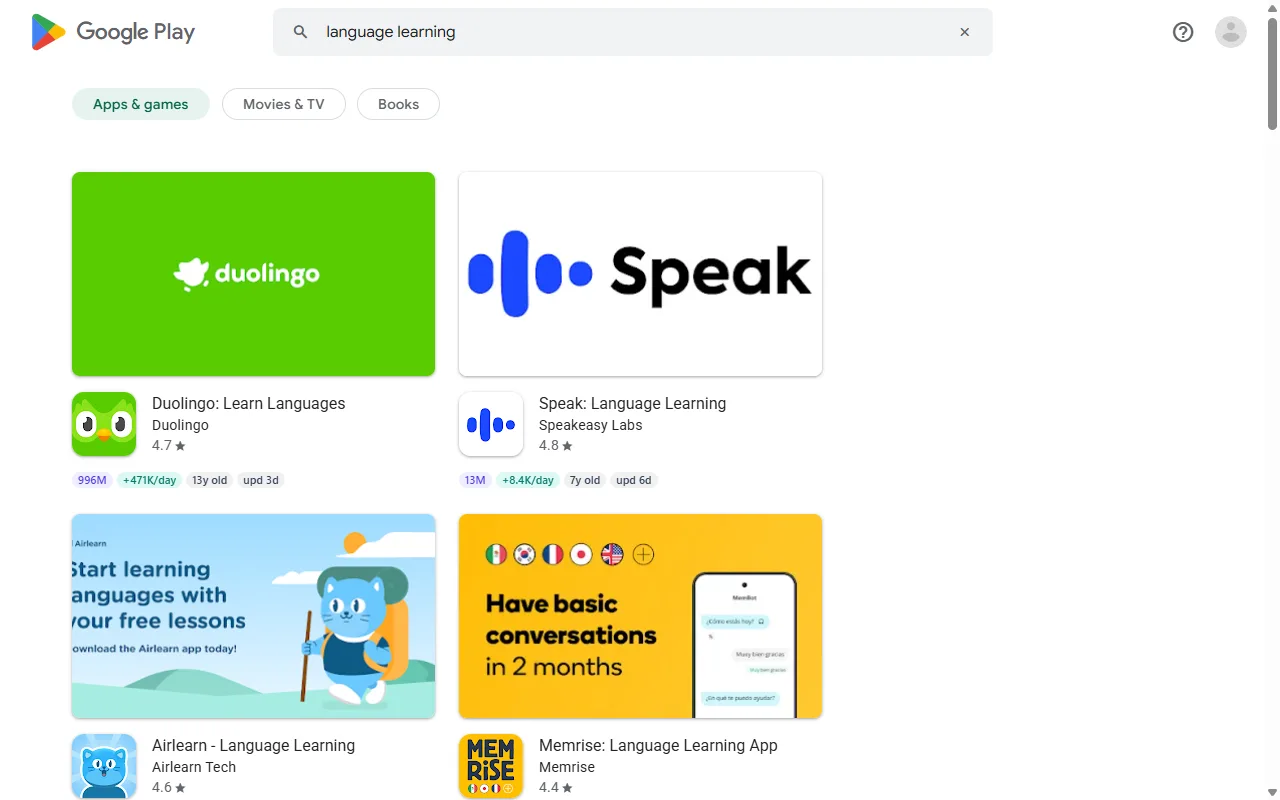
Installs, installs per day, release and update dates on every app card in Google Play lists and App Store rows.
Removed app recovery
When a store says an app is gone, the panel shows what AppMetis kept: installs, rating, developer and removal date.
Compare tray
Pin apps while you browse and open them side by side in AppMetis.
Save to lists
Put any app on an AppMetis list straight from the store page (with a free account).
Asset downloads
Icon, screenshots and feature graphic in full size, one click each or all at once.
Keyword density
Words and two-word phrases in the listing with counts and share, for quick ASO checks.
Country switcher
See the same listing in another store country in one click.
Search anywhere
Type am and an app name in the address bar, or right-click a store link to look it up.
How it compares
More than the usual store extension
| What you get | Typical store extensions | AppMetis |
|---|---|---|
| Installs, release and update dates on app cards | ||
| Exact measured installs, not just the store's bucket | ||
| Installs per day and installs added in 30 days | Some | |
| Chart places in 50 countries today | ||
| App Store revenue estimate | Some | |
| Title, icon, category and developer change history | ||
| Data for apps the store has removed | ||
| SDKs, ad networks and permissions in plain words | Some | |
| What reviewers praise and complain about | ||
| Google Play and the App Store in one panel | Some | |
| Works without an account | Some | |
| Free | Some |
See it
Built into the stores you already use

Install
Ready in under a minute
- 01
Add it to your browser
Download the extension and load it once, the steps are below. The Chrome Web Store listing is on its way. - 02
Open any store page
Go to an app on Google Play or the App Store. The panel and the numbers on app cards appear by themselves. - 03
Connect your account (optional)
Press Connect in the extension or open extension connect to save apps to lists and use your plan.
AppMetis for Chrome and Edge
Version 1.0.1. Free, no account needed.
Load the download in your browser
- Unzip the download into a folder you keep (for example Documents\AppMetis extension).
- Open chrome://extensions (in Edge edge://extensions) and switch on Developer mode.
- Press Load unpacked and pick the unzipped folder. Pin AppMetis from the puzzle icon in the toolbar.
- Open any Google Play or App Store app page. Updates come with the Chrome Web Store listing once it is live.
Privacy
Sees store pages, nothing else
Three sites only
It runs on play.google.com, apps.apple.com and appmetis.com. No access to other sites, tabs or history.
Only app ids
AppMetis receives the store and id of the apps you look at, and your search text when you search.
You stay in control
Hide the panel or the card numbers any time, disconnect your account in one click, uninstall to delete everything.
Extension questions
Is the extension free?
Yes. Everything public on AppMetis shows signed out. Connecting a free account adds lists. Developer emails and phone numbers show with a plan that includes contacts, the same as on the website.
Which browsers does it work in?
Chrome, Microsoft Edge, Brave, Opera, Arc and other browsers built on Chromium, on Windows, Mac, Linux and ChromeOS.
Does it read my browsing?
No. It only runs on play.google.com, apps.apple.com and appmetis.com, and sends AppMetis nothing but the store and id of the apps on the store pages you open. The full details are on the extension privacy page.
Where do the numbers come from?
From the AppMetis database: exact Google Play install counts, daily App Store charts in about 50 countries, SDK scans, store listings tracked every day and a calibrated App Store revenue model. Every number says whether it is measured or estimated.
Why does an app show no data?
AppMetis tracks millions of apps, but a brand-new or very small app can be missing for a few days. The panel says so and links to the app search.
How do I hide the panel?
Click the arrow on the panel, press Alt+Shift+M, or turn it off in the extension settings. The numbers on app cards can be switched off separately.
Want the full picture behind the panel?
Search every app, filter by installs, charts and SDKs, and track competitors in AppMetis. Free plans in both product lines.