
- Installs
- —
- Apple does not publish download counts
- Rating
- 2.23
- Ratings
- 13
- 13 reviews
- Version
- 1.2.1
- Updated 8 Oct 2020
- Released
- 14 Mar 2016
- Tracked since 10 May 2026
- Size
- 25 MB
- Needs 12.0
Screenshots
About AirParrot Remote
The description on the store listing
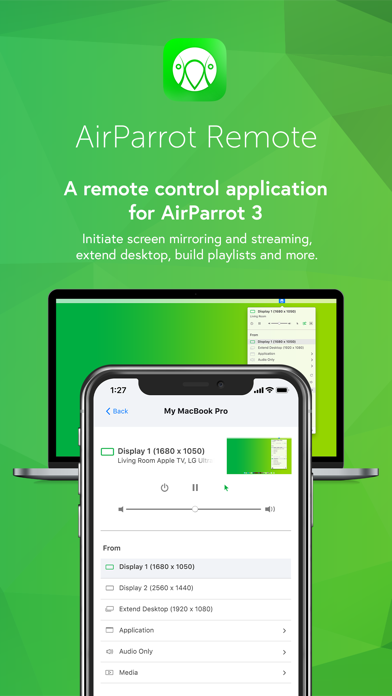
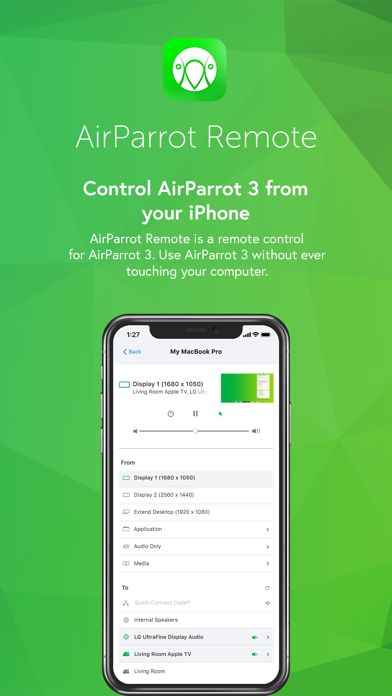
AirParrot Remote allows you to control AirParrot desktop software from your iPad or iPhone. Use this app to:
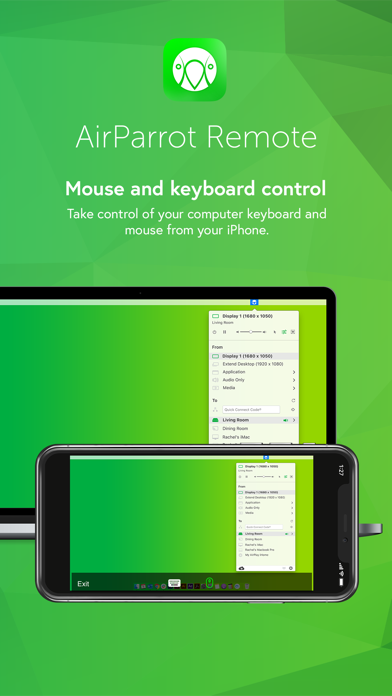
• Wirelessly control your computer keyboard and mouse from a phone or tablet
• Remotely initiate screen mirroring and media streaming from your computer
• Use your iPad as a second monitor
• Initiate presentations and flip through slides from your mobile device
• Remotely access media servers
• Minimize germ spread in environments where computers are a shared resource
Control Your Computer
Once paired, AirParrot Remote can control the keyboard and mouse on your system.
Extend Desktop
Use your tablet as a wireless second screen for your computer.
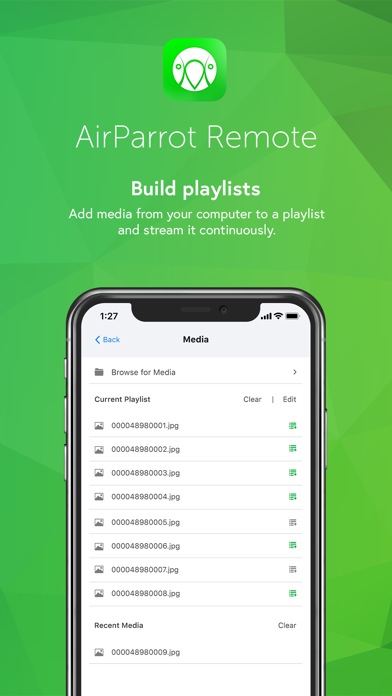
Build Playlists
Find media files on …
Read the full description
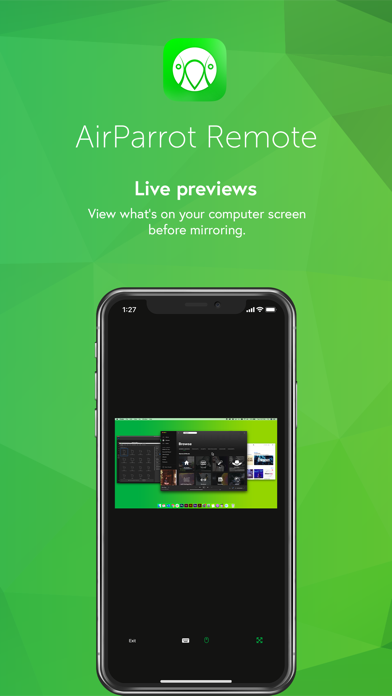
AirParrot Remote allows you to control AirParrot desktop software from your iPad or iPhone. Use this app to: • Wirelessly control your computer keyboard and mouse from a phone or tablet • Remotely initiate screen mirroring and media streaming from your computer • Use your iPad as a second monitor • Initiate presentations and flip through slides from your mobile device • Remotely access media servers • Minimize germ spread in environments where computers are a shared resource Control Your Computer Once paired, AirParrot Remote can control the keyboard and mouse on your system. Extend Desktop Use your tablet as a wireless second screen for your computer. Build Playlists Find media files on your computer and add them to a playlist for continuous streaming. Initiate screen mirroring Initiate screen mirroring connections to a number of receivers like AirPlay 2-enabled Smart TVs, Apple TV and more. Preview Screens View what’s on your computer desktop before you begin screen mirroring Secure Pairing Pairing AirParrot Remote to AirParrot 3 is easy and secure. The apps are paired directly with no in-between connections. Use a Quick Connect Code (TM) or automatic discovery to begin. More details AirParrot Remote is an AirParrot companion application. It is compatible with the AirParrot 3 and AirParrot 2 computer software. You must have either the AirParrot 3 or AirParrot 2 application running on your computer to successfully experience AirParrot Remote: http://www.airsquirrels.com/airparrot/download/
Installs
Apple does not publish download counts. Estimates are in testing.
We publish iOS estimates only after they pass a back-test against real numbers. Chart history below is measured.
Estimated store revenue Estimated Beta
App Store, worldwide, monthly rate from the last 13 chart days to 20 Nov 2026
Below the top 100 grossing apps in the markets we calibrate. In the United States that usually means under about $6.4M a month. App Store purchases and subscriptions only, before Apple's 15 to 30% fee. Ads and web payments are not included.
Ratings
13 ratings, 13 reviews
No rating breakdown published for this app.
Recent reviews
Latest public reviews from the store
- 17 Apr 2021
Solid
Don’t know why it has such poor ratings. Turns any iOS device into a a very low latency secondary display for $8 if you’ve already got the also well priced desktop client. Great value all around for what you get. Now my iPad Pro has something to do when I have to use windows.
- 1 Jan 2021
Handy
Works like magic- I’ve been streaming multiple Windows 10 pc’s to an Apple TV without a hitch. ———- Update - knocking off one star because it bugs out when selecting between two displays of the same resolution.
- 8 Dec 2019
Why no touchpad?
I really wanted this app to replace my touchpad remote app as well as give me access to streaming options.
- 20 Mar 2018
So far, so good...
I’ve been playing with this app for about a half an hour now and it seems to work well. I’ve been using it to navigate my computer, play Sims 4, Tropico, and Orwell. It takes s bit getting used to, but it’s working quite nicely!
What reviewers bring up
Topics mentioned in the latest 36 reviews, by how many reviews mention them
Liked in good reviews (9 reviews)
- control 4
- handy 3
- otherwise 2
- display 2
- desktop 2
- around 2
- sure 2
Raised in bad reviews (22 reviews)
- refund 5
- screen 5
- remote 5
- trying 5
- money 5
- airparrot 4
- support 4
- waste 4
Top chart positions
Latest App Store chart ranks by country, last 10 days
- Countries ranked
- 1 of 50
- Best rank
- #75
- Top 10 placements
- 0
- of 1 chart placements
- Average rank
- #75
Best countries on App Store
- 🇫🇷 France · Top paid, Photo & Video#75
| Country | Chart | Category | Rank | Best (10 days) | Date |
|---|---|---|---|---|---|
| 🇫🇷 France | Top paid | Photo & Video | #75 | #47 | 17 Nov 2026 |
AirParrot Remote history
Release, install milestones, listing and store changes
- First released on the store 14 Mar 2016
Recent versions
Current version 1.2.1
- Version 1.2.18 Oct 2020
- Added support for devices with larger screens (iPhone X/XS/11, iPad Pro) - Added dark mode support - Updated device icons - Updated help links - Implemented an improved renderer for displaying remote desktop previews - Verified iOS 14 compatibility - Fixed UI scaling bugs - Miscellaneous bug fixes and performance improvements
Listing keywords
Words and phrases AirParrot Remote repeats most in its store listing
Top phrases: airparrot remote (6), screen mirroring (4), initiate screen mirroring (3), initiate screen (3), control your computer (2).
Highlighted words also appear in the title. Counts cover the title, short description and description.
Compliance
What the listing and the app package show
- Store status
- Live
- Upkeep
- No update since 8 Oct 2020
- Age rating
- 4+
Apps like AirParrot Remote
 Video CollageaZeR DiLLs★ 4.08
 Vee for VideoMedious★ 2.98
 Beauty Camera -Selfie, StickerBhuvan Gupta★ 4.5
 FinalCamXShenzhen Xiaozhen Technology Co.,Ltd.★ 4.44
 Magic Studio - AI Photo EditorMagicStudio.com★ 4.62
 Foto Impresiones: 1 Hr PhotoSoftwareX★ 4.98
 SnapGeo - AI Location FinderRECEP ASLAN★ 4.24
 Family Photo Maker - AIRick-y Media★ 4.12
 BeautifAI: AI Try OnJAI UYGULAMA VE YAPAY ZEKA TEKNOLOJILERI ANONIM SIRKETI★ 4.36
AirParrot Remote: questions and answers
Who makes AirParrot Remote?
AirParrot Remote is published by Squirrels LLC.
When was AirParrot Remote last updated?
The latest version (1.2.1) was released on 8 Oct 2020.
Is AirParrot Remote free?
No. AirParrot Remote is a paid app priced at $7.99.
Is AirParrot Remote still available?
Yes. AirParrot Remote is live on App Store as of 1 Jul 2026.
Track AirParrot Remote and its competitors
Watch any app for new versions, rating drops, chart moves and removals. Free plan, no card.