
- Installs
- —
- Apple does not publish download counts
- Rating
- 4.67
- Ratings
- 20.1K
- 20.1K reviews
- Version
- 16.0.0
- Updated 5 Nov 2026
- Released
- 15 Sep 2013
- Tracked since 10 May 2026
- Size
- 51 MB
- Needs 15.0
Also on Google Play: AlgoApp - Flashcards (4.8K ratings)
Screenshots
About AlgoApp - Flashcards
The description on the store listing
Learn languages, or study for school and tests, with the most powerful and user-friendly flashcard app. Millions of language-learners and students have studied over 2 billion flashcards with AlgoApp. Ranked #1 Education app in multiple countries world-wide. Featured in the New York Times.
Designed by learning experts, including a published neuroscientist. Whether you're learning a language to live somewhere new or just for fun, need to get through med school, or just want to crush your tests, AlgoApp has already done it for over 5 million people.
Why AlgoApp?
FOR LANGUAGE LEARNERS
• Automatic translation. Make vocab flashcards faster by typing words in the language you know, then AlgoApp …
Read the full description
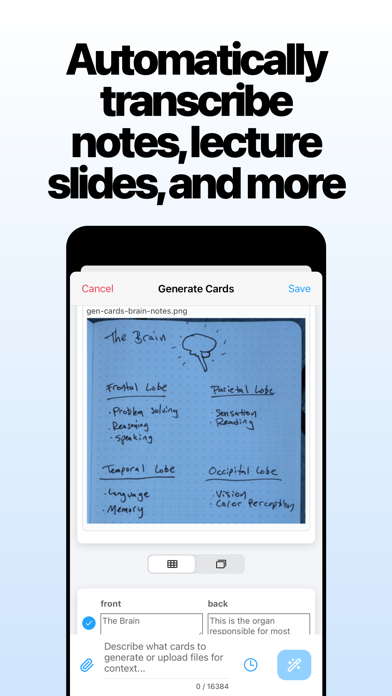
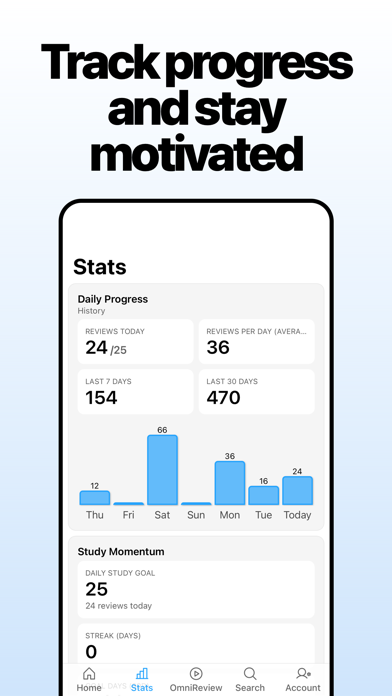
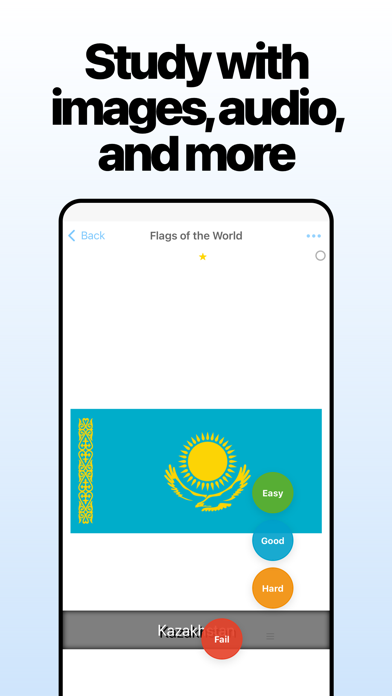
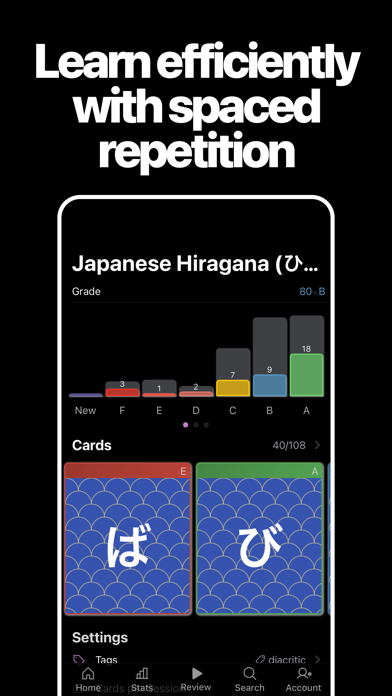
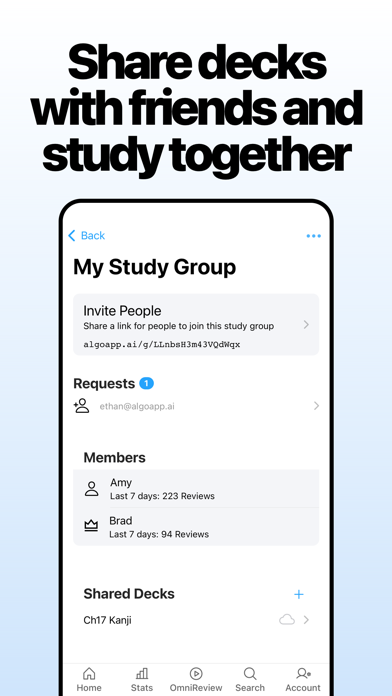
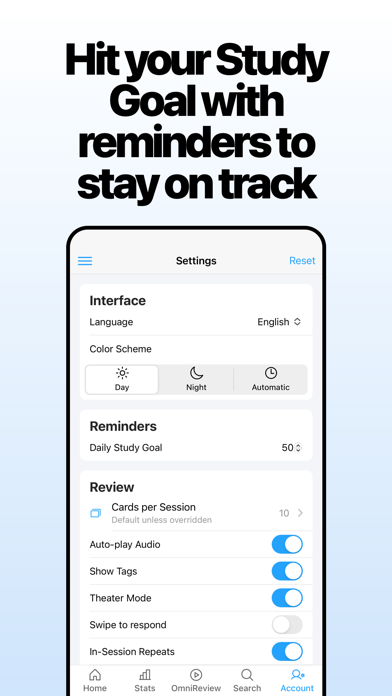
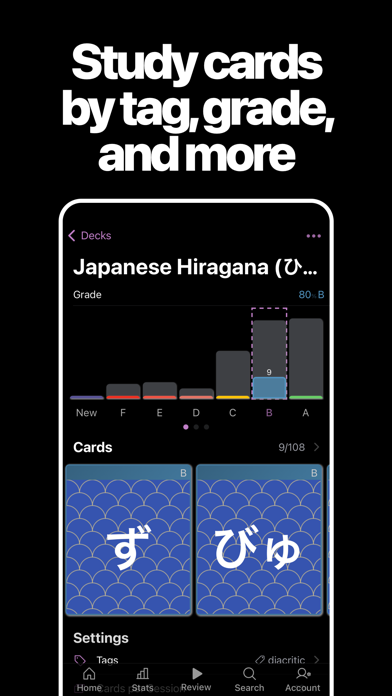
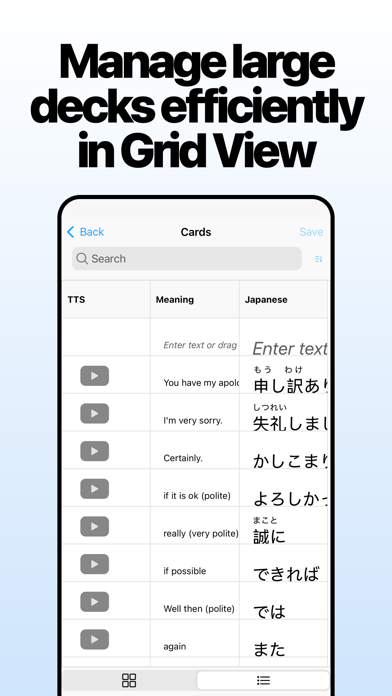
Learn languages, or study for school and tests, with the most powerful and user-friendly flashcard app. Millions of language-learners and students have studied over 2 billion flashcards with AlgoApp. Ranked #1 Education app in multiple countries world-wide. Featured in the New York Times. Designed by learning experts, including a published neuroscientist. Whether you're learning a language to live somewhere new or just for fun, need to get through med school, or just want to crush your tests, AlgoApp has already done it for over 5 million people. Why AlgoApp? FOR LANGUAGE LEARNERS • Automatic translation. Make vocab flashcards faster by typing words in the language you know, then AlgoApp translates to the language you're learning (or vice versa). Supports 120 languages including Japanese, Chinese, Korean, English, German, French, and more... • Speaks flashcards to you, in dozens of languages (automatic text-to-speech). Supports 39 languages including Japanese, Chinese, Korean, English, German, French, and more... • Automatically generates furigana annotations for kanji, or pinyin annotations for hanzi. FOR STUDENTS • Converts PDFs directly into flashcards using AI. Upload lecture slides and have a full deck of flashcards ready in seconds. • Prompt AI to make flashcards for you based on text and pictures. Turns handwritten notes and diagrams into flash cards for you. • Format your cards with colored text, bulleted lists, underlines, and more (no CSS needed). • Works offline, so you can study and make cards even when you don't have signal. • Syncs automatically with desktop, web app, and your other phones and tablets. So you can make cards on a computer with a full keyboard, then study on your phone. • Natively supports FSRS, the most-advanced spaced repetition algorithm. • Imports Anki decks (.apkg), AlgoApp (.xml) files, or spreadsheets (.csv). • Supports folders and subfolders, to keep your classes organized. • Notifications tell you when it's time to study (opt-in). • Share decks and study with your friends using Study Groups. • No ads. For the most-dedicated students, try AlgoApp Unlimited free for 7 days. Study as much as you want on all your devices. If you want to upgrade to AlgoApp Unlimited, you can either purchase "Unlimited: 1-Year" which is a 1-year auto-renewing subscription, or "Unlimited: Lifetime" which is a one-time purchase. • Unlimited grants you access to unlimited cross-platform multi-device sync, and more.. • If you choose "Unlimited: 1-Year", the subscription will automatically renew, unless auto-renew is turned off at least 24-hours before the end of the current period. Payment will be charged to your Apple Account within 24-hours before the end of the current period (renewal or trial period). • You can manage your subscription and disable auto-renewal by going to your Account Settings after purchase. Terms of Service: https://www.algoapp.ai/terms.html Privacy Policy: https://www.algoapp.ai/privacy.html
Installs, last 30 days
Apple does not publish download counts. Estimates are in testing.
Estimated store revenue Estimated Beta
App Store, worldwide, monthly rate from the last 13 chart days to 20 Nov 2026
Below the top 100 grossing apps in the markets we calibrate. In the United States that usually means under about $6.4M a month. App Store purchases and subscriptions only, before Apple's 15 to 30% fee. Ads and web payments are not included.
Ratings
20,081 ratings, 20,081 reviews
No rating breakdown published for this app.
Recent reviews
Latest public reviews from the store
- 22 Jan 2024
Overall fantastic--a couple minor annoyances
This app is mega helpful for a lot of things. Creating new flash cards organized by class is super easy, and it automatically sorts cards based on your rating from "fail" to "easy," sorting out the things you know super well from the things you mostly know etc. You can't delete a card while studying, but you can edit it. If there's a card you don't want anymore, you have to remember to delete it later. The app grades you from F to A, with A only being reached when you mark something "easy" multiple times. I'd rather switch it to something less harsh. Overall, this app has helped a ton with my classes despite the minor issues. Update: They fixed it so you can default to "All" cards in a review session! Changing from 4 stars to 5, hoping they'll consider the other changes as well.
- 7 Dec 2023
Great app, except…
I love the concept of the app. It’s works great by letting me add pictures to associate with the words I’m learning which is great because this is how my language teacher is teaching me and also because the language I’m learning (Khmer) doesn’t share an alphabet with my native English. Most of the time I’m completely happy with it! And it even is available on Mac as well. My two hangups are this: the app advertises as being available offline which is a big deal as I live in a third world country and this feature is great for the limited data network in the area of the city I live. This rarely works as I would imagine it’s intended. While off of WiFi and even in airplane mode, the app cannot pull up pictures that I have uploaded into the app. It will do words, but not pictures. This makes studying away from a stable internet connection impossible (which is what an ‘offline’ mode should take care of). I also have this issue only on the mobile app where when I flip a card or come to the end of a review session where it will just continue on to the next screen without letting me click the difficulty of the card or see my review progress. This is minor, but I did pay
- 9 Jul 2021
Honest quick review
This app essentially takes care of what I was personally looking for. I like color coding my flashcards based on difficulty and noticed the big names like Quizlet and even the other Anki app and desktop version didn’t offer this type of organization. All the big apps offer things like statistics (with paid versions) and quizzes and tests, but I don’t really need that. My style is to make a deck of say 100 things. The ones I 100% know, I mark green, or perfect. The ones I’m okay at and normally get right, blue. The ones I’m starting to forget or struggling to remember, yellow. And the ones that are brand new or I totally forgot, red. This seems like a pretty simple strategy. I spend less time studying the green and blue, and more time studying yellow and red. This app isn’t exactly like that - but it’s close. I can just mark a flashcard “failed” and it will put it in (basically) a “red” category, and then I can go back and study those flagged ones specifically. Once I know them, I can upgrade the colors until they hit perfect, or “green.” This app accommodates me just enough to get 4 stars. But StickyStudy (only Japanese and Chinese) does it better, but
- 29 Apr 2021
Very solid app!
Using this app to learn Japanese. I use it every day. 6 months and over 50k reviews later (1 card = 1 review) I can say with certainty if you are serious about whatever it is you want to learn and are willing to put in the time then you HAVE TO GET THIS APP! I only really started using it 6 months into learning Japanese (it's going to be a year in a couple of days since I started learning Japanese) and I really wish I would have started using this app sooner. You will not be be disappointed.... Best 25 bucks I've ever spent!!! PS.... like any other app out there there are bugs....the only one that was annoying to me was not in the ios version, but the windows version so it's irrelevant for this review but tags were not bring downloaded for decks created elsewhere....there have been a few updates since I last downloaded a deck (since I usually create them from windows anyways so maybe that issue was already fixed) PSS..... it would be great if there was an option to change language to Japanese...as an intermediate student of the language I basically have every piece of software I use and video games I play set to Japanese if available so since I use this app about 8 hours a day
What reviewers bring up
Topics mentioned in the latest 8 reviews, by how many reviews mention them
Liked in good reviews (3 reviews)
- other 3
- basically 2
- studying 2
- remember 2
- japanese 2
- couple 2
- based 2
- later 2
Raised in bad reviews (2 reviews)
- study 2
- until 2
- test 2
- anki 2
Top chart positions
Latest App Store chart ranks by country, last 10 days
- Countries ranked
- 9 of 50
- Best rank
- #61
- Top 10 placements
- 0
- of 9 chart placements
- Average rank
- #82.7
Best countries on App Store
- 🇭🇺 Hungary · Top grossing, Education#61
- 🇳🇿 New Zealand · Top grossing, Education#75
- 🇬🇷 Greece · Top grossing, Education#77
- 🇷🇺 Russia · Top grossing, Education#82
- 🇿🇦 South Africa · Top grossing, Education#83
- 🇦🇷 Argentina · Top grossing, Education#85
| Country | Chart | Category | Rank | Best (10 days) | Date |
|---|---|---|---|---|---|
| 🇭🇺 Hungary | Top grossing | Education | #61 | #61 | 12 Nov 2026 |
| 🇳🇿 New Zealand | Top grossing | Education | #75 | #75 | 13 Nov 2026 |
| 🇬🇷 Greece | Top grossing | Education | #77 | #39 | 20 Nov 2026 |
| 🇷🇺 Russia | Top grossing | Education | #82 | #82 | 15 Nov 2026 |
| 🇿🇦 South Africa | Top grossing | Education | #83 | #83 | 15 Nov 2026 |
| 🇦🇷 Argentina | Top grossing | Education | #85 | #85 | 14 Nov 2026 |
| 🇫🇮 Finland | Top grossing | Education | #91 | #49 | 17 Nov 2026 |
| 🇫🇷 France | Top grossing | Education | #93 | #73 | 15 Nov 2026 |
| 🇻🇳 Vietnam | Top grossing | Education | #97 | #97 | 17 Nov 2026 |
AlgoApp - Flashcards history
Release, install milestones, listing and store changes
- First released on the store 15 Sep 2013
Update frequency
How often AlgoApp - Flashcards ships a new version, month by month
20 updates in the last 12 months. More often than most similar apps: they shipped a median of 2 updates in the same year.
Recent versions
Current version 16.0.0
- Version 15.8.15 Nov 2026
- Choose whether cards generated from an image show the original image as their background. The option is now available in each deck's Background settings. - Classic review recaps no longer label available cards as due. See today's study activity and progress toward your daily goal, without reminders to keep studying based on an incorrect due-card count. - Fixed rich-text fields shrinking or hiding the writing area when the formatting toolbar wraps. Fields resize correctly after pasting, changing formatting, using Undo, or loading images. - Improved performance during long reviews and repeated card editing, especially with images and audio. - Fixed stalled image and audio uploads blocking later uploads. - Improved automatic recovery from storage errors so the app can reload without long delays or repeated reload attempts. - Updated deck-list progress bars with softer colors, clear outlines, and rounded ends. - Corrected the swipe-mode hint to point in the direction used to flip a card.
- Version 14.6.028 Aug 2026
- Pin favorite decks and folders to keep them at the top of Home - Card search now matches text as it appears after rich-text formatting - Improved review swiping and fill-in-the-blank answer layouts - Fixed plain-text editor sizing, folder grade statistics, and compatibility with older decks - Improved startup reliability, purchase restoration, and subscription management
- Version 14.5.021 Aug 2026
- Customize folder icon colors - Folder settings now sync across devices (requires latest version on all devices) - Grid Edit Mode now shows sortable due/grade status and a shortcut to create cards - Resume where you left off after reload or relaunch - Search results now show tags - Statistics now include remote decks and reviews from deleted cards - Various bug fixes and reliability improvements
- Version 14.4.011 Aug 2026
- The card editor has had a major upgrade: Show All opens every field in one scrollable workspace on desktop and mobile, with Next looping back to the first field. Info and Preview/More can collapse and remember their state; Esc closes unchanged editors on Mac; mobile rich and plain text now scroll fully. Media saves more reliably, and new settings cover default font, alignment and plain-text paste, with font previews and a Reset button for deck font size. - Study Groups now have a true conversation layer: comment on activity, @mention members, add emoji reactions, and press and hold a reaction to see everyone who used it. Authors can edit or delete their posts from a single … menu; owners can delete member comments and choose whether everyone can comment, only the owner can comment, or reactions are allowed without comments. - Reviews are more predictable: a new Show Due Status setting controls New/Due labels, the global in-session repeat setting now applies consistently to decks, saved reviews and OmniReview, shuffled FSRS sessions truly shuffle the full selection, and auto-flip starts correctly even when audio autoplay is off. - Local card search now shows the first 499 matches for faster, more manageable large result sets.
Listing keywords
Words and phrases AlgoApp - Flashcards repeats most in its store listing
Top phrases: before the end (2), chinese korean english (2), english german french (2), including japanese chinese (2), japanese chinese korean (2).
Highlighted words also appear in the title. Counts cover the title, short description and description.
Compliance
What the listing and the app package show
- Store status
- Live
- Upkeep
- Updated 5 Nov 2026
- Age rating
- 12+
Apps like AlgoApp - Flashcards
 SkyView® LiteTerminal Eleven LLC★ 4.54
 LetMeSpeak – Learn EnglishLetMeSpeak.org AG★ 4.66
 Smart Tales ® Learning GamesMarshmallow Games SRL★ 4.56
 MARU: Learn Japanese HiraganaOverdreamer, LLC★ 4.93
 RaiseMe - College scholarshipsRaise Labs, Inc.★ 4.82
 My Town Airport - Fly & TravelMy Town Games LTD★ 4.47
 MapTap.ggJohn Donham★ 4.91
 Tynker: Coding for KidsTynker★ 4.58
 Vietnamese Dictionary PEnglishPPCLINK Software★ 4.54
AlgoApp - Flashcards: questions and answers
Who makes AlgoApp - Flashcards?
AlgoApp - Flashcards is published by AlgoApp Inc.
When was AlgoApp - Flashcards last updated?
The latest version (16.0.0) was released on 5 Nov 2026.
Is AlgoApp - Flashcards free?
Yes. AlgoApp - Flashcards is free to download.
Is AlgoApp - Flashcards still available?
Yes. AlgoApp - Flashcards is live on App Store as of 20 Nov 2026.
Track AlgoApp - Flashcards and its competitors
Watch any app for new versions, rating drops, chart moves and removals. Free plan, no card.