
- Installs
- —
- Apple does not publish download counts
- Rating
- 2.68
- Ratings
- 2.5K
- 2.5K reviews
- Version
- 4.3.2
- Updated 28 Jun 2023
- Released
- 22 Jan 2015
- Tracked since 10 May 2026
- Size
- 76 MB
- Needs 8.0
Also on Google Play: Amcrest View Pro (9.3K ratings)
Screenshots
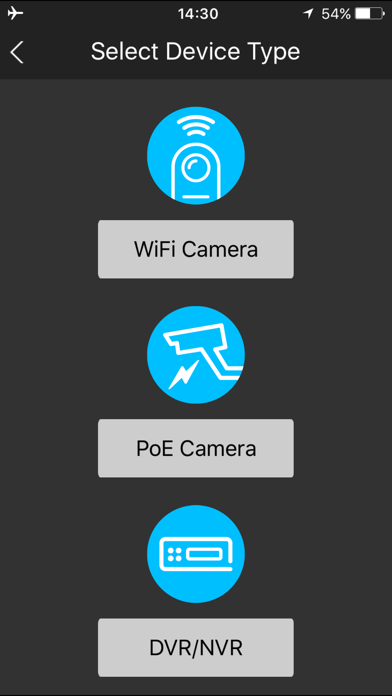
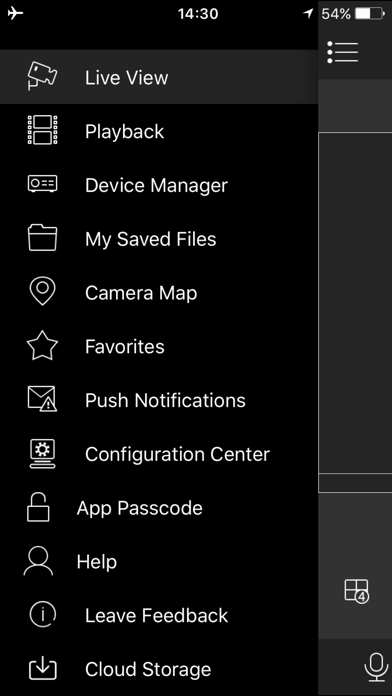
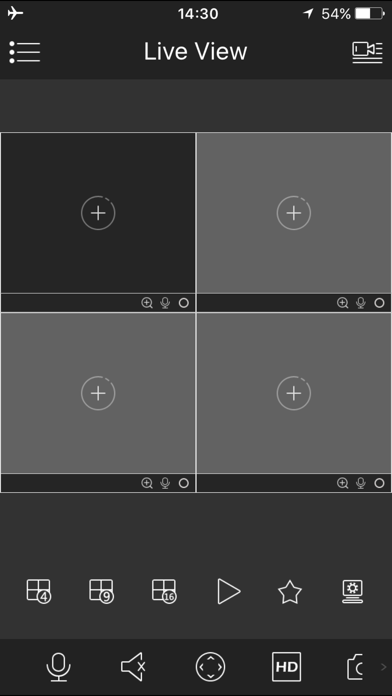
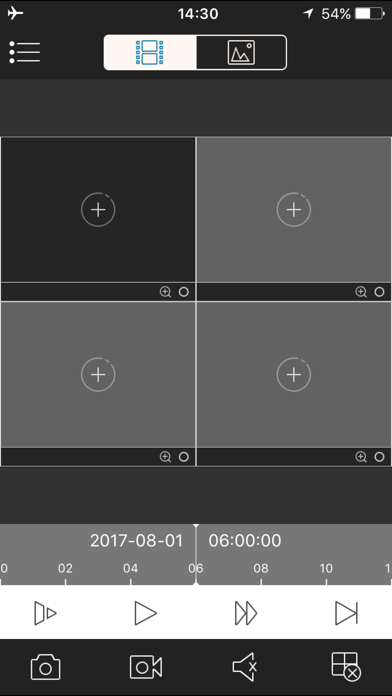
About Amcrest View Pro
The description on the store listing
Amcrest View is used in conjunction with Amcrest IP Cameras as well as HDCVI DVR & NVR systems. Configure your cameras together with the Amcrest View app to see your cameras from anywhere in the world!
Installs, last 30 days
Apple does not publish download counts. Estimates are in testing.
Estimated store revenue Estimated Beta
App Store, worldwide, monthly rate from the last 13 chart days to 20 Nov 2026
Below the top 100 grossing apps in the markets we calibrate. In the United States that usually means under about $6.4M a month. App Store purchases and subscriptions only, before Apple's 15 to 30% fee. Ads and web payments are not included.
Ratings
2,456 ratings, 2,456 reviews
No rating breakdown published for this app.
Recent reviews
Latest public reviews from the store
- 18 Jan 2021
App works well with camera access/viewing although limited NVR settings
Two years using this app and now, on my latest iOS version I’m still able to access my Amcrest cameras without any issues locally and remotely. All free and no cloud charges. I recently have to reset my iPhone to default when I sent it out for repair, afterwards the app reinstall and setup was as smooth as when I started using this app two years ago. My only complaint and the reason for the star deduction is the lack of macOS web support for their 2018 NVR. I had to do my NVR playback and settings directly from the NVR, remote setup in macOS Safari not supported. Tested this on macOS versions from Sierra through Catalina. As I mentioned earlier, livestream works in iOS but no access to NVR playback. I can see the NVR and do some settings but playback is no show in iOS. Overall this should be 3.5 stars, so I’m being generous with the 4 stars. My other fib is Amcrest newer models that is not compatible with their own NVR, I needed an outdoor camera and had no choice but to purchase a different brand (Rio solar powered) which is also not compatible with Amcrest NVR.
- 4 Dec 2018
Fantastic
I purchased an Amcrest Pro HD Wi-Fi Camera (IP2M-841) about a year ago and was completely satisfied until about a month ago. Thankfully, it was not the camera’s fault, but I didn’t find this out until I purchased a replacement camera! My internet provider changed out my modem (an upgrade). While I saw better speeds on my internet, my camera stopped working. Trying everything I could think of, I decided the camera my have been damaged by a surge due to recent storms. So, I ordered a new camera, the same type as before. When it arrived, I tried to connect and had the problem I had with my original one. After some additional research, I discovered the modem was a 5 GHz and the camera requires 2.4 GHz! My internet provider was able to split the signals and the camera is working again! Too bad that I ended up with an additional camera but I’ll find use for it...you can never get too much of a “good” thing!
- 3 Dec 2018
Great baby monitor
I just bought the 720 camera and connected it. I followed the prompted guide on how the app works and it seems pretty straight forward. No issues thus far. I only have one camera, but if you tap the top right button to select your camera or add camera, it doesn’t seem to be difficult if you have multiple cameras and there is a feature to monitor multiple feeds at once. I’ll prob get one more camera in the future. I will be using this mainly as a baby monitor. It was a great deal on Groupon during Black Friday and I couldn’t pass it up. Does what I need it to do, see my baby via my phone ( instead of a stand alone monitor I’ll have to carry around.) I don’t plan on using the camera while away from home so the issues about logging onto the app while connected through a different internet source (cell or other WiFi) doesn’t apply to me. I also had difficulty setting up the device via WiFi so I used the Ethernet cable and it was quick. I could unplug the camera and move it with no problems reconnecting. I noticed a few people mentioning network re-setups was difficult, I would just factory reset the camera to default and reconnect. Seems faster- per the manual online- (re
- 19 Mar 2018
Decent but with some interface issues
The app works very well with the camera, although I would strongly recommend a connected, ethernet cable set up, versus a wireless one. The wireless attempt failed for me several times before I finally gave up and went the old school method. The camera quality is good, but with a few shortcomings: 1). The resolution in portrait mode looks really bizarre on an iPhone X. The fix for this is to turn your phone to landscape, and you’ll notice the resolution will look much better. We should always watch video in landscape anyway, right Steve Jobs? 2). This is not yet optimized for iPhone X, which is a shame. The camera will look much better when it’s built for the native resolution of the newer iPhones. 3). Finally, I don’t have a great connection when I’m trying to view the camera when I’m not on my LAN and out in the real world. I haven’t set up port forwarding on the LAN IP for the camera yet, and I’m not sure if that will change a thing with the app, but viewing in HD is extremely slow. Perhaps not so much a complaint about the app but the cameras ability to communicate with my network? Hard to say. Lastly, an annoying feature of the app is that you continually hav
What reviewers bring up
Topics mentioned in the latest 8 reviews, by how many reviews mention them
Liked in good reviews (4 reviews)
- camera 4
- through 3
- complaint 2
- internet 2
- default 2
- support 2
- feature 2
- issues 2
Raised in bad reviews (3 reviews)
- another 3
- poorly designed 2
- forth between 2
- incredibly 2
- constantly 2
- seriously 2
- recording 2
- function 2
Top chart positions
Latest App Store chart ranks by country, last 10 days
Not in any tracked top chart in the last 10 days.
Amcrest View Pro history
Release, install milestones, listing and store changes
- First released on the store 22 Jan 2015
Update frequency
How often Amcrest View Pro ships a new version, month by month
0 updates in the last 12 months. Less often than most similar apps: they shipped a median of 1 updates in the same year.
Recent versions
Current version 4.3.2
- Version 4.3.228 Jun 2023
Added support for newer models
Listing keywords
Words and phrases Amcrest View Pro repeats most in its store listing
Top phrases: amcrest view (3).
Highlighted words also appear in the title. Counts cover the title, short description and description.
Compliance
What the listing and the app package show
- Store status
- Live
- Upkeep
- No update since 28 Jun 2023
- Age rating
- 4+
Apps like Amcrest View Pro
 Calculator Pro LiteCider Software LLC★ 4.65
 Followers Insights trackerAnshun Lingyun Technology Development Co., Ltd.★ 4.12
 Master Spin & Daily GiftPhu Nguyen★ 4.71
 Bubble Level - Spirit LevelNetviking AB★ 4.63
 Net Optimizer : Optimize PingAPP CASTLE YAZILIM LIMITED SIRKETI★ 4.62
 Парковки РоссииДепартамент транспорта Москвы★ 4.59
 Tier List Maker: Set List MakeAleksei Metelkin★ 4.38
 Optiwatt: Local Energy RewardsOptiwatt, Inc.★ 4.75
 ev.energy: Smart EV Car Chargeev.energy★ 4.77
Amcrest View Pro: questions and answers
Who makes Amcrest View Pro?
Amcrest View Pro is published by Amcrest.
When was Amcrest View Pro last updated?
The latest version (4.3.2) was released on 28 Jun 2023.
Is Amcrest View Pro free?
Yes. Amcrest View Pro is free to download.
Is Amcrest View Pro still available?
Yes. Amcrest View Pro is live on App Store as of 20 Nov 2026.
Track Amcrest View Pro and its competitors
Watch any app for new versions, rating drops, chart moves and removals. Free plan, no card.