
- Installs
- —
- Apple does not publish download counts
- Rating
- 2.67
- Ratings
- 3
- 3 reviews
- Version
- 3.1.6
- Updated 14 May 2023
- Released
- 6 Oct 2021
- Tracked since 11 May 2026
- Size
- 120 MB
- Needs 14.0
Screenshots
About Anki Note
The description on the store listing
When users use flashcards to learn, they will encounter the problem that their knowledge points are scattered in every corner, and it is difficult for users to sort out a knowledge network from it.
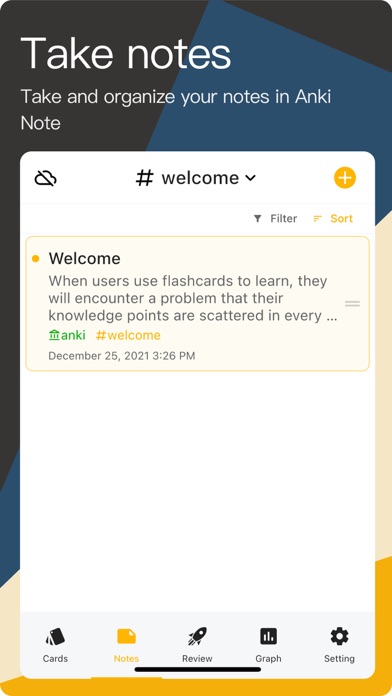
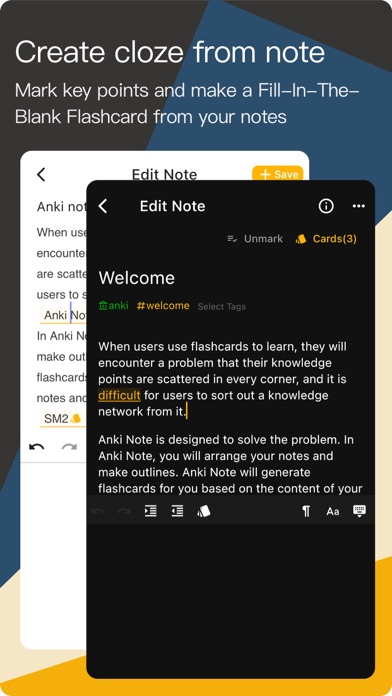
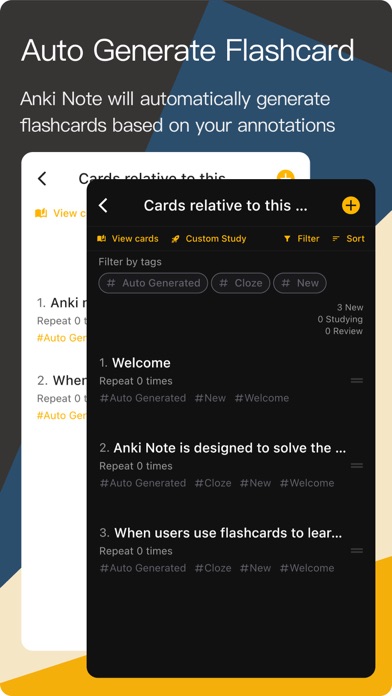
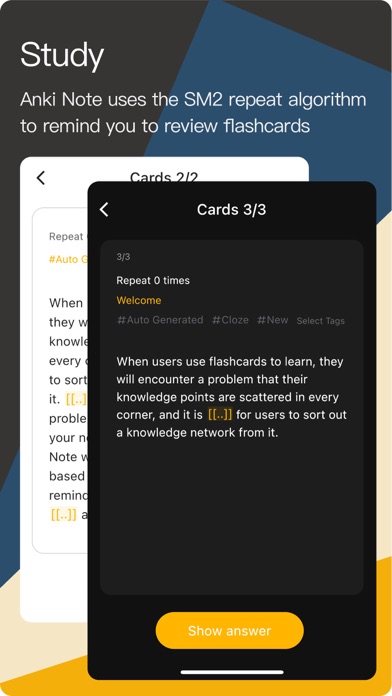
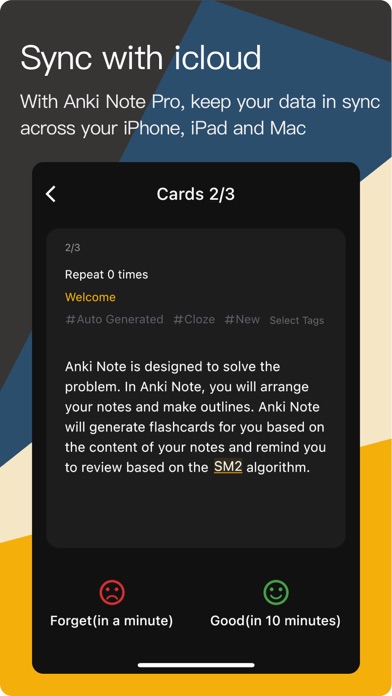
Anki Note is designed to solve the problem. In Anki Note, you will edit your notes and mark important content. Anki Note will generate flashcards based on your mark and remind you to review based on the SM2 algorithm.
Features
Notes
- Take notes.
- Markdown shortcuts.
- Code Block (Anki Note Pro)
- Attachments (pictures, photos, and docs).
- All your attachments will be saved on your iCloud and local device, Anki Note will not get any of your private data.
- Support linking to other notes via …
Read the full description
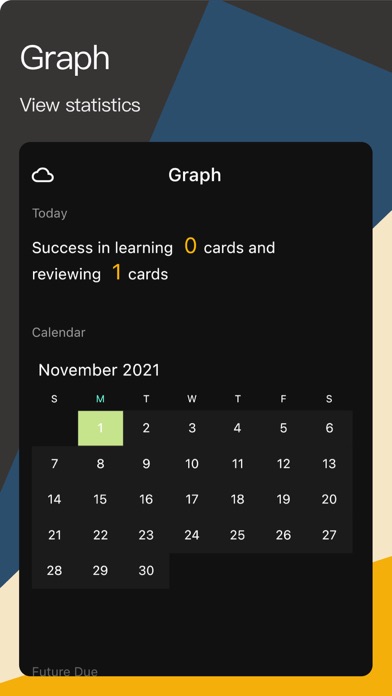
When users use flashcards to learn, they will encounter the problem that their knowledge points are scattered in every corner, and it is difficult for users to sort out a knowledge network from it. Anki Note is designed to solve the problem. In Anki Note, you will edit your notes and mark important content. Anki Note will generate flashcards based on your mark and remind you to review based on the SM2 algorithm. Features Notes - Take notes. - Markdown shortcuts. - Code Block (Anki Note Pro) - Attachments (pictures, photos, and docs). - All your attachments will be saved on your iCloud and local device, Anki Note will not get any of your private data. - Support linking to other notes via the syntax `[[notes`. Daily Notes - Daily Notes will create a new note that is automatically named with the current date. If it already exists, it will open that note. This is a valuable way to create a daily log, to-do list, or a list of links to notes that you have created on a specific day. Manage notes - All notes are organized into a tree, where child notes are attached to parent notes. - Support creating "sub-notes" for a single note, and support continuous creation of "sub-notes" in "sub-notes" with unlimited levels. - Support adjusting the position of notes by dragging and dropping. - Support staring notes. Build a Network of Notes - Bi-directional linking. - Link notes from notes and flashcards. - Support Backlinks: View the content link to the current note. - Graph - The relationship graph shows the notes related to the current note (parent note, child note, forward-linked note, back-linked note). - The relationship graph shows how all the notes are related to each other (parent-child, forward/backward links). Flashcards - Create flashcards. - Front and back flashcards. - Clozes. - Create flashcards from notes. - Select a piece of text in the note and click the "flashcard" icon to mark the currently selected content as a cloze. - For each note, click the "Mark the note as one card" button, Anki Note will automatically turn the note into a flashcard, make the note's title on the front of the card, and make the content of the note on the back of the card. View and manage flashcards - Anki Note provides multiple views for viewing all flashcards in multiple dimensions. - View flashcards related to "Today". - View flashcards in different statuses. - View flashcards by notes. - Archive flashcards. - Archived flashcards will no longer be reminded to review, but you can still view them at any time through the "Archived" list. - Reset flashcards. - The learning progress of the card will be cleaned and the card will be reset to a new card. Study - Anki Note uses the SM2 repeat algorithm to remind you to review flashcards. - You can arrange your way of reviewing. - Study all-new cards. - Review all the cards that need to be reviewed in the list. - Study all cards on the list. PDF - Import PDF in Anki Note and use this PDF file as a note. - Read PDF in Anki Note. - Add annotations: drawing, highlight, rectangle, and text. - Create flashcards with PDF highlighted text. - Create flashcards by PDF rectangle annotation. Tag - Add tags to your notes and cards for easy management and maintenance. - Hierarchical hashtag. - A hierarchical hashtag, like 'TechCompanies/Microsoft', will be displayed in a tree-like hierarchy. - Tags are displayed in alphabetical order by default Data - iCloud Sync, Keep your data in-sync across your iPhone, iPad, and Mac (Anki Note Pro). - All your data will be saved on your iCloud or local device, Anki Note will not get any of your private data. - Privacy Policy - https://tea-note.github.io/#/en/anki_note_privacy - Terms of Use - https://tea-note.github.io/#/en/anki_note_terms
Installs
Apple does not publish download counts. Estimates are in testing.
We publish iOS estimates only after they pass a back-test against real numbers. Chart history below is measured.
Estimated store revenue Estimated Beta
App Store, worldwide, monthly rate from the last 12 chart days to 19 Nov 2026
Below the top 100 grossing apps in the markets we calibrate. In the United States that usually means under about $6.4M a month. App Store purchases and subscriptions only, before Apple's 15 to 30% fee. Ads and web payments are not included.
Ratings
3 ratings, 3 reviews
No rating breakdown published for this app.
Recent reviews
Latest public reviews from the store
No reviews in our sample for this app yet.
Top chart positions
Latest App Store chart ranks by country, last 10 days
Not in any tracked top chart in the last 10 days.
Anki Note history
Release, install milestones, listing and store changes
- First released on the store 6 Oct 2021
Recent versions
Current version 3.1.6
- Version 3.1.614 May 2023
3.1.6 - Fix some bugs.
Listing keywords
Words and phrases Anki Note repeats most in its store listing
Top phrases: anki note (13), create flashcards (4), sub notes (3), view flashcards (3), anki note pro (2).
Highlighted words also appear in the title. Counts cover the title, short description and description.
Compliance
What the listing and the app package show
- Store status
- Live
- Upkeep
- No update since 14 May 2023
- Age rating
- 4+
Apps like Anki Note
 Populations and Resources SimAmplify Education, Inc.★ 2.38
 Rune WriterPaul Burlov★ 4.34
 Being Moroccan ( Darija )Yasir TIRAK★ 4.56
 方格单词²上海译动智能科技有限公司★ 4.68
 Handwriting Tracing PracticeVladimir Zavada★ 4.02
 Oklahoma Learners Permit TestNilu Rathod★ 4.72
 SU CampusCharles Robinson★ 4.76
 NC CDL Permit Test PracticeNilu Rathod★ 4.82
 Mjølnir NorwegianMjølnir Learning Apps★ 4.92
Anki Note: questions and answers
Who makes Anki Note?
Anki Note is published by 舜 吕.
When was Anki Note last updated?
The latest version (3.1.6) was released on 14 May 2023.
Is Anki Note free?
Yes. Anki Note is free to download.
Is Anki Note still available?
Yes. Anki Note is live on App Store as of 1 Jul 2026.
Track Anki Note and its competitors
Watch any app for new versions, rating drops, chart moves and removals. Free plan, no card.