
- Installs
- —
- Apple does not publish download counts
- Rating
- —
- Ratings
- —
- Version
- 1.4.1
- Updated 6 Oct 2019
- Released
- 22 May 2012
- Tracked since 10 May 2026
- Size
- 8 MB
- Needs 10.10
Screenshots
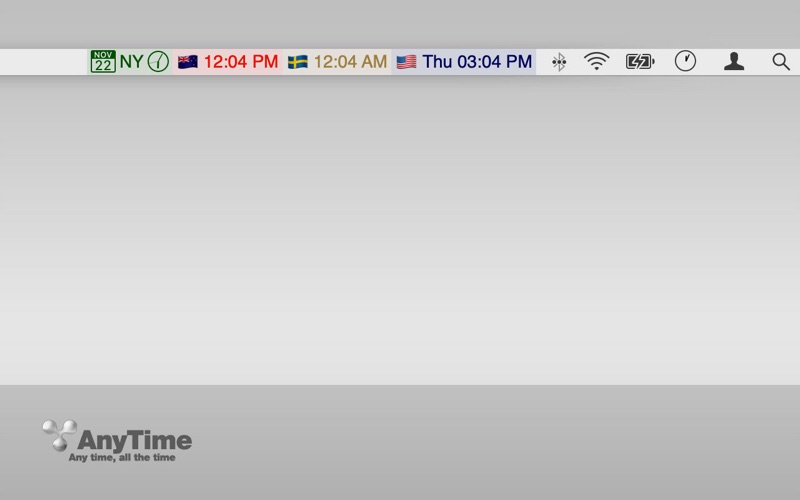
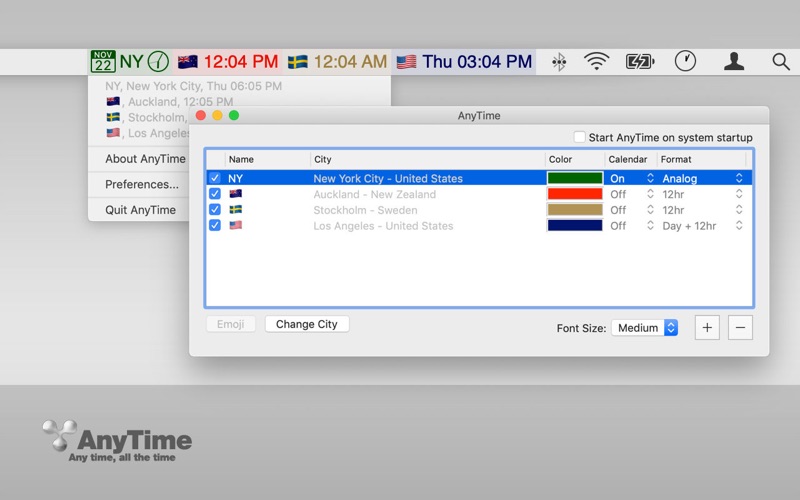
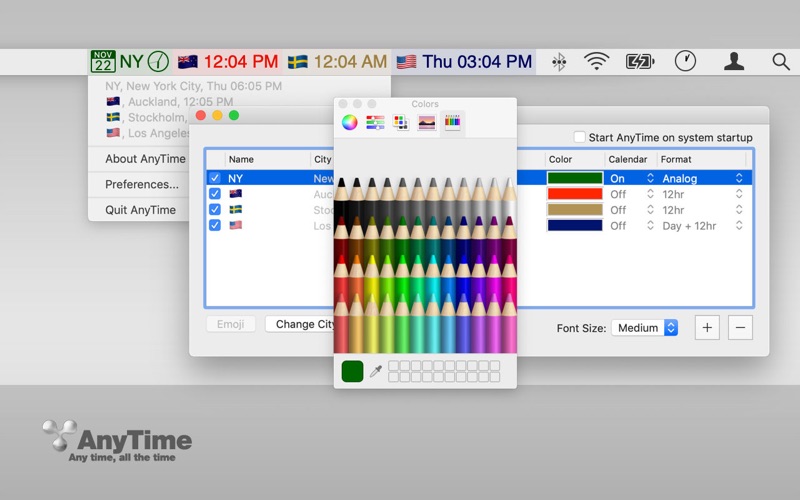
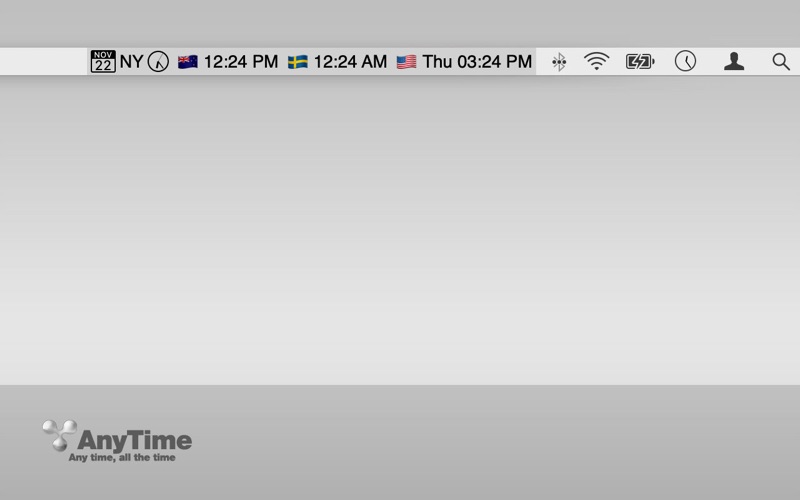

About AnyTime
The description on the store listing
AnyTime - All the Time
Place multiple clocks in your taskbar (menu bar). Multiple time zones are now always in your view. Color code options for easy reference. Perfect for working across world offices. No extra clicking to see what time it is across the United States or anywhere in the world.
Features
- Always In Your Taskbar (Menu Bar)
- Color Code Options
- Capable of Displaying 10+ Clocks¹
- Auto-Update for Daylight Savings
- Doesn’t Prevent Your Computer from Sleep Mode
- Multiple Monitor Support
- Autostart at Login Option
Tip: Replace Your Standard Clock
Control-Click the standard Mac clock
Open Date/Time Preferences
Click the ‘Clock’ tab
Uncheck ‘Show date and time in …
Read the full description
AnyTime - All the Time Place multiple clocks in your taskbar (menu bar). Multiple time zones are now always in your view. Color code options for easy reference. Perfect for working across world offices. No extra clicking to see what time it is across the United States or anywhere in the world. Features - Always In Your Taskbar (Menu Bar) - Color Code Options - Capable of Displaying 10+ Clocks¹ - Auto-Update for Daylight Savings - Doesn’t Prevent Your Computer from Sleep Mode - Multiple Monitor Support - Autostart at Login Option Tip: Replace Your Standard Clock Control-Click the standard Mac clock Open Date/Time Preferences Click the ‘Clock’ tab Uncheck ‘Show date and time in menu bar’ Add your time zone to the AnyTime app. Tip: Open At Login - Select in Settings or: Control-Click the icon in your dock. Click ‘Options’ Click ‘Open at Login’ ¹ Limited by screen real estate. If you have many clocks enabled and are using a program which uses many taskbar menu options, the clocks will automatically hide. Reduce the number of clocks to enable viewing.
Installs
Apple does not publish download counts. Estimates are in testing.
We publish iOS estimates only after they pass a back-test against real numbers. Chart history below is measured.
Estimated store revenue Estimated Beta
App Store, worldwide, monthly rate from the last 12 chart days to 19 Nov 2026
Below the top 100 grossing apps in the markets we calibrate. In the United States that usually means under about $6.4M a month. App Store purchases and subscriptions only, before Apple's 15 to 30% fee. Ads and web payments are not included.
Ratings
No rating breakdown published for this app.
Recent reviews
Latest public reviews from the store
No reviews in our sample for this app yet.
Top chart positions
Latest App Store chart ranks by country, last 10 days
Not in any tracked top chart in the last 10 days.
AnyTime history
Release, install milestones, listing and store changes
- First released on the store 22 May 2012
Update frequency
How often AnyTime ships a new version, month by month
0 updates in the last 12 months. Less often than most similar apps: they shipped a median of 1 updates in the same year.
Recent versions
Current version 1.4.1
- Version 1.4.16 Oct 2019
Minor bugs are fixed.
Listing keywords
Words and phrases AnyTime repeats most in its store listing
Top phrases: menu bar (3), taskbar menu (3), color code options (2), open at login (2), taskbar menu bar (2).
Highlighted words also appear in the title. Counts cover the title, short description and description.
Compliance
What the listing and the app package show
- Store status
- Live
- Upkeep
- No update since 6 Oct 2019
- Age rating
- 4+
Apps like AnyTime
 Robin - Mobile AppRobin Powered, Inc★ 3.32
 Bright AisleMedia Solutions Corp★ 2.52
 Rhingie: phone call 2nd numberDating onlain, ooo★ 3.96
 PayClockLathem Time Corporation★ 2.08
 云电话-网络电话虚拟隐私小号国辉 李★ 4.74
 QuicklynQuicklyn★ 4.86
 Diligent BoardsDiligent Corporation★ 3.32
 DATABASICSDATABASICS★ 3.8
 vMEyeSuperGuangzhou Kedi Intelligence Technology Co., Ltd.★ 3.14
AnyTime: questions and answers
Who makes AnyTime?
AnyTime is published by MEA Mobile.
When was AnyTime last updated?
The latest version (1.4.1) was released on 6 Oct 2019.
Is AnyTime free?
No. AnyTime is a paid app priced at $2.99.
Is AnyTime still available?
Yes. AnyTime is live on App Store as of 10 May 2026.
Track AnyTime and its competitors
Watch any app for new versions, rating drops, chart moves and removals. Free plan, no card.