
- Installs
- —
- Apple does not publish download counts
- Rating
- 4.82
- Ratings
- 1.6K
- 1.6K reviews
- Version
- 2026.35
- Updated 31 Oct 2026
- Released
- 28 Jun 2019
- Tracked since 10 May 2026
- Size
- 112 MB
- Needs 17.4
Screenshots

About SSH Client - Secure ShellFish
The description on the store listing
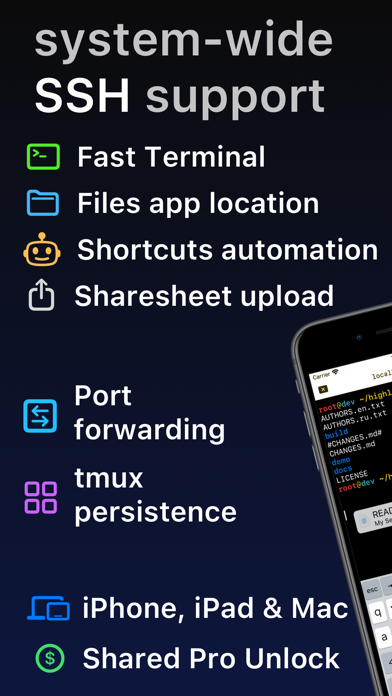
Lightning fast SSH terminal with remote file access. No other app fuses your SSH servers and iOS devices as well as Secure ShellFish. Tap Get and see for yourself.
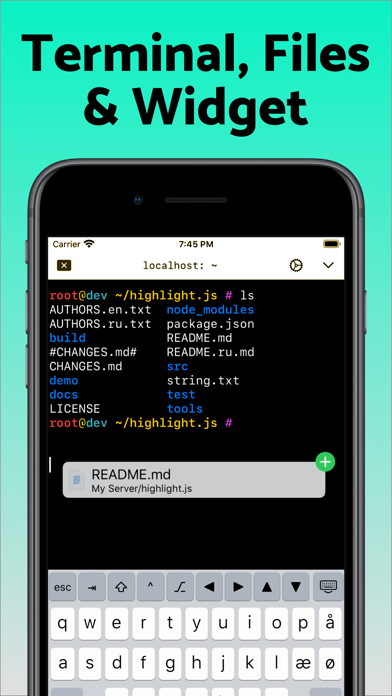
Terminal supports standard text editing gestures for selection, scrolling and copy/paste as well as custom gestures to send arrow keys and tabulator making shell entry and full screen editing with vim or emacs delightful. Bar above the keyboard makes it easy to type special keys and insert snippets.
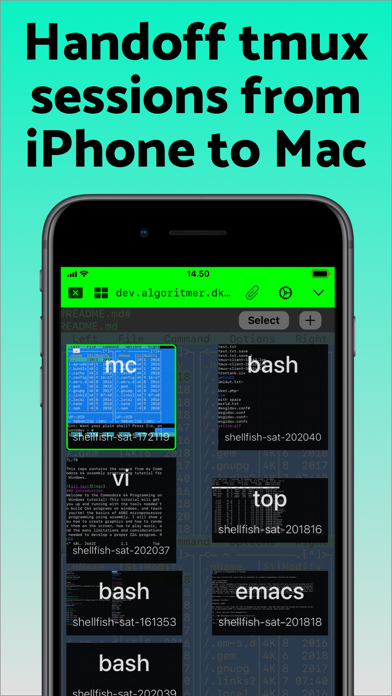
Select and drag filenames out of the terminal as actual files and drag files from other apps into the terminal to upload. Use built-in tmux support to persist terminal sessions if you lose Internet access, pick existing sessions …
Read the full description
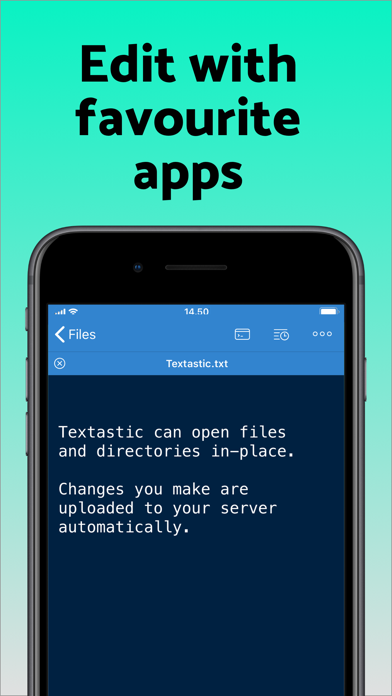
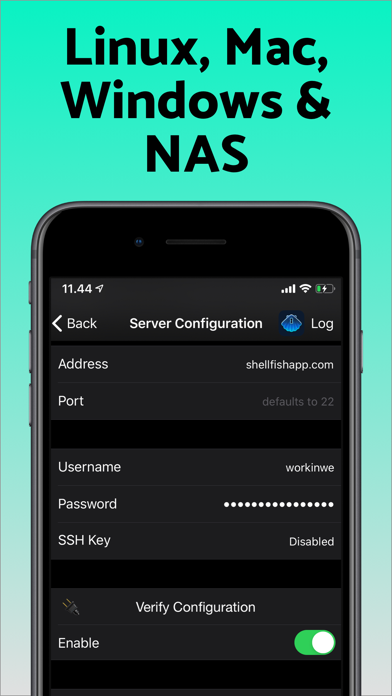
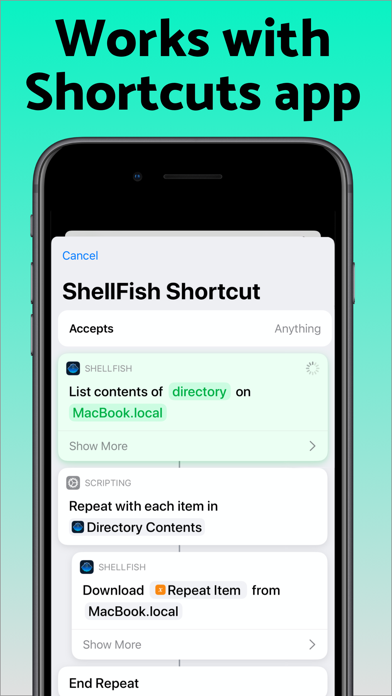
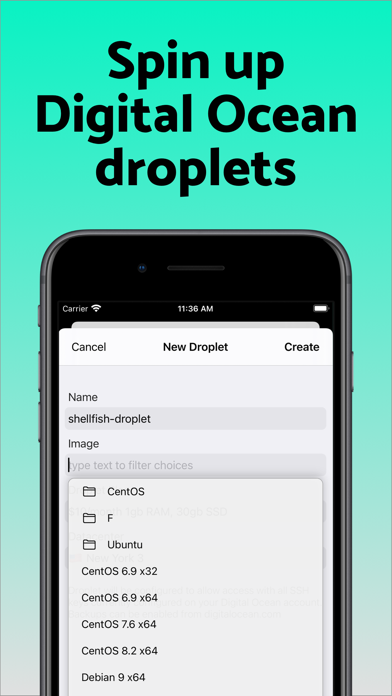
Lightning fast SSH terminal with remote file access. No other app fuses your SSH servers and iOS devices as well as Secure ShellFish. Tap Get and see for yourself. Terminal supports standard text editing gestures for selection, scrolling and copy/paste as well as custom gestures to send arrow keys and tabulator making shell entry and full screen editing with vim or emacs delightful. Bar above the keyboard makes it easy to type special keys and insert snippets. Select and drag filenames out of the terminal as actual files and drag files from other apps into the terminal to upload. Use built-in tmux support to persist terminal sessions if you lose Internet access, pick existing sessions with thumbnails and Handoff sessions between devices. Server file system is available in the Files app and recently accessed files and directories are cached to make them available when offline. Use apps like Textastic and iA Writer for a native editing experience working on your remote server files. Upload files or entire directories from the share sheet with minimal friction as the last destination directory for each kind of file is remembered or automate file transfers in the Shortcuts app. Connect to your Mac, Synology NAS and any other SSH server or create new Digital Ocean droplets right from the app. Secure ShellFish is useful as a free app and paying pro users can disable ads in the terminal, upload through the Files app and configure unlimited number of servers.
Installs, last 30 days
Apple does not publish download counts. Estimates are in testing.
Estimated store revenue Estimated Beta
App Store, worldwide, monthly rate from the last 12 chart days to 19 Nov 2026
Below the top 100 grossing apps in the markets we calibrate. In the United States that usually means under about $6.4M a month. App Store purchases and subscriptions only, before Apple's 15 to 30% fee. Ads and web payments are not included.
Ratings
1,581 ratings, 1,581 reviews
No rating breakdown published for this app.
Recent reviews
Latest public reviews from the store
- 16 May 2026
Best SSH terminal app I’ve found
Haven’t found anything better than this one at the things it sets out to do. The advertisements are unobtrusive and rare. It would be nice if the premium version wasn’t so expensive, but alas.
- 16 May 2026
Awesome some piece of software
I use this every day for coding. It’s really a lifesaver and a pinch. It’s my favorite SSH client
- 13 May 2026
Universal tool
Great tool, nice interface, useful features
- 11 May 2026
Great SSH shell with file capabilities
ShellFish makes my iPad a much more useful tool. It lets me manage my various systems via SSH with ease. Including TMUX support. I recently had a feature request, and the author Anders wrote back in less than a day with a suggestion to try out an existing feature which should get close to what I was asking for. I haven’t made use of the Files integration yet, but I will figure out how to get it in to my workflow.
What reviewers bring up
Topics mentioned in the latest 50 reviews, by how many reviews mention them
Liked in good reviews (48 reviews)
- ssh 26
- shellfish 13
- files 11
- terminal 10
- client 10
- integration 9
- ios 9
- features 8
Raised in bad reviews (0 reviews)
No topic comes up twice.
Top chart positions
Latest App Store chart ranks by country, last 10 days
- Countries ranked
- 47 of 50
- Best rank
- #6
- Top 10 placements
- 4
- of 80 chart placements
- Average rank
- #54.3
Best countries on App Store
- 🇪🇸 Spain · Top grossing, Developer Tools#6
- 🇬🇷 Greece · Top grossing, Developer Tools#7
- 🇵🇱 Poland · Top grossing, Developer Tools#8
- 🇮🇹 Italy · Top grossing, Developer Tools#9
- 🇩🇪 Germany · Top grossing, Developer Tools#11
- 🇧🇪 Belgium · Top grossing, Developer Tools#11
| Country | Chart | Category | Rank | Best (10 days) | Date |
|---|---|---|---|---|---|
| 🇪🇸 Spain | Top grossing | Developer Tools | #6 | #6 | 19 Nov 2026 |
| 🇬🇷 Greece | Top grossing | Developer Tools | #7 | #5 | 19 Nov 2026 |
| 🇵🇱 Poland | Top grossing | Developer Tools | #8 | #8 | 19 Nov 2026 |
| 🇮🇹 Italy | Top grossing | Developer Tools | #9 | #4 | 19 Nov 2026 |
| 🇩🇪 Germany | Top grossing | Developer Tools | #11 | #6 | 19 Nov 2026 |
| 🇧🇪 Belgium | Top grossing | Developer Tools | #11 | #2 | 19 Nov 2026 |
| 🇺🇸 United States | Top grossing | Developer Tools | #12 | #12 | 19 Nov 2026 |
| 🇸🇬 Singapore | Top grossing | Developer Tools | #12 | #12 | 19 Nov 2026 |
| 🇨🇦 Canada | Top grossing | Developer Tools | #14 | #8 | 19 Nov 2026 |
| 🇭🇰 Hong Kong SAR China | Top grossing | Developer Tools | #15 | #6 | 19 Nov 2026 |
SSH Client - Secure ShellFish history
Release, install milestones, listing and store changes
- First released on the store 28 Jun 2019
Update frequency
How often SSH Client - Secure ShellFish ships a new version, month by month
15 updates in the last 12 months. More often than most similar apps: they shipped a median of 2 updates in the same year.
Recent versions
Current version 2026.35
- Version 2026.3431 Oct 2026
This version introduces Mosh as an experimental feature. Choose Mosh under Persistence when editing a server to try it. Mosh is designed to keep the terminal connected as you move between Wi-Fi and cellular, through network dropouts and while your iPhone or iPad sleeps, and to show what you type right away on a slow connection. The server needs mosh-server and must accept UDP on ports 60000 to 61000, and ShellFish shows how to install mosh-server if it is missing. If Mosh gives you trouble, switch Persistence back to None or tmux, and feedback on what went wrong is very welcome. Images sent with the kitty graphics protocol now show in the terminal, from tools like kitten icat and yazi and from Claude Code mods that draw images. Run Install from Shell Integration on the server so Claude Code knows it can draw them. Images do not come through tmux or Mosh. Creating a security key such as a YubiKey, or signing in with one, now works on iOS 27. Fixes a new terminal sometimes being only a few rows tall when the keyboard bar is set to Always. Includes improvements from last version: ShellFish now supports iPhone Duo. On the wide inner display the terminal toolbar moves to a vertical strip beside the terminal with your tabs, the session picker and the server icon, and the keyboard bar spreads its keys across the wider keyboard. Partly folded like a laptop, the terminal takes the top half and is ready for typing. Suggest Command turns a plain-language description such as "make a compressed archive of src without the log files" into a shell command, using Apple's Private Cloud Compute model. Long-press the paste button on the keyboard bar or press Cmd-I. The model reads the manual pages on the server you are connected to, so it suggests options that exist there, and the command is only inserted at the prompt when you choose Insert. Requires the latest version of iOS with Apple Intelligence enabled. Shortcuts actions no longer have to finish within a few seconds. On the latest version of iOS an upload, a download or the listing of a large folder keeps running in the background for as long as it needs, showing how far it has come and offering a stop button if you want to end it early. A new Control Cloud Server action creates, starts, stops, checks and destroys cloud servers. You pick the region, the plan and the system image the same way you do in the app, and a server that takes minutes to come up reports what it is doing while you wait. The server it gives you back drops straight into the next action, even before you have saved it as a server of your own. A new Run Command action then runs a command on that server, or on any saved server, without opening the app. Output appears line by line while the command works and the full output is handed back to the rest of your shortcut, so a single shortcut can bring up a server, run a build or a backup on it that takes minutes, and shut it down again.
- Version 2026.2831 Aug 2026
Improvements to pasting into the terminal, which now explains itself instead of silently doing nothing when something goes wrong. Improvements to tmux native mode. Assigning a function or navigation key to a customizable key now sends that key. Picking something like Navigation keys > Page Up stored the keycap instead of the key behind it, so pressing it typed the words on the cap rather than moving through the screen. Keys you assigned this way before this build keep the old behaviour until you pick them again.
- Version 2026.2714 Aug 2026
Collapsed server groups show a count of the servers inside. Starting a session works again on tmux 3.2 and older, along with general improvements to tmux native mode. Improved support for DEC 2026 to avoid terminal flicker. Holding alt while tapping/clicking sends the click through to mouse-aware programs (tmux, Midnight Commander), including trackpad/mouse right-clicks; shift keeps the tap local for cursor placement and selection. Esc, ctrl and alt on the keyboard bar can be customized with tap-and-hold.
- Version 2026.2616 Jul 2026
The server list now has a selection mode. Start it from the (...) button to pick multiple servers, then move the whole selection to a group, delete it, export it, or open a new terminal that runs a shared command across every selected server. You can now generate and import SSH keys directly from the pop-up menu used to pick an SSH key for a server. Keyboard Shortcut Change The Type Sentence shortcut is now Command-Shift-E (previously Command-E).
Listing keywords
Words and phrases SSH Client - Secure ShellFish repeats most in its store listing
Top phrases: secure shellfish (3).
Highlighted words also appear in the title. Counts cover the title, short description and description.
Compliance
What the listing and the app package show
- Store status
- Live
- Upkeep
- Updated 31 Oct 2026
- Age rating
- 4+
Apps like SSH Client - Secure ShellFish
 Bluetooth InspectorGeorge Garside★ 4.57
 CodeSnack IDEMobibean, LLC★ 4.44
 CSDN-技术开发者社区CSDN Network Technology Co., Ltd.★ 4.68
 PastelSteven Troughton-Smith★ 4.7
 Gave Survey - Play & FeedbackPlay 2 Earn Cash★ 4.89
 HTTPBot: API & HTTP ClientArvindh Sukumar★ 4.47
 TermuxFREE AI UTILS COMPANY LIMITED★ 4.59
 xTerminal - SSH Terminal Shell婉媚 邵★ 4.72
 Python Coding婉媚 邵★ 4.77
SSH Client - Secure ShellFish: questions and answers
Who makes SSH Client - Secure ShellFish?
SSH Client - Secure ShellFish is published by Anders Borum.
When was SSH Client - Secure ShellFish last updated?
The latest version (2026.35) was released on 31 Oct 2026.
Is SSH Client - Secure ShellFish free?
Yes. SSH Client - Secure ShellFish is free to download.
Is SSH Client - Secure ShellFish still available?
Yes. SSH Client - Secure ShellFish is live on App Store as of 19 Nov 2026.
Track SSH Client - Secure ShellFish and its competitors
Watch any app for new versions, rating drops, chart moves and removals. Free plan, no card.