
- Installs
- —
- Apple does not publish download counts
- Rating
- 3.56
- Ratings
- 407
- 407 reviews
- Version
- 5.5.1
- Updated 15 Oct 2026
- Released
- 12 Oct 2019
- Tracked since 10 May 2026
- Size
- 67 MB
- Needs 13.5
Also on Google Play: SSH Client - Terminal & SFTP
Screenshots
About SSH Client - Terminal & SFTP
The description on the store listing
Here is one of the most intelligent & advanced SSH Client apps to manage and connect remote servers for your iOS and Mac devices
About SSH Client:
SSH Client is an on-the-go SSH-Telnet app with the best putty, console, and shell ios app with powerful remote access & terminal emulator. Our enterprise-grade mobile app is built for all kinds of server management needs. Our comprehensive features are not limited to terminal keyboard and language support, multi-session capability, and Bluetooth keyboard support but many more. Our SSH Client app can easily integrate with AWS, Azure, and Digital Ocean.
The app is most popular because of its administrator-friendly approach; we have also …
Read the full description
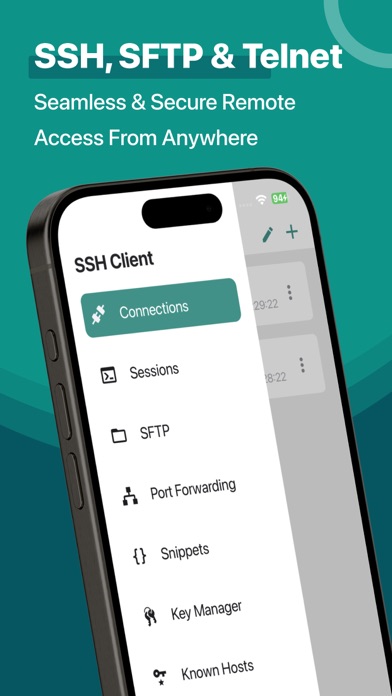
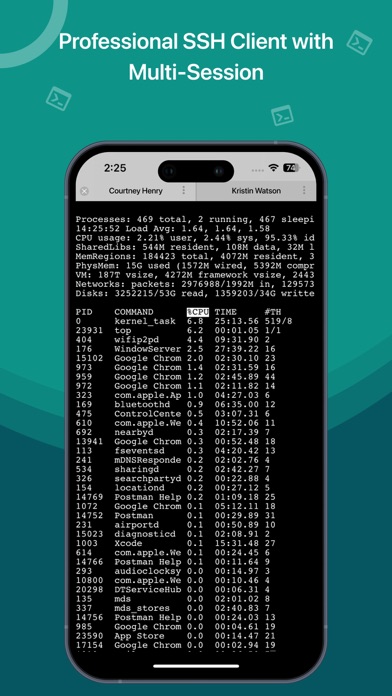
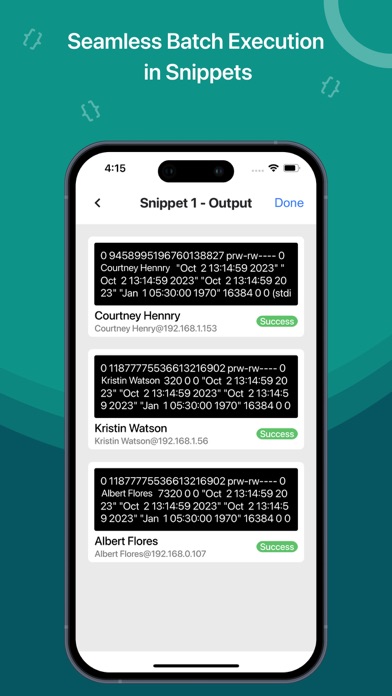
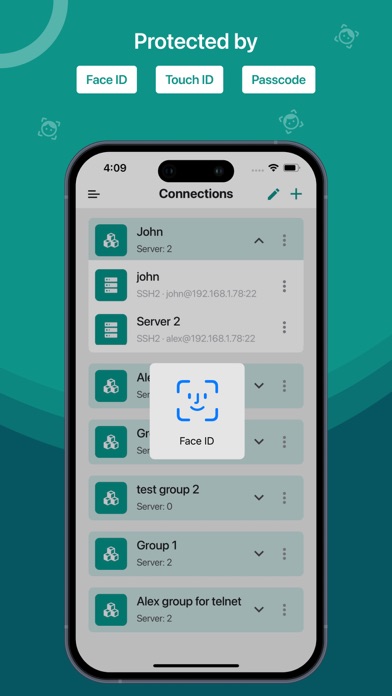
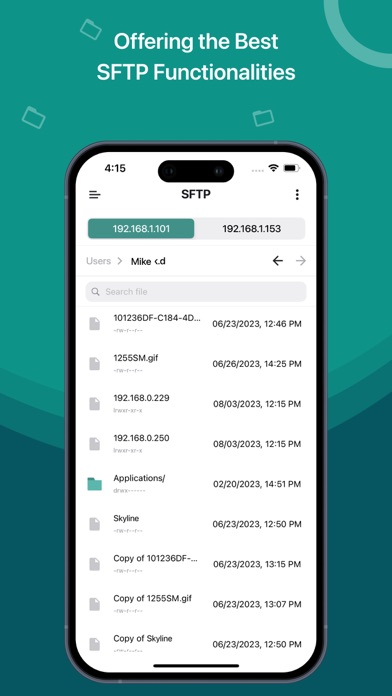
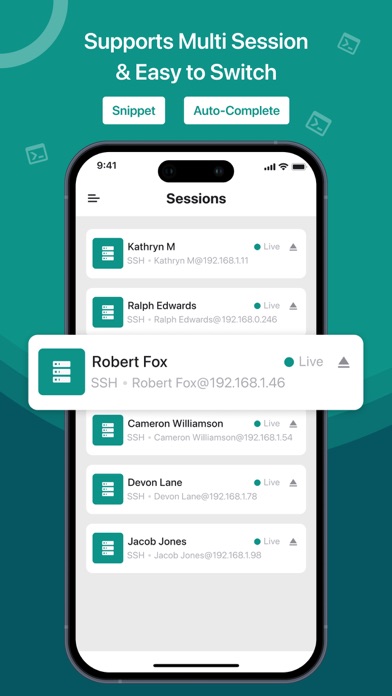
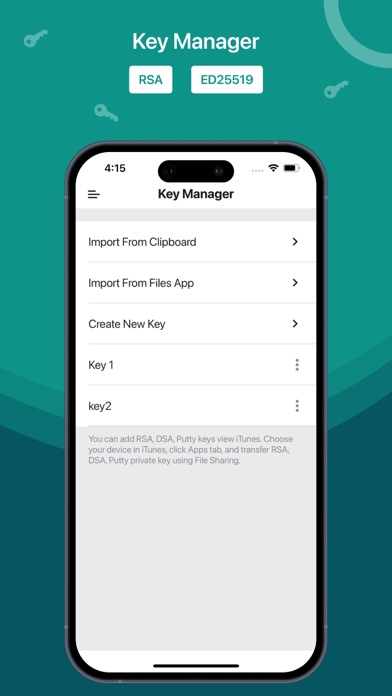
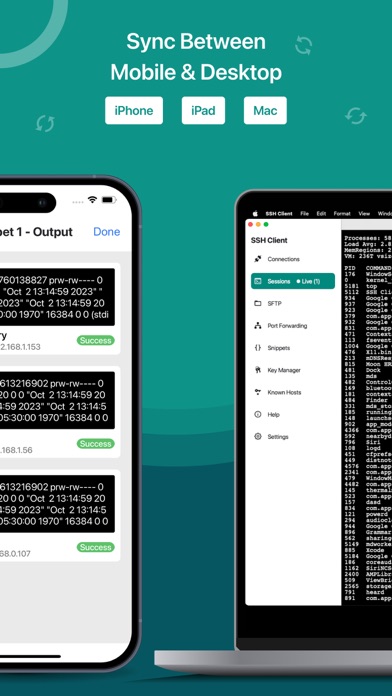
Here is one of the most intelligent & advanced SSH Client apps to manage and connect remote servers for your iOS and Mac devices About SSH Client: SSH Client is an on-the-go SSH-Telnet app with the best putty, console, and shell ios app with powerful remote access & terminal emulator. Our enterprise-grade mobile app is built for all kinds of server management needs. Our comprehensive features are not limited to terminal keyboard and language support, multi-session capability, and Bluetooth keyboard support but many more. Our SSH Client app can easily integrate with AWS, Azure, and Digital Ocean. The app is most popular because of its administrator-friendly approach; we have also considered our valued customers suggestions and constantly released updates for SSH Client to become reliable and robust in real-world usage and development. • Private key files can now be directly imported in multiple formats (RSA, DSA, Putty) using iTunes sharing from other apps and Clipboard • RSA / DSA key generation and authentication and share it via email or Clipboard • Get 'Local Notification Alert or blink' before the connection starts terminating • Quick retrieval of the last top 3 connected servers to join instantly SSH Client Functionalities: • Launch (Run) a saved command/script at connection startup • Connect with your servers using username, password, or private key authentication through SSH • Configurable' Standard and Non-Standard' port Adaptive Terminal: • Customize Terminal like background, foreground, cursor colour selection • Standard Terminal features, including 'Terminal Emulator with Editor.' • Personalize Terminal Size • Support Terminal Screen copy/paste and easy text selection Server Folders: • Organized groupwise server to easily and freely manage and control interoperability in a blink. Customizable Keyboard: • Fully External / Bluetooth keyboard support • Special keys such as Esc, Tab, Ctrl, /, :, -, !, |, $, * • Built-In keyboard keys with fixed keys like Ctrl, Alt, Tab, Esc, Up, Down, Left, Right and F1-12 Easy Connect: • Run multiple prompt sessions at a time • Active connection counts indicator at App Badge • Configure and manage unlimited future sessions to reduce workload Gesture Control: • Pinch Scaling Terminal Screen • One touch on / off for Auto scroll • Single tap connection/disconnection from 'Home Screen' Key Handy Features of Free SSH Client (Best Putty, Console, Shell App): • Works over mobile Cellular or WiFi network • Use Custom or Mac Built-In fonts • Uninterrupted operationality in 'Portrait or Landscape modes • Multiple editors supported like Vi, vim, pico, nano, etc • Built-in Passcode features • Its 'Universal Binary,' hence, no need to buy 2 apps for iPhone and iPad SFTP Functionalities: • Quickly create, rename, and delete files & directories • Easily edit text files • Upload and Download files from your device to your server and server to your device What's New? • Perform batch execution by selecting the servers • Integrate DigitalOcean droplets to a group in SSH • Add VM servers from the account • Integrate AWS to a group in SSH • Integrate Azure to a group in SSH Know about supported technologies: Protocols: SSH, SFTP Channel types: Session Shell, Session SFTP, Local Forward iOS versions: 14 Subscription Details: - Subscriptions allow users to have prompt access to all features with unlimited access to all platforms – Payment will be charged to iTunes Account – The free trial period lasts for 7 days and automatically renews unless auto-renew is turned off at least 24 hours - User can manage subscriptions & auto-renewal by turning it off from Account Settings after purchase - All features for all platforms will be disabled upon completion of the subscription Terms of use: http://moondialer.moontechnolabs.com/v1/ssh-terms Contact us at [email protected] We welcome suggestions or feedback, as we keep adding new features based on our customers' feedback and requests.
Installs since 29 Aug 2026
Apple does not publish download counts. Estimates are in testing.
Estimated store revenue Estimated Beta
App Store, worldwide, monthly rate from the last 12 chart days to 19 Nov 2026
Below the top 100 grossing apps in the markets we calibrate. In the United States that usually means under about $6.4M a month. App Store purchases and subscriptions only, before Apple's 15 to 30% fee. Ads and web payments are not included.
Ratings
407 ratings, 407 reviews
No rating breakdown published for this app.
Recent reviews
Latest public reviews from the store
- 4 Mar 2026
Structured terminal app
Helps maintain consistent remote access.
- 14 Jan 2026
Smooth terminal performance
Terminal responds well even on long sessions; Cọmmands run smoothly.
- 9 Dec 2025
Fast and convenient SFTP
SFTP lets me upload files quickly from my phone.
- 21 Aug 2025
ÞY.com
JARED KEARNEY
What reviewers bring up
Topics mentioned in the latest 50 reviews, by how many reviews mention them
Liked in good reviews (29 reviews)
- ssh 14
- client 12
- access 6
- remote 5
- secure 5
- powerful 4
- reliable 4
- feature 4
Raised in bad reviews (21 reviews)
- subscription 11
- without 8
- try 6
- money 5
- paying 4
- purchase 3
- connect 3
- better 3
Top chart positions
Latest App Store chart ranks by country, last 10 days
- Countries ranked
- 48 of 50
- Best rank
- #11
- Top 10 placements
- 0
- of 58 chart placements
- Average rank
- #58.2
Best countries on App Store
- 🇳🇬 Nigeria · Top grossing, Developer Tools#11
- 🇨🇱 Chile · Top grossing, Developer Tools#12
- 🇵🇪 Peru · Top grossing, Developer Tools#16
- 🇮🇱 Israel · Top grossing, Developer Tools#16
- 🇨🇴 Colombia · Top grossing, Developer Tools#19
- 🇸🇬 Singapore · Top grossing, Developer Tools#22
| Country | Chart | Category | Rank | Best (10 days) | Date |
|---|---|---|---|---|---|
| 🇳🇬 Nigeria | Top grossing | Developer Tools | #11 | #9 | 19 Nov 2026 |
| 🇨🇱 Chile | Top grossing | Developer Tools | #12 | #9 | 19 Nov 2026 |
| 🇵🇪 Peru | Top grossing | Developer Tools | #16 | #14 | 19 Nov 2026 |
| 🇮🇱 Israel | Top grossing | Developer Tools | #16 | #11 | 19 Nov 2026 |
| 🇨🇴 Colombia | Top grossing | Developer Tools | #19 | #10 | 19 Nov 2026 |
| 🇸🇬 Singapore | Top grossing | Developer Tools | #22 | #8 | 19 Nov 2026 |
| 🇧🇪 Belgium | Top grossing | Developer Tools | #24 | #6 | 19 Nov 2026 |
| 🇬🇷 Greece | Top grossing | Developer Tools | #25 | #21 | 19 Nov 2026 |
| 🇳🇴 Norway | Top grossing | Developer Tools | #25 | #18 | 19 Nov 2026 |
| 🇹🇭 Thailand | Top grossing | Developer Tools | #26 | #11 | 19 Nov 2026 |
SSH Client - Terminal & SFTP history
Release, install milestones, listing and store changes
- First released on the store 12 Oct 2019
Update frequency
How often SSH Client - Terminal & SFTP ships a new version, month by month
6 updates in the last 12 months. More often than most similar apps: they shipped a median of 1 updates in the same year.
Recent versions
Current version 5.5.1
- Version 5.5.115 Oct 2026
Fixes & Improvements: - Addressed minor bugs and made various improvements. - Enhanced overall performance to provide a more user-centric experience.
- Version 5.524 Aug 2026
Fixes & Improvements: - Addressed minor bugs and made various improvements. - Enhanced overall performance to provide a more user-centric experience.
- Version 5.12 Jul 2026
Fixes & Improvements: - Addressed minor bugs and made various improvements. - Enhanced overall performance to provide a more user-centric experience.
- Version 5.0.119 Jun 2026
Fixes & Improvements: - Addressed minor bugs and made various improvements. - Enhanced overall performance to provide a more user-centric experience.
Listing keywords
Words and phrases SSH Client - Terminal & SFTP repeats most in its store listing
Top phrases: ssh client (8), group in ssh (3), bluetooth keyboard support (2), bluetooth keyboard (2), keyboard support (2).
Highlighted words also appear in the title. Counts cover the title, short description and description.
Compliance
What the listing and the app package show
- Store status
- Live
- Upkeep
- Updated 15 Oct 2026
- Age rating
- 4+
Apps like SSH Client - Terminal & SFTP
 Exaggy - AI Effect MemeGuangzhou Leweibang Technology Co., Ltd★ 4.74
 InteractfulHarley Thomas★ 4.94
 Tutorials for iOS programming发展 李★ 4.04
 AppfiguresAppfigures★ 4.7
 WiFi Tester & Network AnalyzerApp Nursery★ 4.52
 Blink Shell, Build & CodeBlink Shell, Inc★ 3.11
 Python Coding IDE志鹏 潘★ 4.78
 Prompt 3Panic, Inc.★ 4.34
 avoGateAvocado VPN Technologies★ 4.4
SSH Client - Terminal & SFTP: questions and answers
Who makes SSH Client - Terminal & SFTP?
SSH Client - Terminal & SFTP is published by Moon Technolabs Pvt Ltd.
When was SSH Client - Terminal & SFTP last updated?
The latest version (5.5.1) was released on 15 Oct 2026.
Is SSH Client - Terminal & SFTP free?
Yes. SSH Client - Terminal & SFTP is free to download.
Is SSH Client - Terminal & SFTP still available?
Yes. SSH Client - Terminal & SFTP is live on App Store as of 14 Nov 2026.
Track SSH Client - Terminal & SFTP and its competitors
Watch any app for new versions, rating drops, chart moves and removals. Free plan, no card.