
- Installs
- —
- Apple does not publish download counts
- Rating
- 4.8
- Ratings
- 8.9M
- Version
- 5.2617.1
- Updated 11 May 2026
- Released
- 29 Jan 2015
- Tracked since 11 May 2026
- Size
- 450 MB
- Needs 18.0
Also on App Store: Microsoft Outlook, Microsoft Outlook (10.7M ratings)
Screenshots
About Microsoft Outlook
The description on the store listing
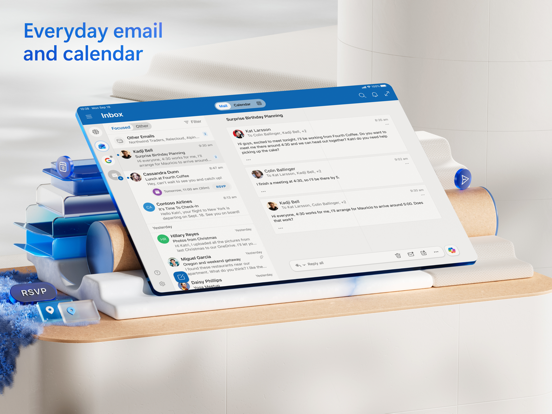
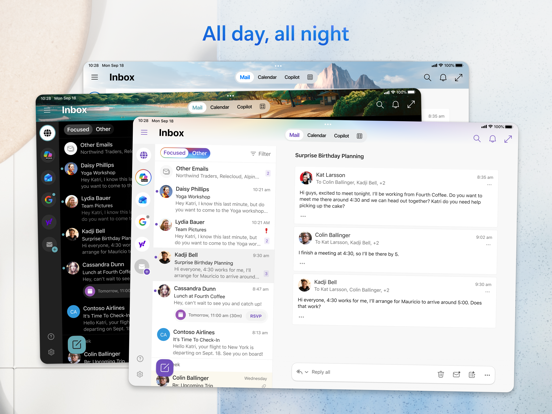
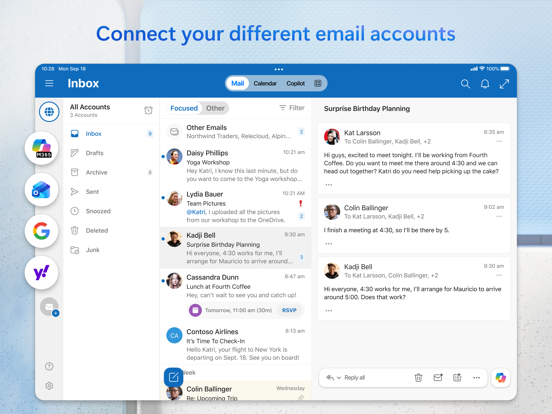
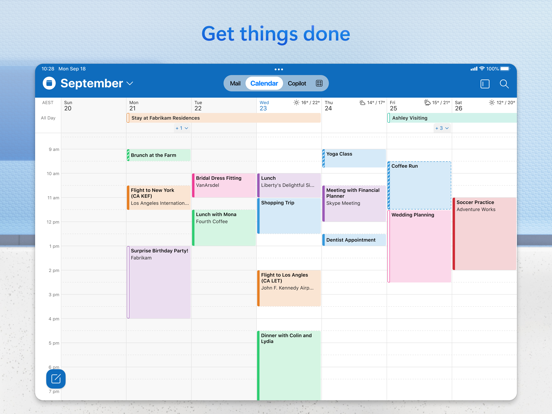
Outlook lets you bring all your email accounts and calendars in one convenient spot. Whether it’s staying on top of your inbox or scheduling the next big thing, we make it easy to be your most productive, organised and connected self.
Here's what you'll love about Outlook for iOS:
- Focus on the right things with our smart inbox - we help you sort between messages you need to act on straight away and everything else.
- Swipe to quickly schedule, delete and archive messages.
- Share your meeting availability with just a tap and easily find times to meet with others.
- Find everything you're looking for, including files, contacts, and your forthcoming trips.
- View and attach any file from …
Read the full description
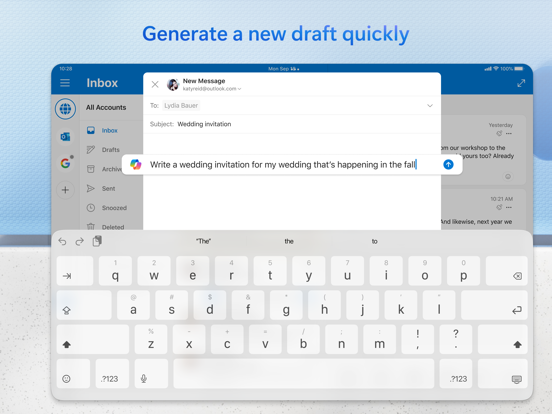
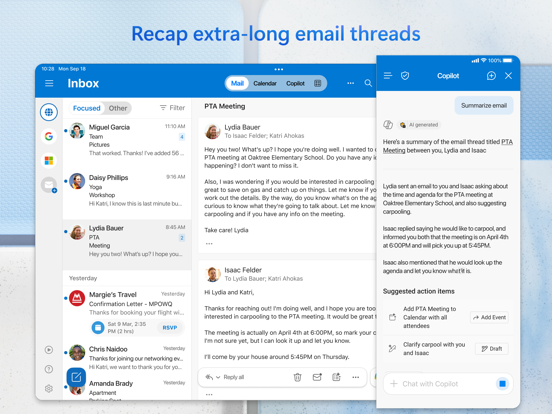
Outlook lets you bring all your email accounts and calendars in one convenient spot. Whether it’s staying on top of your inbox or scheduling the next big thing, we make it easy to be your most productive, organised and connected self. Here's what you'll love about Outlook for iOS: - Focus on the right things with our smart inbox - we help you sort between messages you need to act on straight away and everything else. - Swipe to quickly schedule, delete and archive messages. - Share your meeting availability with just a tap and easily find times to meet with others. - Find everything you're looking for, including files, contacts, and your forthcoming trips. - View and attach any file from your email, OneDrive, Dropbox, and more, without having to download them to your phone. - Open Word, Excel, or PowerPoint attachments to edit them directly in the corresponding app and attach them back to an email. - Recap extra-long email threads in an instant with Summarise with Copilot* - Type a few words to have Copilot* jump-start your writing with an outline or draft - Before sending off your email, use Coaching with Copilot* to get tips and suggestions that help improve the overall tone, sentiment, and clarity *Microsoft 365 Personal/Family subscription or business account enabled with Copilot required to use Copilot features -- Outlook for iOS works with Microsoft Exchange, Office 365, Outlook.com (including Hotmail and MSN), Gmail, Yahoo Email, and iCloud. -- To make an in-app purchase of a Microsoft 365 Family or Personal subscription, open the app, go to Settings, and tap on Upgrade next to your Outlook.com or Hotmail.com account. Subscriptions begin at $6.99 a month in the US, and can vary by region. With a Microsoft 365 subscription, you get 1TB of storage for each user, access to all features in Word, Excel, and PowerPoint on iPad, iPhone, and iPod touch, and you can install Word, Excel, PowerPoint, Outlook and OneNote on PCs or Macs. Microsoft 365 subscriptions purchased from the app will be charged to your iTunes account and will automatically renew within 24 hours prior to the end of the current subscription period, unless auto-renewal is disabled beforehand. To manage your subscriptions or to disable auto-renewal, after purchase, go to your iTunes account settings. A subscription cannot be cancelled during the active subscription period. Any unused portion of a free trial period, if offered will be forfeited when the user purchases a subscription to that publication, where applicable. Privacy and Cookies: https://go.microsoft.com/fwlink/?LinkId=521839 Terms of Use: http://go.microsoft.com/fwlink/?LinkID=530144 Contract Summary: https://www.microsoft.com/microsoft-365/outlook/contract-summary Consumer Health Data Privacy Policy: https://go.microsoft.com/fwlink/?linkid=2259814
Installs
Apple does not publish download counts. Estimates are in testing.
We publish iOS estimates only after they pass a back-test against real numbers. Chart history below is measured.
Estimated store revenue Estimated Beta
App Store, worldwide, monthly rate from the last 13 chart days to 20 Nov 2026
From its daily top grossing ranks in 3 markets. App Store purchases and subscriptions only, before Apple's 15 to 30% fee. Ads and web payments are not included.
This app is rarely in the US top grossing list. Every public figure we test against comes from an app that charts in the US, so read this estimate as a rough guide.
Ratings
8,891,774 ratings
- 5 ★84%
- 4 ★12%
- 3 ★2.5%
- 2 ★0.3%
- 1 ★0.5%
Recent reviews
Latest public reviews from the store
- 11 Sep 2025
Massive Improvements from 2020 and Before
As the years have passed, outlook has consistently improved to a point that I am recommending its use to all my friends and family. While nothing is ever perfect and can always be improved I think it’s important note the quality, service, and features that have been implemented as of late. As one of the largest tech companies, Microsoft is poised to shape the industry and oh boy has it ever. I am in love with the ability of end user to finally report phishing attempts and other emails for different categories on mobile and desktop finally! I wish we could setup and manage rules from mobile but perhaps that’s something coming in the future. Outlook still, despite the lack of a few minor things, sits atop the rest in my opinion, ease of use and operation is highly scoring for me and I believe this is something that should be advertised to the populous. It’s very effective with its protections and sometimes maybe too over zealous with junk classification but that’s okay because it’s simply resolved through marking as not junk which will ad them to safe senders. I love the unsubscribe feature and many others that I can’t remember right now. The only thing I’m really missi
- 10 Mar 2023
Outlook is a great app with robust features and function
I am a lifelong Outlook user - personal and business. I’ve always liked it, but full disclosure, I haven’t explored many other alternatives to the MS suite, so I don’t know what else is out there. I’ve used gmail & yahoo and think they’re ok. I tried OpenOffice and did not like it (that was a very long time ago). I am retired now. I have a Windows laptop and have been using iphone/ipad Office/MS365 for years. I have a paid MS365 subscription. It’s expensive, but for my needs, worth it. Some things are important, to me, and worth paying for like: productivity suite, cloud backup, ID theft protection and antivirus software, but Defender has gotten much better + it’s native to Windows & free! : ) I used the native Apple mail app when I first got my devices, out of ignorance. Then, I don’t remember when or why, I switched to Outlook. Wow! What a difference! Great features and function, like: drag & drop, customize your view, many of the same features as Outlook on the desktop, though there are some things I can do on my laptop that I cannot do on mobile, e.g. attach an outlook email to an email, delete an attachment from an email, change the name of or move a folder,
- 25 Jan 2022
Continues To Improve
I have been using Outlook on IOS daily for at least the last 5 years, and I would give it 4.5 stars but only had the option of 4 or 5 and feel it is better than 4 stars but definitely not a perfect 5. I will say over that time they have made some significant improvements that enable me to do more directly from my phone like sending a copy of an email to One Note and creating a task from an email. I do wish MS would wrap the “To Do” app into Outlook and feature it as a tab at the bottom like the calendar, contacts and mail. I think it’s harder having to go between two apps. I would also like to see the ability to load a signature with graphics, logos, etc. like I have in Outlook online or on my Mac. I know this is likely more of an Apple problem than MS, but it would be close to great if this could be added. Finally, (and this may be my own ineptitude) I would love to be able to select having my contacts on my phone without having them download into the main contacts of my phone. Why can’t they live in the contact folder of the app? I know you can filter which contacts you see but I don’t like having my personal contacts mixed in with hundreds of business contacts when I w
- 9 Dec 2021
Outlook App is Disappointing
The Outlook app does not deliver the same functionality as iPhone mail or even its own desktop version. The purpose of a phone app is to make it easy to read email, contacts or navigate your calendar. Outlook app fails to do that. I gave it 2 stars for security, but here are Outlook app shortcomings in my opinion: - You cannot scroll up or down to the next email in an open email like you can in iPhone mail or Outlook desktop. There are no up or down arrows in Outlook app once you open an email. You have to go back to the list and then open the next unread email. - The mail part of the app is especially NOT user-friendly. When you try to put something on your calendar though the Outlook app, it is hard to get it on there at the right time. - You cannot set different notifications for various types of Outlook items on the app. I don’t want a ding every single time I get 200 emails a day, but I do want a sound notification on my calendar items. - The monthly view of the Outlook app calendar is horrific! Have seen how tiny and jumbled it looks on your iPhone screen? Why? There’s no reason for that tiny design. The iPhone calendar is legible when you look at an entire month. On
What reviewers bring up
Topics mentioned in the latest 8 reviews, by how many reviews mention them
Liked in good reviews (6 reviews)
- outlook 5
- email 5
- desktop 4
- iphone 4
- think 4
- calendar 3
- feature 3
- folder 3
Raised in bad reviews (0 reviews)
No topic comes up twice.
Top chart positions
Latest App Store chart ranks by country, last 10 days
- Countries ranked
- 50 of 50
- Best rank
- #5
- Top 10 placements
- 23
- of 145 chart placements
- Average rank
- #39
Best countries on App Store
- 🇨🇭 Switzerland · Top free, Productivity#5
- 🇨🇴 Colombia · Top grossing, Productivity#6
- 🇮🇪 Ireland · Top free, Productivity#6
- 🇸🇪 Sweden · Top free, Productivity#7
- 🇦🇹 Austria · Top free, Productivity#8
- 🇫🇷 France · Top free, Productivity#8
| Country | Chart | Category | Rank | Best (10 days) | Date |
|---|---|---|---|---|---|
| 🇨🇭 Switzerland | Top free | Productivity | #5 | #4 | 20 Nov 2026 |
| 🇨🇴 Colombia | Top grossing | Productivity | #6 | #5 | 20 Nov 2026 |
| 🇮🇪 Ireland | Top free | Productivity | #6 | #4 | 20 Nov 2026 |
| 🇸🇪 Sweden | Top free | Productivity | #7 | #6 | 20 Nov 2026 |
| 🇦🇹 Austria | Top free | Productivity | #8 | #7 | 20 Nov 2026 |
| 🇫🇷 France | Top free | Productivity | #8 | #4 | 20 Nov 2026 |
| 🇵🇹 Portugal | Top free | Productivity | #8 | #4 | 20 Nov 2026 |
| 🇩🇪 Germany | Top free | Productivity | #8 | #7 | 20 Nov 2026 |
| 🇨🇦 Canada | Top free | Productivity | #8 | #4 | 20 Nov 2026 |
| 🇬🇧 United Kingdom | Top free | Productivity | #8 | #3 | 20 Nov 2026 |
Microsoft Outlook history
Release, install milestones, listing and store changes
- First released on the store 29 Jan 2015
Update frequency
How often Microsoft Outlook ships a new version, month by month
2 updates in the last 12 months. Less often than most similar apps: they shipped a median of 20 updates in the same year.
Recent versions
Current version 5.2617.1
- Version 5.2618.011 May 2026
This update includes performance improvements and bug fixes to make Outlook better for you. Feel free to send us any comments or questions by going to Settings > Help & Feedback – we’d love to hear from you.
- Version 5.2617.16 May 2026
This update includes performance improvements and bug fixes to make Outlook better for you. Feel free to send us any comments or questions by going to Settings > Help & Feedback – we’d love to hear from you.
Listing keywords
Words and phrases Microsoft Outlook repeats most in its store listing
Top phrases: word excel (3), outlook for ios (2), auto renewal (2), itunes account (2), outlook com (2).
Highlighted words also appear in the title. Counts cover the title, short description and description.
Compliance
What the listing and the app package show
- Store status
- Live
- Upkeep
- Updated 11 May 2026
- Age rating
- 4+
Apps like Microsoft Outlook





Microsoft Outlook: questions and answers
Who makes Microsoft Outlook?
Microsoft Outlook is published by Microsoft Corporation.
When was Microsoft Outlook last updated?
The latest version (5.2617.1) was released on 11 May 2026.
Is Microsoft Outlook free?
Yes. Microsoft Outlook is free to download.
Is Microsoft Outlook still available?
Yes. Microsoft Outlook is live on App Store as of 11 May 2026.
Track Microsoft Outlook and its competitors
Watch any app for new versions, rating drops, chart moves and removals. Free plan, no card.