
- Installs
- —
- Apple does not publish download counts
- Rating
- —
- Ratings
- —
- Version
- 3.3
- Updated 27 Jan 2025
- Released
- 10 Sep 2016
- Tracked since 10 May 2026
- Size
- 12 MB
- Needs 10.13
Screenshots


About App Image Kit
The description on the store listing
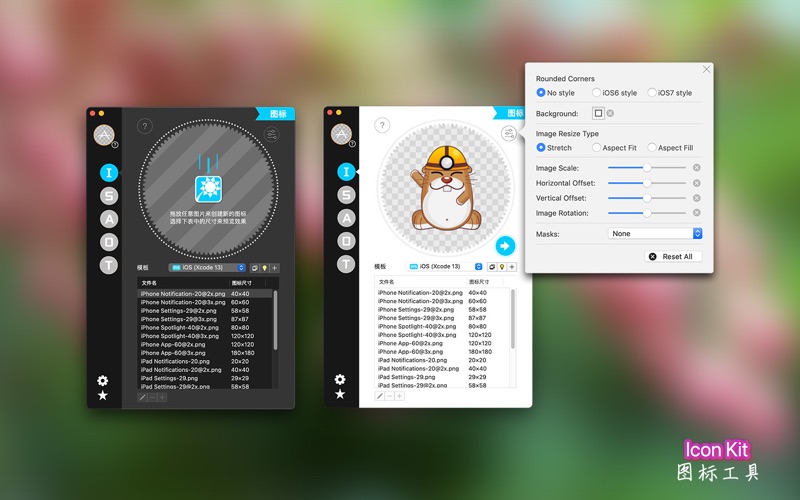
App Image Kit is used for batch create app icons, launch images, Xcode image assets, app screenshots and effect texts. There are lots of built-in size-templates such as iOS, macOS, watchOS, iMessage, Android etc., and you can also customize your own templates and sizes.
====Features:====
1. Five image kits for icon, launch image, image assets, app screenshot and Effect Text.
2. Lots of built-in size-templates for multiple platforms, such as iOS, macOS, watchOS, iMessage, Android etc.
3. Customizable size-templates
4. Support rounded corners, background color, resize mode, masks, scale / offset / rotation etc.
5. Support creating Contents.json, one click export into Xcode project
6. …
Read the full description
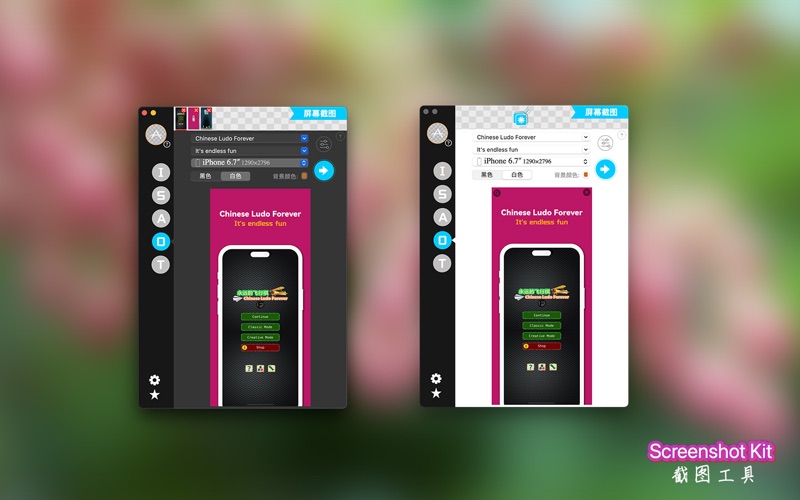
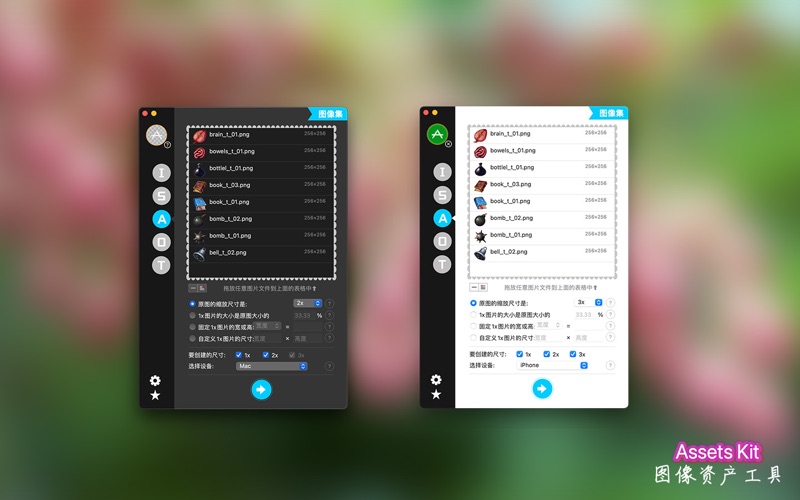
App Image Kit is used for batch create app icons, launch images, Xcode image assets, app screenshots and effect texts. There are lots of built-in size-templates such as iOS, macOS, watchOS, iMessage, Android etc., and you can also customize your own templates and sizes. ====Features:==== 1. Five image kits for icon, launch image, image assets, app screenshot and Effect Text. 2. Lots of built-in size-templates for multiple platforms, such as iOS, macOS, watchOS, iMessage, Android etc. 3. Customizable size-templates 4. Support rounded corners, background color, resize mode, masks, scale / offset / rotation etc. 5. Support creating Contents.json, one click export into Xcode project 6. Support preview icon and splash for different sizes before export 7. Support clone template and copy / paste sizes 8. No deformation for exporting launch images ====Details:==== 1. Four image kits for icon, launch image, image assets and app screenshot App Icon Kit is for creating app icons; App Splash Screen Kit is for creating app launch images; Xcode image Assets Kit is for creating image assets of Xcode, support dark mode images. App Screenshot Kit is for creating app store iPhone screenshots and iPad Pro screenshots for your app. Batch export of screenshots is now supported; Effect Text Kit can batch export effect texts. 2. Lots of built-in size-templates for multiple OS platform There are lots of built-in icon and splash templates, such as iOS, macOS, watchOS, iMessage and Android etc. Note: for iMessage icons, it doesn't contain four Host Application icons (29x29@2x, 29x29@3x and 1024x1024 icons), since they are square but iMessage icons are not. You can generate them by iMessage (Host) icon template separately. 3. Customizable size-templates Besides built-in size-templates, you can also add and customize your own templates. 4. Support rounded corners, background color, resize mode, masks, scale / offset / rotation etc. for icon creation. These features are only for icon kit. Round corner: support iOS 6 and iOS 7 mode. Background color: setting background color can force to remove alpha channel of image (if no round corner). Resize mode: support stretch, Aspect Fit, Aspect Fill. Masks: for creating more image effects. Scale / Offset / Rotation: adjust source image to get better effects. 5. Support creating Contents.json, one click export into Xcode project It can generate Contents.json automatically for iOS, macOS, watchOS, iMessage icon and launch images and Xcode image assets, this can help you avoid drag-and-drop operation. Please check the help for more details. Note: only built-in templates support generate Contents.json file. 6. Support preview icon and splash for different sizes before export 7. Support clone built-in template and copy / paste size The built-in templates can't be modified, but you can clone it and modify the clone one. The size in template can be copied and pasted. 8. No deformation for exporting launch images The Splash Screen Kit will not deform the output images, for this to work, you should provide a 2048x2048 (or 4096x4096 recommended for iOS) PNG where the logo or other important artwork is placed within the center 1000x1000 (or 2000x2000) pixels or so. ====NOTE:==== The images you provide should be RGB color mode. The rounded corner feature of the icon should not be applied to iOS series icons. For the app screenshot, the status bar (if visible) of the 6.5-inch is different from that of the 5.5-inch. Be careful not to confuse the use. ====Contact:==== If you have questions, you can click on the "?" button to get tips, and any questions, comments, or suggestions, welcome to contact us by Email: [email protected]. Terms of Use: https://www.apple.com/legal/internet-services/itunes/dev/stdeula/ Privacy Policy: https://ioeapp.github.io/2018/10/24/privacy-policy/
Installs
Apple does not publish download counts. Estimates are in testing.
We publish iOS estimates only after they pass a back-test against real numbers. Chart history below is measured.
Estimated store revenue Estimated Beta
App Store, worldwide, monthly rate from the last 13 chart days to 20 Nov 2026
Below the top 100 grossing apps in the markets we calibrate. In the United States that usually means under about $6.4M a month. App Store purchases and subscriptions only, before Apple's 15 to 30% fee. Ads and web payments are not included.
Ratings
No rating breakdown published for this app.
Recent reviews
Latest public reviews from the store
No reviews in our sample for this app yet.
Top chart positions
Latest App Store chart ranks by country, last 10 days
Not in any tracked top chart in the last 10 days.
App Image Kit history
Release, install milestones, listing and store changes
- First released on the store 10 Sep 2016
Recent versions
Current version 3.3
- Version 3.327 Jan 2025
+ Fixed the issue where, during the export of the launch screen, on some platforms or systems, when exporting certain sizes, it would cause the program to crash. + In the text special effects function, resolved the issue where, on some platforms or systems, when checking the option to crop the image according to transparent pixels, it would lead to incorrect cropping of the picture, leaving only half of it. + Removed the watermark advertisement from the iOS launch screen. + Fixed some other minor issues.
Listing keywords
Words and phrases App Image Kit repeats most in its store listing
Top phrases: image assets (6), size templates (6), launch images (5), built in size (4), ios macos watchos (4).
Highlighted words also appear in the title. Counts cover the title, short description and description.
Compliance
What the listing and the app package show
- Store status
- Live
- Upkeep
- Updated 27 Jan 2025
- Age rating
- 4+
Apps like App Image Kit
 iProxy - Sys admin toolsN-Lab★ 4.06
 WA Virtual Number - WANoMarkakod Reklam Tasarim ve Yazilim Hizmetleri Ticaret Limited★ 4.44
 C/C++ LLVM Clang小文 黄★ 4.32
 StoreView: App Screenshot ToolElshan Aliyev★ 4.53
 Yomo: Docker & Portainer春晖 杜★ 4.79
 Termux -TERMUX LIMITED LIABILITY COMPANY★ 4.4
 Debug Anywhere浩鑫 庄★ 4.62
 Easy SSHArgsment Limited★ 4.55
 SSL CheckerOrave Technologies★ 4.61
App Image Kit: questions and answers
Who makes App Image Kit?
App Image Kit is published by 龙 金.
When was App Image Kit last updated?
The latest version (3.3) was released on 27 Jan 2025.
Is App Image Kit free?
Yes. App Image Kit is free to download.
Is App Image Kit still available?
Yes. App Image Kit is live on App Store as of 10 May 2026.
Track App Image Kit and its competitors
Watch any app for new versions, rating drops, chart moves and removals. Free plan, no card.