
- Installs
- —
- Apple does not publish download counts
- Rating
- 2.57
- Ratings
- 14
- 14 reviews
- Version
- 1.4.39
- Updated 20 Nov 2023
- Released
- 24 Nov 2013
- Tracked since 10 May 2026
- Size
- 53 MB
- Needs 12.4
Screenshots
About Arrette Scale sketch drafting
The description on the store listing
Rated #1 Technical App for Architects by ArchDaily!
Arrette Scale for iPad is an app for designers who want to draw freehand while maintaining a measurable drawing scale like vector drafting tools. Architects, urban planners, surveyors, home remodelers, field archaeologists and dozens of other kinds of professionals will find this app useful. Unlike some other vector drawing tools, Arrette is simple to use.
Arrette provides the platform to begin design work and generate ideas without moving too quickly to rigid straight lines and curves. We want to help you draw much as you would normally draw on paper, but to give you the extra tools and ways to share your work that make your life …
Read the full description
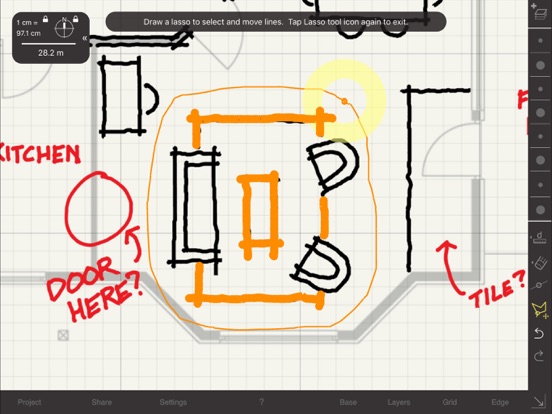
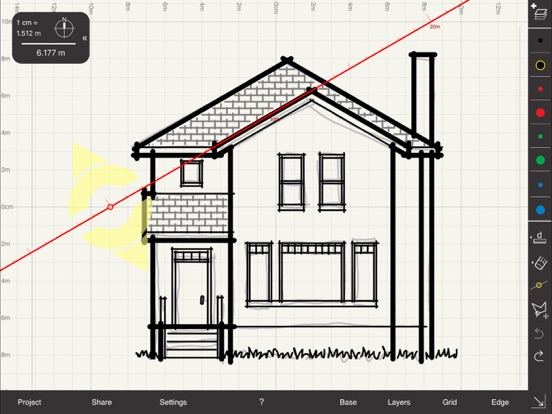
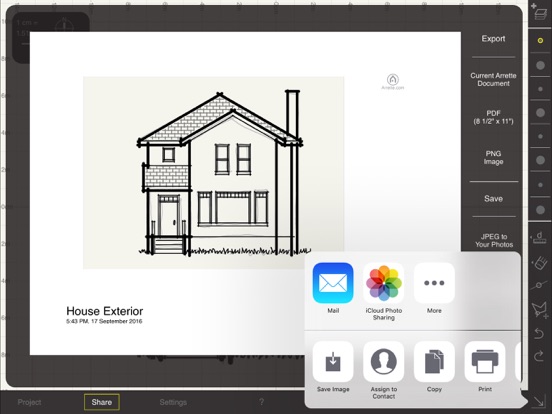
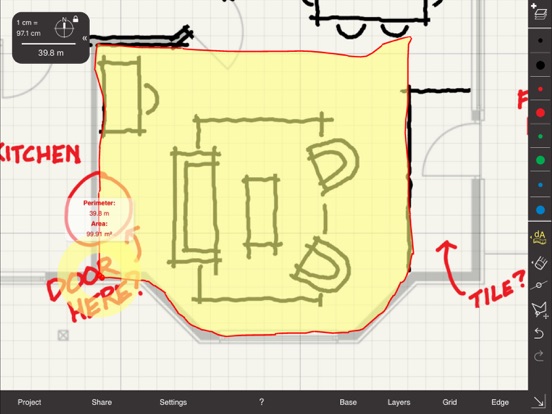
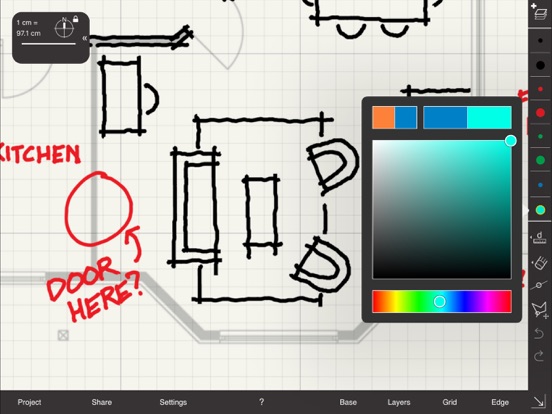
Rated #1 Technical App for Architects by ArchDaily! Arrette Scale for iPad is an app for designers who want to draw freehand while maintaining a measurable drawing scale like vector drafting tools. Architects, urban planners, surveyors, home remodelers, field archaeologists and dozens of other kinds of professionals will find this app useful. Unlike some other vector drawing tools, Arrette is simple to use. Arrette provides the platform to begin design work and generate ideas without moving too quickly to rigid straight lines and curves. We want to help you draw much as you would normally draw on paper, but to give you the extra tools and ways to share your work that make your life easier and make the design process simpler and more productive. The basic drawing structure is a familiar one - drawing layers which can be overlayed on a base image. The Grid keeps you aware of the size of what you're drawing, and the Edge helps you draw straight lines when you want. When you're ready, you can easily share drawings by email or save them to your device. We've designed Arrette to be extremely easy to learn. In about five minutes, you'll understand how to zoom and scale your canvas, draw lines, and load base images to work on top of. Our tools will seem familiar from other structured drawing applications, but every tool we've built has been simplified and optimized with scale in mind. Uses for Arrette: * An urban designer drafts plans for a new sub-division in a small town * A real estate agent snaps a photograph of a living space and begins to sketch out ideas for staging * A new home owner sketches the plan for an elaborate garden in the back yard * An archaeologist precisely records the provenience of a newly discovered artifact, including its location on an aerial map and the outline of its form * A construction manager notes progress on a work site, sending annotated precision-scale documents back to the general contractor live from the work site These are just a few of the ways that we have envisioned Arrette becoming an essential tool for many professionals. Arrette is the ideal tool for sketching because of its ease of use, preservation of scale, and flexibility in working with original source material such as other drawings, photographs, and maps. Included drawing tools: * Freehand drawing pens that scale like vector lines but are as easy to use as pencil and paper * An adjustable grid system that you can easily flip between the metric system and decimal feet * A straight edge tool for drawing perfectly straight lines or arrays of parallel lines * A circle edge tool for drawing arcs and circles of arbitrary, but precise radius * Distance and area measurement tools for measuring the lengths, perimeters and areas of arbitrary pathways in your drawing at precise scale * A lasso tool to select, move, copy and paste previously drawn lines * Layers, for separating out parts of composite objects or for adding new ideas to an existing document that overlay earlier designs * The ability to share Arrette documents with other users or to e-mail documents in PNG or PDF formats * An eraser tool, for revising your designs or removing objects from previous work * The ability to adjust the width of all lines globally even after the lines have been drawn * A color picker to choose from a variety of different pen colors for your drawing Base image imports: * The ability to load base images to draw on top of; base images respect their original scale and direction when the document is zoomed or panned * Import base images from Email, Dropbox, and Adobe Creative Cloud * Copy and paste from other apps that support JPG, PNG or PDF Document sharing features: * Send PDFs with scale and direction information to colleagues, clients, and other parties via email * Save your work to your Photo Gallery * Share raster versions of your work with anyone via email, Twitter, or Facebook
Installs
Apple does not publish download counts. Estimates are in testing.
We publish iOS estimates only after they pass a back-test against real numbers. Chart history below is measured.
Estimated store revenue Estimated Beta
App Store, worldwide, monthly rate from the last 13 chart days to 20 Nov 2026
Below the top 100 grossing apps in the markets we calibrate. In the United States that usually means under about $6.4M a month. App Store purchases and subscriptions only, before Apple's 15 to 30% fee. Ads and web payments are not included.
Ratings
14 ratings, 14 reviews
No rating breakdown published for this app.
Recent reviews
Latest public reviews from the store
No reviews in our sample for this app yet.
Top chart positions
Latest App Store chart ranks by country, last 10 days
Not in any tracked top chart in the last 10 days.
Arrette Scale sketch drafting history
Release, install milestones, listing and store changes
- First released on the store 24 Nov 2013
Recent versions
Current version 1.4.39
- Version 1.4.3920 Nov 2023
Adds a menu option to allow you to easily sort by your most recently modified Projects.
Listing keywords
Words and phrases Arrette Scale sketch drafting repeats most in its store listing
Top phrases: base images (4), straight lines (3), copy and paste (2), load base images (2), png or pdf (2).
Highlighted words also appear in the title. Counts cover the title, short description and description.
Compliance
What the listing and the app package show
- Store status
- Live
- Upkeep
- No update since 20 Nov 2023
- Age rating
- 4+
Apps like Arrette Scale sketch drafting
 Super VPN: Fast Private ProxyGeek Incorporated★ 4.4
 Hubtel RetailerHubtel Limited★ 4.32
 Monthly Calendar 2022 - CalistOmoboto LLC★ 4.38
 Firstly: To-Do List & PlannerfocusCove LLC★ 4.7
 CBUS 311City of Columbus, Ohio★ 1.8
 Themes for Powerpoint - DesiGNGraphic Node★ 4.22
 iSiloDC & Co.★ 3.82
 Flashlight Pro [Multipurpose LED light]KAVAPOINT★ 3.88
 WiPryOscium LLC★ 2.68
Arrette Scale sketch drafting: questions and answers
Who makes Arrette Scale sketch drafting?
Arrette Scale sketch drafting is published by Arrette.
When was Arrette Scale sketch drafting last updated?
The latest version (1.4.39) was released on 20 Nov 2023.
Is Arrette Scale sketch drafting free?
No. Arrette Scale sketch drafting is a paid app priced at $8.99.
Is Arrette Scale sketch drafting still available?
Yes. Arrette Scale sketch drafting is live on App Store as of 1 Jul 2026.
Track Arrette Scale sketch drafting and its competitors
Watch any app for new versions, rating drops, chart moves and removals. Free plan, no card.