
- Installs
- —
- Apple does not publish download counts
- Rating
- —
- Ratings
- —
- Version
- 5.2.9
- Updated 10 Oct 2025
- Released
- 13 Dec 2017
- Tracked since 10 May 2026
- Size
- 207 MB
- Needs 11.0
Screenshots
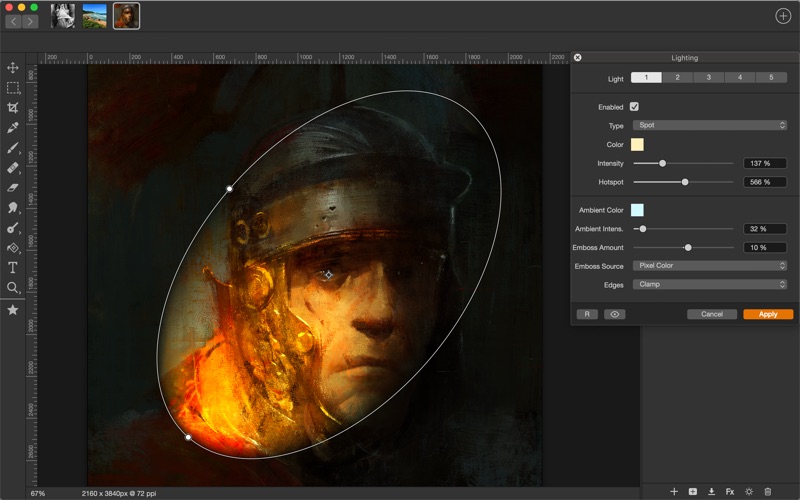
About Artstudio Pro - Desktop
The description on the store listing
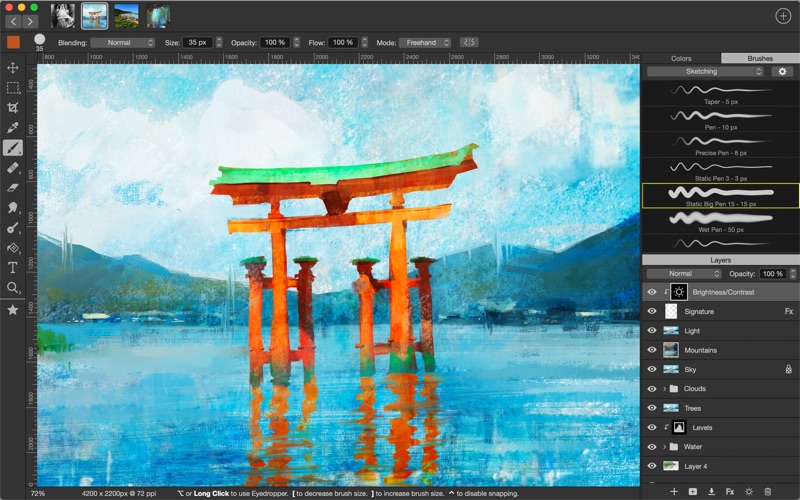
Introducing Artstudio Pro, the most powerful painting and photo editing app available for both macOS and iOS . The successor to our famous ArtStudio app has been redesigned bringing many new features and improvements taking full advantage of the latest technologies Metal, iCloud Drive, and optimized for 64-bit multi-core processors to achieve the smoothest possible workflow.
Hundreds of assets are included and users have the ability to import resources in the most popular formats (ABR, TPL, PAT, GRD, ASE, ACO) giving instant access to millions of brushes, patterns, gradients, color swatches and fonts. It will boost your creativity and help you bring your ideas to life quickly and easily. …
Read the full description
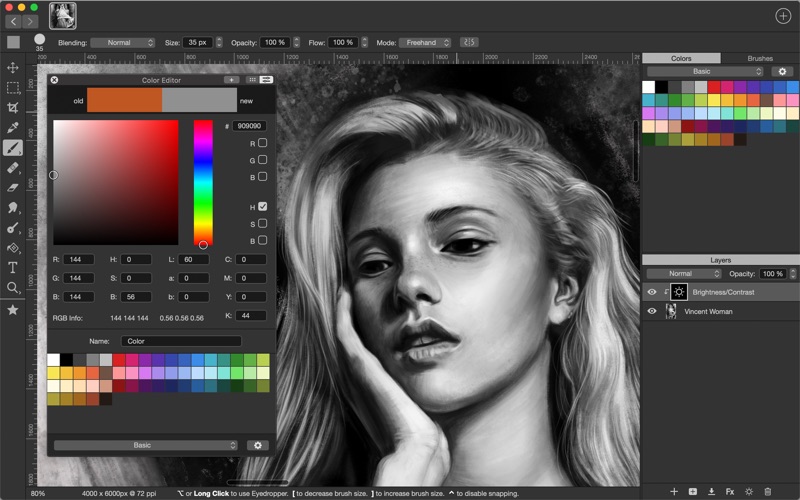
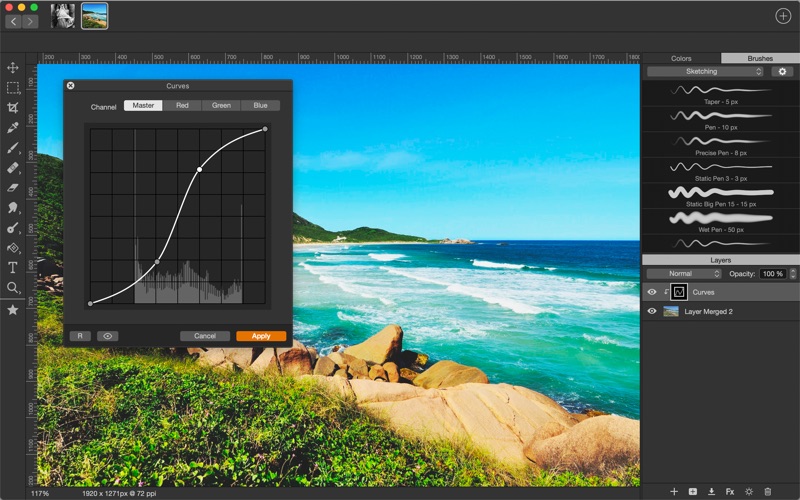
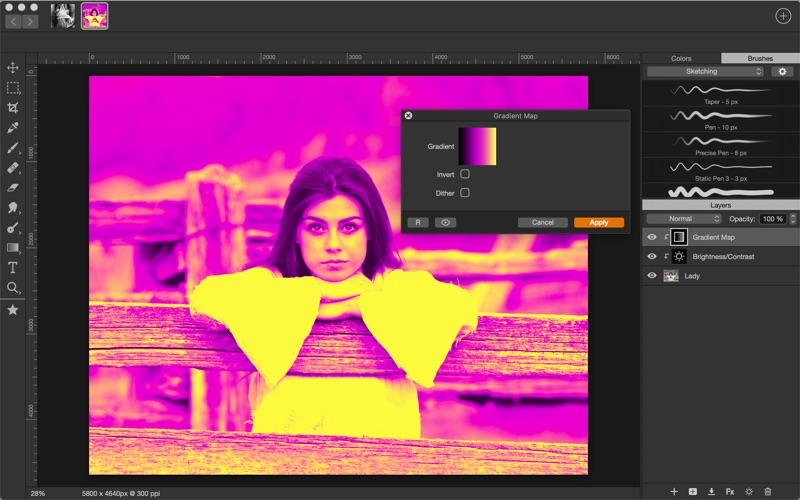
Introducing Artstudio Pro, the most powerful painting and photo editing app available for both macOS and iOS . The successor to our famous ArtStudio app has been redesigned bringing many new features and improvements taking full advantage of the latest technologies Metal, iCloud Drive, and optimized for 64-bit multi-core processors to achieve the smoothest possible workflow. Hundreds of assets are included and users have the ability to import resources in the most popular formats (ABR, TPL, PAT, GRD, ASE, ACO) giving instant access to millions of brushes, patterns, gradients, color swatches and fonts. It will boost your creativity and help you bring your ideas to life quickly and easily. New engine App is based on the powerful GPU accelerated ArtEngine developed by Lucky Clan. It allows working with multiple documents, supports large canvas sizes and an unlimited number of layers. Incredible optimization ensures smooth work even with large canvases. • Realistic Color Pigment Blending • Multiple open documents • Canvas size: 256Mpix • Unlimited layers • 27 tools: Move, Select, Crop, Eyedropper, Paint, Wet Paint, Eraser, Bucket/Pattern/Gradient Fill, Smudge, Dodge, Burn, Sponge, Text, Heal, Clone, and more Flexible layer system Artstudio Pro introduces a new layer system with grouping, non-destructive layer effects, and adjustment layers. • Groups • Masks, clipping masks • Adjustment layers • 9 layer effects: Bevel/Emboss, Stroke, Inner Shadow, Inner Glow, Outer Glow, Color/Gradient/Pattern Overlay, Drop Shadow • 27 blending modes • Text layers • Transform multiple layers simultaneously Advanced Brush engine Perfectly optimized, lag free mechanism generating smooth, real looking strokes, making the most of the stylus. • Brush size up to 4000x4000 • 64-bit painting with pattern, double stamp, wet brush, dynamics • Brush editor with 80 customizable settings • Over 100 built-in brushes divided into a few groups: Painting, Sketching, Markers, Inking, Dots & Specks, and more • Symmetric painting with custom symmetry line Professional photo editor Photo editing options developed in cooperation with professional photographers. Each feature was tested in several scenarios and light conditions. • 15 adjustments available as non-destructive layer or simple adjustment: Brightness/Contrast, Levels, Curves, Exposure/Gamma, Shadows/Highlights, Vibrance, Hue/Saturation, Color Balance, Temperature/Tint, Black and White, Gradient Map and more • 4 auto adjustments: Auto Contrast, Levels, Lightness, Saturation • Dozens of filters with realtime preview and the ability to generate seamless patterns • Inpaint, Elastify (Liquify) ,Lighting, Depth Of Field, Denoise • Retouching tools: Heal, Dodge, Burn, Sponge and more • Image resize, Canvas resize • Crop using special tool, crop from selection, trim transparent areas Import/Export We have implemented many parsers from the most popular assets/images formats and we are especially proud of our ABR/TPL parser which not only reads brush stamps and patterns, but also most settings which are converted to Artstudio Pro brush engine values. Import • Images - PNG, JPEG, PSD, HEIC, TIFF, GIF, most raw formats • Brushes - ABR, TPL • Color swatches - ASE, ACO • Patterns - PAT • Gradients - GRD • Fonts - TTF, OTF Export • Images - PNG, JPEG, PSD, TIFF, PDF Other features • Full iCloud integration • Screen recording • All features available on macOS, iPad and iPhone • Selection displayed as marching ants, quick mask or invisible • Snapping to guidelines, dynamic guidelines, grid • Perspective grid assist • Mirror (flipped) view • Canvas rotation Minimum System Requirements Artstudio Pro for macOS requires a Mac running macOS 10.15 Catalina or above
Installs
Apple does not publish download counts. Estimates are in testing.
We publish iOS estimates only after they pass a back-test against real numbers. Chart history below is measured.
Estimated store revenue Estimated Beta
App Store, worldwide, monthly rate from the last 13 chart days to 20 Nov 2026
Below the top 100 grossing apps in the markets we calibrate. In the United States that usually means under about $6.4M a month. App Store purchases and subscriptions only, before Apple's 15 to 30% fee. Ads and web payments are not included.
Ratings
No rating breakdown published for this app.
Recent reviews
Latest public reviews from the store
No reviews in our sample for this app yet.
Top chart positions
Latest App Store chart ranks by country, last 10 days
Not in any tracked top chart in the last 10 days.
Artstudio Pro - Desktop history
Release, install milestones, listing and store changes
- First released on the store 13 Dec 2017
Recent versions
Current version 5.2.9
- Version 5.2.910 Oct 2025
Minor bug fixes
Listing keywords
Words and phrases Artstudio Pro - Desktop repeats most in its store listing
Top phrases: artstudio pro (5), abr tpl (3), dodge burn sponge (2), images png jpeg (2), non destructive layer (2).
Highlighted words also appear in the title. Counts cover the title, short description and description.
Compliance
What the listing and the app package show
- Store status
- Live
- Upkeep
- Updated 10 Oct 2025
- Age rating
- 4+
Apps like Artstudio Pro - Desktop
 AI Cut - Photo Generate & EditBeijing Changhai Internet Technology Co., Ltd.★ 4.1
 Birthday Invitations Makerwilliam leandro aristizabal giraldo★ 4.7
 AI VistaSCIENJOY META TECHNOLOGY LLC★ 2.9
 Logotipo - AI Logo GeneratorMobile Ocean★ 4.02
 Anime AI Maker: DreamtuneLYKOV STUDIO LTD★ 4.34
 DIY Wallpaper Maker DIYScreenEvgenii Fomin★ 4.68
 Vintage Camera - Film FiltersPlane Cubes★ 4.42
 Color Widgets - WallpapersFlying Pigeons LLC★ 4.34
 Artimind - AI Video GeneratorAPERO TECHNOLOGIES GROUP PTE.LTD★ 1.41
Artstudio Pro - Desktop: questions and answers
Who makes Artstudio Pro - Desktop?
Artstudio Pro - Desktop is published by Lucky Clan.
When was Artstudio Pro - Desktop last updated?
The latest version (5.2.9) was released on 10 Oct 2025.
Is Artstudio Pro - Desktop free?
No. Artstudio Pro - Desktop is a paid app priced at $9.99.
Is Artstudio Pro - Desktop still available?
Yes. Artstudio Pro - Desktop is live on App Store as of 10 May 2026.
Track Artstudio Pro - Desktop and its competitors
Watch any app for new versions, rating drops, chart moves and removals. Free plan, no card.