- Installs
- —
- Apple does not publish download counts
- Rating
- 4.39
- Ratings
- 224
- 224 reviews
- Version
- 3.3.0
- Updated 11 Oct 2023
- Released
- 18 May 2010
- Tracked since 10 May 2026
- Size
- 3 MB
- Needs 13.0
Screenshots
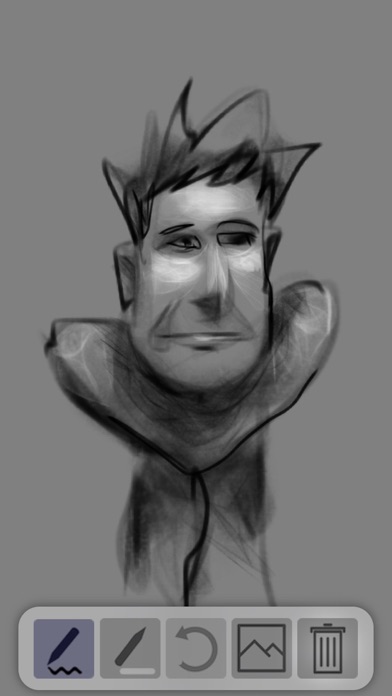


About Asketch
The description on the store listing
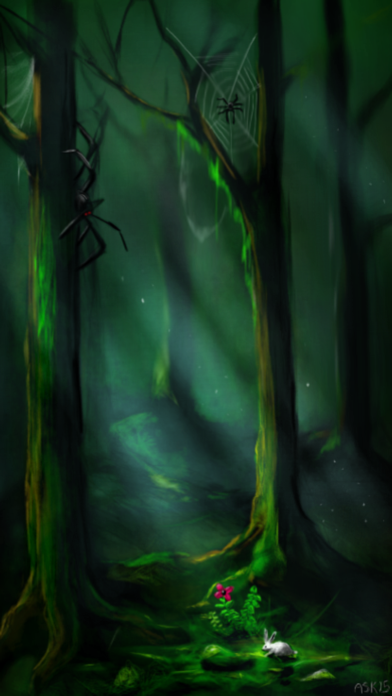
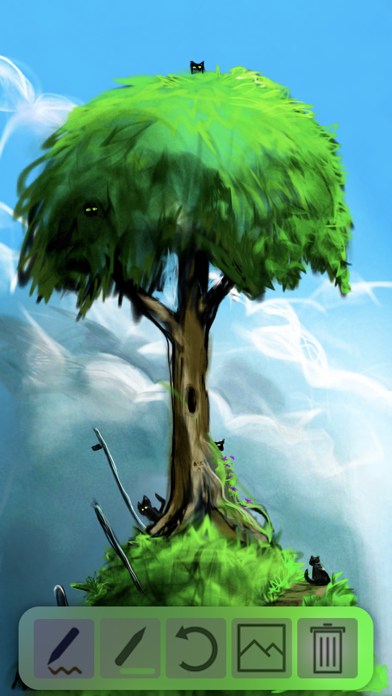
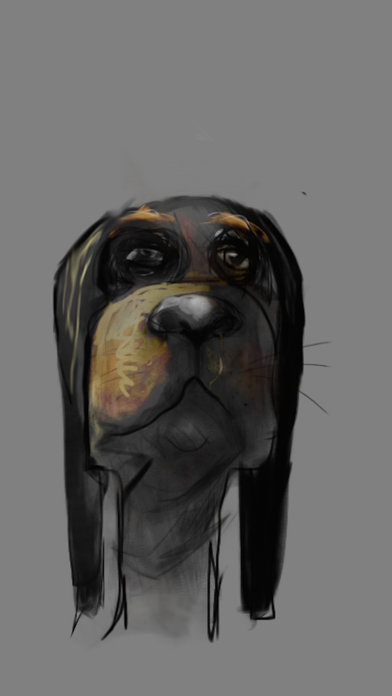
Asketch is a unique and versatile sketch pad. It allows creativity on the go, anytime, anywhere.
Its deliberate simplicity makes it perfect for beginners who want to learn to draw;
equally, advanced artists will find a wonderful buttery, tonal canvas for their life studies, cartoons, abstracts, landscapes and other subjects. The app is engineered to deliver rapid, but powerful image capture, facilitated by a great transform function that allows you to pick up the drawing, resize it and move it around the canvas, and a amazing zoom that lets you draw in minute detail. So if you want to put a traditional, but digital sketch pad in your pocket, this is the app for you.
Features and …
Read the full description
Asketch is a unique and versatile sketch pad. It allows creativity on the go, anytime, anywhere. Its deliberate simplicity makes it perfect for beginners who want to learn to draw; equally, advanced artists will find a wonderful buttery, tonal canvas for their life studies, cartoons, abstracts, landscapes and other subjects. The app is engineered to deliver rapid, but powerful image capture, facilitated by a great transform function that allows you to pick up the drawing, resize it and move it around the canvas, and a amazing zoom that lets you draw in minute detail. So if you want to put a traditional, but digital sketch pad in your pocket, this is the app for you. Features and functionality: Gesture based drawing interface: Changing the surface area of your finger on the screen controls the focus of the drawing. Supports pressure sensitive drawing on iPhones that support pressure sensitivity. Image zooming that actually works: Do amazing detail work when zoomed in. No pixelation of brushes while drawing. Image transformation: Scale/Rotate the image via a simple pinch gesture. 50 Levels of undo/redo. Swipe the undo/redo button to toggle back and forth. Hold down the button for rapid unwind/rewind.
Installs since 29 Aug 2026
Apple does not publish download counts. Estimates are in testing.
Estimated store revenue Estimated Beta
App Store, worldwide, monthly rate from the last 13 chart days to 20 Nov 2026
Below the top 100 grossing apps in the markets we calibrate. In the United States that usually means under about $6.4M a month. App Store purchases and subscriptions only, before Apple's 15 to 30% fee. Ads and web payments are not included.
Ratings
224 ratings, 224 reviews
No rating breakdown published for this app.
Recent reviews
Latest public reviews from the store
- 10 Jul 2024
Wonderful sketching app
Still the best sketching app out there. Doesn’t get in the way of you working. Much more like traditional materials than any other app I have used, and I have used most of the well known ones. Some of those are also great, but tend to require you to adapt to them.
- 18 Apr 2024
Need to be able to save colors
Yes, it’s uncomplicated. It has a pencil and eraser, color picker, black and white, undó and redo, save and delete. What it doesn't have is the ability to select a color on the paper or the ability to save colors- at least afaict. It’s strange not to have those because they simulate colored pencils - not oils or acrylic, where it's almost a given that the artist will mix paints and produce shades that aren't in the box. I can blend pencils, too, but I can also reach into my tray of Prismacolor pencils and pull out a specific color. Not here. Here, I have to guess or approximate what I used 7 layers previously. Whoops! No layers either? Granted, this has good pressure sensitivity, but in so many other ways, Apple’s Markup can do so much more, even if I only use the pencil and none of the other tools.
- 28 Nov 2022
New review
I couldn’t alter my previous review but I want to state that I love this app. You can open it quickly to get your idea down and I like the quality of the brushstroke. The only reason that I didn’t give it 5 stars is because it’s taken so long to get a reply to my question. A stupid question, yes, but some of us just can’t slow down to figure technology out😆
- 23 Mar 2022
Easy to learn fascinating to use
keep this app simple. I barely use the color option. If you draw this is an great app. I show this to every artist I know. It’s not drawing exactly the lines I put down. There is a wonderful aspect that’s unexpected but fascinating. fun. And simple without a million menus and choices.
What reviewers bring up
Topics mentioned in the latest 8 reviews, by how many reviews mention them
Liked in good reviews (6 reviews)
- down 3
- wonderful 2
- artist 2
- people 2
- other 2
- first 2
- idea 2
- draw 2
Raised in bad reviews (0 reviews)
No topic comes up twice.
Top chart positions
Latest App Store chart ranks by country, last 10 days
- Countries ranked
- 50 of 50
- Best rank
- #10
- Top 10 placements
- 2
- of 50 chart placements
- Average rank
- #19.1
Best countries on App Store
- 🇸🇪 Sweden · Top paid, Graphics & Design#10
- 🇹🇷 Türkiye · Top paid, Graphics & Design#10
- 🇳🇴 Norway · Top paid, Graphics & Design#11
- 🇰🇷 South Korea · Top paid, Graphics & Design#11
- 🇬🇷 Greece · Top paid, Graphics & Design#11
- 🇵🇹 Portugal · Top paid, Graphics & Design#11
| Country | Chart | Category | Rank | Best (10 days) | Date |
|---|---|---|---|---|---|
| 🇸🇪 Sweden | Top paid | Graphics & Design | #10 | #8 | 20 Nov 2026 |
| 🇹🇷 Türkiye | Top paid | Graphics & Design | #10 | #10 | 20 Nov 2026 |
| 🇳🇴 Norway | Top paid | Graphics & Design | #11 | #11 | 20 Nov 2026 |
| 🇰🇷 South Korea | Top paid | Graphics & Design | #11 | #8 | 20 Nov 2026 |
| 🇬🇷 Greece | Top paid | Graphics & Design | #11 | #11 | 20 Nov 2026 |
| 🇵🇹 Portugal | Top paid | Graphics & Design | #11 | #10 | 20 Nov 2026 |
| 🇩🇰 Denmark | Top paid | Graphics & Design | #12 | #11 | 20 Nov 2026 |
| 🇪🇸 Spain | Top paid | Graphics & Design | #12 | #10 | 20 Nov 2026 |
| 🇳🇿 New Zealand | Top paid | Graphics & Design | #13 | #12 | 20 Nov 2026 |
| 🇮🇱 Israel | Top paid | Graphics & Design | #13 | #13 | 20 Nov 2026 |
Asketch history
Release, install milestones, listing and store changes
- First released on the store 18 May 2010
Update frequency
How often Asketch ships a new version, month by month
0 updates in the last 12 months. Less often than most similar apps: they shipped a median of 1 updates in the same year.
Recent versions
Current version 3.3.0
- Version 3.3.011 Oct 2023
Added "Under Drawing" support: Tap the color circle to toggle between "under drawing" where all strokes appear underneath previous strokes, and normal drawing.
Listing keywords
Words and phrases Asketch repeats most in its store listing
Top phrases: sketch pad (2), undo redo (2).
Highlighted words also appear in the title. Counts cover the title, short description and description.
Compliance
What the listing and the app package show
- Store status
- Live
- Upkeep
- No update since 11 Oct 2023
- Age rating
- 4+
Apps like Asketch
 Pocket PalettePenpyre, LLC★ 4.42
 Lock Screen ShuffleLivintis W.L.L.★ 4.67
 Wolf Live Wallpapers 4KYoussef Amine★ 4.56
 ReArty: AI Photo, Video MakerBlazeTech Limited★ 4.64
 AI House Design - Room RemodelTechnify Group Limited★ 4.35
 AI Editor for Business: CrevoAeryn AI Hub★ 4.62
 Pixen - pixel art editorFurnace Creek Software LLC★ 4.72
 Poster Maker Graphic DesignsTechnozer Solution★ 4.75
 Petdraw: Pet Photo Art EditorYOYA MOBILE TEKNOLOJI ANONIM SIRKETI★ 4.49
Asketch: questions and answers
Who makes Asketch?
Asketch is published by Andrew Kern.
When was Asketch last updated?
The latest version (3.3.0) was released on 11 Oct 2023.
Is Asketch free?
Yes. Asketch is free to download.
Is Asketch still available?
Yes. Asketch is live on App Store as of 14 Nov 2026.
Track Asketch and its competitors
Watch any app for new versions, rating drops, chart moves and removals. Free plan, no card.