
- Installs
- —
- Apple does not publish download counts
- Rating
- 3.71
- Ratings
- 56
- 56 reviews
- Version
- 2.1.51
- Updated 4 Aug 2026
- Released
- 5 Apr 2014
- Tracked since 10 May 2026
- Size
- 55 MB
- Needs 9.0
Also on Google Play: Authenticator Password Manager (117 ratings)
Screenshots

About Authenticator Password Manager
The description on the store listing
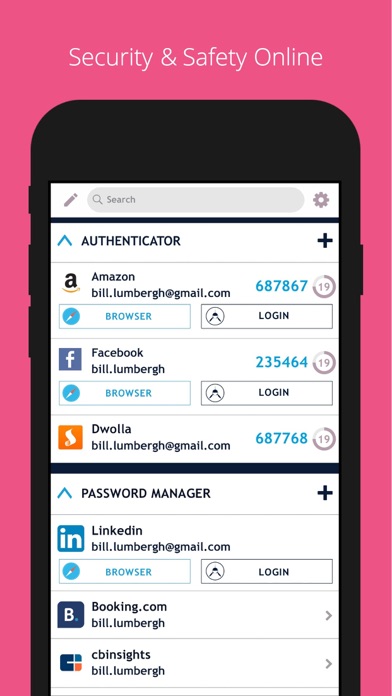
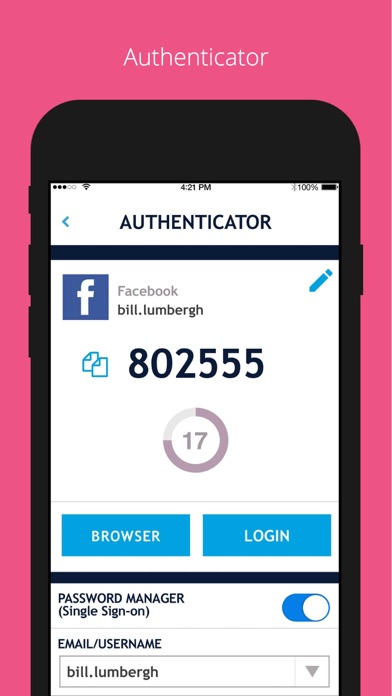
SAASPASS is a Password manager & Authenticator 2FA code generator with autofill & autologin capabilities.
It is built with Security & Usability in mind and is secured by Passwordless MFA
Password Manager
Web and Browser access secured by passwordless MFA
Over 100 Thousand pre-configured websites & mobile services
Custom additions available
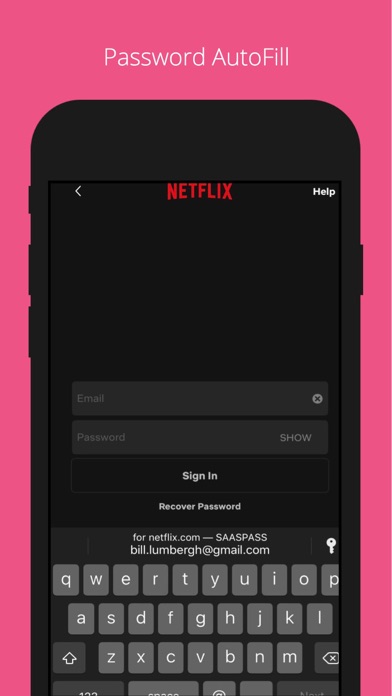
AutoFill support
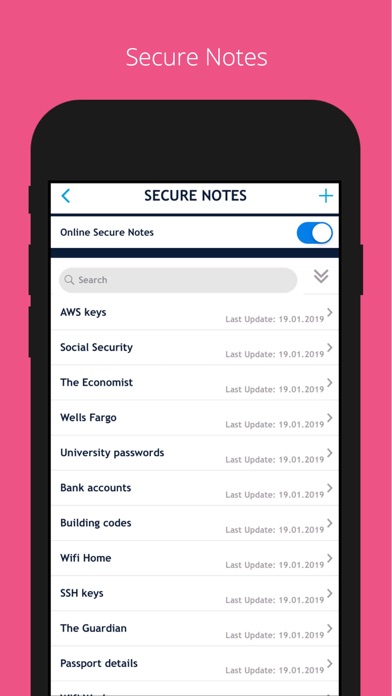
Notes section
Quick copy support
Web portal
Authenticator Code
Desktop, Web & Browser extension access secured by passwordless MFA
AutoFill support with password manager integration
Notes section
Quick copy support
Support for both HOTP/TOTP.
Support for 6, 7 and 8 digits
Support for SHA1, SHA256, SHA512
Companies can share access to …
Read the full description
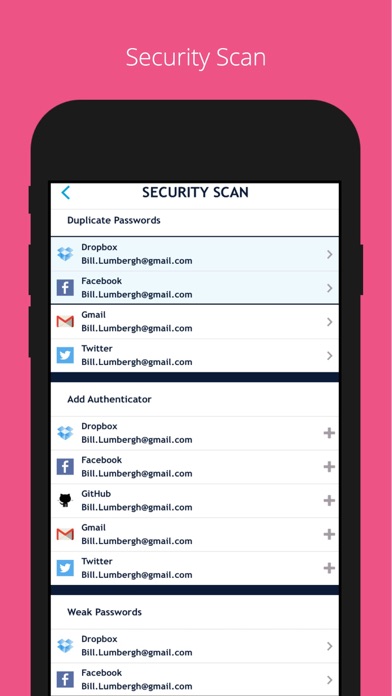
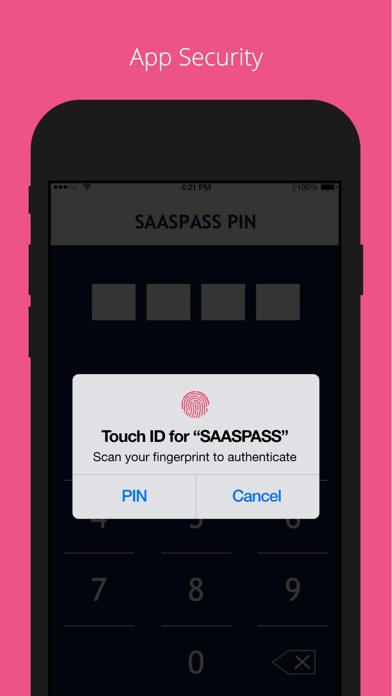
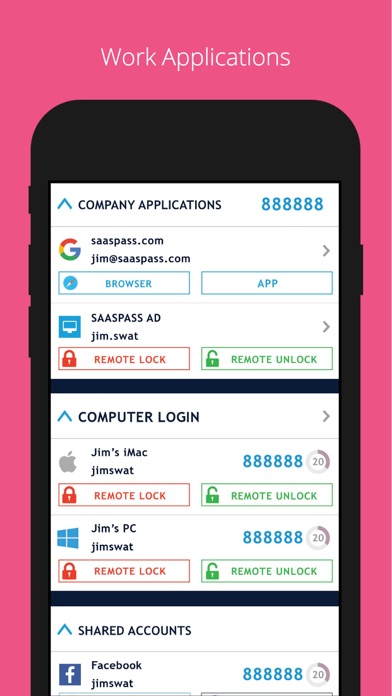
SAASPASS is a Password manager & Authenticator 2FA code generator with autofill & autologin capabilities. It is built with Security & Usability in mind and is secured by Passwordless MFA Password Manager Web and Browser access secured by passwordless MFA Over 100 Thousand pre-configured websites & mobile services Custom additions available AutoFill support Notes section Quick copy support Web portal Authenticator Code Desktop, Web & Browser extension access secured by passwordless MFA AutoFill support with password manager integration Notes section Quick copy support Support for both HOTP/TOTP. Support for 6, 7 and 8 digits Support for SHA1, SHA256, SHA512 Companies can share access to the Authenticator code across multiple individuals Security Scan Identifies which websites & apps you use in the password manager have: Authenticator 2FA format Duplicate passwords Weak passwords Secure Notes Save notes, edit it in the mobile app or web portal & enable it to be on multiple devices and be recoverable. Web access is secured by passwordless MFA Multiple Devices You can have SAASPASS securely on multiple devices. Comes with device management capabilities where you can remotely disable it. Recovery - Secure Backup & Restore Multiple secure recovery capabilities where you can prevent SIM swap attacks. This way if you lose your Authenticators and passwords, you can have them restored on your new device without going through the hassle of painstakingly setting each one individually. Autofill Both the password manager and Authenticator code generator are available on your desktop from both the web portal (login at https://www.saaspass.com/sd/#/login ) and the browser extension. They come with optional Autofill and AutoLogin capabilities on your mobile app as well as the desktop. iPad Multitasking with Split Screen & Landscape view support Password Generator Offline Support Download the SAASPASS browser extension to see the magic in action. It is available for the following browsers: Safari Chrome Firefox Microsoft Edge and Chromium browsers like: Brave Vivaldi There is NO need for a desktop application on your computer. The browser extension is a full blown application. Unlocking app: - Touch ID - Face ID - Scrambled Keypad - 4 or 6 digits as your PIN length SAASPASS app opening protection includes brute-force attack mitigation. Edit Order: Change the order of the Main Menu by choosing Customize Menu Layout under the Settings. Search Bar Use to quickly find services. Apple Watch support To enable SAASPASS Autofill go to your devices Settings > Passwords & Accounts > AutoFill Passwords After turning on AutoFill Passwords select SAASPASS. There are quick copy links under every service as well. - SAASPASS also offers security for employees, companies, developers, admins and computers. Developers can integrate multi-factor authentication (MFA) services with ready code snippets in multiple languages and SDKS from: developer.saaspass.com Companies can sign up for usage of MFA, SSO, IAM solutions, Directory Services, Team Password Manager, Enterprise Password Manager, Shared Authenticator codes with teams, the Shared Access Center, Adaptive Authentication from the www.saaspass.com website. Companies can integrate: On-premise applications Cloud applications Hybrid applications The Identity & Access Management of SAASPASS can be used to integrate many business and productivity applications including email and collaboration suites Out of the box integration to over 100 THOUSAND applications include, but are not limited to, the following services: VPN RDP RADIUS SAML OIDC OAuth 2 LDAP Active Directory Microsoft 365 Microsoft OWA Google Workspace G Suite Office 365 Salesforce On premise applications Dropbox 1password Zendesk Onelogin Keeper Zoho Freshdesk Netsuite Amazon Web Services (AWS) Clarizen Ping Samanage TSPlus Authy ShiftPlanning Duo Security Dashlane Lastpass Bitwarden Okta & many more
Installs since 29 Aug 2026
Apple does not publish download counts. Estimates are in testing.
Estimated store revenue Estimated Beta
App Store, worldwide, monthly rate from the last 13 chart days to 20 Nov 2026
Below the top 100 grossing apps in the markets we calibrate. In the United States that usually means under about $6.4M a month. App Store purchases and subscriptions only, before Apple's 15 to 30% fee. Ads and web payments are not included.
Ratings
56 ratings, 56 reviews
No rating breakdown published for this app.
Recent reviews
Latest public reviews from the store
- 25 Jun 2025
five out of five
Been using this application for over 5+ years highly recommend and great experience so far keep up the great work
- 12 Dec 2021
Amazingly Simple
I started using this about four or so years ago. Don’t even know how I came across it. I have used e-wallet for like 20 years and still use it as my primary vault of all digital information. But managing log ons with dual authentication and better yet managing single sign ons needed something much more robust. At the time Software as a Service was just starting to take hold. I think Saas Pass was cool when Saas wasn’t cool. It’s been able to manage all my logins all my authentication needs and manage my single sign ons without a problem. It’s pretty bad that I’ve taken this long to write them a review. Which says I don’t write many. But recently I had a pucker factor 10 event, both my iPhone and iPad were destroyed at the same time. I can’t remember any passwords but one. I always know my Apple ID password but logging into a new without one of your devices near is or access to your text isn’t going to happen. I was dead in the water. I borrowed my sons phone and initiated a recovery of SaaS Pass within 30 minutes I had all my dual authentication up and could log into anything. This is a great security app, and an excellent day of recovery app. There’s
- 4 Apr 2018
Great App - Slow to Fix
Great app, usually very well polished. But the team is very slow to push updates. Super annoying bug where authenticators don’t refresh when you open the app, so the wrong codes are displayed. Been a few months now. Otherwise good.
- 22 Dec 2017
Excellent security app!
As both an authenticator and a password manager, this is the best app I’ve ever used! Numerous features and options, no annoying demands for reviews, and great security! I think it’s the best!
What reviewers bring up
Topics mentioned in the latest 8 reviews, by how many reviews mention them
Liked in good reviews (5 reviews)
- highly recommend 2
- password 2
- security 2
- devices 2
- logins 2
- secure 2
- think 2
- both 2
Raised in bad reviews (2 reviews)
No topic comes up twice.
Top chart positions
Latest App Store chart ranks by country, last 10 days
Not in any tracked top chart in the last 10 days.
Authenticator Password Manager history
Release, install milestones, listing and store changes
- First released on the store 5 Apr 2014
Update frequency
How often Authenticator Password Manager ships a new version, month by month
2 updates in the last 12 months. More often than most similar apps: they shipped a median of 0 updates in the same year.
Recent versions
Current version 2.1.51
- Version 2.1.514 Aug 2026
Usability updates and performance improvements
- Version 2.1.501 Feb 2026
Usability updates and performance improvements
Listing keywords
Words and phrases Authenticator Password Manager repeats most in its store listing
Top phrases: password manager (8), secured by passwordless (4), browser extension (4), passwordless mfa (4), authenticator code (3).
Highlighted words also appear in the title. Counts cover the title, short description and description.
Compliance
What the listing and the app package show
- Store status
- Live
- Upkeep
- Updated 4 Aug 2026
- Age rating
- 4+
Apps like Authenticator Password Manager
 iKon.MNiKon.MN★ 4.56
 Amharic ReaderAntenehSeifu★ 3.85
 Light Lux MeterAexol Studio★ 4.02
 Energy CURBCurb, Inc.★ 2.18
 Decibel Meter - Sound AnalyzerRychard Matskevich★ 3.51
 VPN - Super Smart Proxy VPNXienhag Technology★ 4.09
 Calibre SyncDUONG THUY PHAM★ 3.95
 Finder - Find My Lost DeviceAlex Bavdey★ 3.69
 Ching ChingGavin McGinney★ 4.71
Authenticator Password Manager: questions and answers
Who makes Authenticator Password Manager?
Authenticator Password Manager is published by SAASPASS.
When was Authenticator Password Manager last updated?
The latest version (2.1.51) was released on 4 Aug 2026.
Is Authenticator Password Manager free?
Yes. Authenticator Password Manager is free to download.
Is Authenticator Password Manager still available?
Yes. Authenticator Password Manager is live on App Store as of 14 Nov 2026.
Track Authenticator Password Manager and its competitors
Watch any app for new versions, rating drops, chart moves and removals. Free plan, no card.