
- Installs
- —
- Apple does not publish download counts
- Rating
- 4.53
- Ratings
- 8.9K
- 8.9K reviews
- Version
- 2026.7.0
- Updated 26 Oct 2026
- Released
- 4 May 2015
- Tracked since 10 May 2026
- Size
- 337 MB
- Needs 16.0
Also on Google Play: Automower Connect (45.7K ratings)
Screenshots

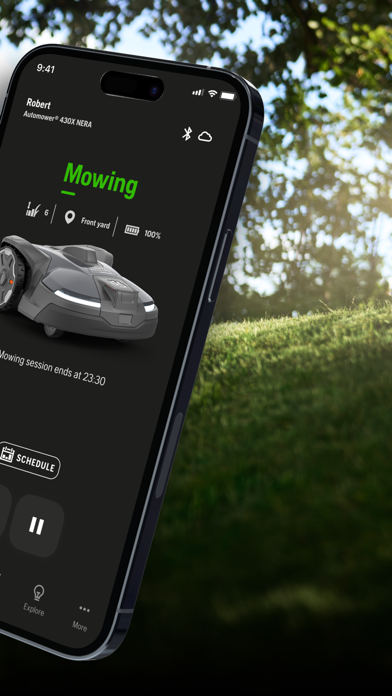
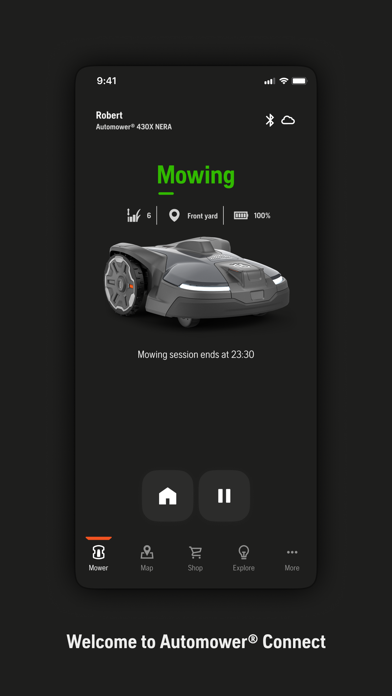

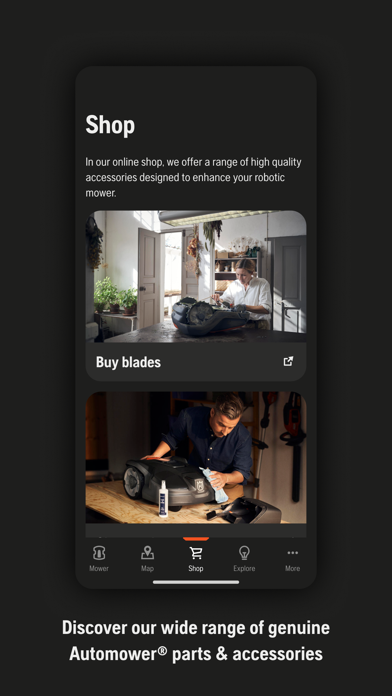


About Automower Connect
The description on the store listing
The official Husqvarna Automower® Connect app allows you to take full control of your Husqvarna robotic lawnmower. The app provides two modes of connectivity depending on model; Automower® Connect for long-range connectivity using cellular communication, and Automower® Connect@Home for short-range connectivity using Bluetooth.
Husqvarna Automower® Connect app provides the following main capabilities:
Status and control
• Receive the current status of the mower.
• Receive push notifications if the mower is stopped or is brought outside the installation.
• Send Start, Pause and Park commands to the mower.
Configure and install
• Have the mower’s complete menu system on your mobile device.
• …
Read the full description
The official Husqvarna Automower® Connect app allows you to take full control of your Husqvarna robotic lawnmower. The app provides two modes of connectivity depending on model; Automower® Connect for long-range connectivity using cellular communication, and Automower® Connect@Home for short-range connectivity using Bluetooth. Husqvarna Automower® Connect app provides the following main capabilities: Status and control • Receive the current status of the mower. • Receive push notifications if the mower is stopped or is brought outside the installation. • Send Start, Pause and Park commands to the mower. Configure and install • Have the mower’s complete menu system on your mobile device. • View and change the mower settings, e.g. timers and cutting height. • Take advantage of the high resolution and color display on your mobile device to enhance the interaction with the mower. Security (applicable for Husqvarna Automower® Connect long-range connectivity) • Track your mower’s GPS position in real time. • Receive push notification alarm in the event of theft.
Installs, last 30 days
Apple does not publish download counts. Estimates are in testing.
Estimated store revenue Estimated Beta
App Store, worldwide, monthly rate from the last 14 chart days to 21 Nov 2026
Below the top 100 grossing apps in the markets we calibrate. In the United States that usually means under about $6.4M a month. App Store purchases and subscriptions only, before Apple's 15 to 30% fee. Ads and web payments are not included.
Ratings
8,855 ratings, 8,855 reviews
- 5 ★78%
- 4 ★11%
- 3 ★4.4%
- 2 ★2.2%
- 1 ★4.6%
Recent reviews
Latest public reviews from the store
- 10 Aug 2025
Generally good with some rough spots
Worked from day one which is great, but it now crashes a LOT while creating transport paths which is very frustrating and makes the process of creating a task absolutely painful. The other issue is that the graphics and UX writing for things like why it can't create a transport path are baffling and incomprehensible. It will say that it can be between the charging point and the base station, while not making sense for how the path was actually created. Also, there should be a way to drag points in edit mode and do more than just add a point to an existing line. That one missing feature means you have to entirely recreate a zone if you want to modify it even just a little. Also, the v1 controls for steering were better! Bring back the single circle gamepad please!
- 29 May 2024
Good app but needs more
Overall works good as long as your mower doesn’t lose connection. Would be great if Automower could also be set to Wi-Fi as most home Wi-Fi cover the area around the house that gets mowed. Also, scheduling needs some rework for ease of use and real use cases. The main use case that cannot be done is setting number of days between mowing. Every other or every third day cannot be scheduled when you can only do a special day of week time based schedule. One would want both to be possible. Also, it would be nice to set temporary scheduling for things like weather tomorrow so don’t mow. Machine maintenance: would be great to have a basic timer that tracks number of hours mowed since last service for things like cleaning and blade changes.
- 3 Sep 2023
Overall, great. Simple software additions would make it better
I have had the 430xh for 2 years (seasons) now. Overall, it works great. Software engineers: please add a function were you can “bias” the mower to use one of the two Guide wires more than the other - even in GPS mode (I know you can do this in non-gps mode). Here is the deal. I have Guide 1 leading to front yard. Guide 2 leads to backyard. This summer, like most in southern PA is dry. My back yard barely grows at all in these conditions. Meanwhile the front yard still grows. If I have the Weather Timer On..,then the mower neglects the front yard. If I turn the Weather Timer Off so the front yard gets cut more frequently then the yard starts to look very matted (especially the back) because the mower is traveling around basically not cutting anything in the backyard.
- 11 Sep 2021
Does’t work unless wifi is available, limited usefulness
This utility does some of what i would like it to do HOWEVER it won’t allow logins if you’re not connected to wifi. That shouldn’t be a requirement to use the app, ie, if you’re on cell service with no wifi you should still be able to login. While this app allows easier access to settings than directly programming through the keypad it is missing some functionality that would make it more usable: 1. Do an “ok” for errors during mowing operations when it makes sense. Some errors require limited or no contact with the mower so you should be able to do an “ok” and restart through the app without having to use the keypad; 2. Request an immediate spiral cut. This would be used when you see the mower in an area that needs to be mowed immediately. There is currently no way to do this. It could follow the saved spiral cut settings or could be switched back to normal operation with a start command. 3. Follow a guide wire. On models with more than one wire it should be possible to specify which wire is to be followed. This would allow the mower to be “steered” into areas that might need more attention. The follow operation might last for a specified time or dis
What reviewers bring up
Topics mentioned in the latest 8 reviews, by how many reviews mention them
Liked in good reviews (4 reviews)
- mower 4
- gets 3
- scheduling 2
- front yard 2
- possible 2
- settings 2
- overall 2
- weather 2
Raised in bad reviews (3 reviews)
- husqvarna 2
- software 2
- missing 2
- these 2
- says 2
- move 2
- gps 2
Top chart positions
Latest App Store chart ranks by country, last 10 days
Not in any tracked top chart in the last 10 days.
Automower Connect history
Release, install milestones, listing and store changes
- First released on the store 4 May 2015
Update frequency
How often Automower Connect ships a new version, month by month
5 updates in the last 12 months. More often than most similar apps: they shipped a median of 2 updates in the same year.
Recent versions
Current version 2026.7.0
- Version 2026.7.026 Oct 2026
This update includes improvements and bug fixes. Husqvarna is continuously improving the experience in Automower® Connect. Make sure to always download the latest version to be up to date with improvements and new features.
- Version 2026.5.115 Jul 2026
This update includes improvements and bug fixes. Husqvarna is continuously improving the experience in Automower® Connect. Make sure to always download the latest version to be up to date with improvements and new features.
- Version 2026.5.023 Jun 2026
Based on your feedback, we've brought back the ability to override a schedule and park for a specific duration. You can now choose to park for 30 minutes, 3 hours, 24 hours, until further notice, or until the next scheduled start. We've also included important bug fixes and improvements to make your experience even better.
- Version 2026.414 May 2026
Your dealer can now remotely debug your robotic mower. You can enable this feature in the Security section of the Settings menu. This release also includes bug fixes and improvements.
Listing keywords
Words and phrases Automower Connect repeats most in its store listing
Top phrases: automower connect (6), husqvarna automower connect (3), husqvarna automower (3), range connectivity (3), long range connectivity (2).
Highlighted words also appear in the title. Counts cover the title, short description and description.
Compliance
What the listing and the app package show
- Store status
- Live
- Upkeep
- Updated 26 Oct 2026
- Age rating
- 4+
Apps like Automower Connect
 Tunity: Hear Any Muted TV LiveAudioStreamTV Inc.★ 4.17
 Barometer & Altimeter & ThermoExaMobile S.A.★ 4.76
 GO Keyboard-Emojis&Cool ThemesSungy Mobile Limited.★ 4.29
 O&RCon Edison★ 4.77
 Keyboard Fonts Pro: AaPixdeo LTD★ 4.45
 Phil : tv remoteyohan teixeira★ 3.14
 Offline Music Player:Mp3&VideoOffline Music Limited★ 4.3
 Ecosia: Search to plant treesEcosia GmbH★ 4.71
 Unfollow Tracker: FollowHubAmanda Robinson★ 4.49
Automower Connect: questions and answers
Who makes Automower Connect?
Automower Connect is published by Husqvarna.
When was Automower Connect last updated?
The latest version (2026.7.0) was released on 26 Oct 2026.
Is Automower Connect free?
Yes. Automower Connect is free to download.
Is Automower Connect still available?
Yes. Automower Connect is live on App Store as of 21 Nov 2026.
Track Automower Connect and its competitors
Watch any app for new versions, rating drops, chart moves and removals. Free plan, no card.