
- Installs
- —
- Apple does not publish download counts
- Rating
- —
- Ratings
- —
- Version
- 3.8
- Updated 13 Jan 2026
- Released
- 5 Apr 2019
- Tracked since 10 May 2026
- Size
- 20 MB
- Needs 11
Screenshots



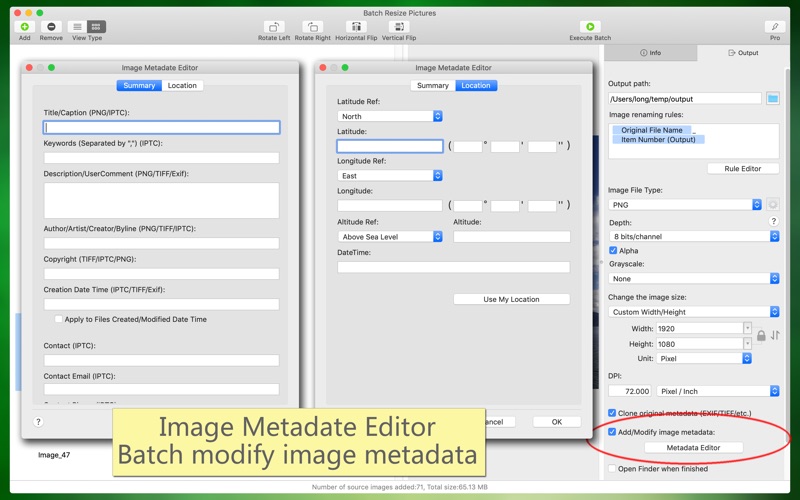
About Batch Resize Pictures
The description on the store listing
Software introduction:
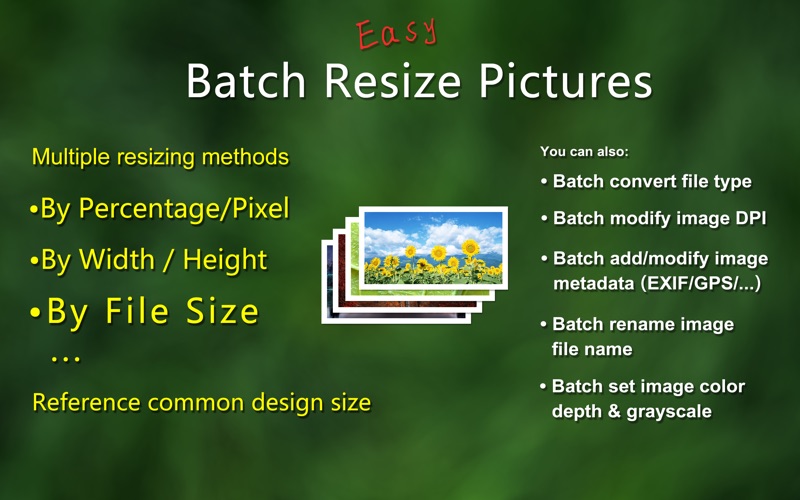
"Batch Resize Pictures" can easily and quickly resize a large number of images, zoom in or out, and also convert image file types in batches, modify image DPI in batches, and add/modify image metadata in batches, batch rename file name. These features can be used individually or together, greatly helping you to work more efficiently, which is both convenient and powerful.
Main function introduction:
1. Batch zoom/adjust the size of the image, which can be enlarged or reduced based on the original size. The adjustment methods are various:
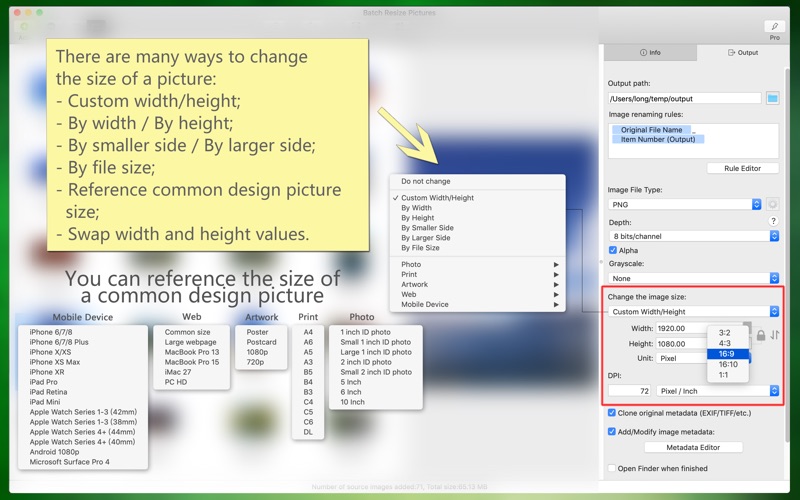
(1) Custom width and height; according to width; according to height; according to the smaller side; according to the larger …
Read the full description
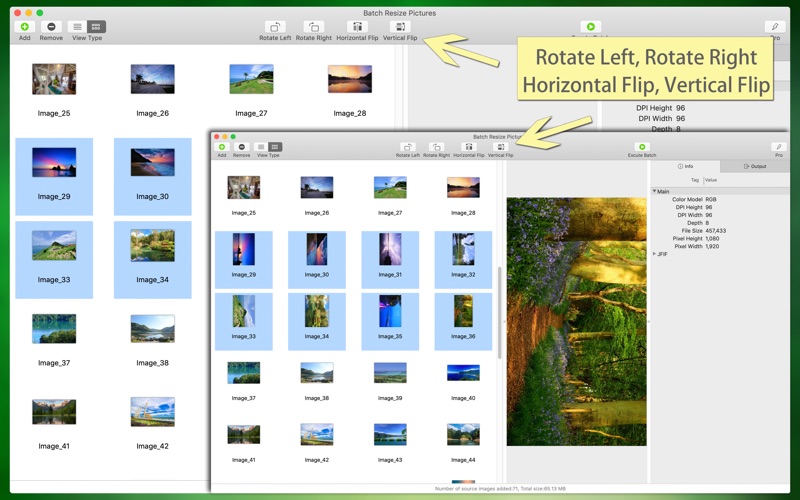
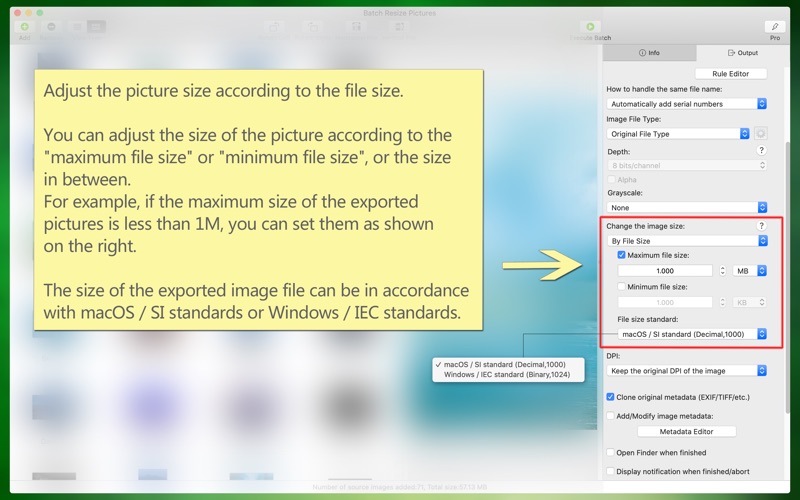
Software introduction: "Batch Resize Pictures" can easily and quickly resize a large number of images, zoom in or out, and also convert image file types in batches, modify image DPI in batches, and add/modify image metadata in batches, batch rename file name. These features can be used individually or together, greatly helping you to work more efficiently, which is both convenient and powerful. Main function introduction: 1. Batch zoom/adjust the size of the image, which can be enlarged or reduced based on the original size. The adjustment methods are various: (1) Custom width and height; according to width; according to height; according to the smaller side; according to the larger side. (2) It can be adjusted in percentage, pixel, centimeter, and inch. (3) The width and height values can be exchanged; the width or height can be converted proportionally (eg, 3:2, 4:3, 16:9, 16:10, etc.). (4) You can adjust the picture size according to the file size. You can adjust the size of the picture according to the "maximum file size" or "minimum file size", or the size in between. The size of the exported image file can be in accordance with macOS/SI standards or Windows/IEC standards. 2. You can refer to the size of common design pictures, such as: a variety of ID photo size, print related A4/B5/etc., posters/postcards/etc., various web page sizes, iPhone/iPad/Android and other sizes. 3. Batch conversion image file types, including TIFF, PNG, BMP, JPG, JPG2000, GIF, PSD, HEIC, WebP, AVIF, etc. and the conversion between animated images, including GIF, HEIC, WebP, PNG, AVIF, etc. 4. Modify picture DPI in batches, or keep original DPI. 5. Add/modify image metadata information (EXIF/TIFF/JFIF/GPS/...) in batches, such as: author, copyright, description, keyword, creation date and time, contact information, etc. 6. Batch rename/custom output image file name, file name can be dynamically generated (according to time, EXIF, serial number, template, etc.). 7. Modify the color depth of the picture in batches (8 bits/channel or 16 bits/channel, ie 24 bits, 32 bits, 46 bits, 64 bits), Alpha, color profiles. 8. The software supports macOS light color and dark appearance mode, switch freely, the interface is perfectly adapted. 9. The software supports multiple languages, including: English, Simplified Chinese, Traditional Chinese, Japanese, Spanish, Portuguese, French, German, Russian, Korean, Italian (the new version will support more languages). The software is free to use, and we also offer a more professional version of the advanced features, you can get a professional version through the subscription within the software. Automatic renewal professional version: -- Professional edition benefits: (1) All professional features. (2) New professional features or advanced features in the new version. -- Subscription period: 1 month (professional version of continuous monthly product), 6 months (professional version of continuous packaging for half a year), 12 months (professional version of continuous annual product). -- Subscription price: subject to IAP application information, such as $4.99 per month for consecutive monthly subscriptions and $29.99 per year for consecutive annual subscriptions. -- Payment: The user confirms the purchase and payment and then credits it to the iTunes account. -- Cancel Renewal: To cancel renewal, manually turn off auto-renew in iTunes/Apple ID Settings Management 24 hours before the current subscription period expires. -- Renewal: Apple's iTunes account will be charged within 24 hours before expiration. After the deduction is successful, the subscription period will be postponed for one subscription period. -- Privacy Policy: http://www.arwer.com/Software2/PrivacyPolicy.html -- Service Agreement: http://www.arwer.com/Software2/TermsOfService.html
Installs
Apple does not publish download counts. Estimates are in testing.
We publish iOS estimates only after they pass a back-test against real numbers. Chart history below is measured.
Estimated store revenue Estimated Beta
App Store, worldwide, monthly rate from the last 13 chart days to 20 Nov 2026
Below the top 100 grossing apps in the markets we calibrate. In the United States that usually means under about $6.4M a month. App Store purchases and subscriptions only, before Apple's 15 to 30% fee. Ads and web payments are not included.
Ratings
No rating breakdown published for this app.
Recent reviews
Latest public reviews from the store
No reviews in our sample for this app yet.
Top chart positions
Latest App Store chart ranks by country, last 10 days
Not in any tracked top chart in the last 10 days.
Batch Resize Pictures history
Release, install milestones, listing and store changes
- First released on the store 5 Apr 2019
Update frequency
How often Batch Resize Pictures ships a new version, month by month
1 updates in the last 12 months. More often than most similar apps: they shipped a median of 0 updates in the same year.
Recent versions
Current version 3.8
- Version 3.813 Jan 2026
1. Improvement: Compatible with macOS 26. 2. Fixed: The issue where image thumbnails were not displayed in their original proportions has been fixed. 3. Fixed: The problem in the metadata editor window where clicking the 'Use My Location' button could not locate has been fixed. 4. Some other minor changes and optimizations.
Listing keywords
Words and phrases Batch Resize Pictures repeats most in its store listing
Top phrases: professional version (6), image file (4), subscription period (4), version of continuous (3), bits bits (3).
Highlighted words also appear in the title. Counts cover the title, short description and description.
Compliance
What the listing and the app package show
- Store status
- Live
- Upkeep
- Updated 13 Jan 2026
- Age rating
- 4+
Apps like Batch Resize Pictures
 AI Cut - Photo Generate & EditBeijing Changhai Internet Technology Co., Ltd.★ 4.1
 Birthday Invitations Makerwilliam leandro aristizabal giraldo★ 4.7
 AI VistaSCIENJOY META TECHNOLOGY LLC★ 2.9
 Logotipo - AI Logo GeneratorMobile Ocean★ 4.02
 Anime AI Maker: DreamtuneLYKOV STUDIO LTD★ 4.34
 DIY Wallpaper Maker DIYScreenEvgenii Fomin★ 4.68
 Vintage Camera - Film FiltersPlane Cubes★ 4.42
 Color Widgets - WallpapersFlying Pigeons LLC★ 4.34
 Artimind - AI Video GeneratorAPERO TECHNOLOGIES GROUP PTE.LTD★ 1.41
Batch Resize Pictures: questions and answers
Who makes Batch Resize Pictures?
Batch Resize Pictures is published by 军 龙.
When was Batch Resize Pictures last updated?
The latest version (3.8) was released on 13 Jan 2026.
Is Batch Resize Pictures free?
Yes. Batch Resize Pictures is free to download.
Is Batch Resize Pictures still available?
Yes. Batch Resize Pictures is live on App Store as of 10 May 2026.
Track Batch Resize Pictures and its competitors
Watch any app for new versions, rating drops, chart moves and removals. Free plan, no card.