- Installs
- —
- Apple does not publish download counts
- Rating
- 4.34
- Ratings
- 1.9K
- 1.9K reviews
- Version
- 4.6.1
- Updated 18 Nov 2025
- Released
- 1 Apr 2010
- Tracked since 10 May 2026
- Size
- 126 MB
- Needs 15.0
Also on App Store: Calculator Max+ (1 ratings), Calculator Max
Screenshots





About Calculator Max
The description on the store listing
Calculator Max makes both simple and complex calculations easy. It offers all calculators you’ll ever need in one carefully designed, uncluttered and easy-to-use package.
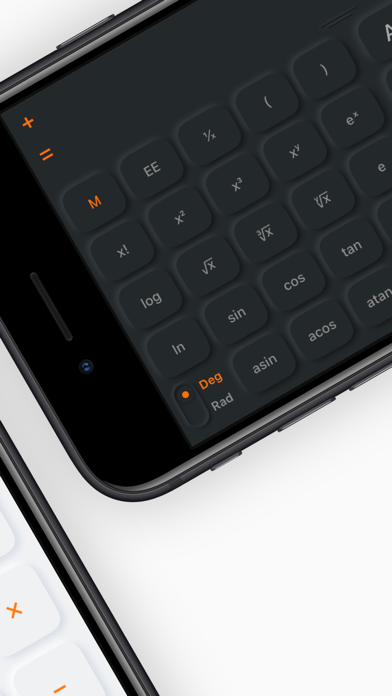
Switching between calculators is buttery-smooth and natural. The basic calculator with big buttons swiftly handles everyday tasks. The more advanced scientific calculator is loaded with all important mathematical functions and constants.
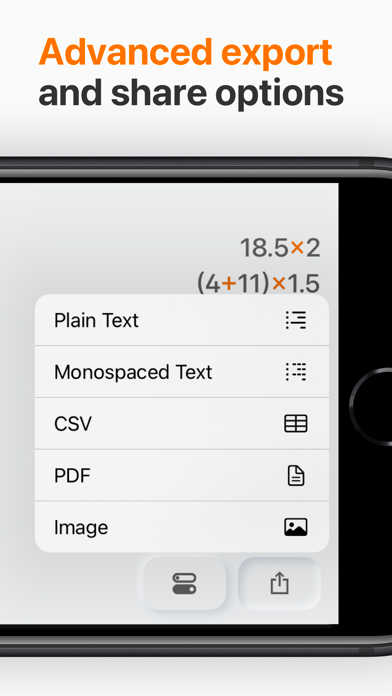
A history tape with your entries is comfortably accessible in all calculator modes. Thanks to it, you never lose track of what you’ve entered and the entries can be reused effortlessly in your calculations. The tape can also be exported to common formats and shared or printed.
On the …
Read the full description
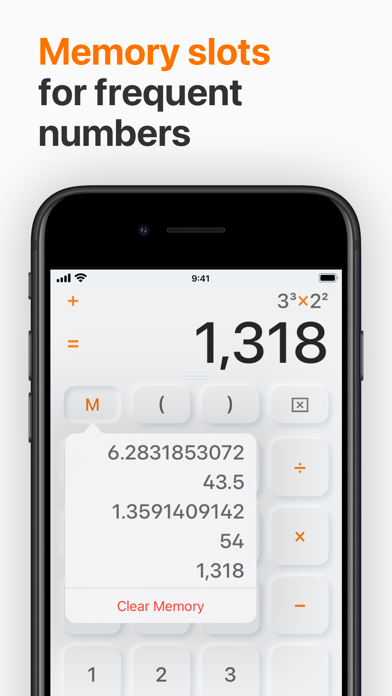
Calculator Max makes both simple and complex calculations easy. It offers all calculators you’ll ever need in one carefully designed, uncluttered and easy-to-use package. Switching between calculators is buttery-smooth and natural. The basic calculator with big buttons swiftly handles everyday tasks. The more advanced scientific calculator is loaded with all important mathematical functions and constants. A history tape with your entries is comfortably accessible in all calculator modes. Thanks to it, you never lose track of what you’ve entered and the entries can be reused effortlessly in your calculations. The tape can also be exported to common formats and shared or printed. On the large screen of any iPad it is pure joy to make handwriting notes or draw your ideas right in the app. Write down any math equation and let the app calculate it for you in the blink of an eye. Or reuse any handwriting which you can easily convert to editable text. ————————— WHAT YOU GET ————————— /// POWERFUL CALCULATOR /// — Basic calculator with big buttons — Scientific calculator packed with functions and constants — History tape with the calculations at your fingertips in all modes — Extensive rounding options (e.g. two decimal places for accounting) — Up to 5 memory slots for frequent numbers — Plain Text, Monospaced Text, CSV, PDF and image export formats — Advanced export, share and print options — Scribble Pad on iPad for easy math equations solving, handwritten notes and sketches /// PRODUCTIVE WORKFLOW /// — Side tape layouts for easier long records handling — Clean and uncluttered interface with refined haptic feedback — Multitasking support on iPad for side-by-side work — External keyboard support for even faster input and app control — Universal app for all your iPhones, iPads and Macs — User interface precisely adapted for each device capabilities /// FAST ACCESS /// — Home Screen widgets with last calculations and memory — Widgets for direct access from the Lock Screen — Control Center and Lock Screen fast access buttons /// MIGHTY SCRIBBLE PAD /// — The right place for your quick notes and sketches — Easily calculates any written down math equation — Recognizes your handwriting and converts it to editable text — Fully-fledged notebook with unlimited number of paper sheets — Exportable as text, image or PDF — Optimized for your finger as well as Apple Pencil — Support for LAMY and Adonit styluses (on iPad) — Available on all iPad models /// EXTENSIVE CUSTOMIZATION /// — Handcrafted design themes with dark mode support — Loads of app icons you can easily choose from the best one for your Homescreen — Carefully selected sound sets Terms of use: https://www.apple.com/legal/internet-services/itunes/dev/stdeula/
Installs, last 30 days
Apple does not publish download counts. Estimates are in testing.
Estimated store revenue Estimated Beta
App Store, worldwide, monthly rate from the last 13 chart days to 20 Nov 2026
Below the top 100 grossing apps in the markets we calibrate. In the United States that usually means under about $6.4M a month. App Store purchases and subscriptions only, before Apple's 15 to 30% fee. Ads and web payments are not included.
Ratings
1,934 ratings, 1,934 reviews
No rating breakdown published for this app.
Recent reviews
Latest public reviews from the store
- 29 May 2021
Update ruined the best calculator out there.
This was the absolute best calculator prior to update. The update moved the tape on top of the keyboard instead on the side. The layout makes no sense, the space cannot accommodate long list of figures. It is not intuitive. In addition the entire page is extreme white including the buttons. Which makes them almost undefined. Using this app for any amount of time will cause a literal headache. It is like staring at a blank white page. You took the functionality out of the app. Have to find a new calculator ASAP.
- 8 Oct 2017
Just what i was looking for, works as billed
This is one of those great apps that does exactly what it says it will and what you want it to do. The only difficulty was actually finding it. There nothing to tell one it has a tape, the feature I was looking for. I just happened on the app. But of course, like most apps that are great, you want stuff added. For example, adding a text note to the tape would be helpful, as would negative numbers on the tape appearing in red.
- 6 Apr 2017
Great Multi-function Calculator
This is more than just your standard calculator. There are 4 modes to choose from. The one I find most useful is the Tape Mode. It is great for itemized calculations. There are just a couple of small issues that prevent me from giving it a perfect 5-star rating. The first is that while having a Scientific Mode is great, having a Scientific Mode with a graphing screen would have made any other calculator app obsolete. Secondly, there is no backspace key. This would make it so much easier to fix the most common typos. Instead, you must clear and re-enter the entry altogether. Not a huge problem, but just a bit inconvenient.
What reviewers bring up
Topics mentioned in the latest 8 reviews, by how many reviews mention them
Liked in good reviews (3 reviews)
No topic comes up twice.
Raised in bad reviews (5 reviews)
- tape 5
- calculator 4
- paid 4
- developer 3
- previous 3
- latest 3
- find 3
- step backwards 2
Top chart positions
Latest App Store chart ranks by country, last 10 days
Not in any tracked top chart in the last 10 days.
Calculator Max history
Release, install milestones, listing and store changes
- First released on the store 1 Apr 2010
Update frequency
How often Calculator Max ships a new version, month by month
0 updates in the last 12 months. Less often than most similar apps: they shipped a median of 1 updates in the same year.
Recent versions
Current version 4.6.1
- Version 4.6.118 Nov 2025
— Stability and performance improvements
Listing keywords
Words and phrases Calculator Max repeats most in its store listing
Top phrases: calculator with big (2), constants history tape (2), functions and constants (2), notes and sketches (2), basic calculator (2).
Highlighted words also appear in the title. Counts cover the title, short description and description.
Compliance
What the listing and the app package show
- Store status
- Live
- Upkeep
- Updated 18 Nov 2025
- Age rating
- 4+
Apps like Calculator Max
 Adlocked – No Ads Web BrowsingAPPLICATION FIRE AND SECURITY SOLUTIONS LIMITED★ 4.28
 PIA - Fast VPN HotspotHONG KONG MAYNOS LIMITED★ 4.59
 Katseye Kpop keyboard- StickerShamus Ul Hayatam★ 4.58
 Clean AI・Phone Storage CleanupBAO Apps★ 4.5
 Planner for AC: NHCarolin Svensson★ 4.81
 Iprayer - صلاتيAbdulla Almehairbi★ 4.38
 Coredy RobotCoredy inc★ 4.67
 Battery Level WidgetBeatcode Srl★ 4.47
 AV Spin CycleKioSoft Technologies LLC★ 4.78
Calculator Max: questions and answers
Who makes Calculator Max?
Calculator Max is published by CrowdCafé.
When was Calculator Max last updated?
The latest version (4.6.1) was released on 18 Nov 2025.
Is Calculator Max free?
No. Calculator Max is a paid app.
Is Calculator Max still available?
Yes. Calculator Max is live on App Store as of 20 Nov 2026.
Track Calculator Max and its competitors
Watch any app for new versions, rating drops, chart moves and removals. Free plan, no card.