
- Installs
- —
- Apple does not publish download counts
- Rating
- 3.0
- Ratings
- 5
- 5 reviews
- Version
- 4.1
- Updated 23 Nov 2025
- Released
- 12 Aug 2018
- Tracked since 10 May 2026
- Size
- 20 MB
- Needs 18.0
Screenshots
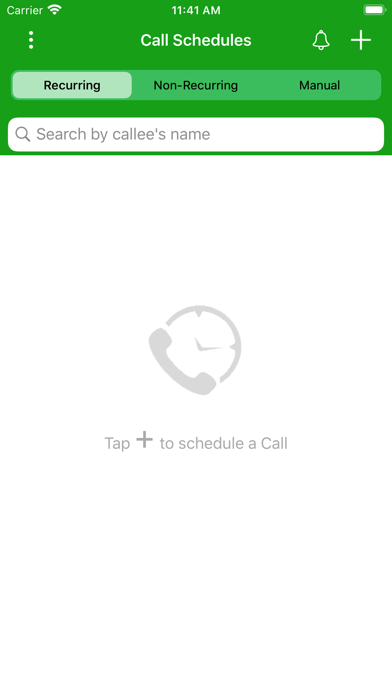
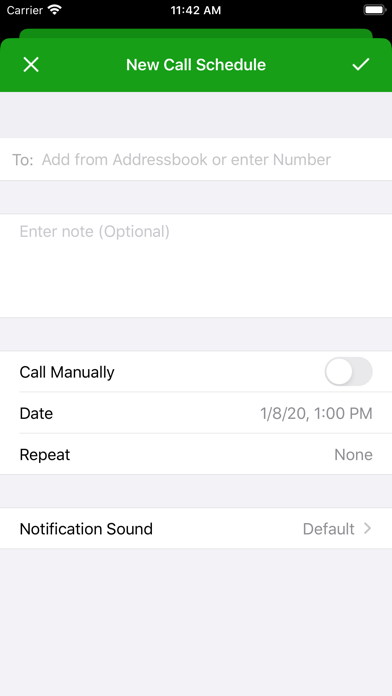
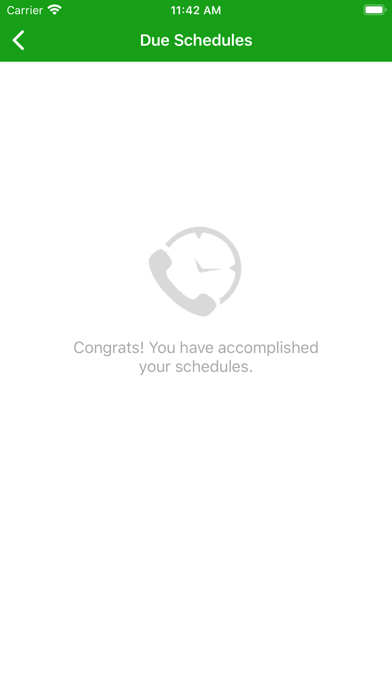


About Call Reminder+
The description on the store listing
Call Reminder – Never Miss an Important Call
Call Reminder takes the responsibility of remembering important calls off your shoulders—so you can stay connected with the people who matter, exactly when it matters.
Whether it’s a birthday wish, a follow‑up with a client, or checking in on a loved one, Call Reminder ensures you never forget to make that call. Simply schedule a call with any contact and you’ll be notified right on time with a Lock Screen alert. With interactive actions and powerful widgets, you can call, snooze, or catch up on overdue calls in just a tap.
Call Reminder is more than just a reminder—it’s your personal assistant for managing your calling routine with …
Read the full description
Call Reminder – Never Miss an Important Call Call Reminder takes the responsibility of remembering important calls off your shoulders—so you can stay connected with the people who matter, exactly when it matters. Whether it’s a birthday wish, a follow‑up with a client, or checking in on a loved one, Call Reminder ensures you never forget to make that call. Simply schedule a call with any contact and you’ll be notified right on time with a Lock Screen alert. With interactive actions and powerful widgets, you can call, snooze, or catch up on overdue calls in just a tap. Call Reminder is more than just a reminder—it’s your personal assistant for managing your calling routine with ease, precision, and reliability. Key Highlights: • One‑Tap Call Reminders Get notified exactly when a scheduled call is due—just tap the notification to start the call instantly. • Interactive Notifications on Lock Screen Act on reminders without opening the app: Call Now, Snooze 10 Minutes, Snooze 1 Hour, or Mark as Done right from the notification. • Smart Follow‑Up Suggestions After each call, quickly schedule a follow‑up for tomorrow, in 3 days, or in 1 week with a single tap—perfect for client follow‑ups and ongoing check‑ins. • “Due Calls” & Overdue Management View all upcoming and due call reminders in one organized list so you always know what needs your attention. Overdue calls remain visible until you’ve taken action. • Home Screen Widgets for At‑a‑Glance Insights Stay on top of your calling routine without opening the app: • Small widget: shows your Overdue count as a clear, high‑signal metric. • Medium widget: adds context with Overdue count plus last overdue call details. • Large widget: shows the full picture—Overdue count, last overdue call details, and your Next call. Smart tap behavior means: • If you have due calls, tapping the widget opens your Due Schedules. • If you’re all caught up, tapping opens your main schedules list. • Flexible Recurrence Options Schedule repeating calls with powerful options: • Hourly • Daily • Every Other Day • Weekly • Bi‑Weekly • Monthly • Yearly • One‑Time Only • Manual Schedules Create schedules without a specific time—keep important calls on your list so you can call when it’s convenient. • Pause & Resume Schedules Temporarily pause recurring calls and resume them later without losing your setup or history. • Better Search & Notes Quickly find the right schedule by searching across contact name, phone number, and notes. • Custom Notification Sounds Choose from a variety of tones so your call reminders stand out from your other notifications. • iCloud Sync & Backup Automatically back up your call schedules and restore them seamlessly across your devices. • Designed for a Clean, Modern Experience A focused, minimal UI with polished empty states and updated icons—built to feel at home on the latest versions of iOS. • Affordable Subscription Plans Unlock premium features with flexible, budget‑friendly subscription options or a one‑time lifetime purchase. • Minimal Setup, Maximum Benefit Get started in minutes. Add a few important calls, set when and how often you want to be reminded, and let Call Reminder handle the rest. Why You’ll Love It: Call Reminder keeps your relationships active and your commitments fulfilled. Whether you’re calling your parents, clients, team members, or friends—this app ensures you never forget a call again. It’s perfect for personal, social, and professional use. Many users find themselves relying on Call Reminder daily—it quickly becomes a natural part of your routine. Feedback & Support: We’re always working to improve the app and add new features. Have a suggestion or need help? Reach out to us anytime—we’d love to hear from you.
Installs
Apple does not publish download counts. Estimates are in testing.
We publish iOS estimates only after they pass a back-test against real numbers. Chart history below is measured.
Estimated store revenue Estimated Beta
App Store, worldwide, monthly rate from the last 13 chart days to 20 Nov 2026
Below the top 100 grossing apps in the markets we calibrate. In the United States that usually means under about $6.4M a month. App Store purchases and subscriptions only, before Apple's 15 to 30% fee. Ads and web payments are not included.
Ratings
5 ratings, 5 reviews
No rating breakdown published for this app.
Recent reviews
Latest public reviews from the store
No reviews in our sample for this app yet.
Top chart positions
Latest App Store chart ranks by country, last 10 days
Not in any tracked top chart in the last 10 days.
Call Reminder+ history
Release, install milestones, listing and store changes
- First released on the store 12 Aug 2018
Update frequency
How often Call Reminder+ ships a new version, month by month
1 updates in the last 12 months. More often than most similar apps: they shipped a median of 0 updates in the same year.
Recent versions
Current version 4.1
- Version 4.123 Nov 2025
What’s New This update makes Call Reminder smarter, more reliable, and more glanceable from your Home Screen. Smarter reminders & notifications • Added interactive notification actions: Call Now, Snooze 10 Minutes, Snooze 1 Hour, and Mark as Done right from the lock screen. • Follow‑up suggestions after each call: quickly schedule a follow‑up for tomorrow, in 3 days, or in 1 week with one tap. • Improved badge handling so the app icon count always reflects your currently due call schedules. New Home Screen widgets • “Next Call” widget shows: • Due Now: number of call schedules currently due. • Next Call: who you’re calling next and at what time. • New widget sizes so you can see exactly what you need at a glance: • Small: focuses on a single high‑signal metric — your Overdue count. • Medium: adds context with Overdue count plus last overdue call details, while staying uncluttered. • Large: shows the full picture — Overdue count, last overdue call details, and your Next call. • Smart tap behavior: • If you have due calls, tapping the widget opens Due Schedules. • If you’re all caught up, tapping opens your main schedules list. • Fresh, app‑themed gradient backgrounds that look great in the iOS 17/18 widget gallery and on the Home Screen. Better search & call management • Search now looks into recipient name, phone number, and notes, making it much easier to find the right schedule. • Copying call notes and managing schedules (edit / pause / delete) continue to work with improved UI feedback. iCloud sync & reliability improvements • Settings now clearly show if iCloud Sync is ON or OFF, plus the last sync date and time. • iCloud sync and backup flows have been refined to reduce silent failures and keep schedules more reliably in sync. UI polish & iOS 26 compatibility • Replaced the old bell image with an SF Symbols bell and redesigned the badge indicator so it displays correctly with the new iOS 26 “liquid” navigation bar. • Improved wording across alerts, errors, and subscription prompts to be clearer and more user‑friendly. • Small visual refinements to empty states and due‑schedules messages (“You’re all caught up!”) for a more modern feel. If you’re enjoying Call Reminder, a quick rating or review in the App Store really helps.
Listing keywords
Words and phrases Call Reminder+ repeats most in its store listing
Top phrases: call reminder (8), call reminders (3), important calls (3), overdue count (3), ensures you never (2).
Highlighted words also appear in the title. Counts cover the title, short description and description.
Compliance
What the listing and the app package show
- Store status
- Live
- Upkeep
- Updated 23 Nov 2025
- Age rating
- 4+
Apps like Call Reminder+
 Super VPN: Fast Private ProxyGeek Incorporated★ 4.4
 Hubtel RetailerHubtel Limited★ 4.32
 Monthly Calendar 2022 - CalistOmoboto LLC★ 4.38
 Firstly: To-Do List & PlannerfocusCove LLC★ 4.7
 CBUS 311City of Columbus, Ohio★ 1.8
 Themes for Powerpoint - DesiGNGraphic Node★ 4.22
 iSiloDC & Co.★ 3.82
 Flashlight Pro [Multipurpose LED light]KAVAPOINT★ 3.88
 WiPryOscium LLC★ 2.68
Call Reminder+: questions and answers
Who makes Call Reminder+?
Call Reminder+ is published by Muhammad Ibrahim.
When was Call Reminder+ last updated?
The latest version (4.1) was released on 23 Nov 2025.
Is Call Reminder+ free?
Yes. Call Reminder+ is free to download.
Is Call Reminder+ still available?
Yes. Call Reminder+ is live on App Store as of 1 Jul 2026.
Track Call Reminder+ and its competitors
Watch any app for new versions, rating drops, chart moves and removals. Free plan, no card.