
- Installs
- —
- Apple does not publish download counts
- Rating
- 4.65
- Ratings
- 2.8M
- 2.8M reviews
- Version
- 8.14.1
- Updated 5 Nov 2026
- Released
- 8 Dec 2011
- Tracked since 11 May 2026
- Size
- 134 MB
- Needs 17.0
Also on Google Play: Canvas By Instructure (226K ratings)
Screenshots
About Canvas by Instructure
The description on the store listing
Your learning, anywhere.
Stay connected to your courses with the official Canvas app for learners. Whether you’re in class, commuting, or offline, Canvas helps you stay organized and engaged.
Note for instructors: For teaching and grading features, use the Canvas Teacher app.
What you can do
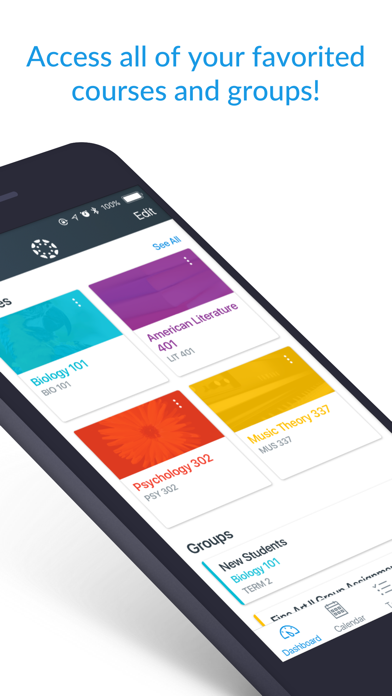
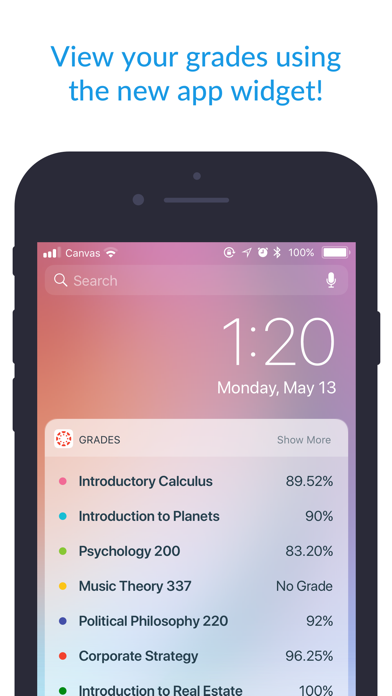
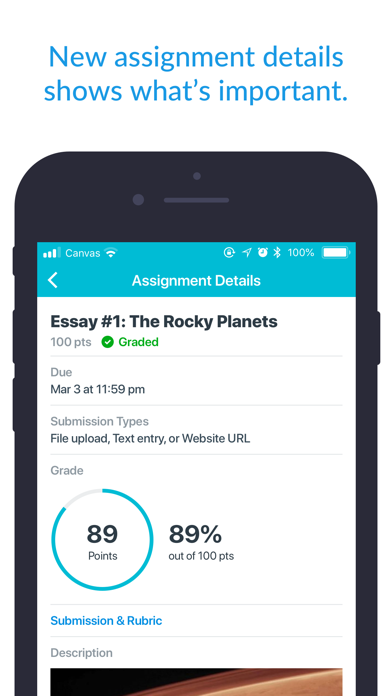
• Organize: View grades, track assignments, homework, and schoolwork; get reminders, push notifications and add customizable widgets for quick access
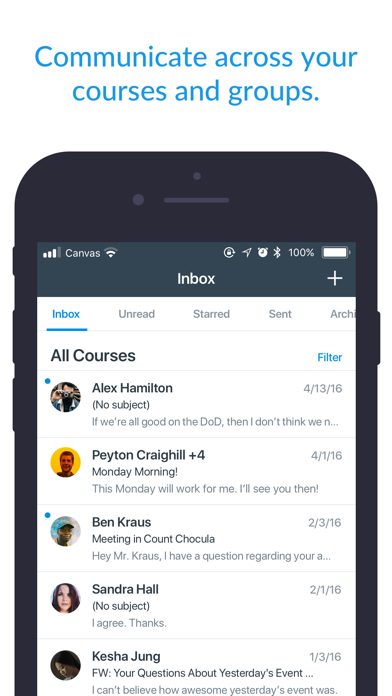
• Engage: Send messages, join class discussions and collaborate with classmates in real time
• Learn: Submit assignments, PDFs, docs, and media files for teachers to annotate in SpeedGrader, take quizzes, and watch videos on the go
• Offline: Download …
Read the full description
Your learning, anywhere. Stay connected to your courses with the official Canvas app for learners. Whether you’re in class, commuting, or offline, Canvas helps you stay organized and engaged. Note for instructors: For teaching and grading features, use the Canvas Teacher app. What you can do • Organize: View grades, track assignments, homework, and schoolwork; get reminders, push notifications and add customizable widgets for quick access • Engage: Send messages, join class discussions and collaborate with classmates in real time • Learn: Submit assignments, PDFs, docs, and media files for teachers to annotate in SpeedGrader, take quizzes, and watch videos on the go • Offline: Download full courses and keep studying even without internet • Integration & inclusivity: Use integrated classroom tools (LTIs), enjoy dark mode, and rely on built-in accessibility for everyone (VPAT 2.2 compliant) • Lifelong learning: Support for continuous learning, career-focused skill based learning programs, and AI-powered learning experience via Career experience Trusted by over 40 million learners worldwide.
Installs, last 30 days
Apple does not publish download counts. Estimates are in testing.
Estimated store revenue Estimated Beta
App Store, worldwide, monthly rate from the last 13 chart days to 20 Nov 2026
Below the top 100 grossing apps in the markets we calibrate. In the United States that usually means under about $6.4M a month. App Store purchases and subscriptions only, before Apple's 15 to 30% fee. Ads and web payments are not included.
Ratings
2,767,752 ratings, 2,767,752 reviews
- 5 ★84%
- 4 ★7.7%
- 3 ★2.5%
- 2 ★0.9%
- 1 ★4.8%
Recent reviews
Latest public reviews from the store
- 4 Feb 2023
Excellent app but…
This app is excellent. I had never used the Canvas app before yesterday and I’ve found the app to be excellent overall (in fact, I had never used the Canvas website for school before this semester). The app is easy to navigate. It has ALMOST all the things you would need. The only thing I’ve found so far that could be improved is that I can’t find the notification INSIDE the app that showed up on my phone’s Lock Screen. My professor assigned me an anonymous “grading” of one of my classmate’s submission (I’m sure every student got assigned to grade some other student’s submission) and it showed up on my phone’s Lock Screen the first thing this morning when I woke up (keep in mind that I just downloaded this app about 15 hours ago) and I almost didn’t click on the notification. When I clicked on it, I was taken to Canvas’s website on my phone’s web browser where my fellow student’s submission showed up and I proceeded to read the student’s work before I could give my feedback but I had to stop in the middle because I started doing something else. However, later when I went back into the app to compete this feedback, I could NOT find this assignment any
- 12 Nov 2022
The many benefits
I love the app, helps me find assignments quick has a tab for me to check my grades and to check if the teacher put any announcements if their is a substitute. This app has helped me better my education and when I graduate hopefully help me through college. The app has many benefits and not gonna lie almost a better platform than Google Classroom, it was great to keep in touch with my classmates but not to keep organized. Google Classroom just listed assignments by date not category, with Canvas it has modules when the teacher say what unit subject we are on it help my whole class find the assignment in less than a second. I approve this app and suggest that all schools use it, and for those who has a kid with a personal computer for their homework I suggest you sign your kid up you will see a great improvement in their grades if they struggle and helps with the syllabus if the parent has the app so they can check their child’s grades and they can help the child through the course and help study. I am rating this app as a freshman in high school and I promise it makes such a great learning experience and makes school a lot easier. I rate this app a million out of ten.
- 27 Jan 2021
Pretty great, but would love some improvements!
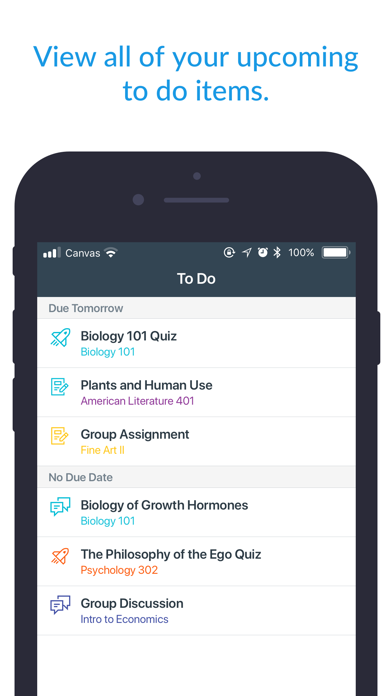
Edit: Would it be possible to only receive notifications for replies to my own discussion post and not all discussion posts? I like the app in general. It sure is handy. I don’t like that the To Do tab only shows a limited amount of tasks and that you can add or view To Do tasks that were added by oneself. You can view the To Dos you added using the desktop website in the Calendar tab in iPad and iPhone, but you cannot add, edit or delete them. I really wish the To Do tab was more useful in the iPad and iPhone apps. Another thing I noticed is that when a particular course imports quizzes from an external application like Cengage Mindtap, it does not mark the assignment as completed in the To Do list. It has to be checked off manually. I wish the To Do list (or List View in the Dashboard tab on desktop) were enhanced as having a comprehensive and editable list of To Do’s is very useful for students to track their assignments. I also noticed that the Inbox feature in the mobile app versions lack a couple capabilities that at least exist in the desktop version. For example, members of a group message can view who is in the message thread while on desktop. But in the mobile apps,
- 15 Apr 2020
Great App!
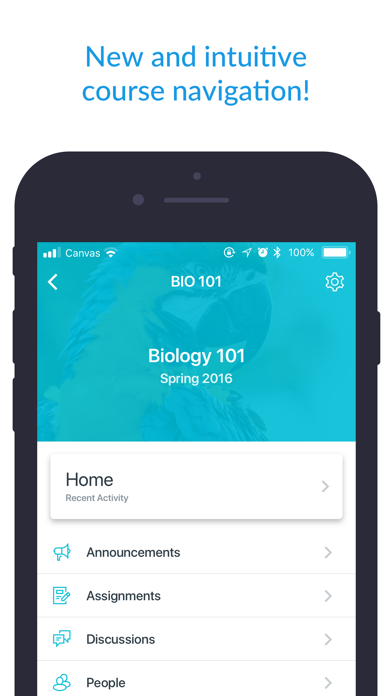
I have been using Canvas for about a year now and it's been very helpful! Although the initial switch from Google Classroom to Canvas in my school district was hard, I have now gotten used to the apps interface and how it works. I like how organized everything is in the app, I can see all my classes laid out when I open it. If I click on one of my classes, I can easily open modules to find my assignments. I can also keep track of my assignments with the todos tab and inbox which shows messages from my teachers. Turning items in is also an easy process (depending on which format). You can turn in with audio, website URL, media recording, file upload, or text submission (depending on what the teacher chooses as submission process). Another great aspect is that all of your assignments are sorted by unit in the modules making it very easy to find your needed assignments. Overall Canvas is a good app, I only gave it 4 stars because on several occasions my teachers have made the app more difficult by allowing only a certain type of submission/ locking material by mistake, etc. I do have one recommendation, and that is when you film an in app video submission, there should be a pause butt
What reviewers bring up
Topics mentioned in the latest 8 reviews, by how many reviews mention them
Liked in good reviews (4 reviews)
- assignments 3
- website 3
- school 3
- find 3
- tab 3
- google classroom 2
- submission 2
- organized 2
Raised in bad reviews (4 reviews)
- canvas 4
- actually 2
- calendar 2
- directly 2
- student 2
- browser 2
- already 2
- several 2
Top chart positions
Latest App Store chart ranks by country, last 10 days
- Countries ranked
- 23 of 50
- Best rank
- #9
- Top 10 placements
- 1
- of 23 chart placements
- Average rank
- #51.8
Best countries on App Store
- 🇺🇸 United States · Top free, Education#9
- 🇳🇱 Netherlands · Top free, Education#14
- 🇦🇺 Australia · Top free, Education#17
- 🇳🇿 New Zealand · Top free, Education#18
- 🇵🇭 Philippines · Top free, Education#18
- 🇵🇪 Peru · Top free, Education#19
| Country | Chart | Category | Rank | Best (10 days) | Date |
|---|---|---|---|---|---|
| 🇺🇸 United States | Top free | Education | #9 | #9 | 20 Nov 2026 |
| 🇳🇱 Netherlands | Top free | Education | #14 | #11 | 20 Nov 2026 |
| 🇦🇺 Australia | Top free | Education | #17 | #16 | 20 Nov 2026 |
| 🇳🇿 New Zealand | Top free | Education | #18 | #17 | 20 Nov 2026 |
| 🇵🇭 Philippines | Top free | Education | #18 | #13 | 20 Nov 2026 |
| 🇵🇪 Peru | Top free | Education | #19 | #17 | 20 Nov 2026 |
| 🇧🇪 Belgium | Top free | Education | #24 | #14 | 20 Nov 2026 |
| 🇸🇬 Singapore | Top free | Education | #28 | #28 | 20 Nov 2026 |
| 🇸🇪 Sweden | Top free | Education | #37 | #25 | 20 Nov 2026 |
| 🇬🇧 United Kingdom | Top free | Education | #41 | #33 | 20 Nov 2026 |
Canvas by Instructure history
Release, install milestones, listing and store changes
- First released on the store 8 Dec 2011
Update frequency
How often Canvas by Instructure ships a new version, month by month
8 updates in the last 12 months. More often than most similar apps: they shipped a median of 6 updates in the same year.
Recent versions
Current version 8.14.1
- Version 8.14.15 Nov 2026
- Added Notebook Offline support, Notes can be created, viewed, and organized anytime without an internet connection. - Fixed “Mark as Done” button missing on Page type module items. - Fixed image opened from Files was aligned to the left after rotating the device. - Fixed text next to an existing Notebook highlight could not be highlighted. - Fixed app could freeze on launch and close itself. - Fixed Page Editor appearing empty in some cases if editing a Page is enabled. - Fixed Calendar List could appear empty after opening the New Event form. - Fixed the Find School screen during login so search results stay visible in landscape.
- Version 8.12.112 Aug 2026
- Fixed navigation issues on iOS 27.
- Version 8.12.03 Aug 2026
- What-if scores are now supported on the grades screen. - Added free text search for the grades list screen. - Text entry submissions now open in a resizable sheet with a toggle between writing and reading instructions.. - Improved filters for the grades list screen. - Improved file download for conversation attachments. - Fixed a crash when rotating the device on the Submission Details screen while the drawer is closed. - Fixed Syllabus Summary tab not being available offline after syncing a course. - Fixed detail screens losing their content after rotating the device. - Fixed some external LTI tools, custom links not being available. - Fixed a crash during offline course sync when downloading embedded HTML files.
- Version 8.11.116 Jul 2026
- Improved file download for conversation and syllabus attachments.
Listing keywords
Words and phrases Canvas by Instructure repeats most in its store listing
Highlighted words also appear in the title. Counts cover the title, short description and description.
Compliance
What the listing and the app package show
- Store status
- Live
- Upkeep
- Updated 5 Nov 2026
- Age rating
- 4+
Apps like Canvas by Instructure
 ClassDojoClassDojo, Inc.★ 4.85
 Remind: School CommunicationParentSquare★ 4.8
 Duolingo: Language LessonsDuolingo★ 4.73
 Gauth: AI Study CompanionGAUTHTECH PTE. LTD.★ 4.83
 Quizlet: More than FlashcardsQuizlet Inc★ 4.78
 PictureThis - Plant IdentifierGlority Global Group Ltd.★ 4.8
 Early Learning AcademyAge of Learning, Inc.★ 4.47
 PowerSchool MobilePowerSchool Group LLC★ 4.57
 Toca Boca World: Game & PlayToca Boca AB★ 4.29
Canvas by Instructure: questions and answers
Who makes Canvas by Instructure?
Canvas by Instructure is published by Instructure Inc..
When was Canvas by Instructure last updated?
The latest version (8.14.1) was released on 5 Nov 2026.
Is Canvas by Instructure free?
Yes. Canvas by Instructure is free to download.
Is Canvas by Instructure still available?
Yes. Canvas by Instructure is live on App Store as of 20 Nov 2026.
Track Canvas by Instructure and its competitors
Watch any app for new versions, rating drops, chart moves and removals. Free plan, no card.