
- Installs
- —
- Apple does not publish download counts
- Rating
- 4.47
- Ratings
- 19
- 19 reviews
- Version
- 4.5.0
- Updated 27 Apr 2026
- Released
- 18 Apr 2022
- Tracked since 10 May 2026
- Size
- 54 MB
- Needs 15.0
Screenshots
About Cardman
The description on the store listing
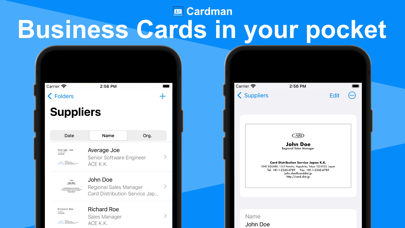
Cardman is a powerful and secure business card management app that scans cards with high accuracy, and stores and syncs data with iCloud.
■Cardman features
- High Accuracy Card Scanning
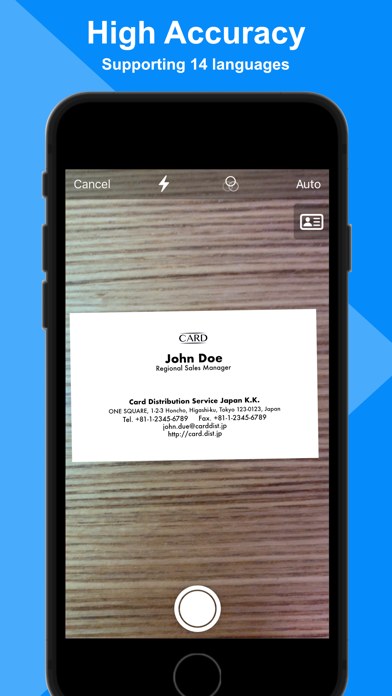
Cardman can scan business cards from cameras, photos, image files, and PDF files at high speed and with high accuracy.
* Mac app only supports scan from photos and files.
- Secure
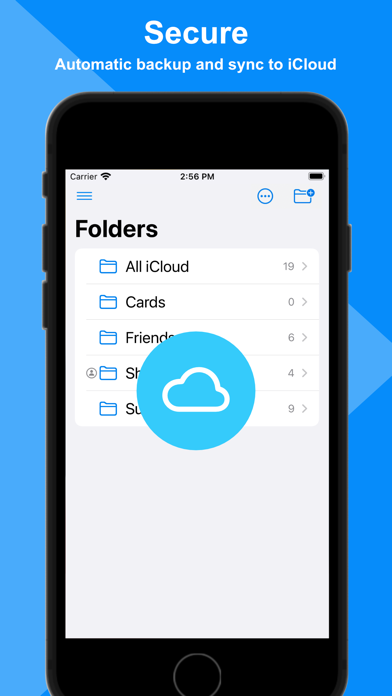
Cardman automatically backs up data in your iCloud storage, and never store in other storage services without your permission.
- Automatic Sync
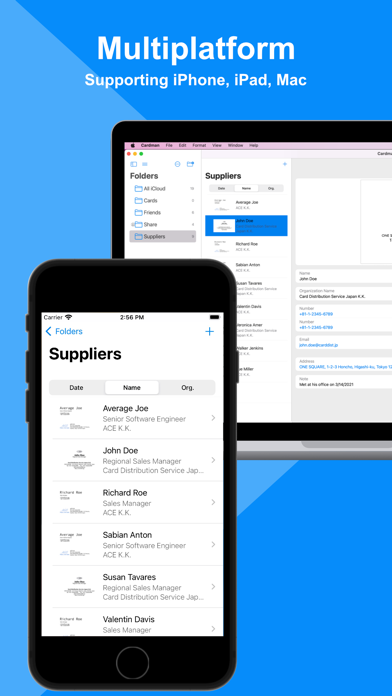
Cardman automatically syncs data between your Apple devices. For example, the data scanned on your iPhone can be seen on your iPad or Mac.
- Charactor Recognition in 14 Languages …
Read the full description
Cardman is a powerful and secure business card management app that scans cards with high accuracy, and stores and syncs data with iCloud. ■Cardman features - High Accuracy Card Scanning Cardman can scan business cards from cameras, photos, image files, and PDF files at high speed and with high accuracy. * Mac app only supports scan from photos and files. - Secure Cardman automatically backs up data in your iCloud storage, and never store in other storage services without your permission. - Automatic Sync Cardman automatically syncs data between your Apple devices. For example, the data scanned on your iPhone can be seen on your iPad or Mac. - Charactor Recognition in 14 Languages Cardman supports OCR in fourteen languages: English, Japanese, French, Italian, German, Spanish, Portuguese, Simplified Chinese, Traditional Chinese, Simplified Cantonese, Traditional Cantonese, Korean, Russian, and Ukrainian. * Cantonese, Korean, Russian, Ukrainian are supported only on iOS 16 devices or later. - Folder Sharing (Pro) Cardman supports sharing data to other users through folders. * Mac app doesn't support initiating folder sharing, but can access to cards in the folders shared with iPhone or iPad app. - Unlimited Cards (Pro) You can store data as long as your iCloud storage capacity allows. (Basic users can store up to 10 cards.) - Multiple Card Input (Pro) You can input multiple business cards in a row from cameras and photos. (Basic users can input cards in a row until the number of stored cards is reached to 10.) * Mac app only supports scan from photos and files. - Export & Import (Pro) You can export your business card data in Excel or CSV format, and import them in CSV format or other services' format. - Cardman Pro Cardman Pro is available with three purchase options: a monthly subscription, a yearly subscription, or one-time purchase. As for the subscription options, Cardman Pro automatically renews as a paid subscription, unless cancelled at least 24 hours before the date of renewal. The payment will be charged to Apple ID Account at confirmation of purchase. Your account will be charged for renewal within 24-hours prior to the end of the current period. You can cancel subscription anytime by turning off auto-renewal through your account settings. This must be done 24 hours before the end of subscription period to avoid being charged. The cancellation will take effect the day after the last day of the current subscription period, and you will be downgraded to the basic service. We value the opinions of our users. We welcome your feedback. - Privacy Policy: https://kaurilab.com/cardman/privacy-policy - Terms of Use: https://kaurilab.com/cardman/terms-of-use
Installs
Apple does not publish download counts. Estimates are in testing.
We publish iOS estimates only after they pass a back-test against real numbers. Chart history below is measured.
Estimated store revenue Estimated Beta
App Store, worldwide, monthly rate from the last 13 chart days to 20 Nov 2026
Below the top 100 grossing apps in the markets we calibrate. In the United States that usually means under about $6.4M a month. App Store purchases and subscriptions only, before Apple's 15 to 30% fee. Ads and web payments are not included.
Ratings
19 ratings, 19 reviews
No rating breakdown published for this app.
Recent reviews
Latest public reviews from the store
No reviews in our sample for this app yet.
Top chart positions
Latest App Store chart ranks by country, last 10 days
- Countries ranked
- 1 of 50
- Best rank
- #45
- Top 10 placements
- 0
- of 1 chart placements
- Average rank
- #45
Best countries on App Store
- 🇯🇵 Japan · Top grossing, Business#45
| Country | Chart | Category | Rank | Best (10 days) | Date |
|---|---|---|---|---|---|
| 🇯🇵 Japan | Top grossing | Business | #45 | #39 | 20 Nov 2026 |
Cardman history
Release, install milestones, listing and store changes
- First released on the store 18 Apr 2022
Update frequency
How often Cardman ships a new version, month by month
1 updates in the last 12 months. About as often as similar apps, which shipped a median of 1 updates in the same year.
Recent versions
Current version 4.5.0
- Version 4.5.027 Apr 2026
- Fixed a minor issue with the organization index. ver. 4.4 - Improved recognition accuracy for Japanese organization names and job titles. ver. 4.3 - Improved recognition accuracy for Japanese and Chinese names. ver. 4.2 - iOS 26 is now supported. ver. 4.1 - Improved stability ver. 4.0 - Pro users can now import business card data from CSV and other service formats. - App instructions have been added to help users understand how to use the app. ver. 3.9 - Improved recognition accuracy for Japanese names. ver. 3.8 - Cards folder can now be hidden. - A creation date column has been added when exporting files. ver. 3.6, 3.7 - Improved stability ver. 3.5 - Displaying suggestions when entering phonetic names or company name is now supported. - Improved UIs and stability ver. 3.4 - Rotating saved images by 90 degrees is now supported. - Improved UIs and stability ver. 3.3 - It is now possible to read and edit the last name and first name separately. - It is now possible to save the last name and first name to contacts and export them to a file. ver. 3.2 - You can now lock the app, and unlock it with Face ID/Touch ID. ver. 3.1 - Improved UIs and stability ver. 3.0 - Reading cards from image files and PDF files is now supported. - Improved accuracy of Japanese OCR on iOS 17 devices. ver. 2.9 - Improved further accuracy. - You can now select multiple business cards and duplicate, move, or delete them. ver. 2.8 - Improved further accuracy. ver. 2.7 - Replacing the front image of cards is now supported. - Optimized the image size of cards ver. 2.4-2.6 - Improved UIs and stability ver. 2.3 - Scanning both sides of cards now adds information from the back side to fill in missing data on the front side. - The order of folders and company names has now been updated to the Finder-like order. - It is now easier to share business card data via email or messaging apps (by tapping the icon in the top right corner of the business card details screen and selecting "Send Copy"). ver. 2.2 - Improved further accuracy and stability ver. 2.1 - You can now choose which map app to open when you tap an address ver. 2.0 - The business card list screen and search field have been redesigned to make it easier to find business cards. ver. 1.7-1.9 - Improved further accuracy and stability ver. 1.6 - Scanning the front and back of cards is now supported. - Recognition and input of job titles and deparment names are now supported. ver. 1.5 - Recognition and input of phone number types (mobile, fax, etc.) are now supported. ver. 1.4 - Simplified Chinese UI is now supported. ver. 1.3 - Organization names are now displayed with names on the card list screen. - Folder names can now be renamed. - Business card data can now be exported in Excel or CSV format for Pro users. ver. 1.2 - Significantly Improved accuracy and speed of Japanese OCR on iOS 16 devices. - Supported OCR in Cantonese, Korean, Russian, and Ukrainian on iOS 16 devices.
Listing keywords
Words and phrases Cardman repeats most in its store listing
Top phrases: cardman pro (3), high accuracy (3), cantonese korean russian (2), cards in row (2), photos and files (2).
Highlighted words also appear in the title. Counts cover the title, short description and description.
Compliance
What the listing and the app package show
- Store status
- Live
- Upkeep
- Updated 27 Apr 2026
- Age rating
- 4+
Apps like Cardman
 Robin - Mobile AppRobin Powered, Inc★ 3.32
 Bright AisleMedia Solutions Corp★ 2.52
 Rhingie: phone call 2nd numberDating onlain, ooo★ 3.96
 PayClockLathem Time Corporation★ 2.08
 云电话-网络电话虚拟隐私小号国辉 李★ 4.74
 QuicklynQuicklyn★ 4.86
 Diligent BoardsDiligent Corporation★ 3.32
 DATABASICSDATABASICS★ 3.8
 vMEyeSuperGuangzhou Kedi Intelligence Technology Co., Ltd.★ 3.14
Cardman: questions and answers
Who makes Cardman?
Cardman is published by KauriLab Inc..
When was Cardman last updated?
The latest version (4.5.0) was released on 27 Apr 2026.
Is Cardman free?
Yes. Cardman is free to download.
Is Cardman still available?
Yes. Cardman is live on App Store as of 1 Jul 2026.
Track Cardman and its competitors
Watch any app for new versions, rating drops, chart moves and removals. Free plan, no card.