- Installs
- —
- Apple does not publish download counts
- Rating
- 3.56
- Ratings
- 9
- 9 reviews
- Version
- 2.5
- Updated 27 Mar 2021
- Released
- 30 Jan 2013
- Tracked since 10 May 2026
- Size
- 107 MB
- Needs 9.0
Screenshots
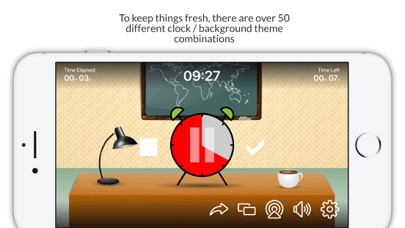
About Classroom Timer Pro
The description on the store listing
A Simple, Fun Timer, designed for teachers - or anyone else who needs to set timed tasks for groups of children in a classroom or similar environment.
Classroom Timer Pro includes the following features:
• To keep things fresh there are over 50 Alarm clock / Background theme combinations (with more to come!)
• The app can continue to countdown in the background, so you can switch between applications during the countdown. This is configurable in the apps settings screen.
• No Adverts from third parties.
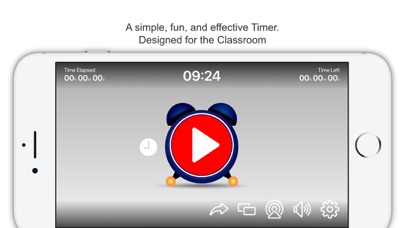
• Displays the amount of time elapsed on the main app screen, as well as the amount of time left -this can be enabled / disabled from the settings screen.
• Show the actual …
Read the full description
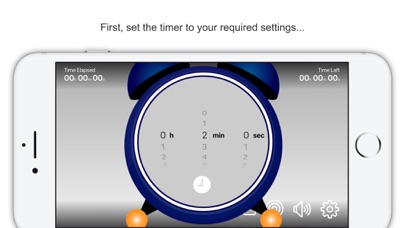
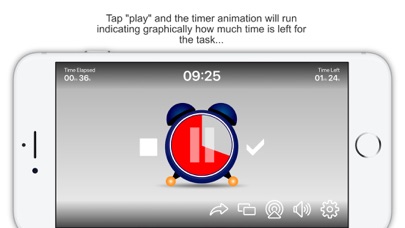
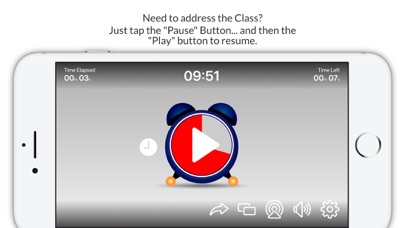
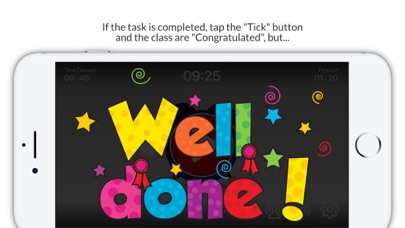
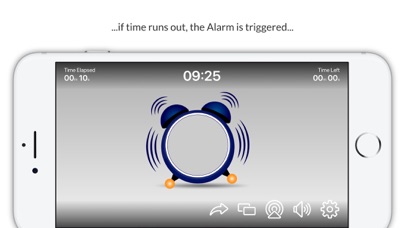
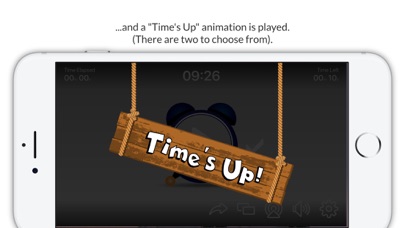
A Simple, Fun Timer, designed for teachers - or anyone else who needs to set timed tasks for groups of children in a classroom or similar environment. Classroom Timer Pro includes the following features: • To keep things fresh there are over 50 Alarm clock / Background theme combinations (with more to come!) • The app can continue to countdown in the background, so you can switch between applications during the countdown. This is configurable in the apps settings screen. • No Adverts from third parties. • Displays the amount of time elapsed on the main app screen, as well as the amount of time left -this can be enabled / disabled from the settings screen. • Show the actual time on the main app screen - this can be enabled / disabled from the settings screen. How does it work? The user sets the target amount of time for the class/group to perform a particular task. The countdown timer is then started. The timer can be viewed from the Apple device itself or displayed on a larger format device such as an interactive board or TV screen using screen mirroring features of the Apple Devices. If the class completes the task in the defined time limit the teacher can tap the "tick" button and the "Well Done" screen is displayed and a fanfare sound effect is played. However, if the class run out of time the Alarm rings on the clock, the clock bounces around the screen. Then either: 1. The clock explodes in a comic fashion or 2. A "Time's Up" animation is displayed. ... simply select which effect is used. This app really encourages students to complete any assigned task, the students can see graphically how much time they have left to complete the task. The user is able to pause, restart and reset the timer at any time. The app has an audible "ticking" sound when the timer is running, this can be enabled or disabled by tapping the speaker button on the apps main screen. The Fanfare and Explosion sound effects can be controlled via the audio controls on the Apple device. This is a simple but fun and engaging app to assist the teacher in their classroom management activities. As with all our apps, users are able to send feedback, make enhancement requests or report any issues directly to us from inside the app.
Installs
Apple does not publish download counts. Estimates are in testing.
We publish iOS estimates only after they pass a back-test against real numbers. Chart history below is measured.
Estimated store revenue Estimated Beta
App Store, worldwide, monthly rate from the last 12 chart days to 19 Nov 2026
Below the top 100 grossing apps in the markets we calibrate. In the United States that usually means under about $6.4M a month. App Store purchases and subscriptions only, before Apple's 15 to 30% fee. Ads and web payments are not included.
Ratings
9 ratings, 9 reviews
No rating breakdown published for this app.
Recent reviews
Latest public reviews from the store
No reviews in our sample for this app yet.
Top chart positions
Latest App Store chart ranks by country, last 10 days
- Countries ranked
- 1 of 50
- Best rank
- #79
- Top 10 placements
- 0
- of 1 chart placements
- Average rank
- #79
Best countries on App Store
- 🇸🇦 Saudi Arabia · Top paid, Education#79
| Country | Chart | Category | Rank | Best (10 days) | Date |
|---|---|---|---|---|---|
| 🇸🇦 Saudi Arabia | Top paid | Education | #79 | #11 | 19 Nov 2026 |
Classroom Timer Pro history
Release, install milestones, listing and store changes
- First released on the store 30 Jan 2013
Recent versions
Current version 2.5
- Version 2.527 Mar 2021
We have listened to feedback from Teachers and made some enhancements to the app based on that. Please keep the feedback coming, we want to make the app as useful as possible. We have also squashed a few bugs!
Listing keywords
Words and phrases Classroom Timer Pro repeats most in its store listing
Top phrases: settings screen (3), classroom timer pro (2), main app screen (2), apple device (2), classroom timer (2).
Highlighted words also appear in the title. Counts cover the title, short description and description.
Compliance
What the listing and the app package show
- Store status
- Live
- Upkeep
- No update since 27 Mar 2021
- Age rating
- 4+
Apps like Classroom Timer Pro
 Populations and Resources SimAmplify Education, Inc.★ 2.38
 Rune WriterPaul Burlov★ 4.34
 Being Moroccan ( Darija )Yasir TIRAK★ 4.56
 方格单词²上海译动智能科技有限公司★ 4.68
 Handwriting Tracing PracticeVladimir Zavada★ 4.02
 Oklahoma Learners Permit TestNilu Rathod★ 4.72
 SU CampusCharles Robinson★ 4.76
 NC CDL Permit Test PracticeNilu Rathod★ 4.82
 Mjølnir NorwegianMjølnir Learning Apps★ 4.92
Classroom Timer Pro: questions and answers
Who makes Classroom Timer Pro?
Classroom Timer Pro is published by EDTECH MONSTER LIMITED.
When was Classroom Timer Pro last updated?
The latest version (2.5) was released on 27 Mar 2021.
Is Classroom Timer Pro free?
No. Classroom Timer Pro is a paid app priced at $2.99.
Is Classroom Timer Pro still available?
Yes. Classroom Timer Pro is live on App Store as of 1 Jul 2026.
Track Classroom Timer Pro and its competitors
Watch any app for new versions, rating drops, chart moves and removals. Free plan, no card.