
- Installs
- —
- Apple does not publish download counts
- Rating
- 4.76
- Ratings
- 2.4K
- 2.4K reviews
- Version
- 5.4.3
- Updated 27 Oct 2026
- Released
- 28 May 2009
- Tracked since 10 May 2026
- Size
- 87 MB
- Needs 13.0
Also on Google Play: Codebook Password Manager (479 ratings)
Screenshots
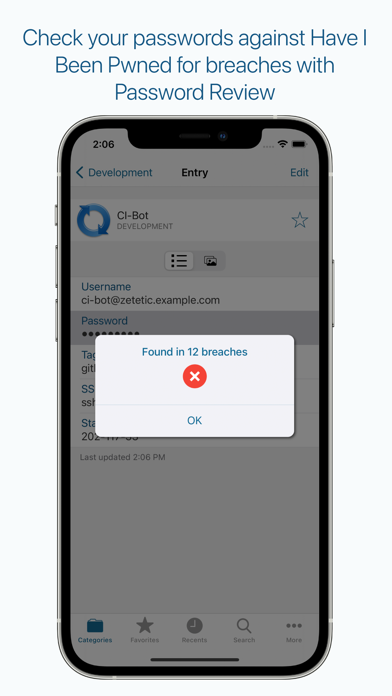


About Codebook Password Manager
The description on the store listing
Codebok Password Manager provides powerful and complete data encryption, a flexible data model, automatic sync with Codebook Cloud, and Password AutoFill.
Codebook is free to download and use. Automatic sync with Codebook Cloud requires a subscription.
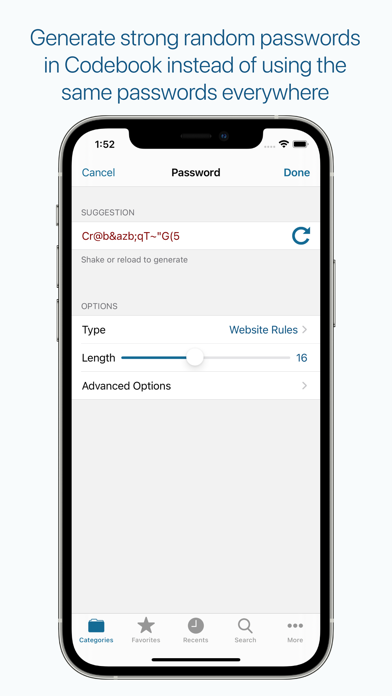
Codebook has been protecting sensitive information on mobile devices since the days of the Palm Pilot! It protects your passwords and personal information from unauthorized access by would-be crackers, malicious thieves, and snoopy coworkers. Stop using the same password for all your accounts! Codebook generates strong, random passwords and keeps them for you, protected by your master password and powerful encryption.
With a subscription …
Read the full description
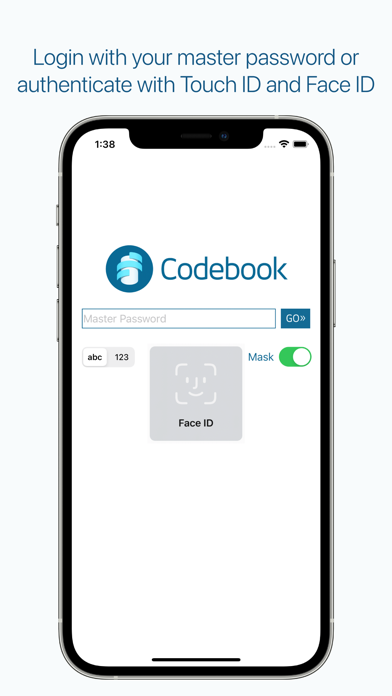
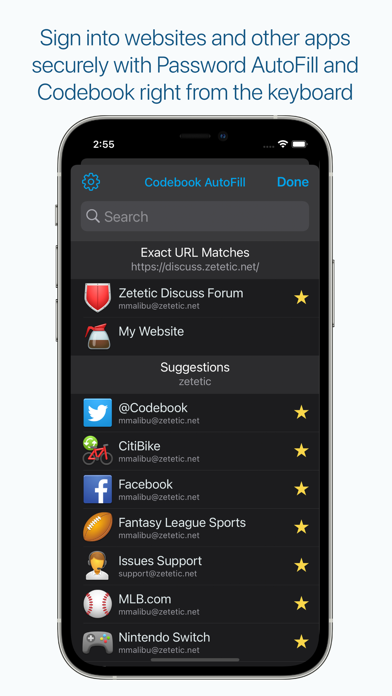
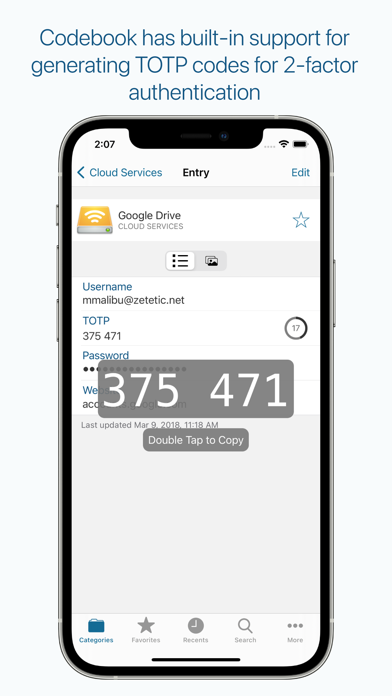
Codebok Password Manager provides powerful and complete data encryption, a flexible data model, automatic sync with Codebook Cloud, and Password AutoFill. Codebook is free to download and use. Automatic sync with Codebook Cloud requires a subscription. Codebook has been protecting sensitive information on mobile devices since the days of the Palm Pilot! It protects your passwords and personal information from unauthorized access by would-be crackers, malicious thieves, and snoopy coworkers. Stop using the same password for all your accounts! Codebook generates strong, random passwords and keeps them for you, protected by your master password and powerful encryption. With a subscription to Codebook Cloud, Codebook will keep your passwords and other sensitive data in sync across all your devices. Features: * Fast login with Face ID and Touch ID * Full support for AufoFill Passwords in iOS * Designed to work on iPhone *and* iPad * Automatic background sync with Codebook Cloud * Support for user-initiated sync over Dropbox, Drive, and Desktop WiFi (w/ Codebook for macOS and Windows) * Full text search as you type across all your records and fields * Auto-lock timer allows you to keep Codebook temporarily unlocked while you switch apps * Configurable field masking to hide sensitive data from view * Erases clipboard when information is copied to be pasted in other apps after two minutes * Supports both portrait and landscape device orientation * Includes 200 gorgeous color icons for personalizing your records * Generates two-step verification (TOTP) codes * Scans QR codes with main camera * Store sensitive Image files and PDF documents (10MB max) * Scan and save data from QR codes directly to your entries * The Password Review feature checks a password for breaches in the HaveIBeenPwned.com database of over half a billion hacked passwords Use Stronger Passwords: * Codebook helps you remember stronger passwords, but also to generate them * The password generator allows you to generate random passwords from several common character sets, and adjusts for bias * The password generator also supports Diceware passwords, both the Reinhold and Electronic Frontier Foundation variants Customize Away: * Personalize categories to match your organizational style * Customize your entries including usernames, passwords, websites, notes and create your own fields and labels * Note records can be created in any category to store free-form text * Store any information you want--no restrictive templates! * Store URL connection strings (e.g. SSH, AFP, SFTP) to launch other applications directly * Star your Favorites to get at them quickly and sort them to the top of search results Encryption and Password Protection: * Uses the open source, encrypted database engine SQLCipher for all data storage * The encryption used is 256-bit AES in CBC mode * Master Password key derivation uses 256,000 rounds of PBKDF2 SHA-256 * Every encrypted database has its own random initialization vector * Every page of storage has its own random initialization vector and HMAC protection * Hardware-accelerated using CommonCrypto for speed and reduced battery consumption * All sync data is encrypted with a completely random Sync Key Terms of Use: https://www.apple.com/legal/internet-services/itunes/dev/stdeula/
Installs, last 30 days
Apple does not publish download counts. Estimates are in testing.
Estimated store revenue Estimated Beta
App Store, worldwide, monthly rate from the last 14 chart days to 21 Nov 2026
Below the top 100 grossing apps in the markets we calibrate. In the United States that usually means under about $6.4M a month. App Store purchases and subscriptions only, before Apple's 15 to 30% fee. Ads and web payments are not included.
Ratings
2,375 ratings, 2,375 reviews
- 5 ★86%
- 4 ★9.5%
- 3 ★1.4%
- 2 ★0.5%
- 1 ★2.7%
Recent reviews
Latest public reviews from the store
- 6 Jul 2023
Highly Recommended - the One & Only Password App You Need
I work in technology for big firms handling lots of cloud applications, and between my job and my personal life this means that I have hundreds of separate passwords to keep track of along with their temporary two-factor time-based authentication codes. Codebook does it all securely and safely while allowing me to synchronize password data across multiple devices such as my phone and my computer without the use of a third-party cloud provider such as Google. This means that my data is safe & secure and never leaves my control nor is it used to try to sell me stuff. I have been using this application for almost a decade, and I have found the developer to be both responsive and a thoughtful fellow who responds to to user requests while only adding features in a way that makes sense and keeps the app lightweight, fast, and responsive. I have gifted paid copies of this app to my loved ones, and I highly recommend this app!!
- 25 Jan 2023
Great Alternative to Cloud Base Password Managers
I’ve been using Codebook for a couple of years. I wanted a password manager that wouldn’t be subscription based, would reside on my computer instead of the cloud and that also offered flexibility when adding data to my entries. I also wanted an app that would sync between my devices. Codebook delivers on all of my needs. The initial setup to sync between devices was a bit complicated, but once complete it works. The syncs only occur upon user initiation which can sometimes be a pain, but it also provides a backup in case you accidentally erase information in one device. The app also offers a password generator with different options for the type of password needed such was website rules or alphanumeric. The generator also checks whether the chosen password has been compromised before. The iOS based version works well with other apps when copying and pasting in usernames and passwords. I can copy the info from Codebook and paste it on an entry field in another app. It also provides a message saying that the info pasted originated from Codebook as confirmation of the action. Finally, I’ve also worked with their customer support and found it personable and very willing
- 29 Oct 2021
Great product!
I have used Codebook for years and am very pleased with it. Years ago it remained secure when other password managers were defeated in a very short amount of time by White Hat guys doing tests. The encryption was good with all of them, but there were problems in how the password for other programs were stored. Codebook just added the ability to save photos and PDF docs with entries, and their support team has been amazing with the very rare question I have had about use. My own personal preference is to keep my important passwords off the internet since it’s just me. Manual sync between Codebook computer version and iPhone version is very simple and fast. It’s a breeze. They are also making improvements as things change with Apple and they listen (and act on) requests for features. What’s not to like?
- 23 Dec 2020
Excellent Password Manager full of options
I’ve been using this password manager for years and I love it. I will however say it’s for the technically savvy. If you’re only using it locally (e.g. one iPad) then I would say everything is easy. However if you plan to sync via cloud services you have to go through a few steps, and remember to always sync. It does not automatically sync to the cloud. The most important feature they have is giving me the choice of where the database is stored. There is no option to store the database with Codebook servers because it’s not a service they offer. Instead I can keep the database totally within my ecosystem by using the WiFi sync option. Since I at least have trust in Codebook encryption security, I’ve chosen to sync via Dropbox. But the beauty of this is it’s my Dropbox account. My takeaway of the above is since Codebook doesn’t have servers, the hackers are unlikely to bother trying to hack Codebook encryption. First they’ve have to crack Codebook encryption technology, but it would only be useful when they find where users have stored the database. This is the most clever solution for a password manager that I’ve come across! Keep up the great work Codebook
What reviewers bring up
Topics mentioned in the latest 8 reviews, by how many reviews mention them
Liked in good reviews (7 reviews)
- password 6
- codebook 6
- between 4
- data 4
- sync 4
- important 3
- computer 3
- without 3
Raised in bad reviews (0 reviews)
No topic comes up twice.
Top chart positions
Latest App Store chart ranks by country, last 10 days
Not in any tracked top chart in the last 10 days.
Codebook Password Manager history
Release, install milestones, listing and store changes
- First released on the store 28 May 2009
Update frequency
How often Codebook Password Manager ships a new version, month by month
7 updates in the last 12 months. More often than most similar apps: they shipped a median of 1 updates in the same year.
Recent versions
Current version 5.4.3
- Version 5.4.127 Oct 2026
* Fixes password autofill not honoring “remain unlocked: never” setting always during repeated passkey registration/authentication * Maintains logged in state for Codebook Cloud when intermittent error or connection issue occurs * Fixes edge case when sync type changes off Codebook Cloud next launch after selecting it
- Version 5.3.824 Aug 2026
* Fixes crash during first setup when trying to search right away * [iPad] Fixes crash when transitioning to collapsed mode * Fixes Focus item does not provide a parentFocusEnvironment crash * Fixes password generator exclude characters not working for smart quotes/apostrophes
- Version 5.3.77 Jul 2026
* Fixes incorrect translucent tab bar on Settings View on less than iOS 26 * [iPad] Fixes Layout requested for visible navigation bar crash * Fixes frivolous Codebook Password Required notification when request times out
- Version 5.3.622 Jun 2026
* Updates to SQLCipher 4.16.0 * Updates Sync Key Wallet Pass certificate * Fixes changeset could not be removed error when syncing with non-Codebook Cloud service * Adds last background refresh date to Sync View debug section footer when using Codebook Cloud Sync * Display error when Replace Sharing Key fails because of missing Codebook Cloud user id or session client * [iPad] Fixes favorites view controller not properly sizing when side nav is visible * [iPad] Fixes sync view controller footer and headers not properly displaying when side nav is visible * [iPad] Fixes bug that could cause entire screen not to layout properly after selecting rows quickly from the side nav * [iPad] Fixes Codebook Cloud details view not properly sizing when side nav is visible * [iPad] Fixes persisting pending for category view controller not properly appearing in side nav right away * [iPad] Fixes side panel improperly scrolling to row when selecting row * [iPad] Fixes bug causing blank screen when accessing Settings in certain cases * [iPad] Fixes icon selector blocked by side panel
Listing keywords
Words and phrases Codebook Password Manager repeats most in its store listing
Top phrases: codebook cloud (4), sync with codebook (3), random initialization vector (2), automatic sync (2), encrypted database (2).
Highlighted words also appear in the title. Counts cover the title, short description and description.
Compliance
What the listing and the app package show
- Store status
- Live
- Upkeep
- Updated 27 Oct 2026
- Age rating
- 4+
Apps like Codebook Password Manager
 VPN Proxy MasterMaple Labs Co., Ltd★ 4.58
 Klok - Time Zone ConverterBuuuk Private Limited★ 4.72
 MilanoteMilanote★ 4.69
 Voice Changer (Sound Effects)JINMIN ZHOU★ 4.08
 ESS 41 - Reflexis OneReflexis Systems Inc★ 1.42
 Bee - Your Personal AIBluush Inc★ 4.76
 Sofa: Downtime OrganizerAstrio, LLC★ 4.69
 Translator +ㅤRocket Apps GmbH★ 4.75
 SeeingSpotDigital Cheetah Solutions, Inc.★ 4.77
Codebook Password Manager: questions and answers
Who makes Codebook Password Manager?
Codebook Password Manager is published by Zetetic LLC.
When was Codebook Password Manager last updated?
The latest version (5.4.3) was released on 27 Oct 2026.
Is Codebook Password Manager free?
Yes. Codebook Password Manager is free to download.
Is Codebook Password Manager still available?
Yes. Codebook Password Manager is live on App Store as of 21 Nov 2026.
Track Codebook Password Manager and its competitors
Watch any app for new versions, rating drops, chart moves and removals. Free plan, no card.