
- Installs
- —
- Apple does not publish download counts
- Rating
- —
- Ratings
- —
- Version
- 3.6.14
- Updated 20 May 2024
- Released
- 2 Aug 2013
- Tracked since 10 May 2026
- Size
- 19 MB
- Needs 10.9
Screenshots
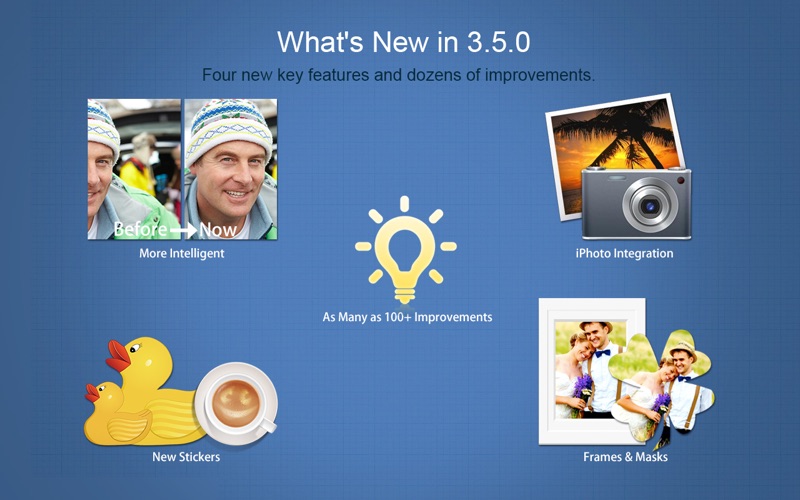
About CollageIt 3 Lite
The description on the store listing
*** Time Limited Offer – Totally Free! ***
"CollageIt - Absolutely the best at what it does. Pretty wide variety of layouts for a few images or dozens - exactly what I have been looking for - keep up the good work."
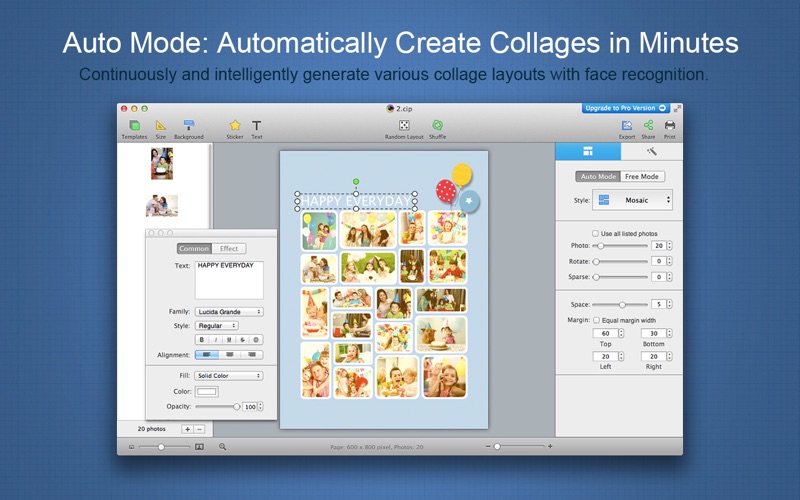
CollageIt 3 Lite is an easy-to-use and automatic app that helps create eye-catching photo collages on Mac OS X. It was designed to give everyone an opportunity to brighten up one’s photo collection, and in a few seconds, a set of photos will be turned into an impressive array of collages.
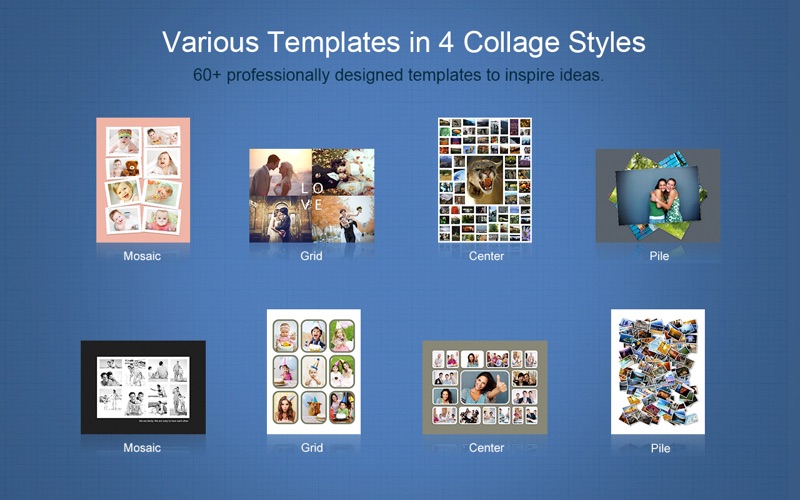
With CollageIt 3 Lite, collage creation is effortless. Choose a template from 4 collage styles - Mosaic, Grid, Center and Pile (including 60+ new templates) to get started. You can import …
Read the full description
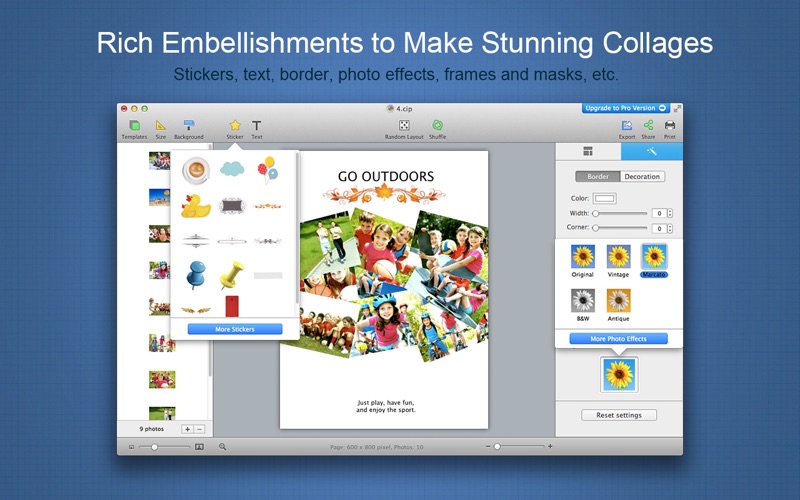
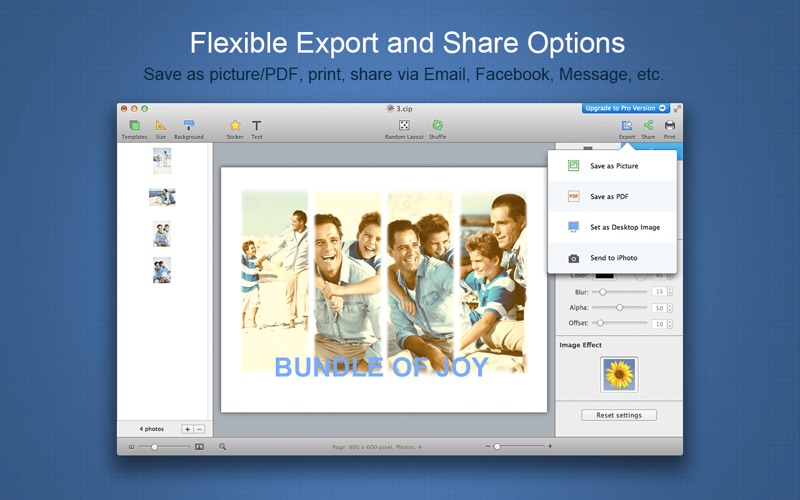
*** Time Limited Offer – Totally Free! *** "CollageIt - Absolutely the best at what it does. Pretty wide variety of layouts for a few images or dozens - exactly what I have been looking for - keep up the good work." CollageIt 3 Lite is an easy-to-use and automatic app that helps create eye-catching photo collages on Mac OS X. It was designed to give everyone an opportunity to brighten up one’s photo collection, and in a few seconds, a set of photos will be turned into an impressive array of collages. With CollageIt 3 Lite, collage creation is effortless. Choose a template from 4 collage styles - Mosaic, Grid, Center and Pile (including 60+ new templates) to get started. You can import photos directly from iPhoto now, and it will intelligently and continuously generate photo collages with face recognition feature. Better than ever, stickers, frames & masks are available to make your collage get its best look. After your masterpiece is finished, you have options to export it, print it or share it on Facebook or via E-mail, iMessage, AirDrop, Twitter, and Flickr with family and friends. Other more improvements and bug fixes are also made to give you a better user experience. ----------------------------------------------- HIGHLIGHTED FEATURES ----------------------------------------------- * Automatic, Easy to Use and Powerful • With only three steps, you’ll create photo collage automatically; easy enough for users of all experienced levels. • Various collage layouts can be generated continuously. • Intelligently fit photos to collage with face recognition when generating layout. • Real-time preview with a super high speed. • Large photo capacity supports adding up to 200 photos. * Abundant Resources and Effects • 60+ professionally designed templates are provided. • Apply photo effects/filters, frames & masks to beautify your collage. • Add and customize text flexibly to make your collage stand out. • Add stickers and resize, rotate, flip, etc. at will. • Apply photo border and shadow for decoration. * Personalize Photo Collage Freely • Add photos directly from iPhoto. • Arrange photos in order under Grid mode. • Crop/uncrop photos to meet all your needs. • Support selecting multiple objects and editing them at a time. • Set the margin of Top, Bottom, Left, and Right respectively. * Share the Collage Anywhere • Save the collage as JPEG, TIFF, BMP, PNG, or GIF, etc. image format and print it out. • Set the collage as desktop image. • Save the collage as a PDF file. • Share the collage directly on Facebook or via E-mail, iMessage, AirDrop, Twitter, and Flickr with family and friends. • Save the collage as project and open it for further editing.
Installs
Apple does not publish download counts. Estimates are in testing.
We publish iOS estimates only after they pass a back-test against real numbers. Chart history below is measured.
Estimated store revenue Estimated Beta
App Store, worldwide, monthly rate from the last 13 chart days to 20 Nov 2026
Below the top 100 grossing apps in the markets we calibrate. In the United States that usually means under about $6.4M a month. App Store purchases and subscriptions only, before Apple's 15 to 30% fee. Ads and web payments are not included.
Ratings
No rating breakdown published for this app.
Recent reviews
Latest public reviews from the store
No reviews in our sample for this app yet.
Top chart positions
Latest App Store chart ranks by country, last 10 days
Not in any tracked top chart in the last 10 days.
CollageIt 3 Lite history
Release, install milestones, listing and store changes
- First released on the store 2 Aug 2013
Recent versions
Current version 3.6.14
- Version 3.6.1420 May 2024
* Minor bug fixes.
Listing keywords
Words and phrases CollageIt 3 Lite repeats most in its store listing
Top phrases: save the collage (3), collageit lite (3), directly from iphoto (2), family and friends (2), flickr with family (2).
Highlighted words also appear in the title. Counts cover the title, short description and description.
Compliance
What the listing and the app package show
- Store status
- Live
- Upkeep
- No update since 20 May 2024
- Age rating
- 4+
Apps like CollageIt 3 Lite
 Video CollageaZeR DiLLs★ 4.08
 Vee for VideoMedious★ 2.98
 Beauty Camera -Selfie, StickerBhuvan Gupta★ 4.5
 FinalCamXShenzhen Xiaozhen Technology Co.,Ltd.★ 4.44
 Magic Studio - AI Photo EditorMagicStudio.com★ 4.62
 Foto Impresiones: 1 Hr PhotoSoftwareX★ 4.98
 SnapGeo - AI Location FinderRECEP ASLAN★ 4.24
 Family Photo Maker - AIRick-y Media★ 4.12
 BeautifAI: AI Try OnJAI UYGULAMA VE YAPAY ZEKA TEKNOLOJILERI ANONIM SIRKETI★ 4.36
CollageIt 3 Lite: questions and answers
Who makes CollageIt 3 Lite?
CollageIt 3 Lite is published by PearlMountain Technology.
When was CollageIt 3 Lite last updated?
The latest version (3.6.14) was released on 20 May 2024.
Is CollageIt 3 Lite free?
Yes. CollageIt 3 Lite is free to download.
Is CollageIt 3 Lite still available?
Yes. CollageIt 3 Lite is live on App Store as of 10 May 2026.
Track CollageIt 3 Lite and its competitors
Watch any app for new versions, rating drops, chart moves and removals. Free plan, no card.