
- Installs
- —
- Apple does not publish download counts
- Rating
- 4.7
- Ratings
- 414
- 414 reviews
- Version
- 5.5.7
- Updated 17 Jun 2026
- Released
- 21 Nov 2013
- Tracked since 10 May 2026
- Size
- 10 MB
- Needs 14.0
Screenshots


About CropSize: Image Resizer Editor
The description on the store listing
CropSize is your go-to app for precise image resizing and editing. Make your photos the perfect size, composition, and quality for photo library, social media, and various projects. Enhance results with accurate color adjustments and properly crafted metadata. Automate the entire editing process with batch processing and workflows. Share and print your creations in the right format and dimensions. All these tasks are easily achievable with CropSize—an excellent addition to your photo editing toolkit!
As an essential element of your editing arsenal, CropSize plays a distinctive role as it allows to specify exact sizes and positions for image crop and resize, where other apps offer only …
Read the full description
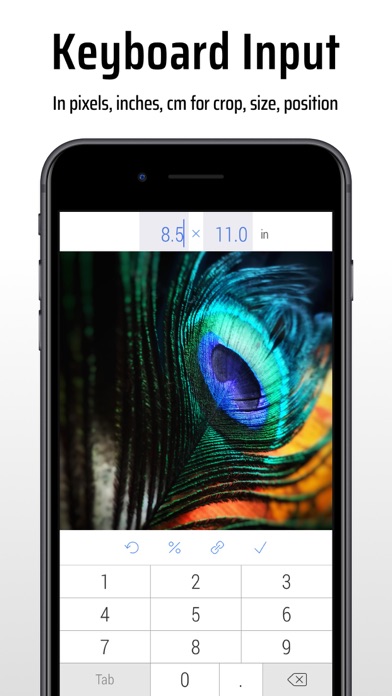
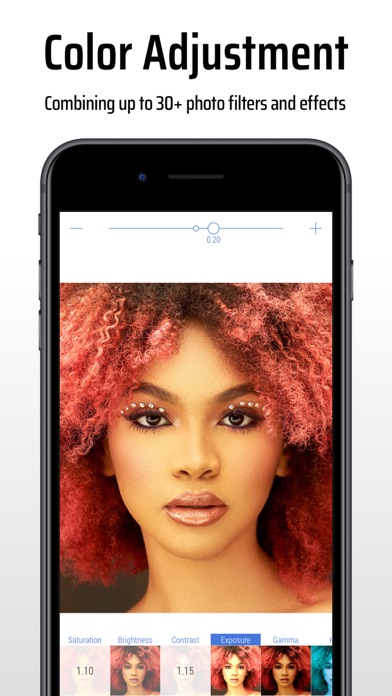
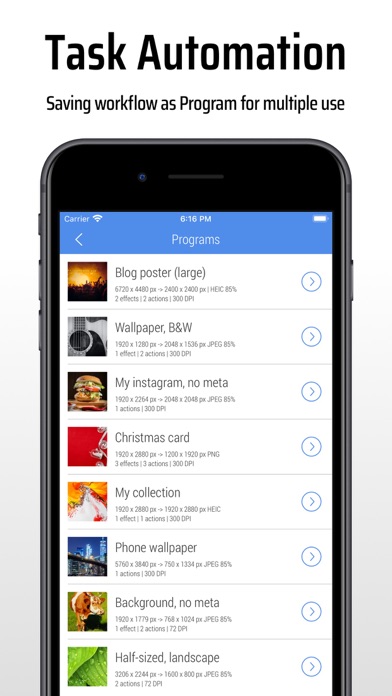
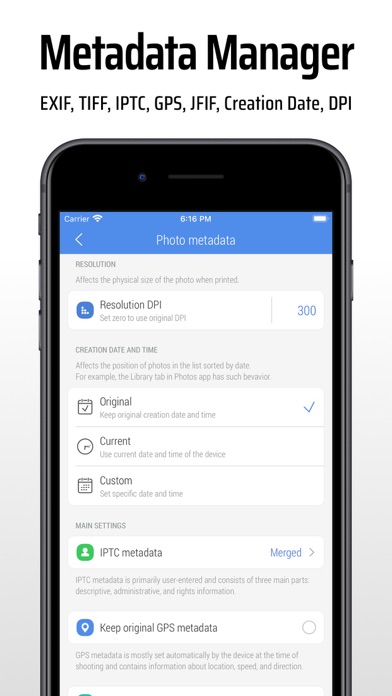
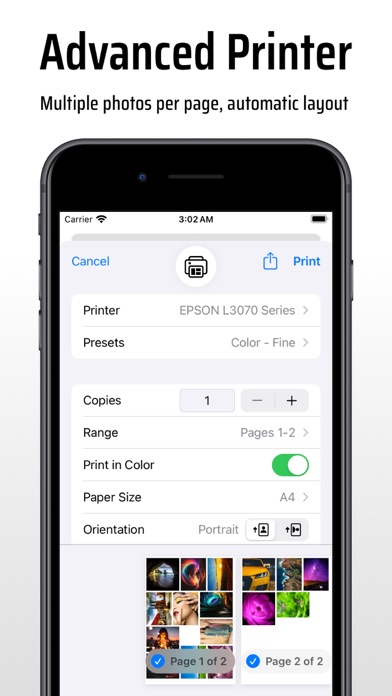
CropSize is your go-to app for precise image resizing and editing. Make your photos the perfect size, composition, and quality for photo library, social media, and various projects. Enhance results with accurate color adjustments and properly crafted metadata. Automate the entire editing process with batch processing and workflows. Share and print your creations in the right format and dimensions. All these tasks are easily achievable with CropSize—an excellent addition to your photo editing toolkit! As an essential element of your editing arsenal, CropSize plays a distinctive role as it allows to specify exact sizes and positions for image crop and resize, where other apps offer only approximate solutions. It also provides detailed information throughout the editing process, making your experience more transparent and intuitive. Additionally, the app's ability to operate in various units of measurement can notably streamline your workflows. With these comprehensive features, CropSize ensures you have the control you need to achieve your editing goals: PHOTO CROP • Crop photos in Standard and Inverse Crop modes, using pixels, inches, centimeters, or percentages • Adjust the size and position of the crop frame using gestures or by entering values on the keyboard • Rotate images smoothly within a 0-360° range with a slider or specify rotation angle via keyboard (Long press slider) • Change the crop aspect ratio using customizable presets (Long press Ratio button) • Adjust the crop position and size by one pixel in correction mode (Tap a marker) • View crop-specific image details, including size, position, rotation, and estimated file size IMAGE RESIZE • Resize images in Stretch, Insert, Clip, and Canvas Size modes, using pixels, inches, centimeters, or percentages • Specify exact image size via the keyboard or customizable presets, up to 9000 x 9000 pixels (81 megapixels) • Resize proportionally with a percentage slider or specify the relative size via the keyboard (Long press slider) • Adjust position using gestures and one-pixel corrections for Insert, Clip, and Canvas Size modes • Preview changes in actual size • View resize-specific image details, including size, offset, and estimated file size PHOTO FILTER • Apply any combination of photo filters and effects, including Chrome, Bloom, Vignette, Sepia, Sharpen, Blur, and more • Adjust filter intensity using a slider or horizontal on-screen gestures • View changes Before / After using two-finger gestures BATCH PROCESSING & WORKFLOWS • Edit multiple photos simultaneously, applying the same combinations of crop, resize, color, orientation, and metadata changes to all of them • Use workflows by saving entire editing sessions as reusable Programs on the History screen, and accessing them from the Load screen • Edit up to 50 photos shared with CropSize from other apps or the Photo Library PHOTO METADATA • View image details on the Load and Metadata screen • Update photo DPI and creation date • Provide information and copyrights using up to 25 fields of IPTC metadata • Remove original GPS, EXIF, TIFF, and JFIF details from your photos • Create and manage multiple metadata profiles for better organization IMAGE ORIENTATION: • Flip and rotate images using one-finger swipe gestures on the Main and Batch Processing screen SHARE AND PRINT: • Choose export formats: Auto, PNG, TIFF, JPEG, and HEIC, with compression quality for JPEG and HEIC • Specify metadata settings using one of your previously created metadata profiles • Configure export filenames using original values, custom entries, or filename patterns • Save images to the Photo Library, automatically organizing Results and Originals into a convenient album structure • Print multiple photos on A4, Letter, and other page sizes using exclusive “Print Plus” option from sharing menu GUIDES • Explore our step-by-step guides: https://www.cropsize.com/guides • Watch the video overview of main features: https://vimeo.com/188002923
Installs since 29 Aug 2026
Apple does not publish download counts. Estimates are in testing.
Estimated store revenue Estimated Beta
App Store, worldwide, monthly rate from the last 14 chart days to 21 Nov 2026
Below the top 100 grossing apps in the markets we calibrate. In the United States that usually means under about $6.4M a month. App Store purchases and subscriptions only, before Apple's 15 to 30% fee. Ads and web payments are not included.
Ratings
414 ratings, 414 reviews
No rating breakdown published for this app.
Recent reviews
Latest public reviews from the store
- 15 Nov 2024
Need some additional features
The app is great and it is very close to what I've been looking for for years, especially the program ability. But you were a few suggestions. Don't use The mail app to contact support as many users do not use the Mail app. Open the default mail app instead. Don't crop photos in the load window into squares. The only way to know if you need to process a photo is to be able to see the entire photo. There doesn't seem to be a way to run a program when you have shared photos from the photo app. Have an option after exporting the photos to delete the original.
- 18 Nov 2022
Excellent!
Does what it says; however, it would be nice to be able to select images from files in addition to the photo library. When having to resize game assets, I have to import to photos first and then process. Would eliminate an extra step. Then it would be super excellent!
- 28 Sep 2021
Functionality I missed from Optics
Ever since the old "Optics" app went kaput I've been aching for a replacement. I finally found this one! Optics had the pixel-accurate cropping via the dimensions-displaying selection marquee and an eyedropper tool. Apple's screenshot tool has an eyedropper, so I still needed the measurement/cropping tool. I'm so happy to find this app! 😃😃😃😃😃😃😃 Now I just need one small tweak: one of the things I loved about Optics is that the zoomed image was NOT antialiased. This app blurs the edges, which makes it very difficult to find the actual edge of an object within the image. Please let me see the pixel edges crisply. Thank you.
- 28 Mar 2019
Works great
Had to resize some photos taken with my iPhone to post on a blog website. This app works great. It took me a few minutes to figure the whole thing out and some experimentation saving the photos on my iPad. The selecting of photos from my library then choosing what I wanted to do, then accomplishing the resize, then saving and eventually retrieving and posting takes quite a few steps but does work great.
What reviewers bring up
Topics mentioned in the latest 8 reviews, by how many reviews mention them
Liked in good reviews (8 reviews)
- images 5
- photos 4
- resize 4
- workflow 3
- needed 3
- crop 3
- able 3
- ipad 3
Raised in bad reviews (0 reviews)
No topic comes up twice.
Top chart positions
Latest App Store chart ranks by country, last 10 days
- Countries ranked
- 1 of 50
- Best rank
- #70
- Top 10 placements
- 0
- of 1 chart placements
- Average rank
- #70
Best countries on App Store
- 🇫🇷 France · Top paid, Photo & Video#70
| Country | Chart | Category | Rank | Best (10 days) | Date |
|---|---|---|---|---|---|
| 🇫🇷 France | Top paid | Photo & Video | #70 | #70 | 12 Nov 2026 |
CropSize: Image Resizer Editor history
Release, install milestones, listing and store changes
- First released on the store 21 Nov 2013
Update frequency
How often CropSize: Image Resizer Editor ships a new version, month by month
3 updates in the last 12 months. More often than most similar apps: they shipped a median of 1 updates in the same year.
Recent versions
Current version 5.5.7
- Version 5.5.717 Jun 2026
Update 5.5.7 includes minor bug fixes and UI tweaks.
- Version 5.5.615 May 2026
Update 5.5.6 includes stability improvements and bug fixes.
- Version 5.5.511 Feb 2026
Version 5.5.5 includes core system improvements and minor bug fixes. We’ve migrated to the latest system SDK to ensure optimal performance and long-term stability. Additionally, we fixed minor bugs to improve the performance of Programs within the app.
Listing keywords
Words and phrases CropSize: Image Resizer Editor repeats most in its store listing
Top phrases: batch processing (3), image details (3), long press (3), photo library (3), canvas size modes (2).
Highlighted words also appear in the title. Counts cover the title, short description and description.
Compliance
What the listing and the app package show
- Store status
- Live
- Upkeep
- Updated 17 Jun 2026
- Age rating
- 4+
Apps like CropSize: Image Resizer Editor
 Cut and paste my face in photoMireia Lluch Ortola★ 4.51
 CameraKit: Camera ToolsZak Ray★ 4.71
 Imagine AI: Video GeneratorCode Knitters★ 4.21
 Prompt+ TeleprompterNorton Five Ltd★ 4.68
 Riverflow - AI Photo EditorZero Billion, Inc.★ 4.73
 CameraFi LiveVault Micro, Inc★ 4.41
 Gif Viewer & PlayerPenghui Zhao★ 4.4
 Easy Birthday Video Maker SongMarvin Feist★ 4.5
 Gif Me! Camera Creatorpierre gougelet★ 4.63
CropSize: Image Resizer Editor: questions and answers
Who makes CropSize: Image Resizer Editor?
CropSize: Image Resizer Editor is published by Aliaksei Khutarshchykau.
When was CropSize: Image Resizer Editor last updated?
The latest version (5.5.7) was released on 17 Jun 2026.
Is CropSize: Image Resizer Editor free?
No. CropSize: Image Resizer Editor is a paid app priced at $2.99.
Is CropSize: Image Resizer Editor still available?
Yes. CropSize: Image Resizer Editor is live on App Store as of 21 Nov 2026.
Track CropSize: Image Resizer Editor and its competitors
Watch any app for new versions, rating drops, chart moves and removals. Free plan, no card.