- Installs
- —
- Apple does not publish download counts
- Rating
- 4.36
- Ratings
- 637
- 637 reviews
- Version
- 1.8.6
- Updated 29 Jun 2026
- Released
- 27 Oct 2020
- Tracked since 10 May 2026
- Size
- 317 MB
- Needs 16.0
Screenshots



About Customize Icon - Theme Kit
The description on the store listing
Iconboard allows you to create, manage and apply icon configurations for your iOS homescreen:
- Add icons to your lock screen thanks for Widgets (requires iOS 16)
- Create consistent icon sets in seconds.
- Create custom icons from over 1,500 glyphs, applying custom background and border colors & gradients.
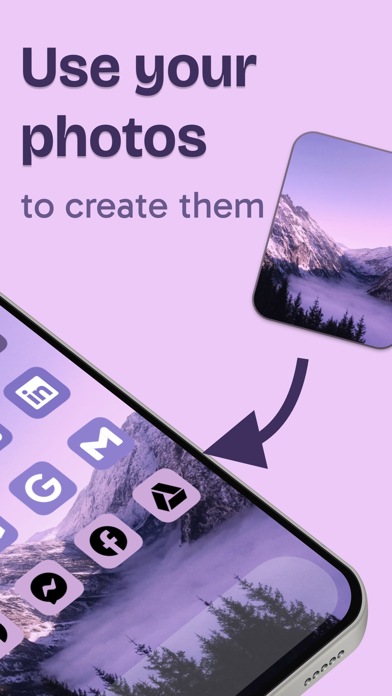
- Import images to apply them as icons
- Save different setup configurations to quickly change your styles.
- Generate custom wallpapers as solid or gradient files.
- Customise the action to be performed when opening the icons.
- Invisible icons: Place your icons in any position on the screen with this feature.
- Custom icon themes to take your customisations further.
- Open App …
Read the full description
Iconboard allows you to create, manage and apply icon configurations for your iOS homescreen: - Add icons to your lock screen thanks for Widgets (requires iOS 16) - Create consistent icon sets in seconds. - Create custom icons from over 1,500 glyphs, applying custom background and border colors & gradients. - Import images to apply them as icons - Save different setup configurations to quickly change your styles. - Generate custom wallpapers as solid or gradient files. - Customise the action to be performed when opening the icons. - Invisible icons: Place your icons in any position on the screen with this feature. - Custom icon themes to take your customisations further. - Open App Store apps seamlessly thanks to Shortcuts. WIDGETS Iconboard allows you to create lock screen widgets and home screen widgets so you can open your favourite apps more quickly. You can use it to open your calendar, reminders, settings, even other favourite apps like tiktok, instagram, pinterest or Locket MAKE ICONS WITH YOUR PHOTOS With its unique image recognition capabilities, Iconboard can extract colors from your pictures and create a beautiful palette with your icons. It really looks like they belong together! * System apps do not open without the shortcuts app because of operating system limitations. Notification badges are also unavailable for this same reason. -- Subscription Details -- • Monthly and annual subscriptions are available. • Payment will be charged to your iTunes account after the expiration of the free trial. • Your subscription will automatically renew unless auto-renew is disabled at least 24 hours before the end of the current subscription period. • Automatic renewals will be charged at the same price you were originally charged for the subscription. • Subscriptions can be managed or canceled by going to Account Settings on the App Store after purchase. Privacy Policy: https://zipoapps.com/iconboardios/privacy/ Terms and Conditions: https://zipoapps.com/iconboardios/terms/
Installs since 29 Aug 2026
Apple does not publish download counts. Estimates are in testing.
Estimated store revenue Estimated Beta
App Store, worldwide, monthly rate from the last 12 chart days to 19 Nov 2026
Below the top 100 grossing apps in the markets we calibrate. In the United States that usually means under about $6.4M a month. App Store purchases and subscriptions only, before Apple's 15 to 30% fee. Ads and web payments are not included.
Ratings
637 ratings, 637 reviews
No rating breakdown published for this app.
Recent reviews
Latest public reviews from the store
- 30 Nov 2021
Great app, big problem though.
I love this app, it’s easy to use, amazing, free for all the features I need. One big problem though, I don’t like having to do an app and use the shortcuts method, I hate the little bar that pops down when you open the app you set. A couple months ago I tired the profiles way and it worked perfectly. Then something happened and when I try the profiles way, it exports and does all that stuff, I open the new app and it’s just a black screen. Tried deleting app, restart phone, everything. Please help.
- 8 Jun 2021
Not working with new iPhone iOS update 14.6
This is overall a great app! Easy to use and in theory much faster to setup than similar apps out there — all icons via one profile installed at the same time. However, there seems to be a bug where more than half of the 114 icons/shortcuts I installed don’t work. It just goes to a white screen instead of to the designated app. <br> <br> The developer is aware of this issue and has posted such on the Iconboard profile on Reddit, letting users know that this is an issue because Apple keeps blocking these kind of theme customizations in their updates (surprise, surprise 🤦🏻♀️🙄). I’m all about Apple products for ease of use, thorough bug testing/fixing and beautiful UI but COME ON — for a company so seemingly dedicated to knowing what their customers want before they even do, they’ve sure missed the boat on customizing theme options. They should just make it easy for us… why the hassle? Why in the world do they care how our app icons or widgets look??? Anyway, I digress lol. <br> <br> I can use a workaround to create each icon manually that’s not working via Shortcuts but that’s a MAJOR pain in the a**. Hopefully Iconboard can fix this issue soon 🙏�
- 27 Jan 2021
Almost great
Love how the app makes it relatively easy to create a home scree aesthetic. I’ve tried a bunch of different apps and find this one to be the most intuitive, tons of customization but not overly complex, and actually works with the shortcut going straight to the app. You need to be somewhat techy to figure out how it all works but definitely worth learning since once you figure out it is super easy. A few improvements and this would be perfect: 1) fix transparent and transparent blur background options - right now they don’t work well on photo backgrounds. 2) add ability to resize glyphs. 3) add ability to recolor images when you upload a PNG file (since the glyph library isn’t a huge I rely on other apps / ways to get certain icons). 4) add widget functionality (or better explain how to sync with widget apps like Launcher 5) love how you can apply one icon’s style to all icons, but wish you also had a paste option for when you want to have different color rows or a monochromatic scheme
- 17 Jan 2021
Something went wrong
All in all, this app is amazing. It’s the best icon customizer app i’ve ever used, and yesterday it was working just fine. However, today when I tried to download my app profiles, when redirected to safari it said that they were “corrupted” and “bad profiles” and could be read. I tried several more times, trying everything I could, but nothing worked. So now i’m left wondering, what went wrong, and how do I fix it?
What reviewers bring up
Topics mentioned in the latest 8 reviews, by how many reviews mention them
Liked in good reviews (5 reviews)
- icon 4
- tried 3
- functionality 2
- definitely 2
- shortcuts 2
- different 2
- features 2
- profiles 2
Raised in bad reviews (1 reviews)
No topic comes up twice.
Top chart positions
Latest App Store chart ranks by country, last 10 days
- Countries ranked
- 1 of 50
- Best rank
- #78
- Top 10 placements
- 0
- of 1 chart placements
- Average rank
- #78
Best countries on App Store
- 🇦🇷 Argentina · Top grossing, Graphics & Design#78
| Country | Chart | Category | Rank | Best (10 days) | Date |
|---|---|---|---|---|---|
| 🇦🇷 Argentina | Top grossing | Graphics & Design | #78 | #78 | 14 Nov 2026 |
Customize Icon - Theme Kit history
Release, install milestones, listing and store changes
- First released on the store 27 Oct 2020
Update frequency
How often Customize Icon - Theme Kit ships a new version, month by month
2 updates in the last 12 months. About as often as similar apps, which shipped a median of 2 updates in the same year.
Recent versions
Current version 1.8.6
- Version 1.8.629 Jun 2026
User experience improvements. Customize your iOS icons, themes, and widgets fast!
- Version 1.8.531 May 2026
User experience improvements. Customize your iOS icons, themes, and widgets fast!
- Version 1.8.25 Jan 2025
User experience improvements. Customize your iOS icons & widgets fast with Iconboard!
Listing keywords
Words and phrases Customize Icon - Theme Kit repeats most in its store listing
Top phrases: iconboard allows (2), lock screen (2), screen widgets (2).
Highlighted words also appear in the title. Counts cover the title, short description and description.
Compliance
What the listing and the app package show
- Store status
- Live
- Upkeep
- Updated 29 Jun 2026
- Age rating
- 4+
Apps like Customize Icon - Theme Kit
 Themerella: Wallpaper & WidgetAI App★ 4.67
 Wavesome.AI Video GeneratorWave Design Studio★ 4.13
 Mockup - UI/UX DesignApprime Studio sarl★ 4.44
 Interior AI - Room DesigniHux★ 4.14
 Fashion Design Sketch ToolsMykola Goncharov★ 4.26
 Stitch PhotosLe Giang Nam★ 4.55
 niji・journey - AI Anime ArtMidjourney★ 4.4
 GeometricaTattooLoyal Inc.★ 4.4
 Compress: Video CompressorLe Giang Nam★ 4.73
Customize Icon - Theme Kit: questions and answers
Who makes Customize Icon - Theme Kit?
Customize Icon - Theme Kit is published by ZipoApps.
When was Customize Icon - Theme Kit last updated?
The latest version (1.8.6) was released on 29 Jun 2026.
Is Customize Icon - Theme Kit free?
Yes. Customize Icon - Theme Kit is free to download.
Is Customize Icon - Theme Kit still available?
Yes. Customize Icon - Theme Kit is live on App Store as of 14 Nov 2026.
Track Customize Icon - Theme Kit and its competitors
Watch any app for new versions, rating drops, chart moves and removals. Free plan, no card.