
- Installs
- —
- Apple does not publish download counts
- Rating
- 4.77
- Ratings
- 13
- 13 reviews
- Version
- 3.6.1
- Updated 3 Oct 2022
- Released
- 16 Aug 2017
- Tracked since 10 May 2026
- Size
- 28 MB
- Needs 14.0
Screenshots
About Dalo Task Manager
The description on the store listing
Dalo is a long-list task manager. It was created to help you take full advantage of one of the most effective productivity methods invented by Mark Forster.
The beauty of Mr. Forster’s method lies in the combination of how simple it is to use and how well it uses certain aspects of our psychology to make us more productive.
THE ISSUE
Sometimes we get mental resistance towards working on tasks that seem time-consuming, tedious or difficult. This resistance makes us try to avoid doing this work until the very last moment. Or we don't even make an attempt, leaving stale tasks in our to-do lists. We may well have sorted our tasks by priority or due dates, grouped them into projects, but if …
Read the full description
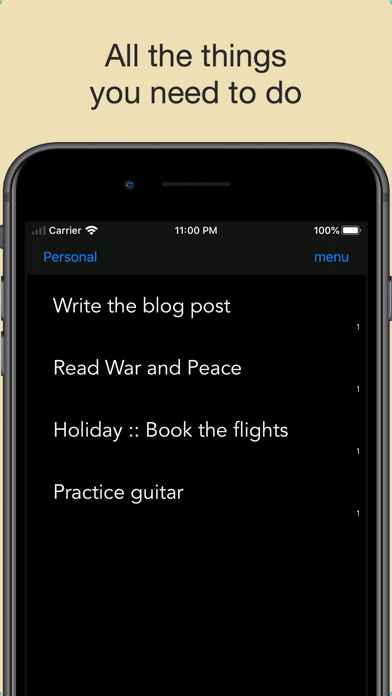
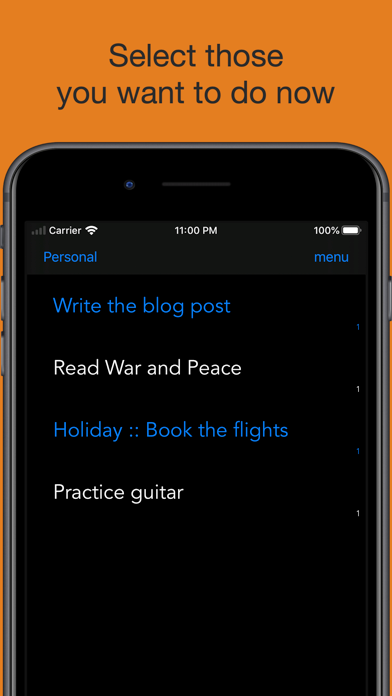
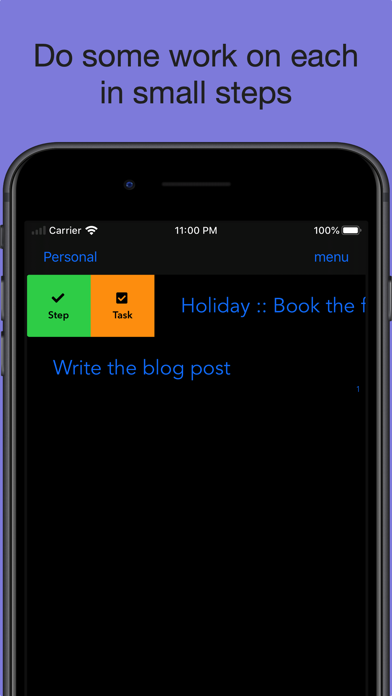
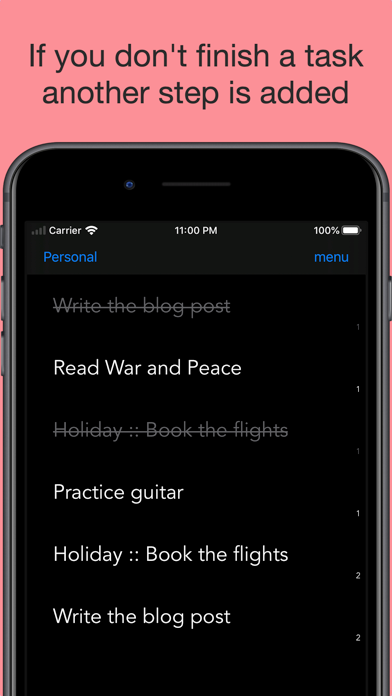
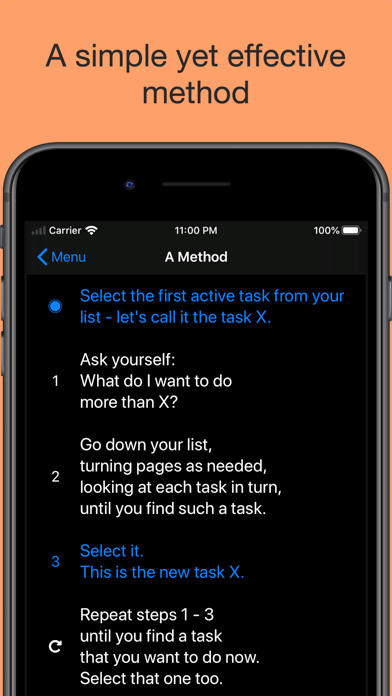
Dalo is a long-list task manager. It was created to help you take full advantage of one of the most effective productivity methods invented by Mark Forster. The beauty of Mr. Forster’s method lies in the combination of how simple it is to use and how well it uses certain aspects of our psychology to make us more productive. THE ISSUE Sometimes we get mental resistance towards working on tasks that seem time-consuming, tedious or difficult. This resistance makes us try to avoid doing this work until the very last moment. Or we don't even make an attempt, leaving stale tasks in our to-do lists. We may well have sorted our tasks by priority or due dates, grouped them into projects, but if we are not psychologically ready to actually do the task that’s in front of us, it may be all for nothing. So, how to avoid this resistance or how to be psychologically ready for the time-consuming, tedious or difficult tasks? THE SOLUTION Trust yourself that you subconsciously already know what needs to be worked on. Then rely on your subconsciousness and select the tasks from your list which stick out for you. Find one that you actually want to do now and start there. Only do as much work as you want on each selected task. You don’t have to finish it in one go. These simple principles can help eliminate procrastination as there is no pressure to finish or to work for too long. Even the smallest step will do. THE METHOD • Write all your tasks into one long list • Scan the list and select the tasks that stick out (Helper question: What do I want to do more than the previous task I selected?) • When you find the task that you want to do now, start working on the selected tasks from the end (last selected = first to do) • Only do as much work as you want on each task If the task is not finished, complete a step, another step is added to the end of the list Make a new selection, repeat (Any new tasks are added to the end of the list) FEATURES • Automatically adds new steps, where needed • Pages mimicking the original paper-based method • Minimalistic interface, focusing on speed and efficiency • Conveniently duplicate tasks (when need to copy part of title or information in notes across) • Automatic archiving of completed pages • Schedule tasks for later (not part of the original method, but sometimes convenient nevertheless) PREMIUM FEATURES • Sync via iCloud with your Macs*, or other iPhones or iPads • Lists to divide tasks into separate contexts (such as work, personal, errands) • No ads * (coming soon: Projects) *a separate MacOS app purchase required for Macs
Installs
Apple does not publish download counts. Estimates are in testing.
We publish iOS estimates only after they pass a back-test against real numbers. Chart history below is measured.
Estimated store revenue Estimated Beta
App Store, worldwide, monthly rate from the last 13 chart days to 20 Nov 2026
Below the top 100 grossing apps in the markets we calibrate. In the United States that usually means under about $6.4M a month. App Store purchases and subscriptions only, before Apple's 15 to 30% fee. Ads and web payments are not included.
Ratings
13 ratings, 13 reviews
No rating breakdown published for this app.
Recent reviews
Latest public reviews from the store
No reviews in our sample for this app yet.
Top chart positions
Latest App Store chart ranks by country, last 10 days
Not in any tracked top chart in the last 10 days.
Dalo Task Manager history
Release, install milestones, listing and store changes
- First released on the store 16 Aug 2017
Recent versions
Current version 3.6.1
- Version 3.6.13 Oct 2022
• selectively delete items imported from clipboard • added list selector access from the bottom popup
Listing keywords
Words and phrases Dalo Task Manager repeats most in its store listing
Top phrases: select the tasks (2), tedious or difficult (2), consuming tedious (2), long list (2), psychologically ready (2).
Highlighted words also appear in the title. Counts cover the title, short description and description.
Compliance
What the listing and the app package show
- Store status
- Live
- Upkeep
- No update since 3 Oct 2022
- Age rating
- 4+
Apps like Dalo Task Manager
 Super VPN: Fast Private ProxyGeek Incorporated★ 4.4
 Hubtel RetailerHubtel Limited★ 4.32
 Monthly Calendar 2022 - CalistOmoboto LLC★ 4.38
 Firstly: To-Do List & PlannerfocusCove LLC★ 4.7
 CBUS 311City of Columbus, Ohio★ 1.8
 Themes for Powerpoint - DesiGNGraphic Node★ 4.22
 iSiloDC & Co.★ 3.82
 Flashlight Pro [Multipurpose LED light]KAVAPOINT★ 3.88
 WiPryOscium LLC★ 2.68
Dalo Task Manager: questions and answers
Who makes Dalo Task Manager?
Dalo Task Manager is published by Nishco Ltd.
When was Dalo Task Manager last updated?
The latest version (3.6.1) was released on 3 Oct 2022.
Is Dalo Task Manager free?
Yes. Dalo Task Manager is free to download.
Is Dalo Task Manager still available?
Yes. Dalo Task Manager is live on App Store as of 1 Jul 2026.
Track Dalo Task Manager and its competitors
Watch any app for new versions, rating drops, chart moves and removals. Free plan, no card.