
- Installs
- —
- Apple does not publish download counts
- Rating
- —
- Ratings
- —
- Version
- 5.8.0
- Updated 30 Apr 2026
- Released
- 25 Jul 2019
- Tracked since 11 May 2026
- Size
- 14 MB
- Needs 26.0
Screenshots
About Dato
The description on the store listing
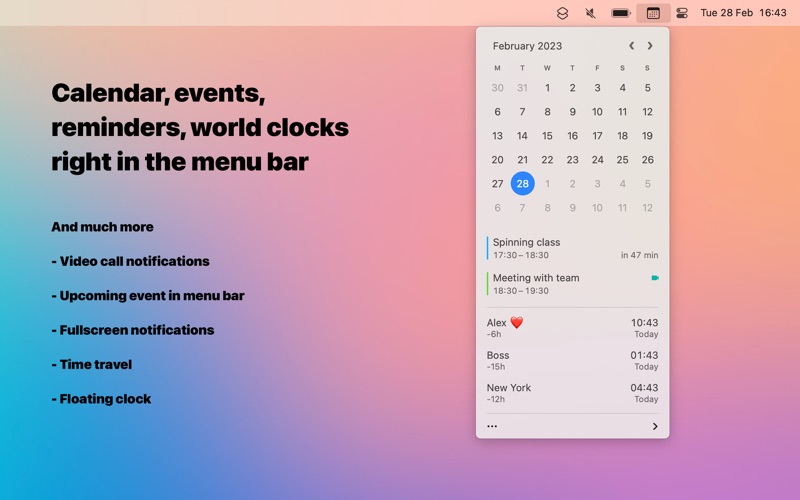
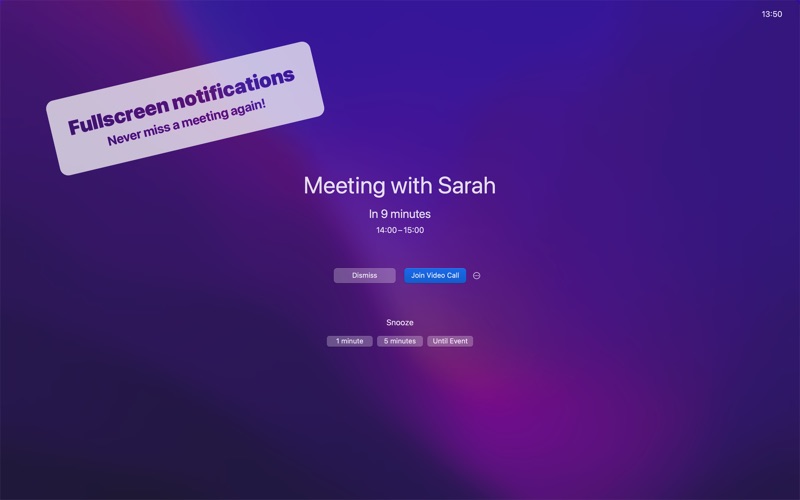
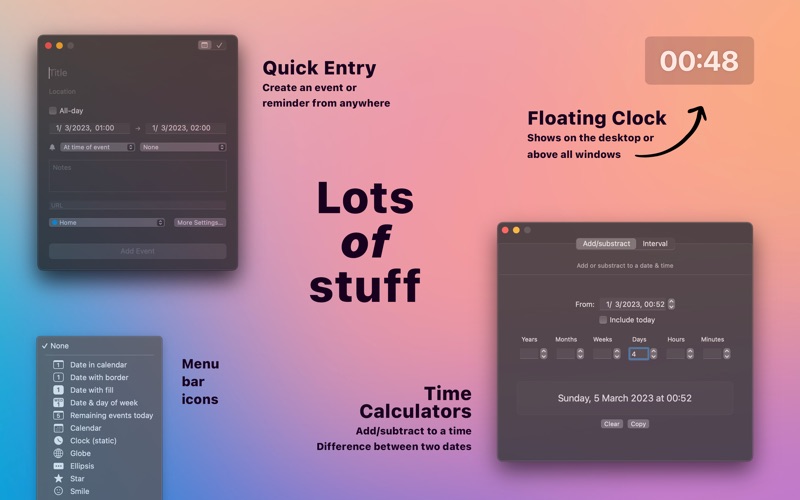
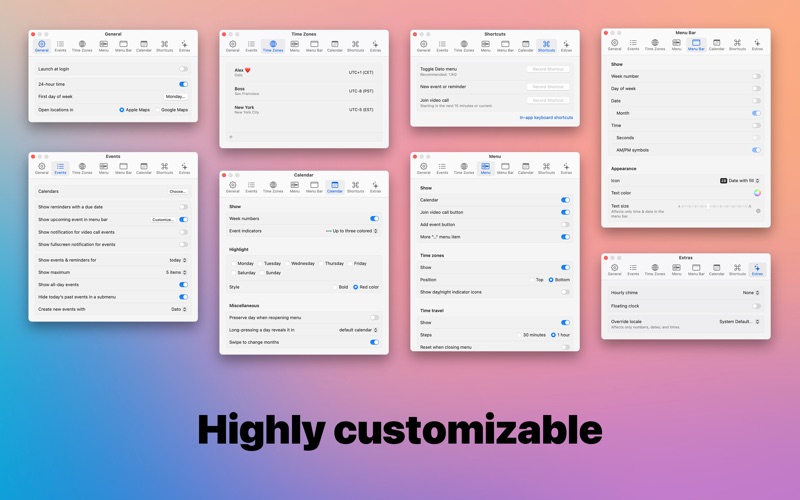
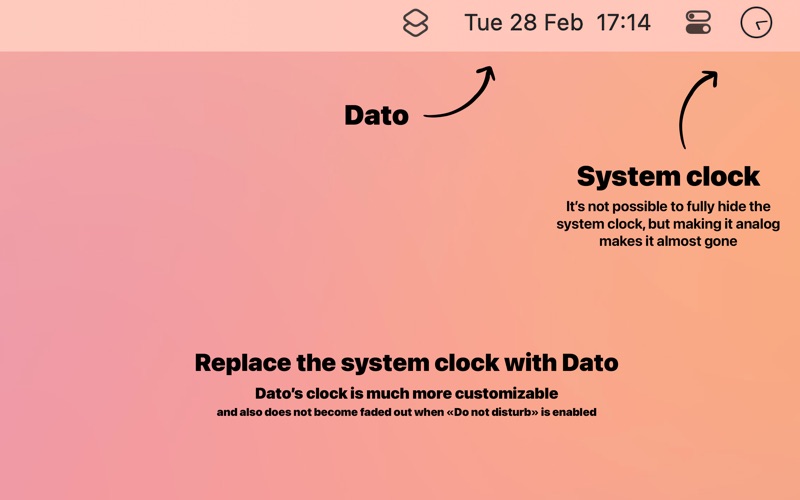
Dato gives you a local clock, date, multiple world clocks, and upcoming events in the menu bar. When you click Dato in the menu bar, you get a menu with a calendar, calendar events, and world clocks. You also get fullscreen meeting notifications. All of this is highly customizable.
It's a one-time purchase with free upgrades forever. Dato will never be subscription-based. There is a free trial on the app's website.
Dato supports all the locales and languages that macOS supports for the menu bar text, dates, times, and the calendar, but the menus and settings are English-only.
■ Features
Your upcoming events at a glance
- Customize how many events to show and for how many days
- …
Read the full description
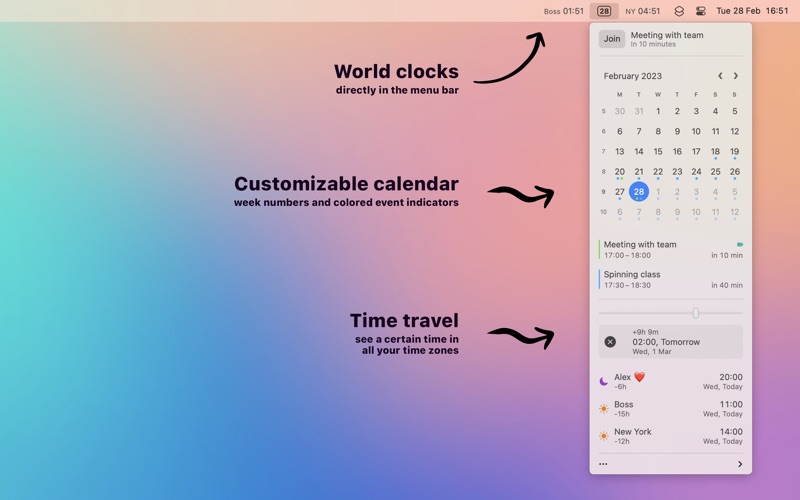
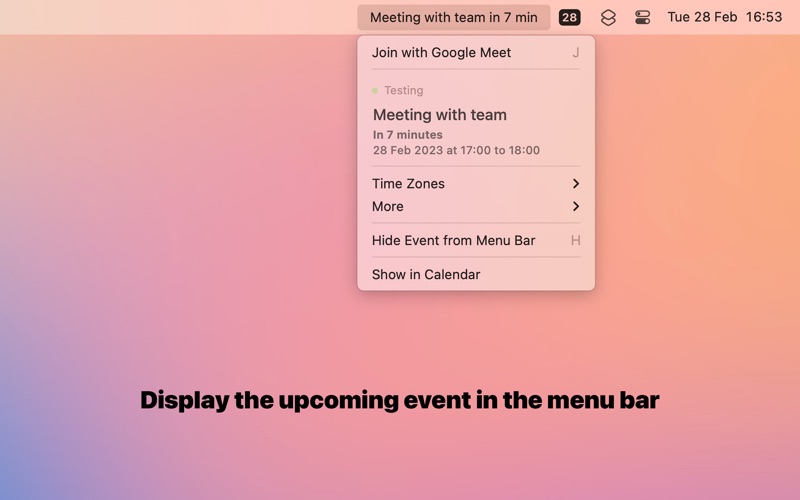
Dato gives you a local clock, date, multiple world clocks, and upcoming events in the menu bar. When you click Dato in the menu bar, you get a menu with a calendar, calendar events, and world clocks. You also get fullscreen meeting notifications. All of this is highly customizable. It's a one-time purchase with free upgrades forever. Dato will never be subscription-based. There is a free trial on the app's website. Dato supports all the locales and languages that macOS supports for the menu bar text, dates, times, and the calendar, but the menus and settings are English-only. ■ Features Your upcoming events at a glance - Customize how many events to show and for how many days - Supports HTML formatted notes - Quickly reveal the event in your default calendar app Fullscreen notifications - Never miss a meeting again Calendar - Week numbers - Event indicators - Highlighting specific days of the week World clocks - Shown in either the Dato menu or the menu bar - Custom names - Search 15k cities offline - Time travel (see future/past time) - Show UTC time in the menu bar Reminders - Show reminders with a due date - Quickly create reminders Fullscreen notifications - Don't miss important meetings And a lot more! - Show the upcoming event in the menu bar (like Fantastical, Meeter, and MeetingBar) - Join the next video call meeting from a notification, with a customizable global keyboard shortcut, or from the event details - Notification with a join button when a video call event starts. - Create events (even with a global keyboard shortcut) - Supports all calendar services that macOS supports (iCloud, Google, Outlook, etc) - Custom format for the date & time in the menu bar - Zoom, Google Meet, and Microsoft Teams integration - Many menu bar icons to choose from (for example, date in calendar like Itsycal) - Widgets: Date & time, calendar, and world clocks - Show seconds in the menu bar clock or in the menu - Deduplicates identical events from different calendars - Global keyboard shortcut to open/close the app - Lots of in-app keyboard shortcuts for power users - Open calendar events from Google Calendar directly in Google Calendar on the web - Custom color for the date & time in the menu bar - Floating clock on top of all window or the desktop background - Shortcuts support - Hourly chime - Date & time calculator - Fully customizable Note to Chinese users: 本程式只支援英文,並且不打算支援農曆。 ■ Supported video call services - 8x8 - Amazon Chime - Around - BlueJeans - Cal.com - Chorus - CoScreen - Demio - Demodesk - Dialpad - Doxy.me - FaceTime - Gather - Gong - Google Meet - GoToMeeting - GoToWebinar - Huddle01 - Jam - Jitsi Meet - Lark - Livestorm - Luma - Microsoft Teams - oVice - Pop - Preply - Pumble - Reclaim - Relayed - RingCentral - Session - Skype - Slack - StreamYard - TeamViewer - Teemyco - Tuple - UserZoom - Venue - Vimeo - Vonage - VooV - Vowel - Webex - Whereby - Workplace Chat - Zhumu - Zoho Cliq - Zoom ■ FAQ 〉 The app does not show up in the menu bar macOS hides menu bar apps when there is no space left in the menu bar. Try quitting some menu bar apps to free up space. 〉 Can you add support for Google Calendar? It's already supported. Just add your Google calendars to the Calendar app and then enable the calendars in the Dato settings. More FAQ answers on the website. Use the feedback button in the app for feedback and support.
Installs
Apple does not publish download counts. Estimates are in testing.
We publish iOS estimates only after they pass a back-test against real numbers. Chart history below is measured.
Estimated store revenue Estimated Beta
App Store, worldwide, monthly rate from the last 12 chart days to 19 Nov 2026
Below the top 100 grossing apps in the markets we calibrate. In the United States that usually means under about $6.4M a month. App Store purchases and subscriptions only, before Apple's 15 to 30% fee. Ads and web payments are not included.
Ratings
No rating breakdown published for this app.
Recent reviews
Latest public reviews from the store
No reviews in our sample for this app yet.
Top chart positions
Latest App Store chart ranks by country, last 10 days
Not in any tracked top chart in the last 10 days.
Dato history
Release, install milestones, listing and store changes
- First released on the store 25 Jul 2019
Update frequency
How often Dato ships a new version, month by month
1 updates in the last 12 months. More often than most similar apps: they shipped a median of 0 updates in the same year.
Recent versions
Current version 5.8.0
- Version 5.8.030 Apr 2026
- The app now requires macOS 26. You can get the last macOS 15 compatible version from the app's website. - Added setting to show free time between events. - Time zones in the window can now be collapsed to a single line by double-clicking a time zone.
Listing keywords
Words and phrases Dato repeats most in its store listing
Top phrases: menu bar (14), world clocks (4), global keyboard shortcut (3), global keyboard (3), google calendar (3).
Highlighted words also appear in the title. Counts cover the title, short description and description.
Compliance
What the listing and the app package show
- Store status
- Live
- Upkeep
- Updated 30 Apr 2026
- Age rating
- 4+
Apps like Dato
 Super VPN: Fast Private ProxyGeek Incorporated★ 4.4
 Hubtel RetailerHubtel Limited★ 4.32
 Monthly Calendar 2022 - CalistOmoboto LLC★ 4.38
 Firstly: To-Do List & PlannerfocusCove LLC★ 4.7
 CBUS 311City of Columbus, Ohio★ 1.8
 Themes for Powerpoint - DesiGNGraphic Node★ 4.22
 iSiloDC & Co.★ 3.82
 Flashlight Pro [Multipurpose LED light]KAVAPOINT★ 3.88
 WiPryOscium LLC★ 2.68
Dato: questions and answers
Who makes Dato?
Dato is published by Sindre Sorhus.
When was Dato last updated?
The latest version (5.8.0) was released on 30 Apr 2026.
Is Dato free?
No. Dato is a paid app priced at $18.00.
Is Dato still available?
Yes. Dato is live on App Store as of 11 May 2026.
Track Dato and its competitors
Watch any app for new versions, rating drops, chart moves and removals. Free plan, no card.