
- Installs
- —
- Apple does not publish download counts
- Rating
- —
- Ratings
- —
- Version
- 26.2
- Updated 25 Jan 2026
- Released
- 20 Aug 2020
- Tracked since 10 May 2026
- Size
- 7 MB
- Needs 11.0
Screenshots
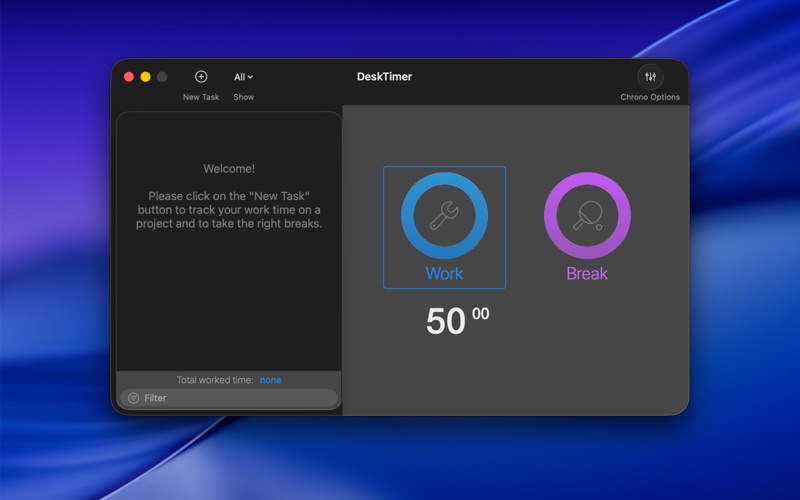
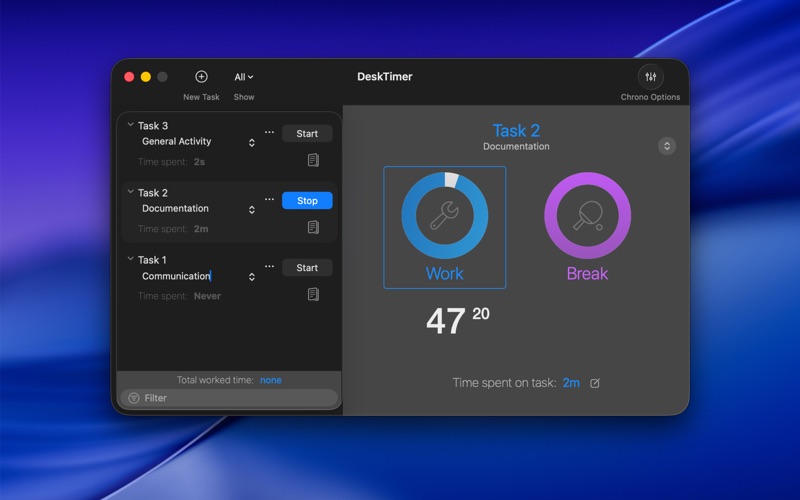
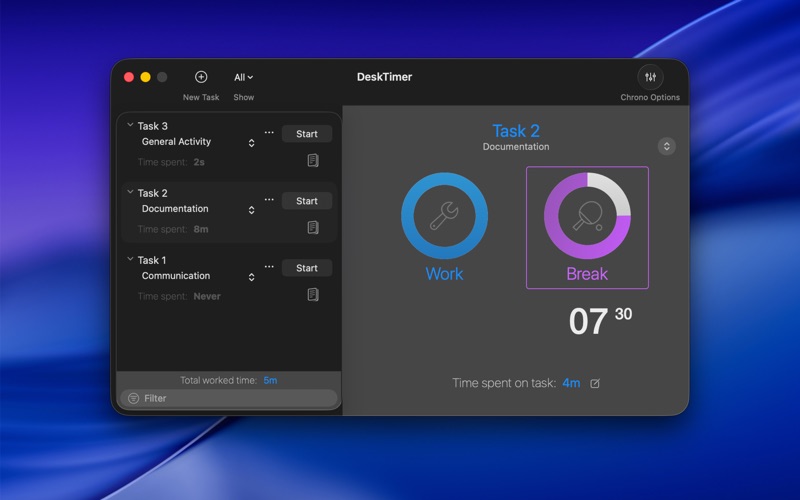


About DeskTimer
The description on the store listing
Track your work sessions with precision and clarity.
DeskTimer makes it effortless to organize your time, visualize your day, and keep accurate records of every task. Designed for professionals, freelancers, and anyone who values focus and insight, DeskTimer turns your daily routine into a clear, editable timeline so you always know where your time goes.
See your work as it happens.
Each session you track appears instantly on a clean timeline that shows the shape of your day. You can start a task with a click, switch activities smoothly, and mark sessions complete when you are done. Whether you work in short sprints or long stretches, DeskTimer adapts to your rhythm and keeps your day …
Read the full description
Track your work sessions with precision and clarity. DeskTimer makes it effortless to organize your time, visualize your day, and keep accurate records of every task. Designed for professionals, freelancers, and anyone who values focus and insight, DeskTimer turns your daily routine into a clear, editable timeline so you always know where your time goes. See your work as it happens. Each session you track appears instantly on a clean timeline that shows the shape of your day. You can start a task with a click, switch activities smoothly, and mark sessions complete when you are done. Whether you work in short sprints or long stretches, DeskTimer adapts to your rhythm and keeps your day beautifully organized. You stay in full control even when plans change. If you forget to stop the timer or switch tasks too soon, you can easily adjust start and end times, fix overlaps, or add missed sessions. Editing is simple yet precise, so your history always reflects how you really worked, without stress or lost minutes. DeskTimer helps you understand your time, not just record it. Detailed statistics and filters let you review totals and averages by day, week, month, or year. You can identify trends, measure productivity, and make better decisions based on real data, all directly within the app. Your work data always stays under your control. Sessions are stored locally on your Mac, never sent to external servers. You can export your logs in CSV format for Numbers or Excel, or create XML backups to move your history between Macs. Everything remains private, portable, and easy to reuse whenever you need it. The interface is designed to keep your workflow smooth and distraction-free. It feels perfectly at home on macOS, supports both Light and Dark Mode, and includes intuitive keyboard shortcuts that make daily use effortless. DeskTimer is available in multiple languages including Italian, English, Spanish, French, German, Japanese, Korean, Portuguese, Russian, and Chinese, offering a consistent experience for users around the world. With DeskTimer, your day becomes clear from start to finish — focused, flexible, and truly yours. Feature highlights • Professional work session tracker for Mac • Clear visual timeline showing your day at a glance • Simple start, stop, and task switching • Edit any session with full precision • Detailed statistics and filters by day, week, month, or year • Gentle pause suggestions to support healthy work rhythms • Export data in CSV or XML for backup or analysis • Quick access from the menu bar • Clean, distraction-free interface designed for focus • Works entirely on your Mac — your data stays private Subscriptions and Purchases With the purchase, you unlock all of DeskTimer’s core features: • Create and manage projects and tracking tasks with full control • Start, pause, and resume work sessions effortlessly • Organize and review your tracked time in a clear visual timeline • Edit and refine your recorded time to keep your logs accurate Subscribers also receive continuous improvements, new features, and regular updates over time. Plans available: • Monthly subscription: 1-week free trial, then renews automatically • Annual subscription: 2-week free trial, then renews automatically • Lifetime purchase: one-time payment with unlimited access to all features Subscriptions renew automatically unless cancelled at least 24 hours before the end of the period. You can manage or cancel your subscription anytime in your App Store account settings. Privacy Policy: https://www.apimac.com/about/privacy/ Terms of Use (EULA): https://www.apple.com/legal/internet-services/itunes/dev/stdeula/
Installs
Apple does not publish download counts. Estimates are in testing.
We publish iOS estimates only after they pass a back-test against real numbers. Chart history below is measured.
Estimated store revenue Estimated Beta
App Store, worldwide, monthly rate from the last 13 chart days to 20 Nov 2026
Below the top 100 grossing apps in the markets we calibrate. In the United States that usually means under about $6.4M a month. App Store purchases and subscriptions only, before Apple's 15 to 30% fee. Ads and web payments are not included.
Ratings
No rating breakdown published for this app.
Recent reviews
Latest public reviews from the store
No reviews in our sample for this app yet.
Top chart positions
Latest App Store chart ranks by country, last 10 days
Not in any tracked top chart in the last 10 days.
DeskTimer history
Release, install milestones, listing and store changes
- First released on the store 20 Aug 2020
Update frequency
How often DeskTimer ships a new version, month by month
1 updates in the last 12 months. About as often as similar apps, which shipped a median of 1 updates in the same year.
Recent versions
Current version 26.2
- Version 26.225 Jan 2026
• A refreshed app icon that better reflects modern work on Mac • A new app name that aligns with how people use the app today • Code optimizations and overall performance improvements
Listing keywords
Words and phrases DeskTimer repeats most in its store listing
Top phrases: clear visual timeline (2), month or year (2), statistics and filters (2), trial then renews (2), week free trial (2).
Highlighted words also appear in the title. Counts cover the title, short description and description.
Compliance
What the listing and the app package show
- Store status
- Live
- Upkeep
- Updated 25 Jan 2026
- Age rating
- 4+
Apps like DeskTimer
 Robin - Mobile AppRobin Powered, Inc★ 3.32
 Bright AisleMedia Solutions Corp★ 2.52
 Rhingie: phone call 2nd numberDating onlain, ooo★ 3.96
 PayClockLathem Time Corporation★ 2.08
 云电话-网络电话虚拟隐私小号国辉 李★ 4.74
 QuicklynQuicklyn★ 4.86
 Diligent BoardsDiligent Corporation★ 3.32
 DATABASICSDATABASICS★ 3.8
 vMEyeSuperGuangzhou Kedi Intelligence Technology Co., Ltd.★ 3.14
DeskTimer: questions and answers
Who makes DeskTimer?
DeskTimer is published by Apimac.
When was DeskTimer last updated?
The latest version (26.2) was released on 25 Jan 2026.
Is DeskTimer free?
Yes. DeskTimer is free to download.
Is DeskTimer still available?
Yes. DeskTimer is live on App Store as of 10 May 2026.
Track DeskTimer and its competitors
Watch any app for new versions, rating drops, chart moves and removals. Free plan, no card.