
- Installs
- —
- Apple does not publish download counts
- Rating
- 1.0
- Ratings
- 2
- 2 reviews
- Version
- 1.0.3
- Updated 8 Sep 2023
- Released
- 21 Apr 2023
- Tracked since 26 May 2026
- Size
- 10 MB
- Needs 15.0
Screenshots
About Developer Colour Palette
The description on the store listing
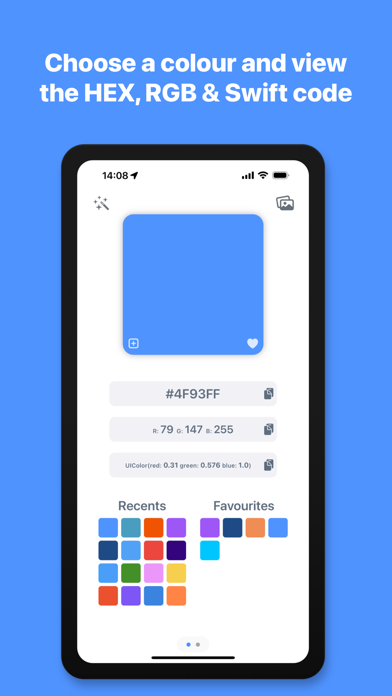
Developer Colour Palette helps you to choose, convert, organise and share the colours that you use for the projects that you are working on.
Choose a colour using the built in colour picker, or enter the colour values to see them converted to HEX, RGB and Swift code. You can then copy the colour codes with a single tap to use in your projects. The app automatically shows your recently used colours for reuse and allows you to add frequently used colours to your favourites.
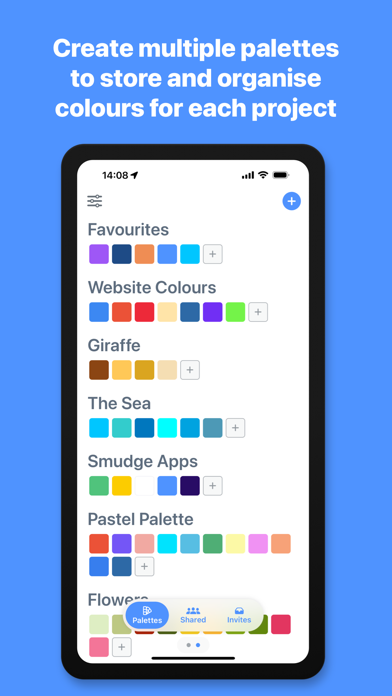
You can organise your colours further, by grouping them in to different palettes for each project or brand that you are working with, name the colours to describe what part of the project they are being used for and write …
Read the full description
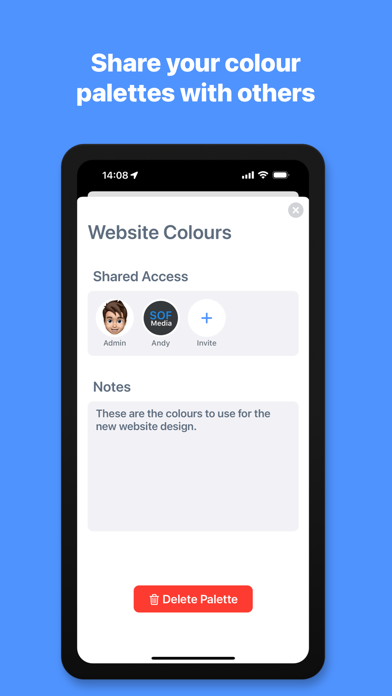
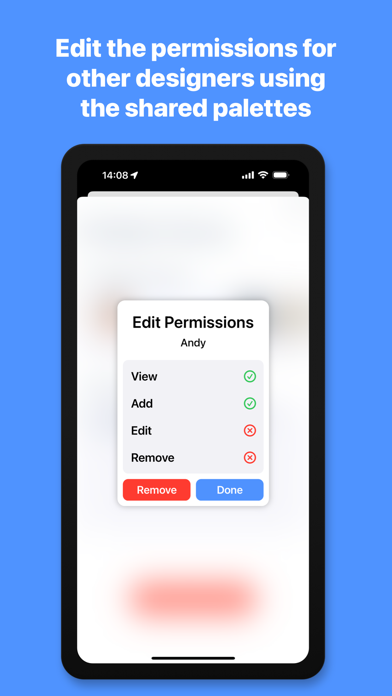
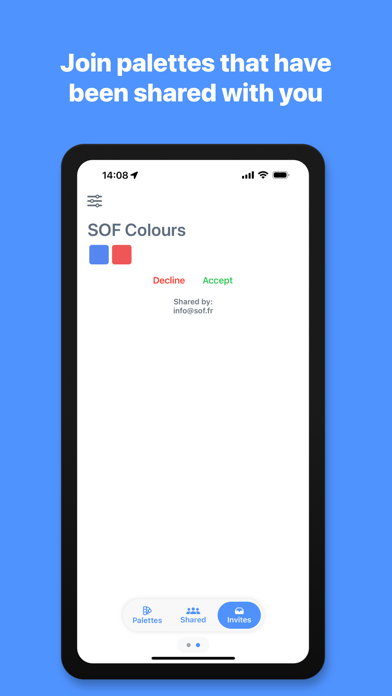
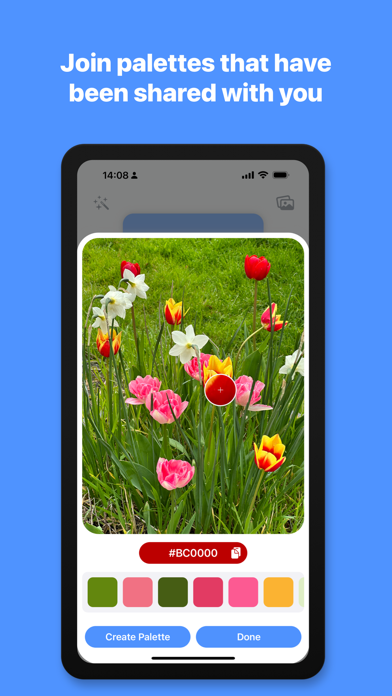
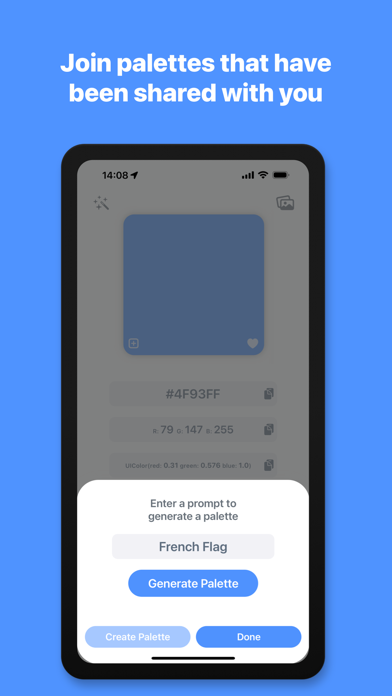
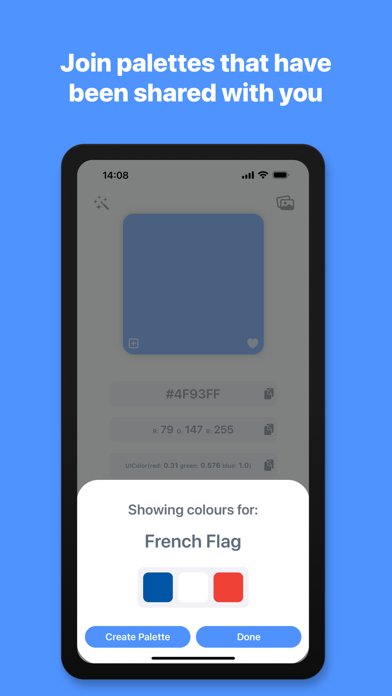
Developer Colour Palette helps you to choose, convert, organise and share the colours that you use for the projects that you are working on. Choose a colour using the built in colour picker, or enter the colour values to see them converted to HEX, RGB and Swift code. You can then copy the colour codes with a single tap to use in your projects. The app automatically shows your recently used colours for reuse and allows you to add frequently used colours to your favourites. You can organise your colours further, by grouping them in to different palettes for each project or brand that you are working with, name the colours to describe what part of the project they are being used for and write notes on each palette and colour. The palettes you create and colours you add will be automatically synced to the cloud and accessible on all of your Apple devices. You can also share these palettes with other members of your design team or with a client, so that you are all working from the same colour palette. Invite others to your palette and set permissions for each person you invite, granting or denying them read, add, edit or remove access. You can also see any palettes that you have been sent within the app and choose to accept or deny the invitation, to add the palette to your shared list. The palettes you create and the palettes that are shared with you are automatically grouped and separated. Import an image, client’s logo or style guide file from your photo library, files or camera and use the magnified colour picker to choose a specific colour from the image. The app will automatically scan the image using AI and detect the dominant colours within the image. Once it has extracted the colours, you can create a new palette containing these colours with a single tap. If you need a little help with inspiration or to find the right colour for your project, you can use the AI Assistant tool to generate a palette or get the colour of an object. Enter a phrase such as “The sea” to see various shades of blue, “Giraffe” to see the colours of a giraffe or “New York Taxi” to be shown the colour code of the New York Taxi yellow. Once the assistant has detected the colours, you can then create a palette with these colours and it is automatically named from your search phrase. *Subscription required for some features described above, including cloud palettes, sharing features and AI features - Monthly usage limits apply to AI features. - Subscription Details - Developer Colour Palette requires a monthly subscription after your 14 day free trial. Your subscription can be cancelled at any time. No long term commitment required. Subscriptions will be charged to your iTunes account at confirmation of purchase. Your subscription will automatically renew unless automatic renewal is turned off at least 24 hours before the end of the current period. Your account will be charged for renewal within 24 hours prior to the end of the current period. You can manage your subscriptions and automatic renewal status in Account Settings after purchase. Price may vary by location. Privacy Policy: https://smudge.app/privacy Terms and Conditions: https://smudge.app/app-terms
Installs
Apple does not publish download counts. Estimates are in testing.
We publish iOS estimates only after they pass a back-test against real numbers. Chart history below is measured.
Estimated store revenue Estimated Beta
App Store, worldwide, monthly rate from the last 13 chart days to 20 Nov 2026
Below the top 100 grossing apps in the markets we calibrate. In the United States that usually means under about $6.4M a month. App Store purchases and subscriptions only, before Apple's 15 to 30% fee. Ads and web payments are not included.
Ratings
2 ratings, 2 reviews
No rating breakdown published for this app.
Recent reviews
Latest public reviews from the store
No reviews in our sample for this app yet.
Top chart positions
Latest App Store chart ranks by country, last 10 days
- Countries ranked
- 24 of 50
- Best rank
- #10
- Top 10 placements
- 1
- of 24 chart placements
- Average rank
- #57.6
Best countries on App Store
- 🇻🇳 Vietnam · Top paid, Developer Tools#10
- 🇪🇬 Egypt · Top paid, Developer Tools#11
- 🇸🇦 Saudi Arabia · Top paid, Developer Tools#22
- 🇵🇹 Portugal · Top paid, Developer Tools#31
- 🇳🇴 Norway · Top paid, Developer Tools#31
- 🇩🇰 Denmark · Top paid, Developer Tools#32
| Country | Chart | Category | Rank | Best (10 days) | Date |
|---|---|---|---|---|---|
| 🇻🇳 Vietnam | Top paid | Developer Tools | #10 | #8 | 20 Nov 2026 |
| 🇪🇬 Egypt | Top paid | Developer Tools | #11 | #10 | 20 Nov 2026 |
| 🇸🇦 Saudi Arabia | Top paid | Developer Tools | #22 | #22 | 20 Nov 2026 |
| 🇵🇹 Portugal | Top paid | Developer Tools | #31 | #31 | 20 Nov 2026 |
| 🇳🇴 Norway | Top paid | Developer Tools | #31 | #29 | 20 Nov 2026 |
| 🇩🇰 Denmark | Top paid | Developer Tools | #32 | #32 | 20 Nov 2026 |
| 🇯🇵 Japan | Top paid | Developer Tools | #33 | #26 | 20 Nov 2026 |
| 🇮🇩 Indonesia | Top paid | Developer Tools | #34 | #33 | 20 Nov 2026 |
| 🇲🇾 Malaysia | Top paid | Developer Tools | #41 | #41 | 20 Nov 2026 |
| 🇮🇪 Ireland | Top paid | Developer Tools | #44 | #44 | 20 Nov 2026 |
Developer Colour Palette history
Release, install milestones, listing and store changes
- First released on the store 21 Apr 2023
Recent versions
Current version 1.0.3
- Version 1.0.38 Sep 2023
• Bug fixes and stability improvements.
Listing keywords
Words and phrases Developer Colour Palette repeats most in its store listing
Top phrases: colour palette (4), developer colour palette (3), developer colour (3), palettes you create (2), ai features (2).
Highlighted words also appear in the title. Counts cover the title, short description and description.
Compliance
What the listing and the app package show
- Store status
- Live
- Upkeep
- No update since 8 Sep 2023
- Age rating
- 4+
Apps like Developer Colour Palette
 iProxy - Sys admin toolsN-Lab★ 4.06
 WA Virtual Number - WANoMarkakod Reklam Tasarim ve Yazilim Hizmetleri Ticaret Limited★ 4.44
 C/C++ LLVM Clang小文 黄★ 4.32
 StoreView: App Screenshot ToolElshan Aliyev★ 4.53
 Yomo: Docker & Portainer春晖 杜★ 4.79
 Termux -TERMUX LIMITED LIABILITY COMPANY★ 4.4
 Debug Anywhere浩鑫 庄★ 4.62
 Easy SSHArgsment Limited★ 4.55
 SSL CheckerOrave Technologies★ 4.61
Developer Colour Palette: questions and answers
Who makes Developer Colour Palette?
Developer Colour Palette is published by Thomas Coomer.
When was Developer Colour Palette last updated?
The latest version (1.0.3) was released on 8 Sep 2023.
Is Developer Colour Palette free?
No. Developer Colour Palette is a paid app priced at $0.49.
Is Developer Colour Palette still available?
Yes. Developer Colour Palette is live on App Store as of 1 Jul 2026.
Track Developer Colour Palette and its competitors
Watch any app for new versions, rating drops, chart moves and removals. Free plan, no card.