- Installs
- —
- Apple does not publish download counts
- Rating
- 5.0
- Ratings
- 2
- 2 reviews
- Version
- 1.06
- Updated 30 Dec 2020
- Released
- 18 Aug 2010
- Tracked since 10 May 2026
- Size
- 1 MB
- Needs 12.0
Also on App Store: Digital Chess Clock, Digital Chess Clock (346 ratings)
Screenshots


About Digital Chess Clock
The description on the store listing
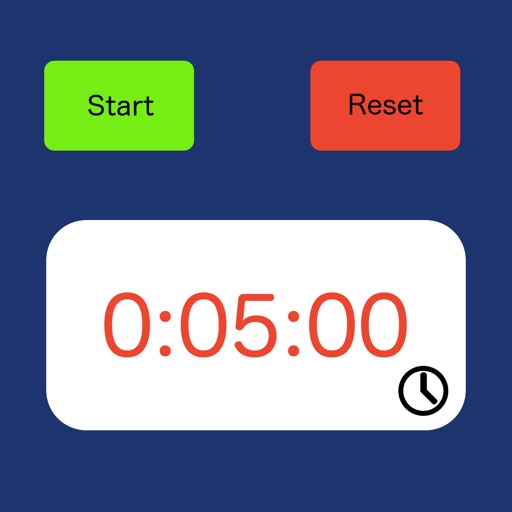
This iPhone application allows the phone to act as a chess clock.
The phone is placed to the side of the board with white being at the bottom of the phone, black at the top.
The number of moves made is displayed, with the remaining number of moves left to make displayed in brackets.
Pressing the start button causes the clock to start depending on whose turn it is to move.
Once the clock is started the clock for the person to move starts counting down and the Clock text color changes to Black. The reset button, settings button and clock adjustment buttons are not available whilst the clock is running.
Pressing the pause button whilst the clock is running will stop the clock and …
Read the full description
This iPhone application allows the phone to act as a chess clock. The phone is placed to the side of the board with white being at the bottom of the phone, black at the top. The number of moves made is displayed, with the remaining number of moves left to make displayed in brackets. Pressing the start button causes the clock to start depending on whose turn it is to move. Once the clock is started the clock for the person to move starts counting down and the Clock text color changes to Black. The reset button, settings button and clock adjustment buttons are not available whilst the clock is running. Pressing the pause button whilst the clock is running will stop the clock and re-enable the settings, reset & clock adjust buttons (see the initial clock above). There are a number of setting to control the sound, the clock delay type and the initial clock settings. Pressing the settings button (the small letter i to the right of the start button) whilst paused brings up the setting display. The volume of the ticking is controlled by the slider on the settings page, moving it to the left reduces the volume of the clock. There are 3 settings for the delay type None - the clock will count down from the time the player makes a move. Bronstein - the clock will count down until the player makes a move at which point the delay time is added to the display. If the player takes less than the delay amount to make a move then only the amount of time taken to make the move is added. Fisher - the Delay amount is added to the time left and then the clock starts counting down. Each clock can be adjusted separately by pressing the adjust clock button (the small blue chevron at the bottom right of each clock). The clock time can be adjusted by pressing the appropriate amount of time to add or subtract (scroll down to see the times to subtract).
Installs
Apple does not publish download counts. Estimates are in testing.
We publish iOS estimates only after they pass a back-test against real numbers. Chart history below is measured.
Estimated store revenue Estimated Beta
App Store, worldwide, monthly rate from the last 13 chart days to 20 Nov 2026
Below the top 100 grossing apps in the markets we calibrate. In the United States that usually means under about $6.4M a month. App Store purchases and subscriptions only, before Apple's 15 to 30% fee. Ads and web payments are not included.
Ratings
2 ratings, 2 reviews
No rating breakdown published for this app.
Recent reviews
Latest public reviews from the store
No reviews in our sample for this app yet.
Top chart positions
Latest App Store chart ranks by country, last 10 days
Not in any tracked top chart in the last 10 days.
Digital Chess Clock history
Release, install milestones, listing and store changes
- First released on the store 18 Aug 2010
Recent versions
Current version 1.06
- Version 1.0630 Dec 2020
Updates layout to ensure the app works with multiple iPhone sizes. Updated using the latest version of Xcode.
Listing keywords
Words and phrases Digital Chess Clock repeats most in its store listing
Top phrases: button the small (2), clock is running (2), clock will count (2), number of moves (2), player makes move (2).
Highlighted words also appear in the title. Counts cover the title, short description and description.
Compliance
What the listing and the app package show
- Store status
- Live
- Upkeep
- No update since 30 Dec 2020
- Age rating
- 4+
Apps like Digital Chess Clock
 Lords of AswickHosted Games LLC★ 4.44
 My Cafe Story3 -DONBURI SHOP-Junji Kuboya★ 4.82
 Moto Rash 3DCode Brew Labs★ 4.16
 Mau-Mau PalaceSpiele-Palast GmbH★ 4.82
 Animal Hair Salon - Kids GameTutoTOONS★ 2.88
 Block Gun 3D: Aliens and CowboysApp Holdings★ 3.66
 Sea Invaders - Alien ShooterVIVA GAMES S.L.★ 4.9
 Doll Coloring 3DLibii Tech Limited★ 4.52
 Stress Relief Games-No AnxietyViacheslav Khakhulin★ 4.5
Digital Chess Clock: questions and answers
Who makes Digital Chess Clock?
Digital Chess Clock is published by Philip Bevan.
When was Digital Chess Clock last updated?
The latest version (1.06) was released on 30 Dec 2020.
Is Digital Chess Clock free?
Yes. Digital Chess Clock is free to download.
Is Digital Chess Clock still available?
Yes. Digital Chess Clock is live on App Store as of 1 Jul 2026.
Track Digital Chess Clock and its competitors
Watch any app for new versions, rating drops, chart moves and removals. Free plan, no card.