- Installs
- —
- Apple does not publish download counts
- Rating
- 3.64
- Ratings
- 11
- 11 reviews
- Version
- 4.5
- Updated 28 Nov 2019
- Released
- 6 Jul 2016
- Tracked since 10 May 2026
- Size
- 37 MB
- Needs 7.0
Screenshots


About Digital Gate Circuit Simulator
The description on the store listing
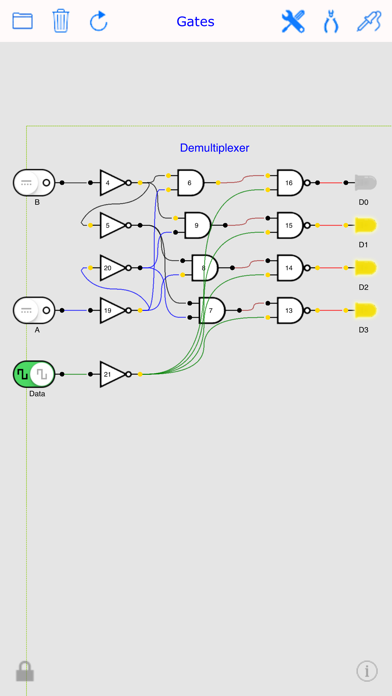
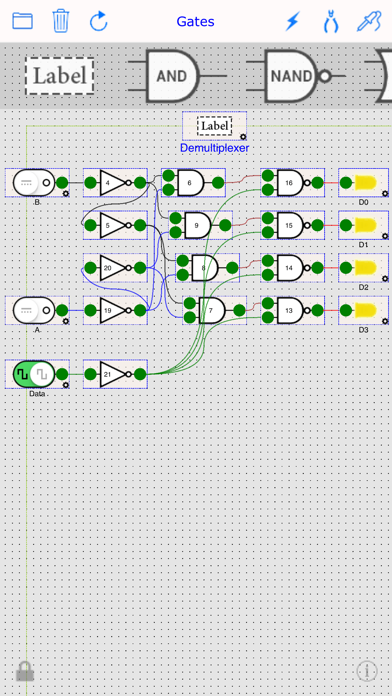
DigicalSim (formerly: iLogicDesigner) is a full featured app which assists students in logic design, digital engineering, computer science and mathematics.
The app based on basic digital building blocks, logic gates. No knowledge of logic gates or digital circuits is required.
It offers the basic building blocks, wiring tools and a flexible plane to create live real-time digital circuits, ideal for anyone who wants to learn the basic principles of how computers work - especially students of digital engineering, learn how to create simple logic gates, latches, flip-flops, adders, shift registers and counters. it can help them perform complete lab experiments.
► Features:
- AND, NAND, OR, …
Read the full description
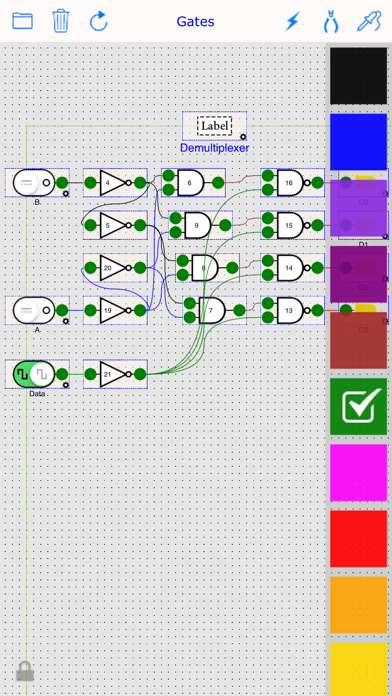
DigicalSim (formerly: iLogicDesigner) is a full featured app which assists students in logic design, digital engineering, computer science and mathematics. The app based on basic digital building blocks, logic gates. No knowledge of logic gates or digital circuits is required. It offers the basic building blocks, wiring tools and a flexible plane to create live real-time digital circuits, ideal for anyone who wants to learn the basic principles of how computers work - especially students of digital engineering, learn how to create simple logic gates, latches, flip-flops, adders, shift registers and counters. it can help them perform complete lab experiments. ► Features: - AND, NAND, OR, NOR, XOR, XNOR, Buffer, NOT, J-K Flip-Flop, D Flip-Flop, T Flip-Flop, Switch, Clock, Vcc, GND, VLink-Out, VLink-In, LED, 7-Segment Hex Display, 8-LED Stack Bar, Buzzer, and Label. - Flood gates (3 & 4) inputs for the gates (AND, NAND, OR, NOR, XOR, XNOR). - Optional Tri-State pin for the gates (Buffer, NOT), with Pull-up & Pull-down. - Optional Clock pin for J-K Flip-Flop. - Optional Clear pin for D and T Flip-Flops. - Multi-Color smooth curved wires. - Ability to add Virtual Links for tidy circuits. - Unlimited scrollable plane space, for extra large projects. - Run mode for clean circuit look, while operating live. - Circuit Lock, for safe Run. - Two switch operation modes (Toggle or Pulse). - Switchable synchronized digital waveform clock generators. with adjustable frequency. - Switches can be linked to work exclusively together. - Both Positive edge & Negative edge triggering supported for flip-flops, with indicator. - Configurable LED light color. - Live value indicators at each leg, for easy analysis. - Customizable tag for elements. - Customizable labels can be added anywhere. - Design-Time snap grid for easier alignment and cleaner look. - Zoom in & out, Also can be automatically zoomed to Show Circuit extents. - Persistent Circuit, it saves current circuit automatically to be completed later. - Save and load circuits using file manager. - A library of ready made circuit examples for quick jump start. - Circuits Can be shared and printed. - Re-assignable circuit diagram origin. - Append another circuit to the current circuit. - Highlight the gate wirings while dragged. - Select, deselect, duplicate, move & delete gates in groups. - Groups of elements can have distinctive Color and Label with customizable font and font color. - Auto scroll the plane when reach the edged while wiring, dragging or selecting. - Elastic selection rectangle to easily select elements. - Undo functionality, with 10 steps backward. - Direct wiring to use with Apple Pen. - Support to Pick'n Drop. - Boolean function viewer for each Gates & LED, while in run mode. - Live Timeline Viewer.
Installs
Apple does not publish download counts. Estimates are in testing.
We publish iOS estimates only after they pass a back-test against real numbers. Chart history below is measured.
Estimated store revenue Estimated Beta
App Store, worldwide, monthly rate from the last 13 chart days to 20 Nov 2026
Below the top 100 grossing apps in the markets we calibrate. In the United States that usually means under about $6.4M a month. App Store purchases and subscriptions only, before Apple's 15 to 30% fee. Ads and web payments are not included.
Ratings
11 ratings, 11 reviews
No rating breakdown published for this app.
Recent reviews
Latest public reviews from the store
No reviews in our sample for this app yet.
Top chart positions
Latest App Store chart ranks by country, last 10 days
- Countries ranked
- 1 of 50
- Best rank
- #73
- Top 10 placements
- 0
- of 1 chart placements
- Average rank
- #73
Best countries on App Store
- 🇮🇹 Italy · Top paid, Education#73
| Country | Chart | Category | Rank | Best (10 days) | Date |
|---|---|---|---|---|---|
| 🇮🇹 Italy | Top paid | Education | #73 | #54 | 12 Nov 2026 |
Digital Gate Circuit Simulator history
Release, install milestones, listing and store changes
- First released on the store 6 Jul 2016
Recent versions
Current version 4.5
- Version 4.528 Nov 2019
- Added Tri-State Buffer with pull-up & pull-down. - Added Tri-State NOT Gate with pull-up & pull-down. - Added Buzzer with independent serial. - Added independent serial for LEDs. - Added Hex Digit Display (it was BCD). - Added optional Clock input for the J-K Flip-Flop. - Added optional Clear input for both the D and T Flip-Flops. - Added more Example libraries. - More Organized menus. - Some UI Tweaks. - Updated App Icon. - Updated App Info. - iOS 13 Compatibility. - Some fixed bugs.
Listing keywords
Words and phrases Digital Gate Circuit Simulator repeats most in its store listing
Top phrases: flip flop (4), flip flops (3), logic gates (3), flip flop flip (2), flop flip flop (2).
Highlighted words also appear in the title. Counts cover the title, short description and description.
Compliance
What the listing and the app package show
- Store status
- Live
- Upkeep
- No update since 28 Nov 2019
- Age rating
- 4+
Apps like Digital Gate Circuit Simulator
 Populations and Resources SimAmplify Education, Inc.★ 2.38
 Rune WriterPaul Burlov★ 4.34
 Being Moroccan ( Darija )Yasir TIRAK★ 4.56
 方格单词²上海译动智能科技有限公司★ 4.68
 Handwriting Tracing PracticeVladimir Zavada★ 4.02
 Oklahoma Learners Permit TestNilu Rathod★ 4.72
 SU CampusCharles Robinson★ 4.76
 NC CDL Permit Test PracticeNilu Rathod★ 4.82
 Mjølnir NorwegianMjølnir Learning Apps★ 4.92
Digital Gate Circuit Simulator: questions and answers
Who makes Digital Gate Circuit Simulator?
Digital Gate Circuit Simulator is published by Amran AlQasmi.
When was Digital Gate Circuit Simulator last updated?
The latest version (4.5) was released on 28 Nov 2019.
Is Digital Gate Circuit Simulator free?
No. Digital Gate Circuit Simulator is a paid app priced at $7.99.
Is Digital Gate Circuit Simulator still available?
Yes. Digital Gate Circuit Simulator is live on App Store as of 1 Jul 2026.
Track Digital Gate Circuit Simulator and its competitors
Watch any app for new versions, rating drops, chart moves and removals. Free plan, no card.