
- Installs
- —
- Apple does not publish download counts
- Rating
- 4.66
- Ratings
- 241
- 241 reviews
- Version
- 4
- Updated 5 Mar 2024
- Released
- 1 Apr 2020
- Tracked since 10 May 2026
- Size
- 68 MB
- Needs 12.0
Also on Google Play: DishPointer (Satellite Finder (15.7K ratings)
Screenshots
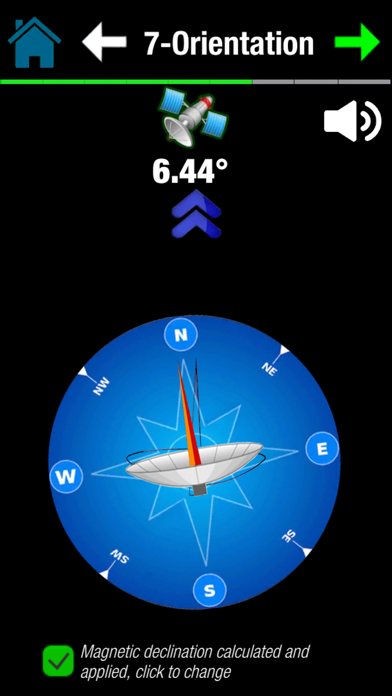
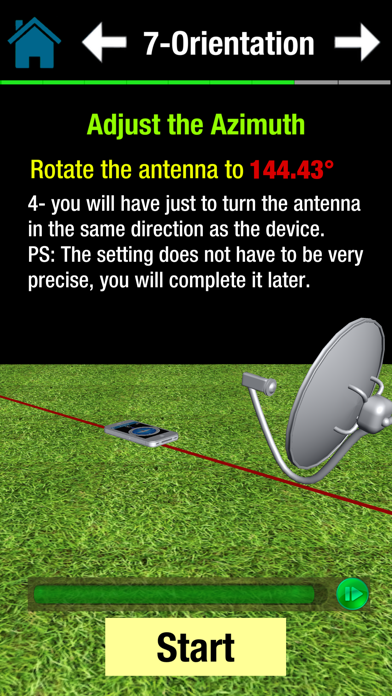

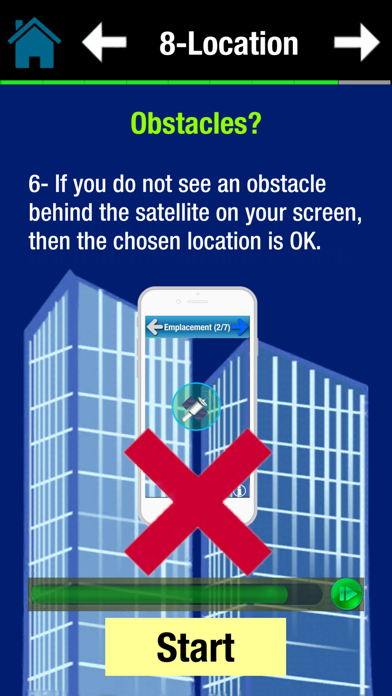
About DishPointer (Satellite Finder)
The description on the store listing
DishPointer allows you to align your satellite dish with great precision in a minimum of time thanks to augmented reality.
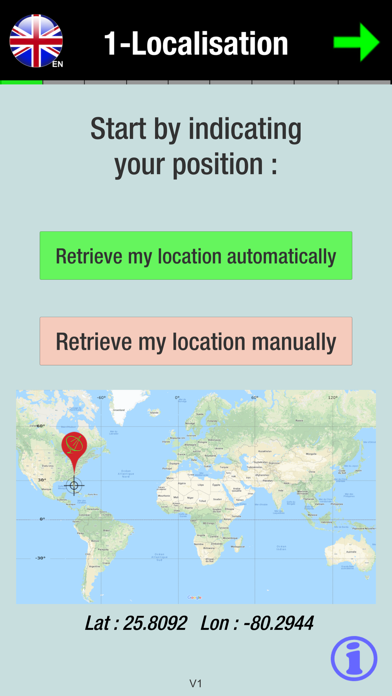
Adjusting a dish has always been complicated. but thanks to DishPointer this task becomes child's play. By following the 9 steps of the application, you will successfully install your dish in few minutes.
No more need for a gyroscope to use augmented reality. We have combined the accelerometer and magnetometer data to compensate for the possible absence of the gyroscope. This allows the majority of smartphones to benefit from augmented reality.
In DishPointer we have also integrated a module to calculate the magnetic declination and compensate the error between …
Read the full description
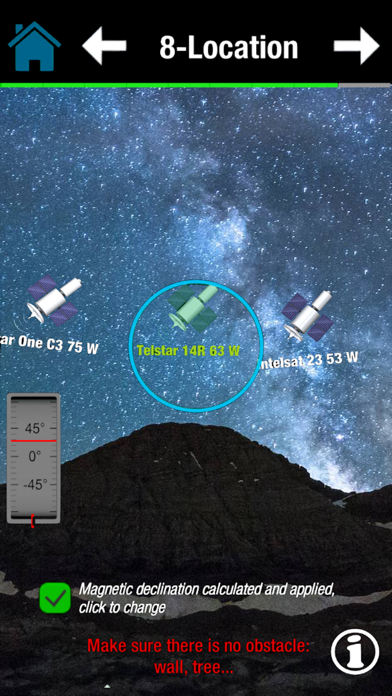
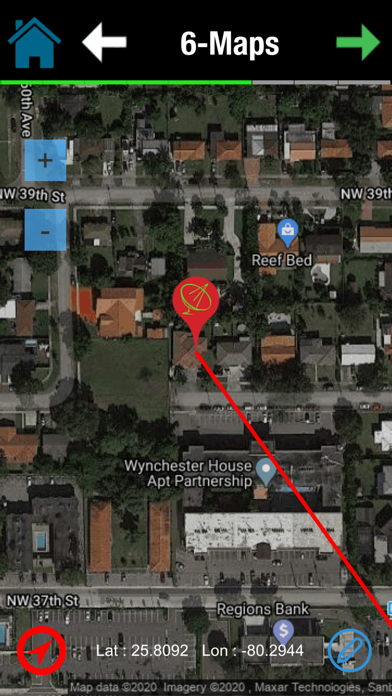
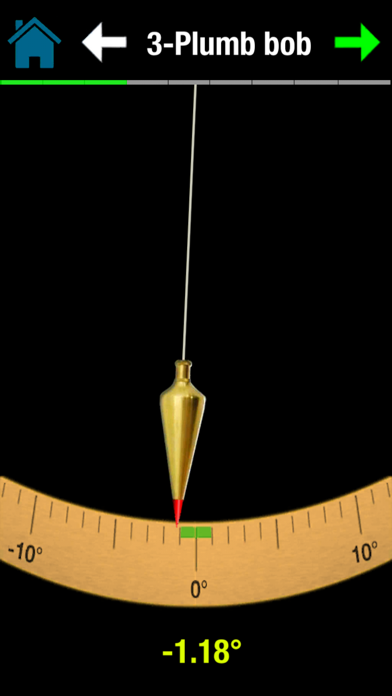
DishPointer allows you to align your satellite dish with great precision in a minimum of time thanks to augmented reality. Adjusting a dish has always been complicated. but thanks to DishPointer this task becomes child's play. By following the 9 steps of the application, you will successfully install your dish in few minutes. No more need for a gyroscope to use augmented reality. We have combined the accelerometer and magnetometer data to compensate for the possible absence of the gyroscope. This allows the majority of smartphones to benefit from augmented reality. In DishPointer we have also integrated a module to calculate the magnetic declination and compensate the error between magnetic north and geographic north because we have noticed that the majority of smartphones do not integrate this declination. This help to display the right direction DishPointer is an application that lets you orient your dish or antenna to any satellite. Thanks to the sensors of your smartphone (Compass, accelerometer) this application displays the target satellite in space in order to better choose the location of your dish or antenna and to ensure the absence of any obstacle (wall, tree…). DishPointer also uses GPS to display your location on a map and then display the direction of the target satellite from your location. The compass accompanied by a beep allows you to orient your antenna or satellite dish by following the acceleration of the beeps and the arrow of the compass. The accelerometer is used to check that the support of your antenna or dish is vertical. The steps for adjusting the antenna or the dish: 1- choose your language 2- retrieving your GPS position automatically using GPS or manually by entering your latitude and longitude. 3- choose your target satellite to calculate the orientation parameters of the antenna or the satellite dish. 4- check that the support of your antenna or dish is vertical. 5- calculate the polarization and adjust the rotation of the LNB (the head of your antenna or satellite dish) 6- adjust the elevation 7- display of a line which indicates the orientation of the target satellite from your position on a Google Maps. 8- using the compass of your smartphone accompanied by a beep to help you find the right direction of the satellite (available in Pro version). 9- display the satellite in augmented reality thanks to your camera and make sure that there is no obstacle. This is used to validate the location of your antenna or dish (available in the Pro version). 10- refine the settings. For the app to work properly, DishPointer will need the compass and the accelerometer from your smartphone. Tips: - if your smartphone does not have a GPS, you can manually enter your latitude and longitude (you can get them on Google Maps). - the compass is only essential for the Pro version. - do not hesitate to recalibrate the compass and avoid approaching it too close to the arm of the parabola because it is sensitive to metallic elements. Try to place your smartphone where there is the least magnetic interference. The free version of DishPointer is enough for you to install your dish. It will calculate the orientation parameters and display the precise direction of the satellite on a Maps map. The Pro version offers you the use of augmented reality to see the exact position of satellites in space. It also provides you with an assistant based on the phone compass to display the exact direction of the target satellite. Contact: [email protected]
Installs since 29 Aug 2026
Apple does not publish download counts. Estimates are in testing.
Estimated store revenue Estimated Beta
App Store, worldwide, monthly rate from the last 13 chart days to 20 Nov 2026
Below the top 100 grossing apps in the markets we calibrate. In the United States that usually means under about $6.4M a month. App Store purchases and subscriptions only, before Apple's 15 to 30% fee. Ads and web payments are not included.
Ratings
241 ratings, 241 reviews
No rating breakdown published for this app.
Recent reviews
Latest public reviews from the store
- 4 Sep 2025
Only 4 stars
It does not have an up-to-date list of satellites I had to manually enter the GOES 19 satellite (GOES EAST) other than that this thing is absolutely awesome
- 3 Nov 2024
Very instructive
Excellent guide on how to use the App.
- 13 Aug 2024
Satellite
A very good tool to setup dish
Top chart positions
Latest App Store chart ranks by country, last 10 days
Not in any tracked top chart in the last 10 days.
DishPointer (Satellite Finder) history
Release, install milestones, listing and store changes
- First released on the store 1 Apr 2020
Update frequency
How often DishPointer (Satellite Finder) ships a new version, month by month
0 updates in the last 12 months. Less often than most similar apps: they shipped a median of 2 updates in the same year.
Recent versions
Current version 4
- Version 45 Mar 2024
- Added user consent - Updating APIs - Bug fix
Listing keywords
Words and phrases DishPointer (Satellite Finder) repeats most in its store listing
Top phrases: augmented reality (5), target satellite (5), pro version (4), satellite dish (4), antenna or dish (3).
Highlighted words also appear in the title. Counts cover the title, short description and description.
Compliance
What the listing and the app package show
- Store status
- Live
- Upkeep
- No update since 5 Mar 2024
- Age rating
- 4+
Apps like DishPointer (Satellite Finder)
 SikaCashhttps://appstoreconnect.apple.com/★ 3.72
 Immediate Contact TransferCyberValue LLC★ 3.88
 Islamiyat BahraineGovernment Authority Bahrain★ 4.75
 WoW Classic Talent CalculatorHalasz Gergo★ 4.58
 Thunder VPN - Proxy UnlimitedINITIO TECH MEDIA PRIVATE LIMITED★ 4.45
 Nagarik AppNITC, Government of Nepal★ 2.97
 Whale - Naver Whale BrowserNAVER Corp.★ 4.53
 新浪邮箱Beijing New Media Information Technology Co.ltd.★ 3.72
 Morse TransmitterShuyang Sun★ 4.28
DishPointer (Satellite Finder): questions and answers
Who makes DishPointer (Satellite Finder)?
DishPointer (Satellite Finder) is published by Souria HAKKAR.
When was DishPointer (Satellite Finder) last updated?
The latest version (4) was released on 5 Mar 2024.
Is DishPointer (Satellite Finder) free?
Yes. DishPointer (Satellite Finder) is free to download.
Is DishPointer (Satellite Finder) still available?
Yes. DishPointer (Satellite Finder) is live on App Store as of 14 Nov 2026.
Track DishPointer (Satellite Finder) and its competitors
Watch any app for new versions, rating drops, chart moves and removals. Free plan, no card.