- Installs
- —
- Apple does not publish download counts
- Rating
- 4.64
- Ratings
- 59
- 59 reviews
- Version
- 2.9
- Updated 22 Jun 2026
- Released
- 24 Jan 2020
- Tracked since 10 May 2026
- Size
- 17 MB
- Needs 13.0
Screenshots
About Doc Scanner ·
The description on the store listing
Scan documents, photos, and cards quickly and easily, then translate them into other languages.
Scan documents into a clear, sharp image or PDF to email, fax, print, or save to files.
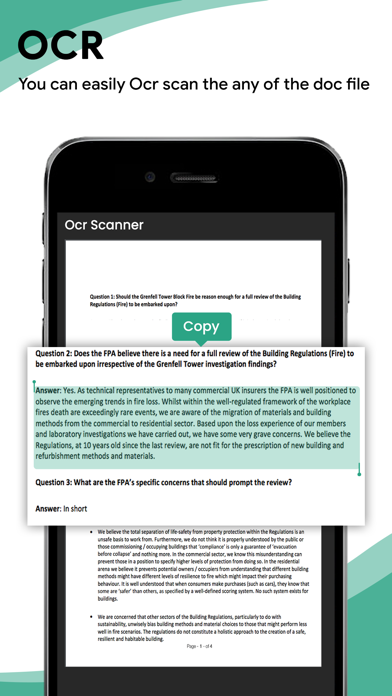
Doc Scanner is a free scanner app that helps users scan, edit, and store data on smartphones, iPads, and computers. Extract texts with OCR and convert PDF to Word, Word to PDF, PDF to JPEG, etc.
Features:
* A powerful and quick mobile scanner
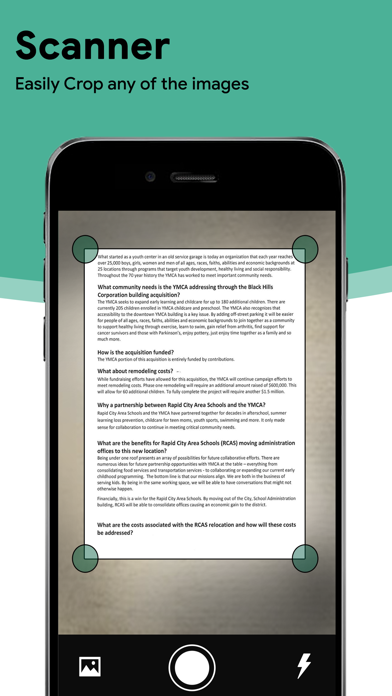
Use your phone's camera to scan receipts, notes, invoices, whiteboard discussions, business cards, certificates, QR codes, etc.
* Improve scan quality
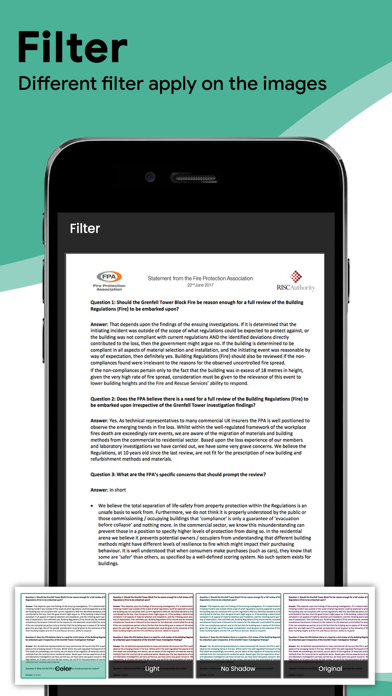
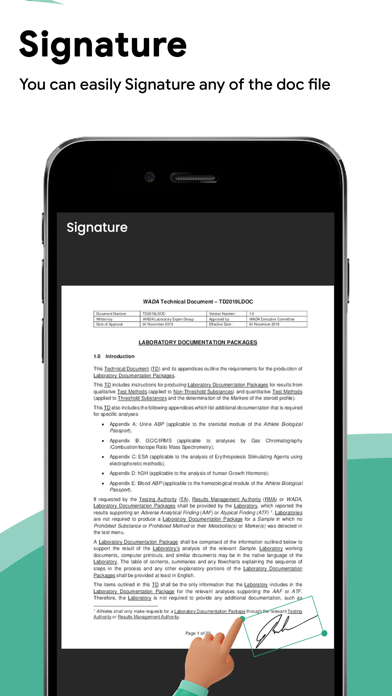
Smart cropping, editing, and auto-enhancing make the texts and graphics in DocuSign look clear and sharp.
* …
Read the full description
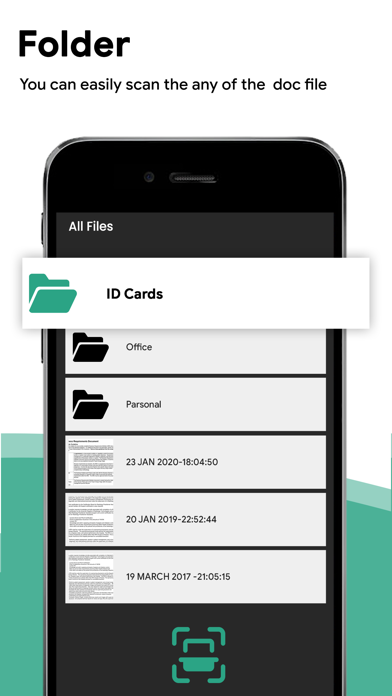
Scan documents, photos, and cards quickly and easily, then translate them into other languages. Scan documents into a clear, sharp image or PDF to email, fax, print, or save to files. Doc Scanner is a free scanner app that helps users scan, edit, and store data on smartphones, iPads, and computers. Extract texts with OCR and convert PDF to Word, Word to PDF, PDF to JPEG, etc. Features: * A powerful and quick mobile scanner Use your phone's camera to scan receipts, notes, invoices, whiteboard discussions, business cards, certificates, QR codes, etc. * Improve scan quality Smart cropping, editing, and auto-enhancing make the texts and graphics in DocuSign look clear and sharp. * E-signature Contracts can be signed and DocuSign files shared to your PDF drive. It is widely used among the CSB, e-file, real estate agents, and in government form filling. * PDF Converter: Image to PDF Converter, Just select some images or take a picture with your camera and convert it into a PDF file, or convert a document file (doc, docx, ppt, pptx) to a PDF. You can open any PDF with the Camera Scanner. You can also highlight key sections, add comments, fill out the form, and sign it with a cam scaner. * Advanced Editing It is possible to add annotations or a customised watermark to documents. You can make barcodes with a barcode generator. * OCR Text Recognition The OCR Text Recognition feature lets you recognise text from images, edit texts, or share texts to a printer, mail, or other reference apps. * Share PDF/JPEG Files Easily share documents in PDF or JPEG format with others via social media, email attachment, or by sending the doc link. There are pdf compressors, pdf mergers, pdf combiners, converters of jpg to pdf and jpeg to pdf, qr code generators, and qr code readers. * AirPrint documents Instantly print out documents in CamScanner to a nearby printer via AirPrint. CamScanner users scan and manage * A simple scanner with scannable office lens files * The most effective PDF scanner for ilovepdf, iscanner, and Adobe Scan * Scan a bill, an invoice, a contract, a tax return, or a business card with the can scaner. * A whiteboard, a memo, a script, a letter. * A blackboard, a note, a PowerPoint presentation, a book, an article, and so on. * A certificate, a document of identification, a painting. * Word to PDF converter, pdf editor, QR code scanner, Doc to PDF converter, and Word to PDF converter are all included. Convert office documents to PDF files. Turn your PDF files into editable and scannable office formats such as Word, Excel, and PowerPoint. == DocScanner Pro Feature == There are two subscription plans. $1.99 per month $11.99 per year with a 3-day trial Payment will be charged to your iTunes Account upon purchase confirmation. The subscription automatically renews unless auto-renew is turned off at least 24 hours before the end of the current period. The account will be charged for renewal within 24 hours prior to the end of the current period, and we will identify the cost of the renewal. Subscriptions may be managed by the user, and auto-renewal may be turned off by going to the user’s Account Settings after purchase. Any unused portion of a free trial period, if offered, will be forfeited when the user purchases a subscription to that publication, where applicable. No cancellation of the current subscription is allowed during the active subscription period. Terms of Service: http://shellinfra.com/tos.html Privacy Policy: http://shellinfra.com/privacy-policy.html If you have any questions, please email [email protected]. Thanks for using this app !!!
Installs since 29 Aug 2026
Apple does not publish download counts. Estimates are in testing.
Estimated store revenue Estimated Beta
App Store, worldwide, monthly rate from the last 12 chart days to 19 Nov 2026
Below the top 100 grossing apps in the markets we calibrate. In the United States that usually means under about $6.4M a month. App Store purchases and subscriptions only, before Apple's 15 to 30% fee. Ads and web payments are not included.
Ratings
59 ratings, 59 reviews
No rating breakdown published for this app.
Recent reviews
Latest public reviews from the store
No reviews in our sample for this app yet.
Top chart positions
Latest App Store chart ranks by country, last 10 days
Not in any tracked top chart in the last 10 days.
Doc Scanner · history
Release, install milestones, listing and store changes
- First released on the store 24 Jan 2020
Update frequency
How often Doc Scanner · ships a new version, month by month
2 updates in the last 12 months. About as often as similar apps, which shipped a median of 2 updates in the same year.
Recent versions
Current version 2.9
- Version 2.922 Jun 2026
- Minor bug fixes - Performance improvements. Thanks for using our app !!
- Version 2.83 Jun 2026
- Minor bug fixes - Performance improvements. Thanks for using our app !!
- Version 2.728 Apr 2023
- Minor bug fixes
Listing keywords
Words and phrases Doc Scanner · repeats most in its store listing
Top phrases: pdf converter (5), word to pdf (3), qr code (3), ocr text recognition (2), current period (2).
Highlighted words also appear in the title. Counts cover the title, short description and description.
Compliance
What the listing and the app package show
- Store status
- Live
- Upkeep
- Updated 22 Jun 2026
- Age rating
- 4+
Apps like Doc Scanner ·
 UnovonVoyzze Communications Inc★ 1.2
 AgentDash for Real EstateRealty Search Solutions Network, LLC★ 3.64
 My Alliance WiFiAlliance Communications★ 4.84
 Kaakateeya Marriages since1980Kaakateeya.com India Private Limited★ 3.4
 HDBoxDawar Karim★ 3.6
 REKK - Call RecorderCLEVERCONTROL LLC★ 3.31
 Gold Price TodayQais Ali★ 4.47
 Firstpath-StaffFirstPath Inc★ 2.0
 ServiceMonsterServiceMonster LLC★ 2.78
Doc Scanner ·: questions and answers
Who makes Doc Scanner ·?
Doc Scanner · is published by SHELL INFRASTRUCTURE PRIVATE LIMITED.
When was Doc Scanner · last updated?
The latest version (2.9) was released on 22 Jun 2026.
Is Doc Scanner · free?
Yes. Doc Scanner · is free to download.
Is Doc Scanner · still available?
Yes. Doc Scanner · is live on App Store as of 14 Nov 2026.
Track Doc Scanner · and its competitors
Watch any app for new versions, rating drops, chart moves and removals. Free plan, no card.