- Installs
- —
- Apple does not publish download counts
- Rating
- —
- Ratings
- —
- Version
- 1.8
- Updated 15 Feb 2021
- Released
- 29 Dec 2020
- Tracked since 10 May 2026
- Size
- 104 MB
- Needs 11.0
Also on Google Play: Doc Scanner - PDF Editor
Screenshots



About Doc Scanner - PDF Editor
The description on the store listing
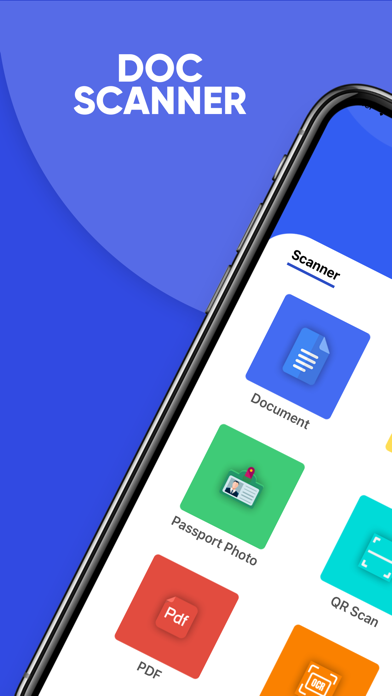
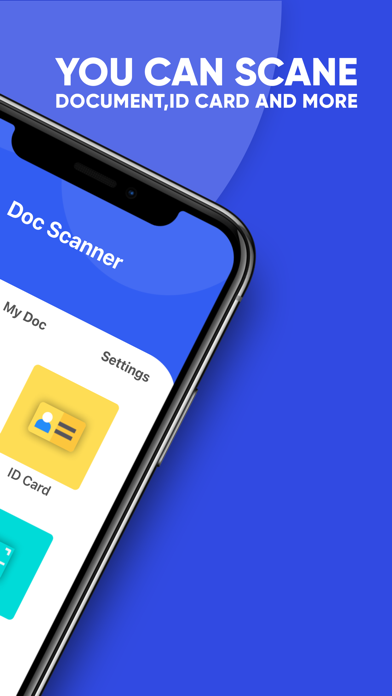
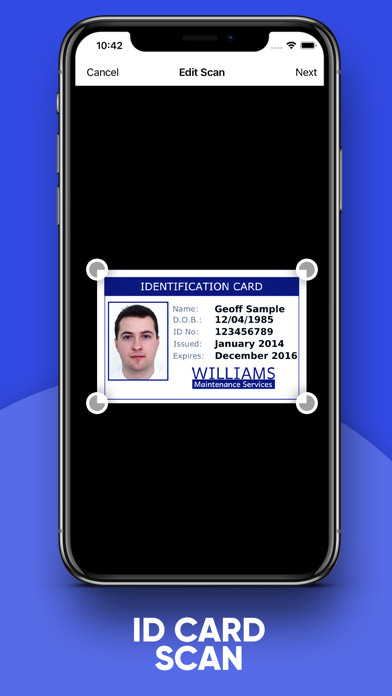
Doc Scanner is one of the most stunning applications which scans your documents anytime and anywhere within a few seconds. You can share that document also save it on your device.
This Doc Scanner - PDF scanner must needed applications that save them hard copy documents in the bag. Better to store your documents in this app and forget to carry your document bag with yourself.
A document scanner is an application for business travelers, being available to send scans to customers even when you are out of the office.
Let's take a tour of those attractive features:
* Scan your document.
* Enhance the scan quality automatically/Manually.
* Enhancement includes smart cropping and many more.
* …
Read the full description
Doc Scanner is one of the most stunning applications which scans your documents anytime and anywhere within a few seconds. You can share that document also save it on your device. This Doc Scanner - PDF scanner must needed applications that save them hard copy documents in the bag. Better to store your documents in this app and forget to carry your document bag with yourself. A document scanner is an application for business travelers, being available to send scans to customers even when you are out of the office. Let's take a tour of those attractive features: * Scan your document. * Enhance the scan quality automatically/Manually. * Enhancement includes smart cropping and many more. * Optimize your PDF into modes like B/W, Lighten, Color, dark. * For Security We use lock for this App. you can set an app lock, so your document is safe. * Store a local backup of all your Scanned Documents. * ID card can Scan both side photo and set into one PDF * Add page or add images After Scan from My Doc Section. * Add Signature in pdf or image. * Create a Passport size photo very easily. * Merge pdf pages * Split Pdf Pages * Pdf To Image Convert * Reorder Pdf * Invert Pdf * Add Annotation * Add Watermark * Images To PDF * Text To PDF * Remove Pages From PDF * Add and Remove Password of PDF * Turn scans into clear and sharp PDF. * Arrange your doc in folder and subfolders. * Share PDF/JPEG files. * Scan QR Code/Bar-code. * Create a QR Code. * Share scanned QR Code. * Read text from the camera using OCR Scanner * Turns your old documents into a clear and sharp ones by removing the noise. Features at a glance : - Best Document Scanner - It has all of the features that a scanner should have. - Portable Document Scanner - By having this document scanner on your phone, you can save your time and efforts by quickly scanning anything on the fly. - Paper Scanner - The app offers third party cloud storage(Drive, Photos) where you can scan papers and save on cloud storage. - Best Document Scanner Lite - Scans are saved to your device in image or PDF format. - PDF Document Scanner - Scans PDF with edge detection feature additionally. - All types of Doc Scan - Scan in color, Grey, Sky Blue. - Easy Scanner - Scan and Instant print out documents in any size like A1, A2, A3, A4… etc. - Portable Scanner - The Doc scanner once installed can turn every smartphone into a portable scanner. - PDF Creator - Convert scanned images to the best quality PDF file. - QR Code Scanner - This app also has a QR Code Scanner feature. - Bar-code Scanner - Another great feature Bar-code scanner is also integrated into this app. - OCR Text Recognition (Upcoming Feature in Next Update) - The OCR Text Recognition lets you recognize text from images then edit texts or share text with other apps. - High-Quality Scans - The scan quality is of no match, You just get your documents digitally original. - Images to PDF Converter - You can select some images from Image Gallery and convert them into a PDF file as a document. - Text to PDF Converter - You can write some text and convert it into a PDF file as a document. - Merge PDF - Select two pdf or Images and Convert them into one PDF. - Images to Pdf - Select Images and convert them into one PDF - Split Pdf - Select Multi-Page pdf and Split into many PDFs. - Reorder PDF - Change the order of PDF. - Add WaterMark - Select pdf and Add watermark. - Cam Scanner - Take a picture of the whiteboard or blackboard and produce it exactly the same with the help of Doc Scanner at home even if you're offline. No internet required for the app to function. - Remove grain/noise from old document/picture - Remove Noise from old image Using various advanced filter techniques and make it more clear and sharper than before. - Flashlight - This scanner app also has a Flashlight feature that helps you in taking scans in a low-light environment. - Add Password - You Can Set the password of your pdf and also remove the password of the pdf.
Installs
Apple does not publish download counts. Estimates are in testing.
We publish iOS estimates only after they pass a back-test against real numbers. Chart history below is measured.
Estimated store revenue Estimated Beta
App Store, worldwide, monthly rate from the last 12 chart days to 19 Nov 2026
Below the top 100 grossing apps in the markets we calibrate. In the United States that usually means under about $6.4M a month. App Store purchases and subscriptions only, before Apple's 15 to 30% fee. Ads and web payments are not included.
Ratings
No rating breakdown published for this app.
Recent reviews
Latest public reviews from the store
No reviews in our sample for this app yet.
Top chart positions
Latest App Store chart ranks by country, last 10 days
Not in any tracked top chart in the last 10 days.
Doc Scanner - PDF Editor history
Release, install milestones, listing and store changes
- First released on the store 29 Dec 2020
Update frequency
How often Doc Scanner - PDF Editor ships a new version, month by month
0 updates in the last 12 months. Less often than most similar apps: they shipped a median of 1 updates in the same year.
Recent versions
Current version 1.8
- Version 1.815 Feb 2021
Bug Fixed. Performance Improve.
Listing keywords
Words and phrases Doc Scanner - PDF Editor repeats most in its store listing
Top phrases: document scanner (6), doc scanner (5), qr code (5), code scanner (4), pdf add (4).
Highlighted words also appear in the title. Counts cover the title, short description and description.
Compliance
What the listing and the app package show
- Store status
- Live
- Upkeep
- No update since 15 Feb 2021
- Age rating
- 4+
Apps like Doc Scanner - PDF Editor
 Library of AviationNazmi Yavuz★ 4.82
 MyNOVECNorthern Virginia Electric Cooperative★ 2.28
 打工人小组件光翔 卓★ 4.96
 TruckbaysTruckbays LLC★ 4.3
 Tornado PRO PlayerMohammed Altam★ 4.44
 VDX - Video ManagerARISEPEAK LP★ 1.74
 TV CastingZeasn Info Technology Co., Ltd.★ 1.86
 Mil-Dot BallisticsTom Holsten★ 3.82
 MySontiqSontiq, Inc.★ 2.4
Doc Scanner - PDF Editor: questions and answers
Who makes Doc Scanner - PDF Editor?
Doc Scanner - PDF Editor is published by Dhruvalkumar Patel.
When was Doc Scanner - PDF Editor last updated?
The latest version (1.8) was released on 15 Feb 2021.
Is Doc Scanner - PDF Editor free?
Yes. Doc Scanner - PDF Editor is free to download.
Is Doc Scanner - PDF Editor still available?
Yes. Doc Scanner - PDF Editor is live on App Store as of 10 May 2026.
Track Doc Scanner - PDF Editor and its competitors
Watch any app for new versions, rating drops, chart moves and removals. Free plan, no card.