
- Installs
- —
- Apple does not publish download counts
- Rating
- 5.0
- Ratings
- 1
- 1 reviews
- Version
- 5.3
- Updated 1 Jun 2026
- Released
- 1 Apr 2010
- Tracked since 10 May 2026
- Size
- 183 MB
- Needs 12.0
Screenshots
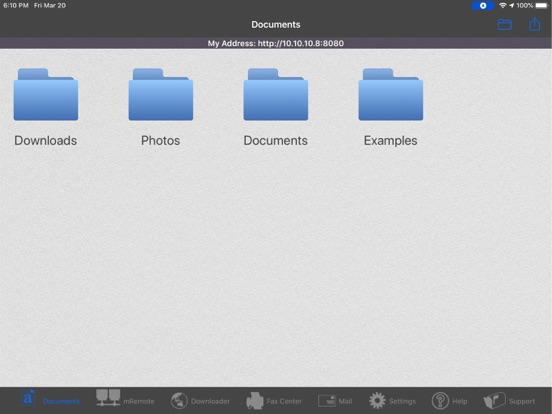
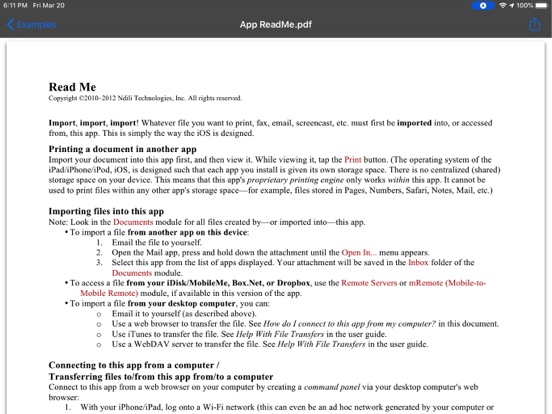
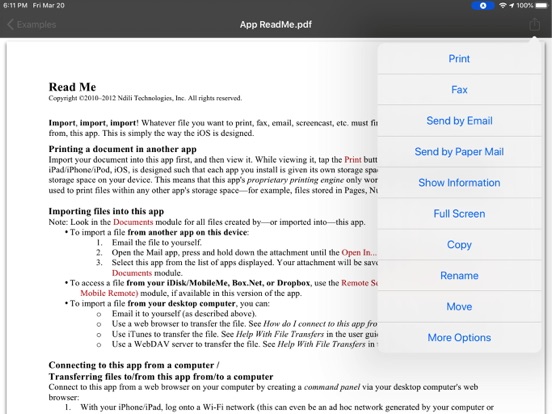
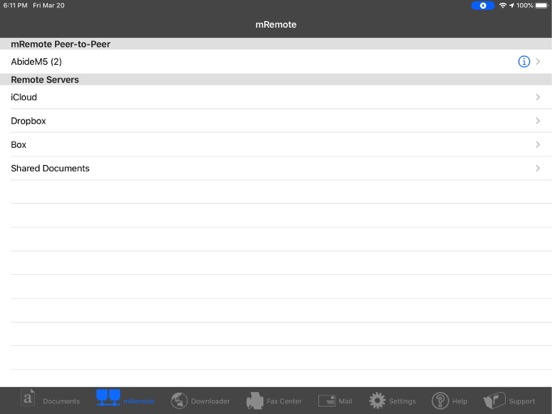
About Document Manager for iPad
The description on the store listing
Download files from the web or from a cloud, and view/share files between iPads/iPhones running this app.
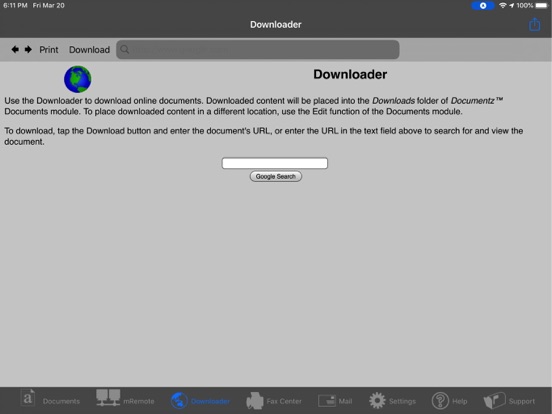
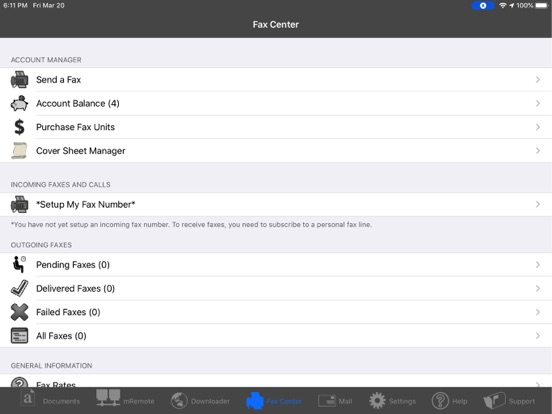
Document Downloader provides essential document handling functionality on your iPad/iPhone: printing/downloading files from the web, MobileMe, Box.net, or Dropbox, faxing, and screencasting.
"USER FRIENDLY. Love this. Works perfect for iPhone. Would buy this for all my devices. Great job" - H - Version 2.5 - Jul 29, 2011
"STORES PDFS FROM EMAIL VERY WELL. This app does a great job of storing PDFs from emails--saving me lots of effort." - BL - Version 2.5 - Jul 24, 2011
FEATURES
• View/print many document types, including PDF, Word, Excel, bitmap, TIFF, text, HTML, Open Office, …
Read the full description
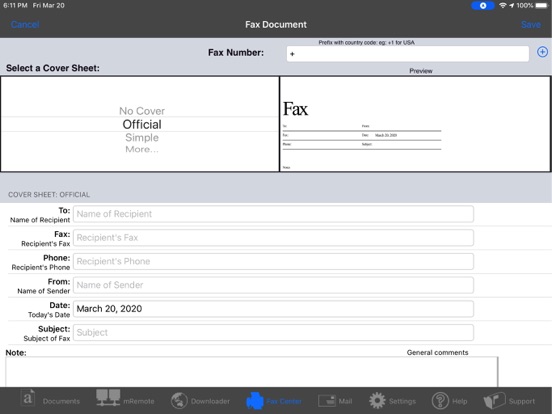
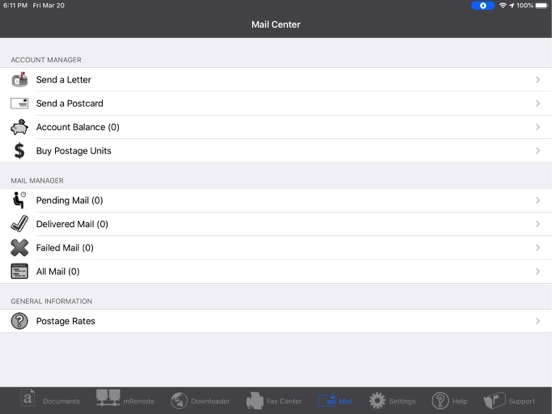
Download files from the web or from a cloud, and view/share files between iPads/iPhones running this app. Document Downloader provides essential document handling functionality on your iPad/iPhone: printing/downloading files from the web, MobileMe, Box.net, or Dropbox, faxing, and screencasting. "USER FRIENDLY. Love this. Works perfect for iPhone. Would buy this for all my devices. Great job" - H - Version 2.5 - Jul 29, 2011 "STORES PDFS FROM EMAIL VERY WELL. This app does a great job of storing PDFs from emails--saving me lots of effort." - BL - Version 2.5 - Jul 24, 2011 FEATURES • View/print many document types, including PDF, Word, Excel, bitmap, TIFF, text, HTML, Open Office, GIF, and encapsulated PostScript. • Create new text documents. • Use a web browser to transfer files between your computer and this app. • Print to networked or shared printers. No additional software is necessary. This app includes support for over 1,400 printers from HP, Epson, Canon, Samsung, Brother, Lexmark, Xerox, Ricoh, Oki, Kyocera, Infotec, NRG, Lanier, and many more! • Send faxes to over 220 countries and territories worldwide - no subscription required![1] • Get a professional USA-based toll-free number for your incoming faxes and voicemail.[2] • Send postcards and letters via USPS (postal mail). • Print remote files on MobileMe, Box.net, or Dropbox, or download them into this app. • Screencast this app onto other devices running this app or onto a computer. View another user's screencast of this app. • Share files between two iPads/iPhones that are running this app. • Print web-based files or download them into this app. DOES THIS APP SUPPORT MY PRINTER? See the list of printer models this app supports at http://www.ndilitechnologies.com/help.html. HOW DO I IMPORT FILES INTO THIS APP? • Use a web browser to transfer files between your computer and this app. • Use iTunes to upload files into this app. • Use a WebDAV server to transfer files. IS THERE HELP AVAILABLE? Yes. In addition to the built-in user guide, you can also ask questions via our real-time chat Customer Support module. Optional Toll Free Number Subscription Notes: • Title: Toll-Free Number Subscription • Length: 1,3, 6 or 12 month options • Price: $14.99,$39.99,$79.99,$14.99/year. • Payment will be charged to iTunes Account at purchase confirmation • Subscription automatically renews unless auto-renew is turned off at least 24-hours before the end of the current period • Account will be charged for renewal within 24-hours prior to the end of the current period • No cancellation of the current subscription is allowed during active period • Any unused portion of a free trial period, if offered, will be forfeited when the user purchases a subscription. • Subscriptions may be managed by the user and auto-renewal may be turned off by going to the user’s Account Settings after purchase • Terms Of Use: https://n1.ndili.com/termsofuse.html • Privacy Policy: http://www.ndilitechnologies.com/privacy [1] Each fax unit purchases a one-page fax that can be sent in 60 seconds or less to a destination in the United States or Canada. The number of fax units needed to transmit a one-page 60-second fax to a destination in another country is listed in the rate card within this app. Please note that a page that requires a longer transmission time (for example, a page containing high resolution graphics) consumes additional fax units. [2] To receive voicemail or faxes, you must setup an incoming toll-free phone number. The toll-free phone number requires a monthly subscription. 60 minutes/month are included free with subscription. Toll-free numbers are USA-based numbers and are accessible in the United States only.
Installs
Apple does not publish download counts. Estimates are in testing.
We publish iOS estimates only after they pass a back-test against real numbers. Chart history below is measured.
Estimated store revenue Estimated Beta
App Store, worldwide, monthly rate from the last 14 chart days to 21 Nov 2026
Below the top 100 grossing apps in the markets we calibrate. In the United States that usually means under about $6.4M a month. App Store purchases and subscriptions only, before Apple's 15 to 30% fee. Ads and web payments are not included.
Ratings
1 ratings, 1 reviews
No rating breakdown published for this app.
Recent reviews
Latest public reviews from the store
No reviews in our sample for this app yet.
Top chart positions
Latest App Store chart ranks by country, last 10 days
Not in any tracked top chart in the last 10 days.
Document Manager for iPad history
Release, install milestones, listing and store changes
- First released on the store 1 Apr 2010
Update frequency
How often Document Manager for iPad ships a new version, month by month
1 updates in the last 12 months. About as often as similar apps, which shipped a median of 1 updates in the same year.
Recent versions
Current version 5.3
- Version 5.31 Jun 2026
- performance enhancements
- Version 5.122 Apr 2023
- system updates and enhancements
Listing keywords
Words and phrases Document Manager for iPad repeats most in its store listing
Top phrases: files between (4), toll free number (3), transfer files (3), between your computer (2), browser to transfer (2).
Highlighted words also appear in the title. Counts cover the title, short description and description.
Compliance
What the listing and the app package show
- Store status
- Live
- Upkeep
- Updated 1 Jun 2026
- Age rating
- 17+
Apps like Document Manager for iPad
 Library of AviationNazmi Yavuz★ 4.82
 MyNOVECNorthern Virginia Electric Cooperative★ 2.28
 打工人小组件光翔 卓★ 4.96
 TruckbaysTruckbays LLC★ 4.3
 Tornado PRO PlayerMohammed Altam★ 4.44
 VDX - Video ManagerARISEPEAK LP★ 1.74
 TV CastingZeasn Info Technology Co., Ltd.★ 1.86
 MySontiqSontiq, Inc.★ 2.4
 Laboratory TimerShazino★ 4.66
Document Manager for iPad: questions and answers
Who makes Document Manager for iPad?
Document Manager for iPad is published by Ndili Technologies, Inc..
When was Document Manager for iPad last updated?
The latest version (5.3) was released on 1 Jun 2026.
Is Document Manager for iPad free?
No. Document Manager for iPad is a paid app priced at $6.99.
Is Document Manager for iPad still available?
Yes. Document Manager for iPad is live on App Store as of 1 Jul 2026.
Track Document Manager for iPad and its competitors
Watch any app for new versions, rating drops, chart moves and removals. Free plan, no card.