
- Installs
- —
- Apple does not publish download counts
- Rating
- 4.2
- Ratings
- 5
- 5 reviews
- Version
- 1.5
- Updated 9 Oct 2025
- Released
- 9 Apr 2023
- Tracked since 10 May 2026
- Size
- 40 MB
- Needs 16.0
Also on Google Play: Document Scanner - PDF Converter (10 ratings), Document Scanner PDF Converter
Screenshots




About Document Scanner PDF Converter
The description on the store listing
Need to scan some important documents but there is no scanner nearby? Don't worry, Scan Fly will help you solve that issue!
Scan Fly is mobile scanner app that will turn your iPhone, iPad or iPod touch into the powerful and easy to use portable scanner. It will help you stay productive wherever you are in your work or daily life.
Easily scan, edit, sign and share documents in PDF, JPEG or TXT with one app on your iOS device!
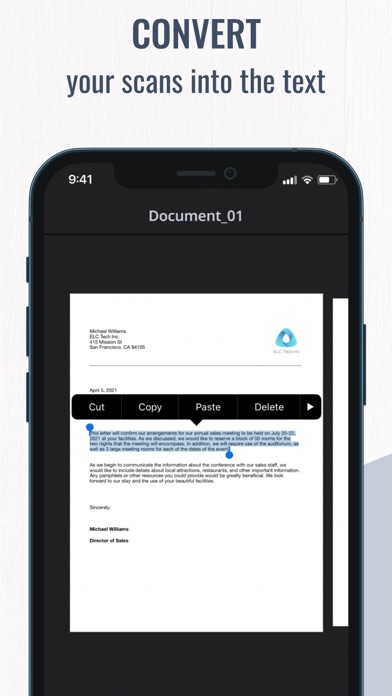
Use innovative OCR technology to convert scans into editable text.
Sing your documents with just a few taps.
Manage all your important documents on your device. One powerful tool right in your pocket!
Scanner features:
- Scan with a camera or choose files from Camera …
Read the full description
Need to scan some important documents but there is no scanner nearby? Don't worry, Scan Fly will help you solve that issue! Scan Fly is mobile scanner app that will turn your iPhone, iPad or iPod touch into the powerful and easy to use portable scanner. It will help you stay productive wherever you are in your work or daily life. Easily scan, edit, sign and share documents in PDF, JPEG or TXT with one app on your iOS device! Use innovative OCR technology to convert scans into editable text. Sing your documents with just a few taps. Manage all your important documents on your device. One powerful tool right in your pocket! Scanner features: - Scan with a camera or choose files from Camera Roll - Scan multiple pages in one documents - Scan with OCR (Optical Character Recognition) to recognize and edit text - Scan to high-quality PDF, JPEG or TXT Editing features: - Sign your documents in a few taps - Edit scans perspective, borders and change scans orientation - Use color correction and noise removing features - Highlight the key points of your scans Sharing features: - Send your scans directly via e-mail or use any messengers - Pint your scanned documents with any Wi-Fi printer right from the scanning app - Upload your files to iCloud, Dropbox, Google Drive, Evernote and other cloud services - Save your scans to Camera Roll Managing features: - Use file manager with folders and drag & drop features - Save one or more signatures using signature manager - Securely store all the files on your device The app offer paid weekly subscription with a 3-day free trial to provide you with unlimited access to all app functions. Payment will be charged to iTunes Account when you confirm the initial subscription purchase. Subscription automatically renews unless auto-renew is turned off at least 24-hours prior to the end of the current period. The account will be charged for renewal within 24-hours before the end of the current subscription period. Subscriptions may be managed by the user and auto-renewal may be turned off by going to the user’s Account Settings after purchase. Any unused portion of a free trial period, if offered, will be forfeited when you purchase a subscription, where applicable. Privacy Policy: https://www.apricolabs.com/privacy-policy Term of Use: https://www.apricolabs.com/terms-and-conditions
Installs
Apple does not publish download counts. Estimates are in testing.
We publish iOS estimates only after they pass a back-test against real numbers. Chart history below is measured.
Estimated store revenue Estimated Beta
App Store, worldwide, monthly rate from the last 13 chart days to 20 Nov 2026
Below the top 100 grossing apps in the markets we calibrate. In the United States that usually means under about $6.4M a month. App Store purchases and subscriptions only, before Apple's 15 to 30% fee. Ads and web payments are not included.
Ratings
5 ratings, 5 reviews
No rating breakdown published for this app.
Recent reviews
Latest public reviews from the store
No reviews in our sample for this app yet.
Top chart positions
Latest App Store chart ranks by country, last 10 days
Not in any tracked top chart in the last 10 days.
Document Scanner PDF Converter history
Release, install milestones, listing and store changes
- First released on the store 9 Apr 2023
Update frequency
How often Document Scanner PDF Converter ships a new version, month by month
0 updates in the last 12 months. Less often than most similar apps: they shipped a median of 1 updates in the same year.
Recent versions
Current version 1.5
- Version 1.59 Oct 2025
The latest version contains minor bug fixes and performance improvements to make the app better. Thank you for using our app! If you have any suggestions to make app even better feel free to contact us.
Listing keywords
Words and phrases Document Scanner PDF Converter repeats most in its store listing
Top phrases: jpeg or txt (2), camera roll (2), important documents (2), pdf jpeg (2), purchase subscription (2).
Highlighted words also appear in the title. Counts cover the title, short description and description.
Compliance
What the listing and the app package show
- Store status
- Live
- Upkeep
- Updated 9 Oct 2025
- Age rating
- 4+
Apps like Document Scanner PDF Converter
 Robin - Mobile AppRobin Powered, Inc★ 3.32
 Bright AisleMedia Solutions Corp★ 2.52
 Rhingie: phone call 2nd numberDating onlain, ooo★ 3.96
 PayClockLathem Time Corporation★ 2.08
 云电话-网络电话虚拟隐私小号国辉 李★ 4.74
 QuicklynQuicklyn★ 4.86
 Diligent BoardsDiligent Corporation★ 3.32
 DATABASICSDATABASICS★ 3.8
 vMEyeSuperGuangzhou Kedi Intelligence Technology Co., Ltd.★ 3.14
Document Scanner PDF Converter: questions and answers
Who makes Document Scanner PDF Converter?
Document Scanner PDF Converter is published by Apricolabs.
When was Document Scanner PDF Converter last updated?
The latest version (1.5) was released on 9 Oct 2025.
Is Document Scanner PDF Converter free?
Yes. Document Scanner PDF Converter is free to download.
Is Document Scanner PDF Converter still available?
Yes. Document Scanner PDF Converter is live on App Store as of 1 Jul 2026.
Track Document Scanner PDF Converter and its competitors
Watch any app for new versions, rating drops, chart moves and removals. Free plan, no card.