
- Installs
- —
- Apple does not publish download counts
- Rating
- 4.58
- Ratings
- 12
- 12 reviews
- Version
- 1.6.3
- Updated 11 Oct 2017
- Released
- 26 Nov 2012
- Tracked since 10 May 2026
- Size
- 1 MB
- Needs 9.0
Screenshots
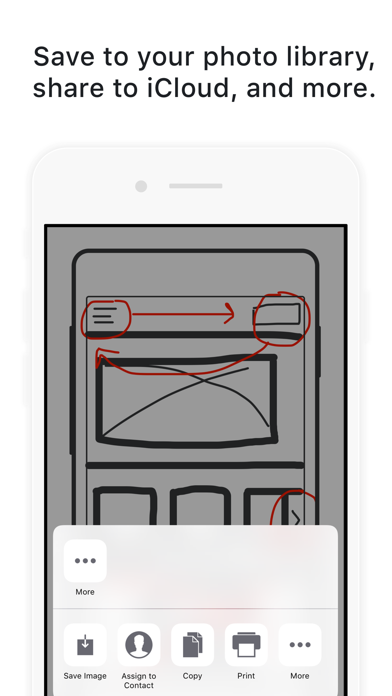
About Drwer - Simple Design Drawing
The description on the store listing
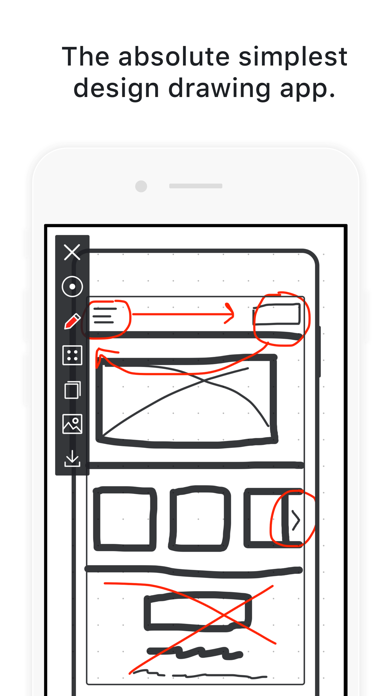
Drwer is the absolute simplest, most elegant, drawing app for designers.
Made by a product designer, for designers. Because when you need to get sketches out or share an idea or note with your teammates, the last thing you need is a difficult-to-use or intrusive interface.
Drwer makes design drawing easy. Draw quickly right from the start. Shake to clear the screen and start again.
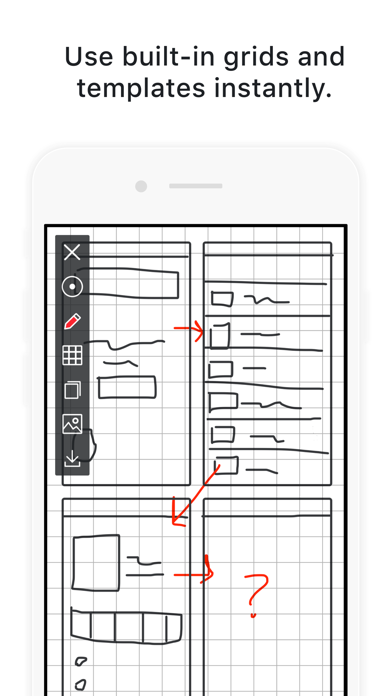
• Built-in templates make wireframing your app or web experience easy
• Line or dot grids help create a clean grid for your sketch
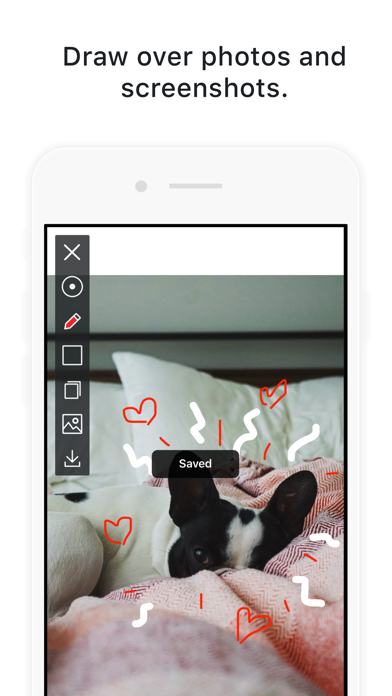
• Draw over photos or screenshots and share with the tap of a button
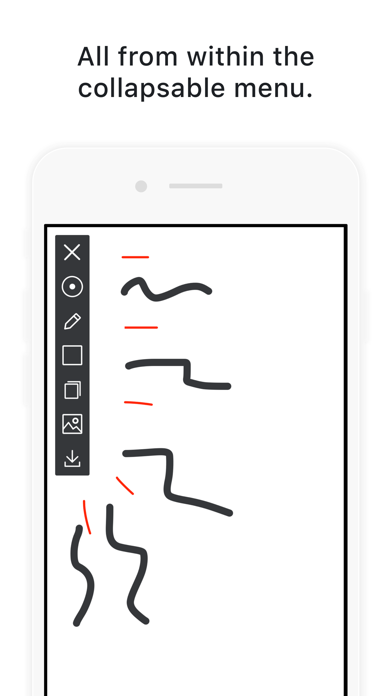
No excessive features or functions in Drwer. Use three colors and two brush sizes to doodle, draw, or take …
Read the full description
Drwer is the absolute simplest, most elegant, drawing app for designers. Made by a product designer, for designers. Because when you need to get sketches out or share an idea or note with your teammates, the last thing you need is a difficult-to-use or intrusive interface. Drwer makes design drawing easy. Draw quickly right from the start. Shake to clear the screen and start again. • Built-in templates make wireframing your app or web experience easy • Line or dot grids help create a clean grid for your sketch • Draw over photos or screenshots and share with the tap of a button No excessive features or functions in Drwer. Use three colors and two brush sizes to doodle, draw, or take notes. Templates help you doodle websites, app designs, or sequence sketches. You'll be drawing quickly on your iPhone or iPad guaranteed. * Sketch designs quickly without distractions * Two brush sizes, grid and dot grid options, access to free drawing templates, all from the collapsable menu. * Templates to help you draw * Whether you're designing websites, apps, or illustrating something more feature-rich: Drwer is here to help with built-in templates. * Save and import directly from your photo library * Drwer lets you save and important straight to your photo library, message through Facebook Messenger or iMessages, backup to iCloud, and more. * Shake to erase * If you ever make a mistake or want to start a fresh drawing, just shake your phone or iPad and keep drawing! * One brush, two sizes and three colors, no more * Add quick details to your sketch with the smaller brush size by touching the circle brush icon in the menu and use red, gray, or white drawing features or highlights in the photos or screenshots you take. *** PLUS MORE! *** All from independent app developer and Facebook product designer Tanner Christensen, maker of other popular apps like: Brainbean, Wordid, Prompts, and Oflow.
Installs
Apple does not publish download counts. Estimates are in testing.
We publish iOS estimates only after they pass a back-test against real numbers. Chart history below is measured.
Estimated store revenue Estimated Beta
App Store, worldwide, monthly rate from the last 14 chart days to 21 Nov 2026
Below the top 100 grossing apps in the markets we calibrate. In the United States that usually means under about $6.4M a month. App Store purchases and subscriptions only, before Apple's 15 to 30% fee. Ads and web payments are not included.
Ratings
12 ratings, 12 reviews
No rating breakdown published for this app.
Recent reviews
Latest public reviews from the store
No reviews in our sample for this app yet.
Top chart positions
Latest App Store chart ranks by country, last 10 days
Not in any tracked top chart in the last 10 days.
Drwer - Simple Design Drawing history
Release, install milestones, listing and store changes
- First released on the store 26 Nov 2012
Update frequency
How often Drwer - Simple Design Drawing ships a new version, month by month
0 updates in the last 12 months. Less often than most similar apps: they shipped a median of 1 updates in the same year.
Recent versions
Current version 1.6.3
- Version 1.6.311 Oct 2017
This update from Apple will improve the functionality of this app. No new features are included. Support for iOS 11
Listing keywords
Words and phrases Drwer - Simple Design Drawing repeats most in its store listing
Top phrases: built in templates (2), photos or screenshots (2), brush sizes (2), design drawing (2), photo library (2).
Highlighted words also appear in the title. Counts cover the title, short description and description.
Compliance
What the listing and the app package show
- Store status
- Live
- Upkeep
- No update since 11 Oct 2017
- Age rating
- 4+
Apps like Drwer - Simple Design Drawing
 Library of AviationNazmi Yavuz★ 4.82
 MyNOVECNorthern Virginia Electric Cooperative★ 2.28
 打工人小组件光翔 卓★ 4.96
 TruckbaysTruckbays LLC★ 4.3
 Tornado PRO PlayerMohammed Altam★ 4.44
 VDX - Video ManagerARISEPEAK LP★ 1.74
 TV CastingZeasn Info Technology Co., Ltd.★ 1.86
 MySontiqSontiq, Inc.★ 2.4
 Laboratory TimerShazino★ 4.66
Drwer - Simple Design Drawing: questions and answers
Who makes Drwer - Simple Design Drawing?
Drwer - Simple Design Drawing is published by Tanner Christensen.
When was Drwer - Simple Design Drawing last updated?
The latest version (1.6.3) was released on 11 Oct 2017.
Is Drwer - Simple Design Drawing free?
Yes. Drwer - Simple Design Drawing is free to download.
Is Drwer - Simple Design Drawing still available?
Yes. Drwer - Simple Design Drawing is live on App Store as of 1 Jul 2026.
Track Drwer - Simple Design Drawing and its competitors
Watch any app for new versions, rating drops, chart moves and removals. Free plan, no card.