
- Installs
- —
- Apple does not publish download counts
- Rating
- 2.54
- Ratings
- 123
- 123 reviews
- Version
- 3.5.11
- Updated 21 May 2026
- Released
- 9 Apr 2011
- Tracked since 10 May 2026
- Size
- 69 MB
- Needs 13.0
Also on Google Play: DS finder (4.1K ratings)
Screenshots


About DS finder
The description on the store listing
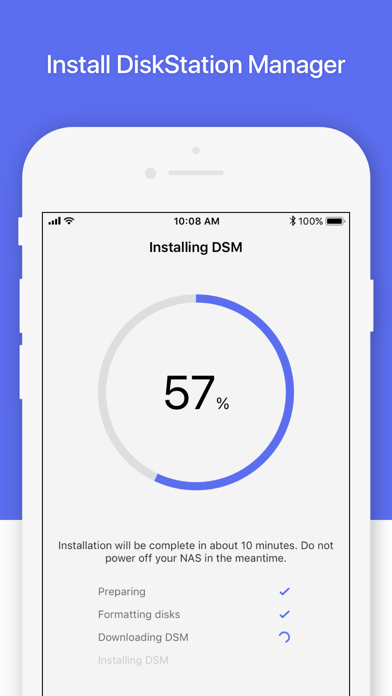
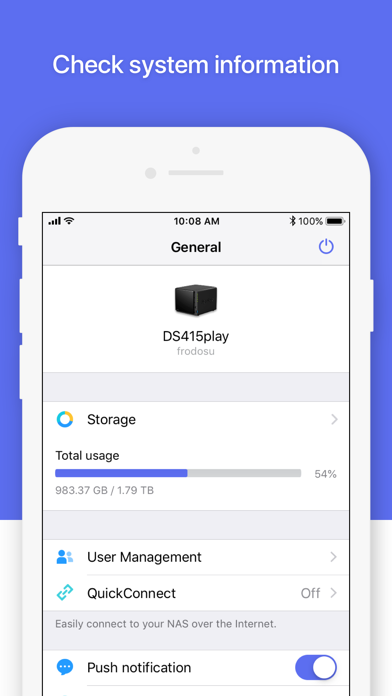
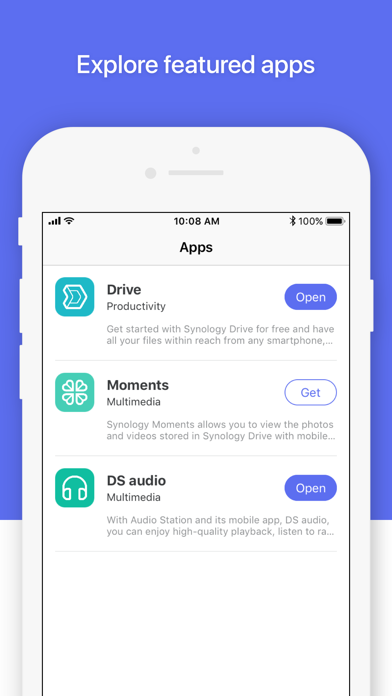
*You must own a Synology NAS to run this app, and be running the latest DSM 6.0 or above version to get the complete set of features.* DS finder allows you to set up and manage your Synology NAS, sends you NAS-related notifications, and opens your door to the world of Synology apps. And yes, all these features can be accessed directly from your phone, so wave goodbye to complicated setup and management with DS finder! .DS finder only supports installing DSM on most models (rack mount models, desktop models of FS and XS series, and EDS14 excluded).
Installs since 29 Aug 2026
Apple does not publish download counts. Estimates are in testing.
Estimated store revenue Estimated Beta
App Store, worldwide, monthly rate from the last 12 chart days to 19 Nov 2026
Below the top 100 grossing apps in the markets we calibrate. In the United States that usually means under about $6.4M a month. App Store purchases and subscriptions only, before Apple's 15 to 30% fee. Ads and web payments are not included.
Ratings
123 ratings, 123 reviews
No rating breakdown published for this app.
Recent reviews
Latest public reviews from the store
- 8 Apr 2023
Works Great With My DS220+
Haven’t run into any problems connecting to or loading aspects of my DS220+ since installing the app. A nice feature is loading the DSM Mobile tab quickly and getting basically full access to the disk station.
- 6 Dec 2022
Navigation Difficult But Better Than Nothing
Suddenly the app has really bad navigation problems recently. For example, I can’t get Package Center to display properly and so I can’t download apps to the server using my phone. The Package Center window is either too tiny where you can’t see the text or it blows up super huge but then won’t let you scroll up and down or sideways when you go to search use the search bar. The window just gets stuck. What a drag because the app would be so great if it fully worked. There also is not an option to use the app in Landscape mode like in other desktop remote systems (portait mode is so difficult to use). It would be a big game changer if they updated the app to include optional landscape.
- 28 Oct 2020
There’s a workaround for using the desktop
The new iPad version of DSM Mobile is a bit strange. The DSM desktop is larger than the iPad screen. Top-level DSM windows can’t be moved or resized on the DSM Mobile desktop, so parts of a window may be off-screen, making vital parts of a DSM app’s GUI inaccessible. My previous review concluded that the iPadOS app was therefore useless, but I have found a workaround. If you tap on the DSM window’s full screen decoration, the program (File Manager, Package Manager, and so on) will completely fill the DSM desktop space as bounded by the iPad’s screen, and will recompute its geometry correctly for that space. Therefore, all of the program’s controls will be laid out within the space, and will be accessible. I don’t find that to be as intuitive as being able to resize and move desktop windows, and to scroll those windows’ contents horizontally and vertically, but the one-window-at-a-time full screen model is completely usable; I just need to get used to it. The GUI of the iPhone iOS app is significantly different, and its lack of support for landscape mode encourages the use of the built-in tools rather than an attempt to do any work in desktop mode.
- 13 Nov 2019
Desktop mode needs to be fixed
Since you can’t do things like fully operate packages from the mobile version you need to open desktop mode. Unfortunately I can’t get it to work in landscape mode and I also can’t zoom in and out so it’s difficult to use. The biggest thing that needs to be fixed is that it zooms in when you touch a text field (and brings up the keyboard) but there’s seemingly no way to zoom back out after.
What reviewers bring up
Topics mentioned in the latest 8 reviews, by how many reviews mention them
Liked in good reviews (2 reviews)
- dsm mobile 2
- full 2
Raised in bad reviews (4 reviews)
- synology 2
- three 2
- these 2
- user 2
Top chart positions
Latest App Store chart ranks by country, last 10 days
Not in any tracked top chart in the last 10 days.
DS finder history
Release, install milestones, listing and store changes
- First released on the store 9 Apr 2011
Update frequency
How often DS finder ships a new version, month by month
2 updates in the last 12 months. About as often as similar apps, which shipped a median of 2 updates in the same year.
Recent versions
Current version 3.5.11
- Version 3.5.1121 May 2026
What's New 1. Updated drive status messages in DS finder to improve clarity. Fixed Issues 1. Fixed an issue where DS finder might display an incorrect value when drive temperature information could not be retrieved. 2. Minor bug fixes.
- Version 3.5.1012 Mar 2026
Fixed Issues 1. Fixed an issue where the app functioned normally when logging in via a custom domain, but incorrectly displayed a "Server unreachable" error. 2. Minor bug fixes.
Listing keywords
Words and phrases DS finder repeats most in its store listing
Top phrases: ds finder (4), synology nas (2).
Highlighted words also appear in the title. Counts cover the title, short description and description.
Compliance
What the listing and the app package show
- Store status
- Live
- Upkeep
- Updated 21 May 2026
- Age rating
- 4+
Apps like DS finder
 Remes: Deleted MessagesEkrem Boyabat★ 4.22
 Hidden Cameras Finder, ScannerISAAC MARTINEAU GERMAIN★ 4.48
 Reptile Rocket: pet trackerMikhail Agapov★ 4.29
 الو ليبياAlmadar Aljadid★ 3.82
 NetScan - IP ScannerSenol Cagir★ 4.32
 Digital Analog Clock Widget江 邱★ 3.76
 Fast Cast - Screen Mirror意 田★ 2.99
 OTR DiagnosticsOTR Performance★ 4.0
 World Clock - Time TravelerDavid Richmond★ 4.4
DS finder: questions and answers
Who makes DS finder?
DS finder is published by Synology Inc..
When was DS finder last updated?
The latest version (3.5.11) was released on 21 May 2026.
Is DS finder free?
Yes. DS finder is free to download.
Is DS finder still available?
Yes. DS finder is live on App Store as of 14 Nov 2026.
Track DS finder and its competitors
Watch any app for new versions, rating drops, chart moves and removals. Free plan, no card.