
- Installs
- —
- Apple does not publish download counts
- Rating
- —
- Ratings
- —
- Version
- 1.5.12
- Updated 30 Aug 2024
- Released
- 5 Oct 2018
- Tracked since 10 May 2026
- Size
- 25 MB
- Needs 12.0
Screenshots


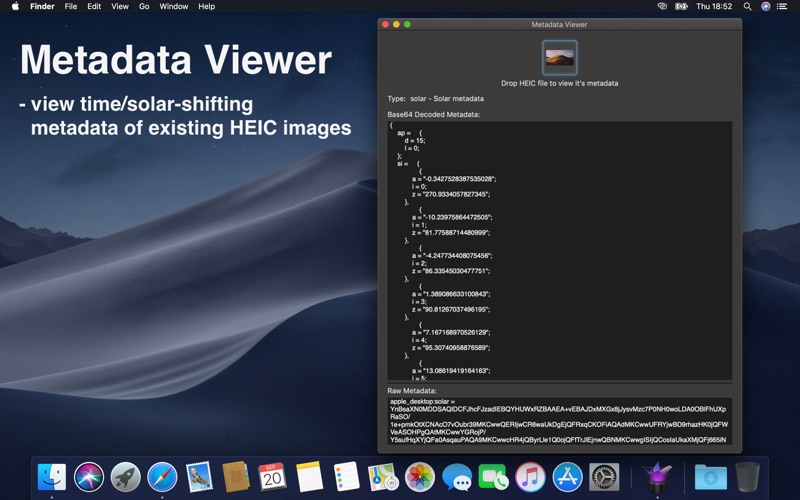
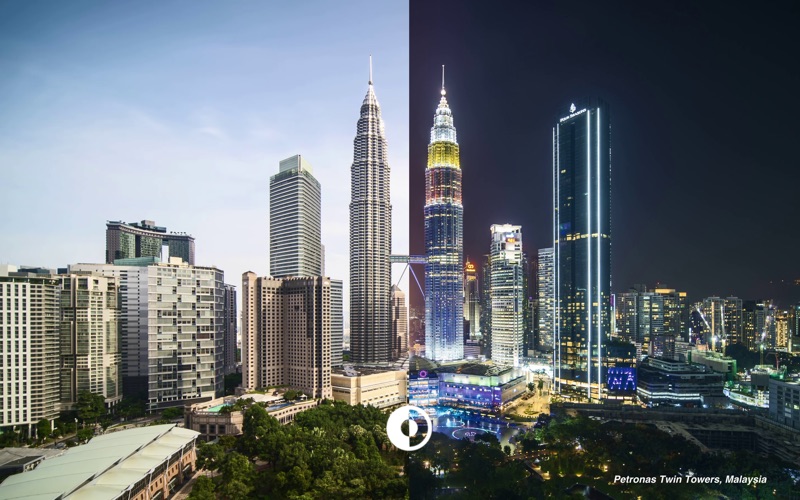
About Dynaper - Dynamic Wallpapers
The description on the store listing
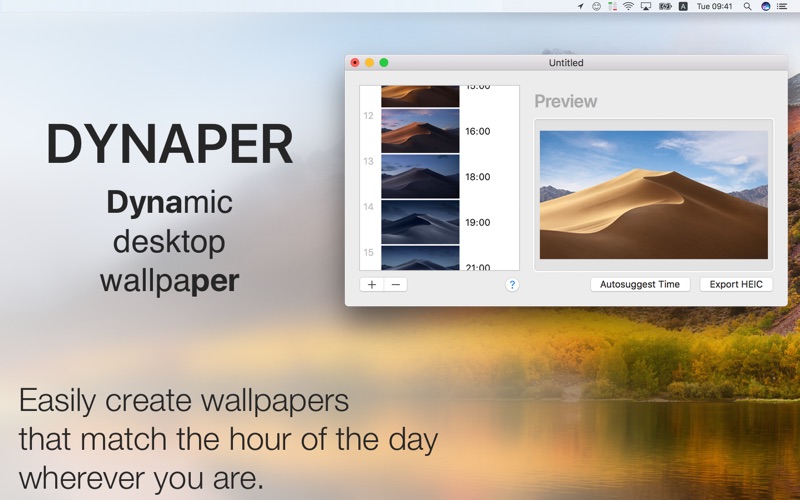
Create your own dynamic desktop wallpaper (time-shifting/solar-shifting/light&dark) on macOS Mojave & Catalina & Big Sur & Monterey & Ventura. Full-support of wide-gamut colors for photographers. Set HEIC compression value at the time of saving.
Dynaper makes it easy to create a native time/solar-shifting/light&dark HEIC wallpaper that changes throughout the day. Wallpapers made by Dynaper are supported by macOS Mojave & Catalina & Big Sur and can be set as wallpaper in System Preferences.
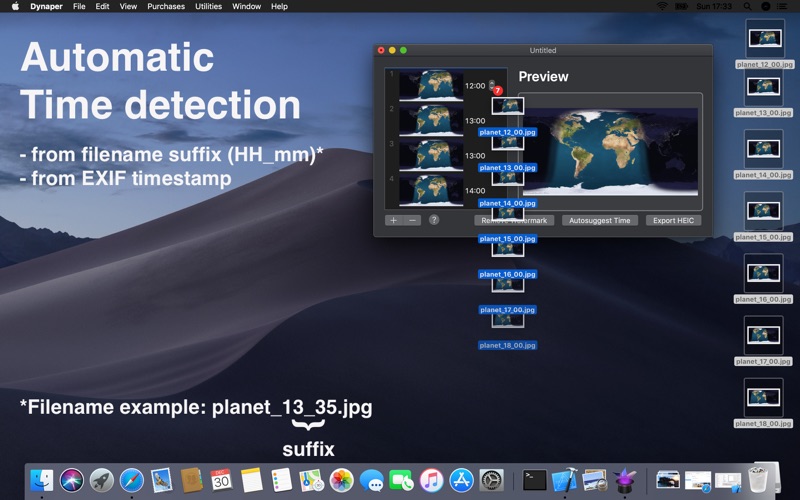
Simply drag & drop your images and change the display time for each image. Dynaper will change time automatically if the image contains EXIF metadata or contains a time suffix in the filename. For a …
Read the full description
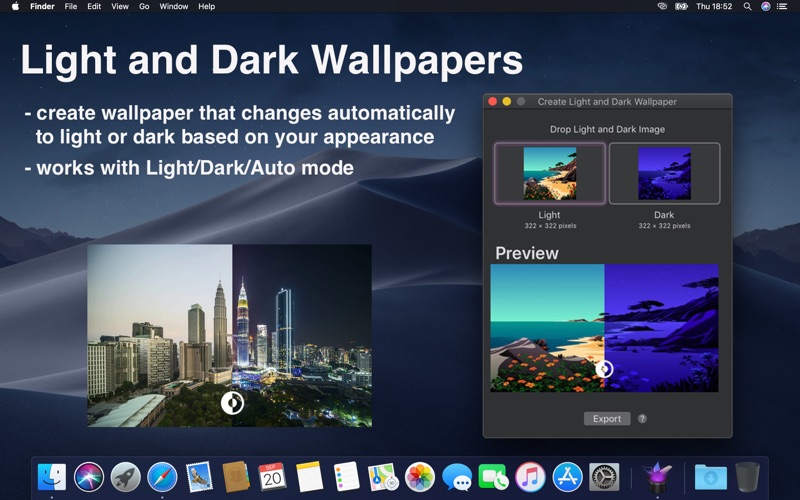
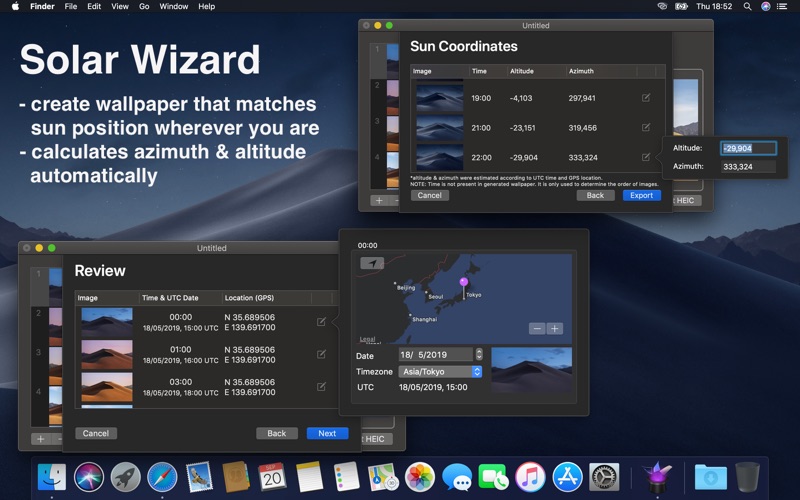
Create your own dynamic desktop wallpaper (time-shifting/solar-shifting/light&dark) on macOS Mojave & Catalina & Big Sur & Monterey & Ventura. Full-support of wide-gamut colors for photographers. Set HEIC compression value at the time of saving. Dynaper makes it easy to create a native time/solar-shifting/light&dark HEIC wallpaper that changes throughout the day. Wallpapers made by Dynaper are supported by macOS Mojave & Catalina & Big Sur and can be set as wallpaper in System Preferences. Simply drag & drop your images and change the display time for each image. Dynaper will change time automatically if the image contains EXIF metadata or contains a time suffix in the filename. For a quick time change using the autosuggest feature. For solar-shifting wallpaper run Solar Wizard where you can export it. Dragging an image out of Dynaper will create a time-shifting text that contains normalized time and parameters that one can use for manual HEIC creation. Helper tools: - time helper (convert time to normalized time) - solar helper (convert location to solar data: altitude and azimuth) - solar wizard (convert many locations to solar data: altitude and azimuth) - HEIC metadata (view HEIC metadata used for wallpaper display) - Create Light and Dark Wallpaper (wallpaper that automatically adapts to appearance change) - strip still images helper (removes Dark/Light appearance metadata from dynamic wallpaper image) Solar Wizard is accessible from the top menu (Utilities-> Solar Wizard). Automatic Time Detector: To save your time Dynaper automatically recognizes timestamps in your filename or metadata. If your filename doesn't have a valid time Dynaper will look at EXIF metadata (date of creation) to find a valid time. Just append your filename with suffix HH_mm, where "H" represents the hour and "m" represents the minute. The 24-hour format is being used for detection and the last 5 characters of the filename are being checked. Example of valid filenames: image001_16_45.jpg image001_16_45 screenshot_16.45.05.jpg screenshot_16.45.05 Wide-gamut colors: Wide-gamut color devices display more vivid and lifelike hues. This is important as all of the recent Apple devices can display these colors so it's best if you provide pictures that have been captured with wide-gamut colors. Whether you provide images with an sRGB color profile or P3 display color profile, Dynaper will automatically choose the best color profile for you. Mind that dynamic wallpapers created on the web don't support wide-gamut colors. Still images: Dynaper has the ability to export the dynamic wallpaper with a still dark image and a still light image. One option is to right-click in the table view to select the light or dark image. Another option is to select the still images during export. Since macOS Catalina, the system will prefer the dark still image on dark appearance. This feature must be enabled in preferences (add still images). Light/Dark wallpaper: One of the tools the can create appearance wallpaper. This wallpaper automatically adapts to the current macOS appearance mode. macOS will automatically select the light wallpaper after sunrise and changes it to dark after sunset. (Requires location services enabled, otherwise, the sunrise/sunset time is determined by timezone) Please note that exported HEIC images include a watermark. Removing the watermark is possible with an in-app purchase. Example of image display time: 1. 00:05AM-01:00AM (for time 00:05) 2. 01:00AM-03:00AM (for time 01:00) 3. 03:00AM-04:00AM (for time 03:00) 4. 04:00AM-00:05AM (for time 04:00)
Installs
Apple does not publish download counts. Estimates are in testing.
We publish iOS estimates only after they pass a back-test against real numbers. Chart history below is measured.
Estimated store revenue Estimated Beta
App Store, worldwide, monthly rate from the last 13 chart days to 20 Nov 2026
Below the top 100 grossing apps in the markets we calibrate. In the United States that usually means under about $6.4M a month. App Store purchases and subscriptions only, before Apple's 15 to 30% fee. Ads and web payments are not included.
Ratings
No rating breakdown published for this app.
Recent reviews
Latest public reviews from the store
No reviews in our sample for this app yet.
Top chart positions
Latest App Store chart ranks by country, last 10 days
Not in any tracked top chart in the last 10 days.
Dynaper - Dynamic Wallpapers history
Release, install milestones, listing and store changes
- First released on the store 5 Oct 2018
Recent versions
Current version 1.5.12
- Version 1.5.1230 Aug 2024
• FIXED: - saving & setting as default wallpaper caused a crash (saving to a read-only destination on a multi-monitor setup)
Listing keywords
Words and phrases Dynaper - Dynamic Wallpapers repeats most in its store listing
Top phrases: wide gamut (5), wide gamut colors (4), gamut colors (4), solar wizard (4), color profile (3).
Highlighted words also appear in the title. Counts cover the title, short description and description.
Compliance
What the listing and the app package show
- Store status
- Live
- Upkeep
- No update since 30 Aug 2024
- Age rating
- 4+
Apps like Dynaper - Dynamic Wallpapers
 AI Cut - Photo Generate & EditBeijing Changhai Internet Technology Co., Ltd.★ 4.1
 Birthday Invitations Makerwilliam leandro aristizabal giraldo★ 4.7
 AI VistaSCIENJOY META TECHNOLOGY LLC★ 2.9
 Logotipo - AI Logo GeneratorMobile Ocean★ 4.02
 Anime AI Maker: DreamtuneLYKOV STUDIO LTD★ 4.34
 DIY Wallpaper Maker DIYScreenEvgenii Fomin★ 4.68
 Vintage Camera - Film FiltersPlane Cubes★ 4.42
 Color Widgets - WallpapersFlying Pigeons LLC★ 4.34
 Artimind - AI Video GeneratorAPERO TECHNOLOGIES GROUP PTE.LTD★ 1.41
Dynaper - Dynamic Wallpapers: questions and answers
Who makes Dynaper - Dynamic Wallpapers?
Dynaper - Dynamic Wallpapers is published by Marek Hrušovský.
When was Dynaper - Dynamic Wallpapers last updated?
The latest version (1.5.12) was released on 30 Aug 2024.
Is Dynaper - Dynamic Wallpapers free?
Yes. Dynaper - Dynamic Wallpapers is free to download.
Is Dynaper - Dynamic Wallpapers still available?
Yes. Dynaper - Dynamic Wallpapers is live on App Store as of 10 May 2026.
Track Dynaper - Dynamic Wallpapers and its competitors
Watch any app for new versions, rating drops, chart moves and removals. Free plan, no card.