- Installs
- —
- Apple does not publish download counts
- Rating
- 1.0
- Ratings
- 1
- 1 reviews
- Version
- 1.0
- Updated 11 Aug 2020
- Released
- 11 Aug 2020
- Tracked since 10 May 2026
- Size
- 69 MB
- Needs 10.0
Screenshots


About Fabrication Layout
The description on the store listing
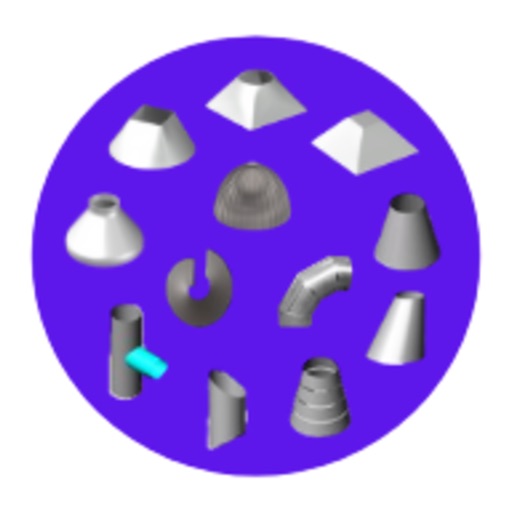
Fabrication Layout Development app is used for developing fabrication layout of all types of shapes generally used in fabrication such as cone, shell, pipe branch connections, full cone, half cone, truncated cone, square to round, round to square, rectangular to round, Round to rectangular, pyramid, truncated pyramid, cone to pipe branch, spheres, dish ends, miter bend, screw flight, etc.
This App helps to minimize fabrication time, save the cost of fabrication, increase efficiency, accuracy, and Productivity of fabrication works.
In this App Following Fabrication Layout Options are available :
1. Shell or Pipe Fabrication Layout.
2. Truncated Pipe Layout.
3. Truncated Pipe at Both End
4. …
Read the full description
Fabrication Layout Development app is used for developing fabrication layout of all types of shapes generally used in fabrication such as cone, shell, pipe branch connections, full cone, half cone, truncated cone, square to round, round to square, rectangular to round, Round to rectangular, pyramid, truncated pyramid, cone to pipe branch, spheres, dish ends, miter bend, screw flight, etc. This App helps to minimize fabrication time, save the cost of fabrication, increase efficiency, accuracy, and Productivity of fabrication works. In this App Following Fabrication Layout Options are available : 1. Shell or Pipe Fabrication Layout. 2. Truncated Pipe Layout. 3. Truncated Pipe at Both End 4. Pipe to Pipe Intersection with equal Diameters 5. Pipe to Pipe Intersection with unequal diameters 6. Pipe to Pipe Intersection with offset diameters 7. Pipe to Cone intersection at Perpendicular to Axis. 8. Pipe to Cone Inter Section at Parallel to Axis. 9. Pipe Truncated by Radius 10. Full Cone Layout. 11. Truncated Cone or Half Cone Layout. 12. Multi-Level Cone Layout. 13. Eccentric Cone Layout. 14. Multilevel eccentric cone layouts. 15. Tori cone with Knuckle radius at the large end. 16. Tori cone with Knuckle radius at both ends. 17. Rectangle to Round or Square to Round Transition layout. 18. Round to Rectangle or Round to Square transition layout. 19. Pyramid layout. 20. Truncated Pyramid Layout. 21. Sphere Petal Layouts. 22. Dish End Petal Layouts. 23. Miter Bend Layout. 24. Screw Flight Layout. How To Use Fabrication Layout Development App: 1. First Install the App in your iOS Device from App Store and Launch the App on your device. 2. It will open the Home Page of the App. 3. Home Page has around 24 Nos of Calculator options in the above list. 4. Select any one Calculator option as per your requirement which plate cutting layout you want to developed layout marking. 5. After Clicking or Selecting Calculator option, it will take you to the next page of Input Details where you have to enter input details of your fabrication shapes. 6. When Input Page Opens you have to enter all input details in desired fields shown on the input page. if you left empty field then the calculator shows you error notification for empty fields. so fill All data fields on the input page. 7. Input Page Shown image of fabrication shapes for understanding input dimensions data entry. 8. After imputing all data requirements, you have to also choose development lines for lay-outing in the current app we have provided 12 Nos, 24 Nos, 36 Nos, 48 Nos, 72 Nos, and 96 Nos as standard options but if you want development lines as per your requirement then you can directly enter no of development lines in development input data field. 9. When All input data filling complete then click on the Calculate button to get your layout marking dimensions on the output page. 10. Output page will be opened after clicking the Calculate button then it will show you output layout development marking and a layout development image for understanding cutting layout. 11. By using this Layout marking you can mark directly on your fabrication sheet or plate for further processing of fabrication works. It is useful for those who are working in Pressure vessel fabrication, process equipment fabrication, welding, Piping, Insulation, Ducting, heavy Equipment fabrication, Storage tank, Agitators, Mechanical equipment, structures, industrial fabrication, heat exchangers, etc. It is helpful for production engineers, fabrication engineers, planning engineers, costing and estimating engineers, project engineers, fabrication contractors, fabrication supervisors, fabrication fitters, fabrication workers, and other working professionals in the field of fabrication.
Installs
Apple does not publish download counts. Estimates are in testing.
We publish iOS estimates only after they pass a back-test against real numbers. Chart history below is measured.
Estimated store revenue Estimated Beta
App Store, worldwide, monthly rate from the last 13 chart days to 20 Nov 2026
Below the top 100 grossing apps in the markets we calibrate. In the United States that usually means under about $6.4M a month. App Store purchases and subscriptions only, before Apple's 15 to 30% fee. Ads and web payments are not included.
Ratings
1 ratings, 1 reviews
No rating breakdown published for this app.
Recent reviews
Latest public reviews from the store
No reviews in our sample for this app yet.
Top chart positions
Latest App Store chart ranks by country, last 10 days
- Countries ranked
- 1 of 50
- Best rank
- #37
- Top 10 placements
- 0
- of 1 chart placements
- Average rank
- #37
Best countries on App Store
- 🇲🇽 Mexico · Top paid, Productivity#37
| Country | Chart | Category | Rank | Best (10 days) | Date |
|---|---|---|---|---|---|
| 🇲🇽 Mexico | Top paid | Productivity | #37 | #15 | 14 Nov 2026 |
Fabrication Layout history
Release, install milestones, listing and store changes
- First released on the store 11 Aug 2020
Recent versions
Current version 1.0
- Version 1.011 Aug 2020
Listing keywords
Words and phrases Fabrication Layout repeats most in its store listing
Top phrases: fabrication layout (6), cone layout (4), input page (4), layout development (4), layout truncated (4).
Highlighted words also appear in the title. Counts cover the title, short description and description.
Compliance
What the listing and the app package show
- Store status
- Live
- Upkeep
- No update since 11 Aug 2020
- Age rating
- 4+
Apps like Fabrication Layout
 Populations and Resources SimAmplify Education, Inc.★ 2.38
 Rune WriterPaul Burlov★ 4.34
 Being Moroccan ( Darija )Yasir TIRAK★ 4.56
 方格单词²上海译动智能科技有限公司★ 4.68
 Handwriting Tracing PracticeVladimir Zavada★ 4.02
 Oklahoma Learners Permit TestNilu Rathod★ 4.72
 SU CampusCharles Robinson★ 4.76
 NC CDL Permit Test PracticeNilu Rathod★ 4.82
 Mjølnir NorwegianMjølnir Learning Apps★ 4.92
Fabrication Layout: questions and answers
Who makes Fabrication Layout?
Fabrication Layout is published by Imran Pinjara.
When was Fabrication Layout last updated?
The latest version (1.0) was released on 11 Aug 2020.
Is Fabrication Layout free?
No. Fabrication Layout is a paid app priced at $7.99.
Is Fabrication Layout still available?
Yes. Fabrication Layout is live on App Store as of 1 Jul 2026.
Track Fabrication Layout and its competitors
Watch any app for new versions, rating drops, chart moves and removals. Free plan, no card.