
- Installs
- —
- Apple does not publish download counts
- Rating
- 4.66
- Ratings
- 327
- 327 reviews
- Version
- 2.4
- Updated 29 Mar 2018
- Released
- 16 May 2016
- Tracked since 10 May 2026
- Size
- 46 MB
- Needs 9.0
Screenshots

About Face Blur+
The description on the store listing
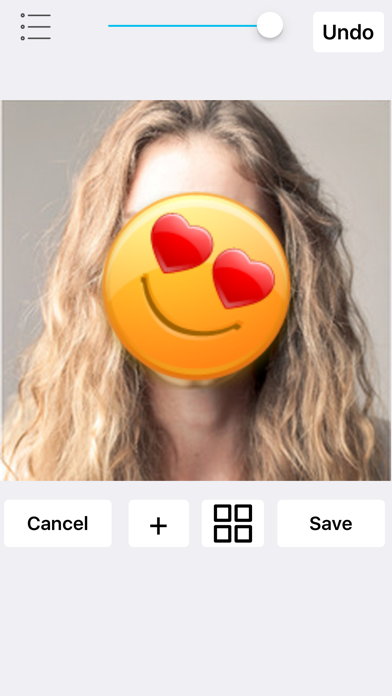
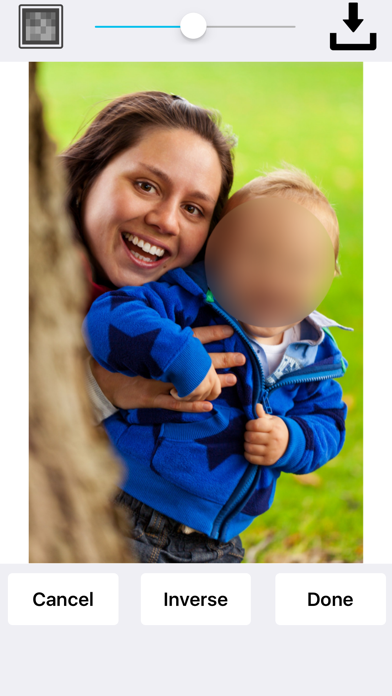
Face Blur+ makes it easy to blur out faces, license plates or objects in photos. The app features many types of blur effects as well as icons. No internet connection is required!
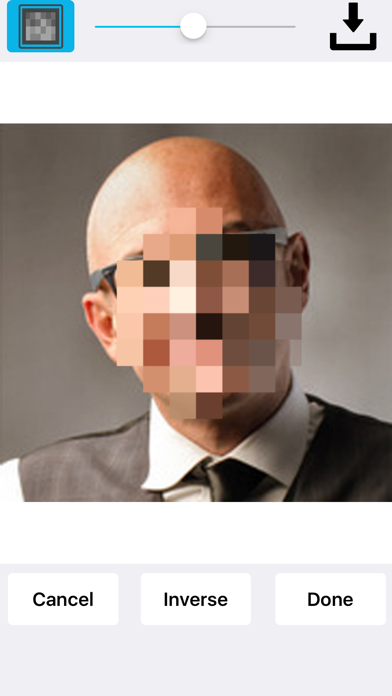
To blur your photo, simply highlight the area that you would like blurred using the selection tool and tap blur. At this point you will be able to select the type of blur that you want applied.
You can add a:
Standard or pixelated blur effect.
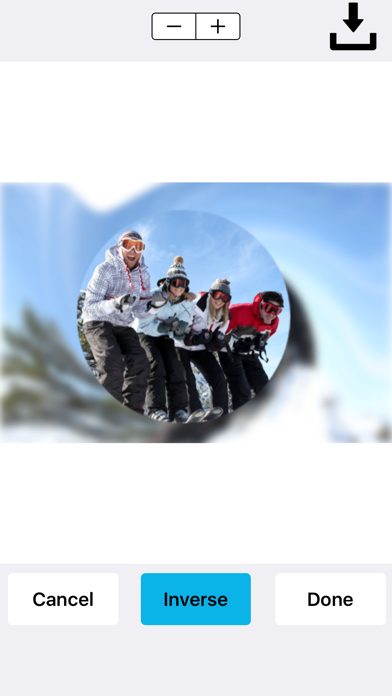
Radial/motion blur effect.
You can place stickers over your photos such as emoticons, flags, censored labels, food, animals, sport balls and more.
Face Blur+ is also capable of:
Blurring out multiple areas/sections in a photo.
Applying overlapping blur effects. …
Read the full description
Face Blur+ makes it easy to blur out faces, license plates or objects in photos. The app features many types of blur effects as well as icons. No internet connection is required! To blur your photo, simply highlight the area that you would like blurred using the selection tool and tap blur. At this point you will be able to select the type of blur that you want applied. You can add a: Standard or pixelated blur effect. Radial/motion blur effect. You can place stickers over your photos such as emoticons, flags, censored labels, food, animals, sport balls and more. Face Blur+ is also capable of: Blurring out multiple areas/sections in a photo. Applying overlapping blur effects. Performing inverse blur effects. The inverse effect applies a blur around the selected area rather than inside the selected area. So if you're looking to blur out the background of an image and/or applying a radial blur to the background of an image, the inverse effect is capable of doing this. Once you've finished blurring out your photo(s), you can save it to your photos or share the photo(s).
Installs since 29 Aug 2026
Apple does not publish download counts. Estimates are in testing.
Estimated store revenue Estimated Beta
App Store, worldwide, monthly rate from the last 12 chart days to 19 Nov 2026
Below the top 100 grossing apps in the markets we calibrate. In the United States that usually means under about $6.4M a month. App Store purchases and subscriptions only, before Apple's 15 to 30% fee. Ads and web payments are not included.
Ratings
327 ratings, 327 reviews
No rating breakdown published for this app.
Recent reviews
Latest public reviews from the store
No reviews in our sample for this app yet.
Top chart positions
Latest App Store chart ranks by country, last 10 days
Not in any tracked top chart in the last 10 days.
Face Blur+ history
Release, install milestones, listing and store changes
- First released on the store 16 May 2016
Update frequency
How often Face Blur+ ships a new version, month by month
0 updates in the last 12 months. Less often than most similar apps: they shipped a median of 1 updates in the same year.
Recent versions
Current version 2.4
- Version 2.429 Mar 2018
This update addresses an issue with inverse blurring not working on a particular blur effect. The radial blur effect has been improved. Added a photo quality slider which can be set from low to high. This slider determines whether the photo should be resized. This fix was added due to two complaints about the quality of the photo being reduced and also about the size of the photo being reduced. The app now uses less memory overall. Note that the app has a higher chance of crashing if the photo quality is set too high. During our tests, the app didn't crash but our analysis tell us it's possible. To prevent the app from crashing, it is recommended that you release other apps while Face Blur+ is running or set the photo quality at a lower level. If Face Blur+ is the only app running, chances are very low. With certain photos, the chances of the app crashing are very low. Low quality photos will not affect how the app runs regardless of the photo quality settings and therefore, the app's chances of crashing are very low.
Listing keywords
Words and phrases Face Blur+ repeats most in its store listing
Top phrases: blur effects (3), face blur (3), blur effect (2), inverse effect (2), selected area (2).
Highlighted words also appear in the title. Counts cover the title, short description and description.
Compliance
What the listing and the app package show
- Store status
- Live
- Upkeep
- No update since 29 Mar 2018
- Age rating
- 4+
Apps like Face Blur+
 Lercenker继海 邓★ 4.28
 Video Compressor - Compressout thinking limited★ 4.3
 Cut and paste my face in photoMireia Lluch Ortola★ 4.51
 Comic Sketch CameraQuantis,Inc.★ 4.12
 Aviary: Photo Editor, Airbrush士昌 苑★ 4.66
 Riverflow - AI Photo EditorZero Billion, Inc.★ 4.73
 Gif Viewer & PlayerPenghui Zhao★ 4.4
 Prompt+ TeleprompterNorton Five Ltd★ 4.67
 Gif Me! Camera Creatorpierre gougelet★ 4.63
Face Blur+: questions and answers
Who makes Face Blur+?
Face Blur+ is published by Danny Pajevic.
When was Face Blur+ last updated?
The latest version (2.4) was released on 29 Mar 2018.
Is Face Blur+ free?
Yes. Face Blur+ is free to download.
Is Face Blur+ still available?
Yes. Face Blur+ is live on App Store as of 14 Nov 2026.
Track Face Blur+ and its competitors
Watch any app for new versions, rating drops, chart moves and removals. Free plan, no card.