
- Installs
- —
- Apple does not publish download counts
- Rating
- —
- Ratings
- —
- Version
- 5.0.11
- Updated 1 Apr 2026
- Released
- 20 Mar 2012
- Tracked since 10 May 2026
- Size
- 14 MB
- Needs 10.10
Screenshots
About Fade In
The description on the store listing
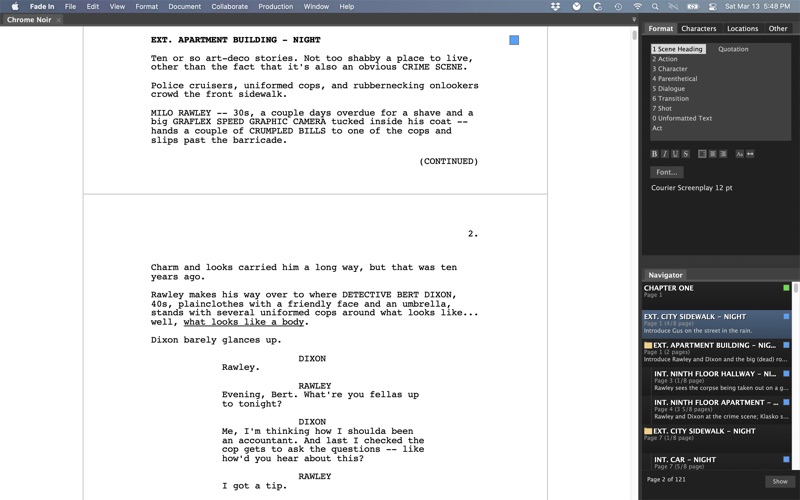
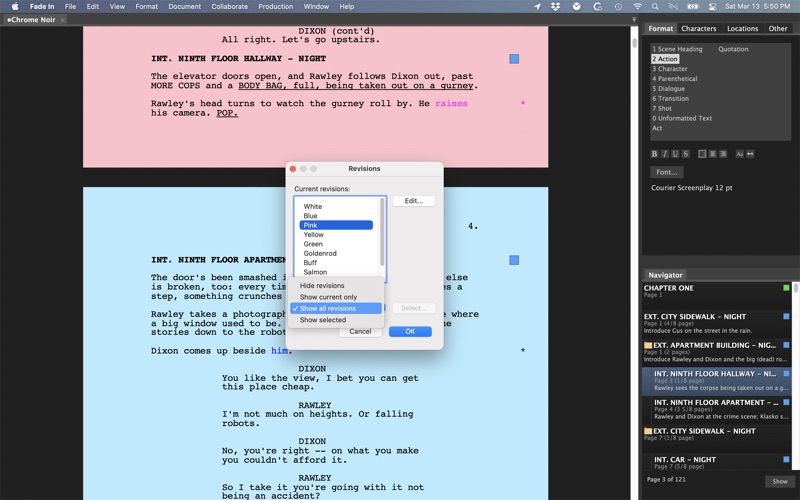
Fade In Professional Screenwriting Software is a complete application for writing motion picture screenplays, including tools for outlining, organizing, navigating, and collaborating, plus extensive screenplay formatting and robust tools for managing rewrites and revisions.
Fade In's modern, state-of-the-art application interface does everything professional screenwriters need and expect their software to do. Its extensive formatting capabilities take care of formatting for you, automatically transitioning from scene headings to action to dialogue as you type. It includes a full range of standard screenplay styles: you can use the built-in default styles, customize them, or create your …
Read the full description
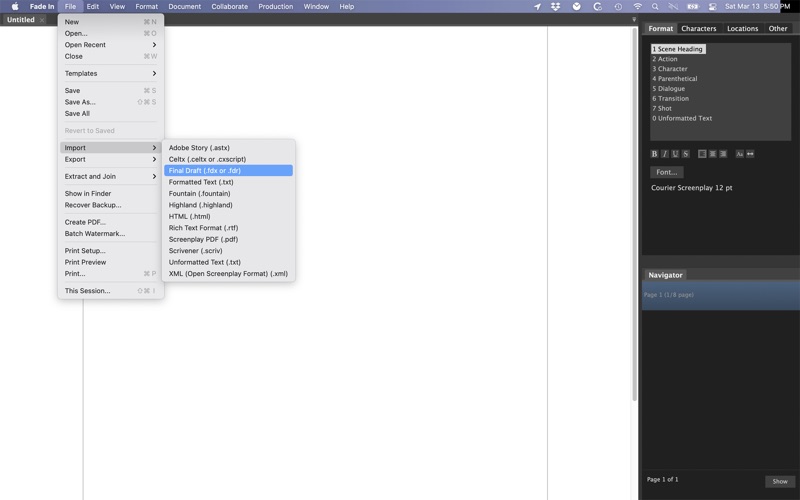
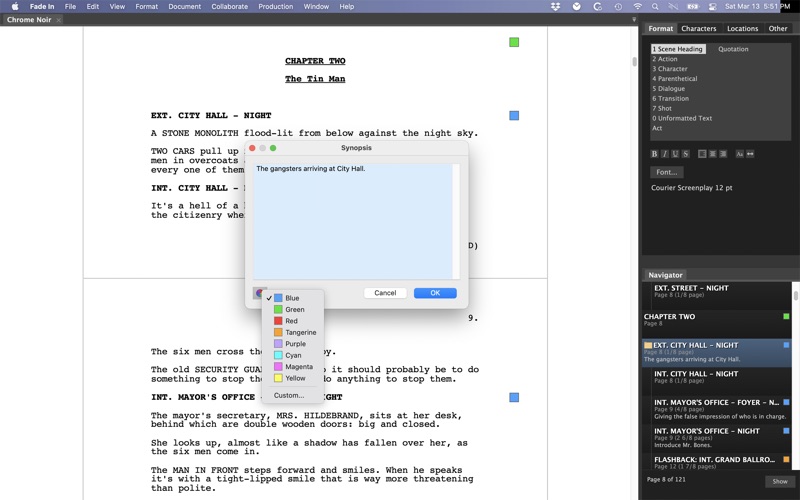
Fade In Professional Screenwriting Software is a complete application for writing motion picture screenplays, including tools for outlining, organizing, navigating, and collaborating, plus extensive screenplay formatting and robust tools for managing rewrites and revisions. Fade In's modern, state-of-the-art application interface does everything professional screenwriters need and expect their software to do. Its extensive formatting capabilities take care of formatting for you, automatically transitioning from scene headings to action to dialogue as you type. It includes a full range of standard screenplay styles: you can use the built-in default styles, customize them, or create your own. The software keeps track of the character names and locations you use and can provide as-you-type autocompletion suggestions. Spend less time typing and more time writing. You can organize your screenplay however you like, marking and color-coding significant sequences, plot points, themes, characters, and other story elements so you'll always have a clear overview of your work. Use the Navigator to quickly move around your script and reorder scenes. Use advanced writing capabilities such as the built-in Dialogue Tuner to view and edit all of a character’s dialogue in one place. • Production tools - Manage revisions, page locking, scene locking, omitted scenes and more. Easily generate industry standard script breakdowns and production reports. • No distractions - A page-only, no-distractions, full-screen mode allows you to concentrate on the most important thing: writing. • Fade In Access - Integrates with Fade In's optional online service for cloud storage, backup, version history, online editing, collaboration, sharing, and publishing. • Support for multiple file formats - Importing and exporting multiple file formats is easy with support for everything from text to HTML to XML. Opening, editing and saving Final Draft documents is a snap — as is importing and exporting Rich Text Format (.rtf), such as from Movie Magic Screenwriter, and opening Celtx files. • Open file format - Unlike screenwriting applications that use a proprietary binary storage format, Fade In uses the Open Screenplay Format: a straightforward, XML-based file format for saving your scripts, providing maximum accessibility, compatibility, and future-proofing. • And more: Output directly to PDF. Batch generate securely watermarked copies. Customize the application layout. Edit your title page. Insert images. Add sticky notes. Easily modify page layout and formatting elements. Live spell-checking, custom user dictionaries, language tools, and integrated help. Like using Fade In? Please think about rating it here on the App Store. Thank you! * Please note that the Mac App Store version of Fade In Professional Screenwriting Software is for Mac only. It DOES NOT include a registration key for installing on other operating systems. *
Installs
Apple does not publish download counts. Estimates are in testing.
We publish iOS estimates only after they pass a back-test against real numbers. Chart history below is measured.
Estimated store revenue Estimated Beta
App Store, worldwide, monthly rate from the last 14 chart days to 21 Nov 2026
Below the top 100 grossing apps in the markets we calibrate. In the United States that usually means under about $6.4M a month. App Store purchases and subscriptions only, before Apple's 15 to 30% fee. Ads and web payments are not included.
Ratings
No rating breakdown published for this app.
Recent reviews
Latest public reviews from the store
No reviews in our sample for this app yet.
Top chart positions
Latest App Store chart ranks by country, last 10 days
Not in any tracked top chart in the last 10 days.
Fade In history
Release, install milestones, listing and store changes
- First released on the store 20 Mar 2012
Update frequency
How often Fade In ships a new version, month by month
1 updates in the last 12 months. More often than most similar apps: they shipped a median of 0 updates in the same year.
Recent versions
Current version 5.0.11
- Version 5.0.111 Apr 2026
- Older version documents are (optionally) backed up when saving - Better handling of some dictionary canonical names - Override autocorrect when double-clicking a list item to enter it - Reintroduced ability to reset preferences at startup - Better correction of some common typos - Removed Grammarly integration - Added Reset Line Adjustment for adjusted line lengths - Added Copy to Clipboard to Scene Versions and Omitted Scenes dialogs - Fixed a line-breaking issue with printing/PDF - Improved PDF rendering of justified text highlighting, etc. - Reverted automatic translation of pasted text content - Added Remove Formatting to the Format menu - Additional user interface improvements - Set help viewer background colour properly - Addressed a couple of dark mode colour issues
Listing keywords
Words and phrases Fade In repeats most in its store listing
Top phrases: fade in professional (2), importing and exporting (2), multiple file formats (2), professional screenwriting software (2), fade in's (2).
Highlighted words also appear in the title. Counts cover the title, short description and description.
Compliance
What the listing and the app package show
- Store status
- Live
- Upkeep
- Updated 1 Apr 2026
- Age rating
- 9+
Apps like Fade In
 GoTime RepairAudatex North America Inc.★ 3.94
 Super VPN: Fast Private ProxyGeek Incorporated★ 4.4
 Hubtel RetailerHubtel Limited★ 4.32
 Monthly Calendar 2022 - CalistOmoboto LLC★ 4.38
 CBUS 311City of Columbus, Ohio★ 1.8
 Themes for Powerpoint - DesiGNGraphic Node★ 4.22
 iSiloDC & Co.★ 3.82
 Flashlight Pro [Multipurpose LED light]KAVAPOINT★ 3.88
 WiPryOscium LLC★ 2.68
Fade In: questions and answers
Who makes Fade In?
Fade In is published by Kent Tessman.
When was Fade In last updated?
The latest version (5.0.11) was released on 1 Apr 2026.
Is Fade In free?
No. Fade In is a paid app priced at $89.99.
Is Fade In still available?
Yes. Fade In is live on App Store as of 10 May 2026.
Track Fade In and its competitors
Watch any app for new versions, rating drops, chart moves and removals. Free plan, no card.