
- Installs
- —
- Apple does not publish download counts
- Rating
- 4.69
- Ratings
- 1.3K
- 1.3K reviews
- Version
- 16.0.3
- Updated 1 Sep 2026
- Released
- 8 Jan 2015
- Tracked since 10 May 2026
- Size
- 126 MB
- Needs 15.0
Screenshots
About FineReader Pro: PDF Scanner
The description on the store listing
ABBYY FineReader PDF Pro - the first smart AI-powered scanner that turns your mobile device into an all-purpose tool to quickly capture docs and books, create electronic copies in PDF and JPEG, and extract texts from scans for further editing and sharing.
FineReader PDF Pro - the top mobile scanner for iPhone or iPad from ABBYY, a Digital Intelligence company.
*** Ranked #1 Business application in 98 countries ***
*** Winner of SUPERSTAR Award in the "Document Capture" category in the Mobile Star Awards ***
Use FineReader PDF Pro to scan paper documents, books, agreements, receipts, magazine articles, notes, recipes, charts, tables, slides, whiteboards, or even billboards on the …
Read the full description
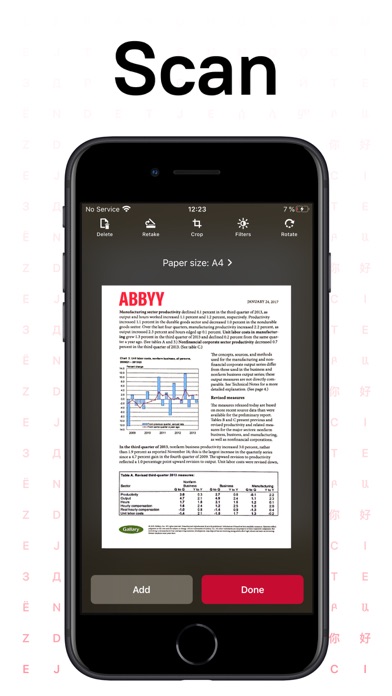
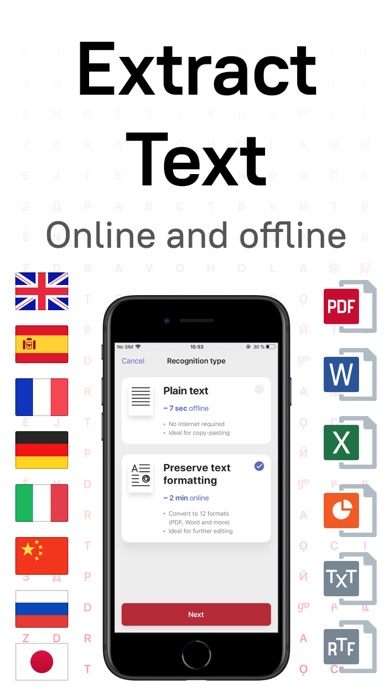
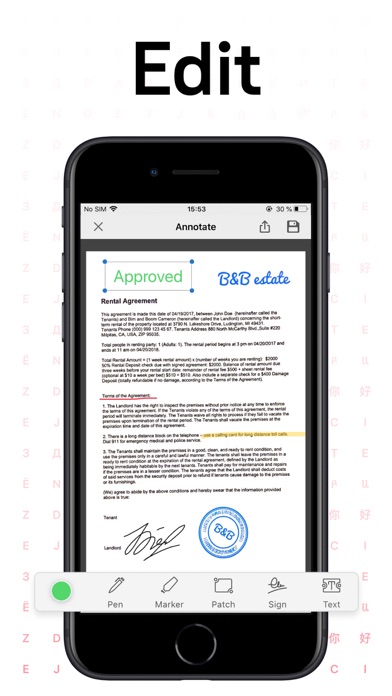
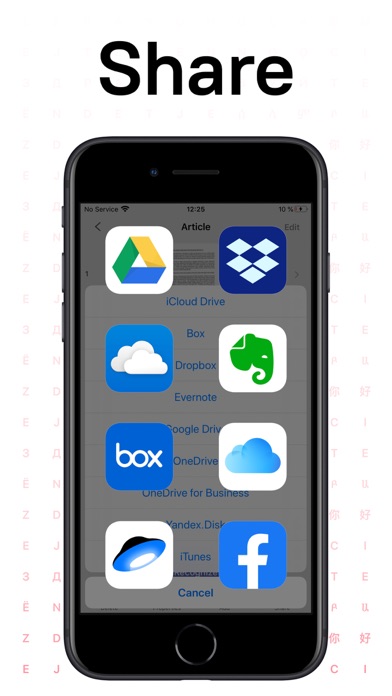
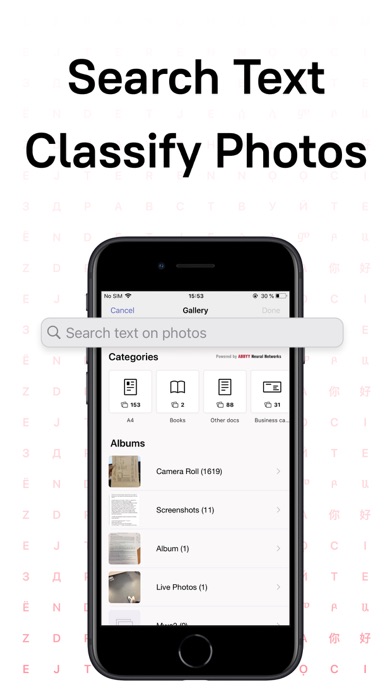
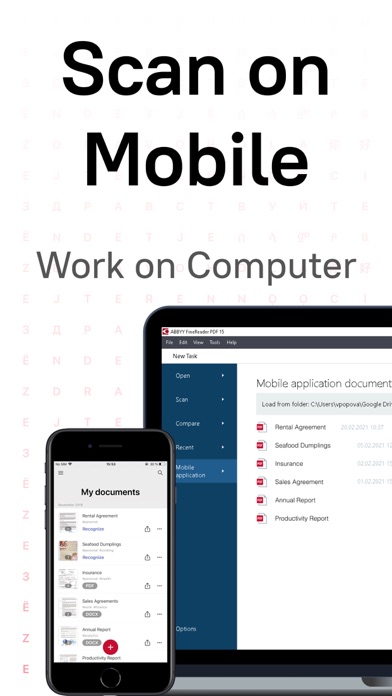
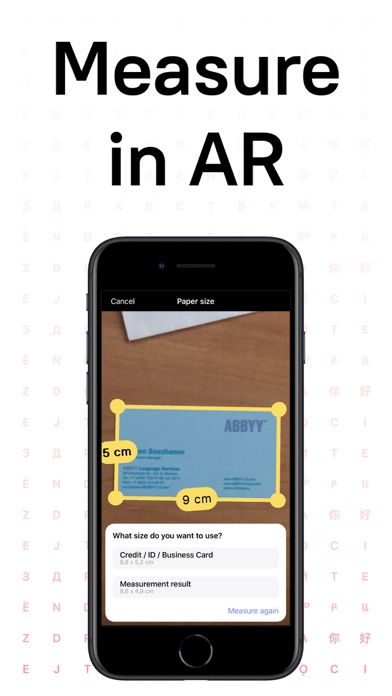
ABBYY FineReader PDF Pro - the first smart AI-powered scanner that turns your mobile device into an all-purpose tool to quickly capture docs and books, create electronic copies in PDF and JPEG, and extract texts from scans for further editing and sharing. FineReader PDF Pro - the top mobile scanner for iPhone or iPad from ABBYY, a Digital Intelligence company. *** Ranked #1 Business application in 98 countries *** *** Winner of SUPERSTAR Award in the "Document Capture" category in the Mobile Star Awards *** Use FineReader PDF Pro to scan paper documents, books, agreements, receipts, magazine articles, notes, recipes, charts, tables, slides, whiteboards, or even billboards on the street and get perfect digital copies. KEY FEATURES • PDF & JPEG. Scan any text and save scans to JPEG images or cross-platform PDF documents. • OFFLINE OCR. Quickly extract text from scans into TXT format on your device without an internet connection. • ONLINE OCR. Recognize text (OCR) on scans in 183 languages (including Latin, Cyrillic, Chinese, Japanese, and Korean alphabets) and choose from among 4 output formats. • SHARE & EXPORT. Send results by email, to FineReader PDF for Windows, save in cloud storages - iCloud Drive, Dropbox, Google Drive, Yandex.Disk, Evernote, OneDrive for Business, and more. • LIVE TEXT. Make phone calls, send emails, follow the links, and more from scanned docs. • ABBYY NEURAL NETWORK. The smart gallery will automatically classify documents into 7 types: A4, books, business cards, handwritten, IDs, other docs, and receipts. • SEARCH TEXT ON PHOTOS. Type the text from a photo into a Search field in the gallery. FineReader PDF Pro will find photos that have this text. • AR RULER. Define doc size in AR. It will be useful for non-standard documents and further printing them out in proper proportions. • SIRI SHORTCUTS. Open scans with Siri and set the flow of actions with scans using Shortcuts app. • ANNOTATE SCANS. Discover a set of easy-to-use tools to modify your PDFs: add your signature or a text box, use a highlighter, write with a pen, or conceal content with the redaction tool. • 3D TOUCH & SPOTLIGHT SEARCH SUPPORT. • PASSWORD ON PDF. Add a password for the image-only PDF files while exporting and sending via email. • MULTIPAGE DOCS. Create, edit, and enhance separate images or large multi-page documents without any additional selection on the viewfinder. • AUTO-CAPTURE AND FILTERS. Excellent visual quality with auto-capture of page boundaries and advanced image filters, which process scans in color, greyscale, or black-and-white versions. • BUILT-IN FILE STORAGE. Save scans inside the app with tags and search capabilities. • Transfer docs to your Mac or PC using Home Sharing. • AIRPRINT. Print out scans directly from your iPhone or iPad. Read us: abbyy.com/blog/mobile Facebook.com/ABBYYsoft Twitter @ABBYY_Software YouTube.com/ABBYYvideos Do you like FineReader PDF Pro? Please leave a review!
Installs, last 30 days
Apple does not publish download counts. Estimates are in testing.
Estimated store revenue Estimated Beta
App Store, worldwide, monthly rate from the last 12 chart days to 19 Nov 2026
Below the top 100 grossing apps in the markets we calibrate. In the United States that usually means under about $6.4M a month. App Store purchases and subscriptions only, before Apple's 15 to 30% fee. Ads and web payments are not included.
Ratings
1,255 ratings, 1,255 reviews
No rating breakdown published for this app.
Recent reviews
Latest public reviews from the store
- 18 Apr 2025
Great OCR with only one remark
FineReader is well known for its superior OCR quality and this app stands for its name. The only thing I wished it done better is Searcheable PDFs. For some reason, FineReader modifies original PDF by replacing image text with recognized text. IMO documents appear to be a bit fabricated and I really like approach by Adobe Scan and others that keep scanned image text intact and instead place background text so it remain searchable while keeping original image intact.
- 7 Jun 2021
A world-class OCR app
In 1988, I purchased one of the first OCR scanners on the market for $12,000. Since that time, I have purchased several OCR desktop applications. But none of these can measure up to the ABBYY FineReader PDF Pro. It is without peer in the OCR scanning market. I can now do better, and more efficiently, on my iPad what any desktop software can do. I highly recommend this product to anyone needing to convert image to text or convert between a variety of formats. You will not be disappointed in the outstanding performance of this app. Earlier I did have a problem with the app, but the support staff resolved it promptly, for which I am grateful.<br> FROM THE DEVELOPER (Jun 7, 2021): /r/n Hello ____, I'm sorry for delay with the reply. We've checked in addition, in the shop the last our answer is shown, we can't change old published answers. Thank you for your updated positive view. We highly appreciate it! Kind regards, ABBYY Support Team
- 2 Mar 2020
Solid app but could be improved
So far I find the app to be very solid. However, due to it being priced similarly to a desktop app, my expectations are very high, and so my baseline expectation is something closer to desktop performance. I've got FineReader on the Mac, which is a truly amazing app, so my baseline expectation is very high indeed. In light of that, here are a couple of important areas that could be improved: 1) FineReader on the desktop does some unskewing of pages scanned in when the image was created at an angle that creates a sort of weird trapezoid. The technology isn't perfect, but it's darn impressive for what it is, and really cleans up an image. Since, in my understanding, scans in FineScanner are being primarily processed in the cloud anyways, the addition of an "unskew" option for the iPhone app seems like it would be a great value add and not too hard to implement. As is, I find myself processing scans created with FineScanner in FineReader anyways for the unskew feature, which adds an extra step and kinda defeats the purpose a bit (since if I wanted to deal with FineReader I could just snap raw images on my iPhone and process those directly). 2. The app's book mode struggles with larg
- 30 May 2019
From Recipe Book to iPhone Recipe App
I have well over a hundred recipe books on the shelves, plus many hundreds of individual recipes from the New York Times and elsewhere in three-ring notebooks. I needed a way to get printed contents into my AnyList recipe and grocery shopping list app. FineScanner Pro is this home cook’s perfect OCR dream app for moving ingredients, preparation, cooking times, servings and nutrition data and more from shelf or binder via the camera and into my device. If I need to, with FineScanner’s help I can do meal planning from among my favorite recipes while sitting in the grocery store parking lot... A capability once limited to expensive laptop and desktop software is now within affordable reach of the stovetop!
What reviewers bring up
Topics mentioned in the latest 8 reviews, by how many reviews mention them
Liked in good reviews (7 reviews)
- scanned 4
- image 4
- ocr 4
- pdf 4
- finereader 3
- desktop 3
- better 3
- single 3
Raised in bad reviews (1 reviews)
No topic comes up twice.
Top chart positions
Latest App Store chart ranks by country, last 10 days
- Countries ranked
- 48 of 50
- Best rank
- #19
- Top 10 placements
- 0
- of 48 chart placements
- Average rank
- #45.8
Best countries on App Store
- 🇰🇷 South Korea · Top paid, Business#19
- 🇵🇱 Poland · Top paid, Business#20
- 🇭🇺 Hungary · Top paid, Business#24
- 🇬🇷 Greece · Top paid, Business#25
- 🇨🇿 Czechia · Top paid, Business#25
- 🇨🇴 Colombia · Top paid, Business#27
| Country | Chart | Category | Rank | Best (10 days) | Date |
|---|---|---|---|---|---|
| 🇰🇷 South Korea | Top paid | Business | #19 | #17 | 19 Nov 2026 |
| 🇵🇱 Poland | Top paid | Business | #20 | #19 | 19 Nov 2026 |
| 🇭🇺 Hungary | Top paid | Business | #24 | #23 | 19 Nov 2026 |
| 🇬🇷 Greece | Top paid | Business | #25 | #24 | 19 Nov 2026 |
| 🇨🇿 Czechia | Top paid | Business | #25 | #25 | 19 Nov 2026 |
| 🇨🇴 Colombia | Top paid | Business | #27 | #26 | 19 Nov 2026 |
| 🇪🇸 Spain | Top paid | Business | #29 | #25 | 19 Nov 2026 |
| 🇷🇴 Romania | Top paid | Business | #29 | #29 | 19 Nov 2026 |
| 🇻🇳 Vietnam | Top paid | Business | #29 | #29 | 19 Nov 2026 |
| 🇹🇼 Taiwan | Top paid | Business | #29 | #29 | 19 Nov 2026 |
FineReader Pro: PDF Scanner history
Release, install milestones, listing and store changes
- First released on the store 8 Jan 2015
Update frequency
How often FineReader Pro: PDF Scanner ships a new version, month by month
1 updates in the last 12 months. Less often than most similar apps: they shipped a median of 3 updates in the same year.
Recent versions
Current version 16.0.3
- Version 16.0.31 Sep 2026
Updated online processing to latest backend system
- Version 16.0.220 Mar 2025
Fixed an issue with our image picker that prevented users from choosing photos that were not in an album
Listing keywords
Words and phrases FineReader Pro: PDF Scanner repeats most in its store listing
Top phrases: finereader pdf (6), finereader pdf pro (5), pdf pro (5), iphone or ipad (2), auto capture (2).
Highlighted words also appear in the title. Counts cover the title, short description and description.
Compliance
What the listing and the app package show
- Store status
- Live
- Upkeep
- Updated 1 Sep 2026
- Age rating
- 4+
Apps like FineReader Pro: PDF Scanner
 Hi FPTFPT Telecom★ 4.13
 City of Toledo Public UtilitySmart Energy Systems LLC★ 4.46
 Invoice Maker PRO.B TO J PTY LTD★ 4.8
 Seasoned Recruit by JobGetSeasoned, LLC★ 4.59
 SafeView PreserveSafeguard Properties, LLC★ 4.21
 magicJack for BUSINESSMAGICJACK VOIP SERVICES LLC★ 4.78
 Cisco Events AppCisco★ 4.67
 Innago: Landlord & Tenant AppInnago LLC★ 4.41
 Kariyer.net job searchKariyer.net Elektronik Yayıncılık ve İletişim Hizmetleri A.Ş.★ 4.6
FineReader Pro: PDF Scanner: questions and answers
Who makes FineReader Pro: PDF Scanner?
FineReader Pro: PDF Scanner is published by ABBYY USA Software House Inc.
When was FineReader Pro: PDF Scanner last updated?
The latest version (16.0.3) was released on 1 Sep 2026.
Is FineReader Pro: PDF Scanner free?
No. FineReader Pro: PDF Scanner is a paid app priced at $59.99.
Is FineReader Pro: PDF Scanner still available?
Yes. FineReader Pro: PDF Scanner is live on App Store as of 19 Nov 2026.
Track FineReader Pro: PDF Scanner and its competitors
Watch any app for new versions, rating drops, chart moves and removals. Free plan, no card.