
- Installs
- —
- Apple does not publish download counts
- Rating
- —
- Ratings
- —
- Version
- 3.1.5
- Updated 18 May 2019
- Released
- 7 May 2019
- Tracked since 10 May 2026
- Size
- 2 MB
- Needs 10.11
Screenshots


About Fleet: The Multibrowser - Lite
The description on the store listing
Save Time with Fleet. Experience the satisfaction of having Total Control.
Watch it in action on SOPONEXT.com. (direct link https://youtu.be/ZgDDfi7P5sM)
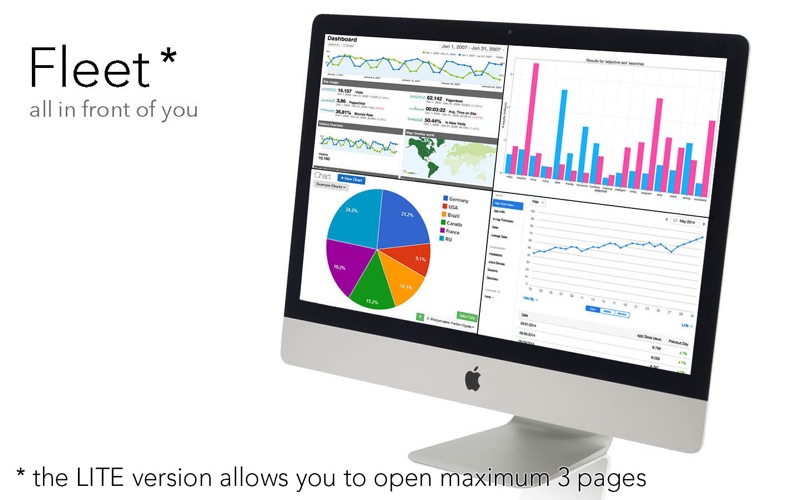
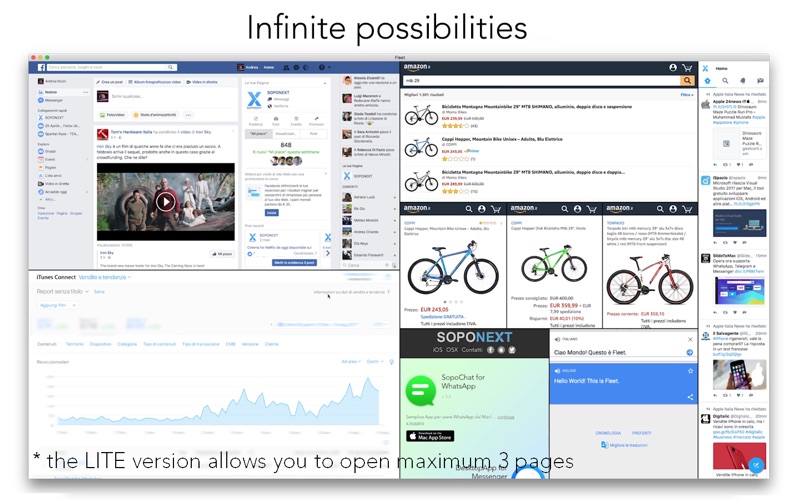
With Fleet you can control and compare multiple web pages at the same time without wasting time or space.
You don't need to select a page, or refresh it. It's all in front of you, and web pages self-refresh.
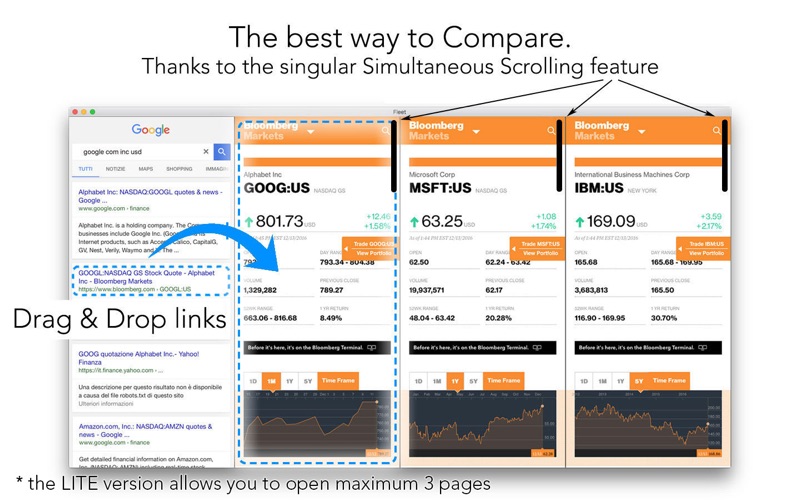
And now, If you need, they can scroll simultaneously.
Arrange your best configuration today.
The Power of Fleet:
● Exclusive Page Arrangement System with Splitting feature and Resizable Edges.
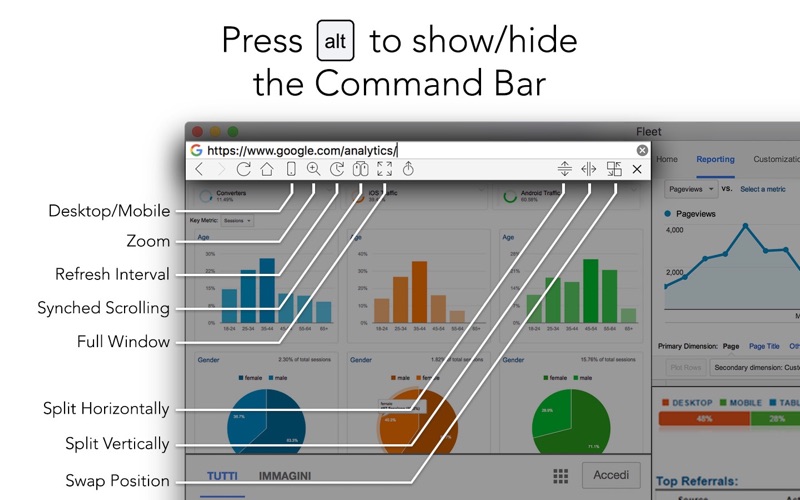
● Magic Command Bar that appares\disappares pressing one key: Alt.
● Automatic Refresh with Customizable Time Interval.
● Customizable …
Read the full description
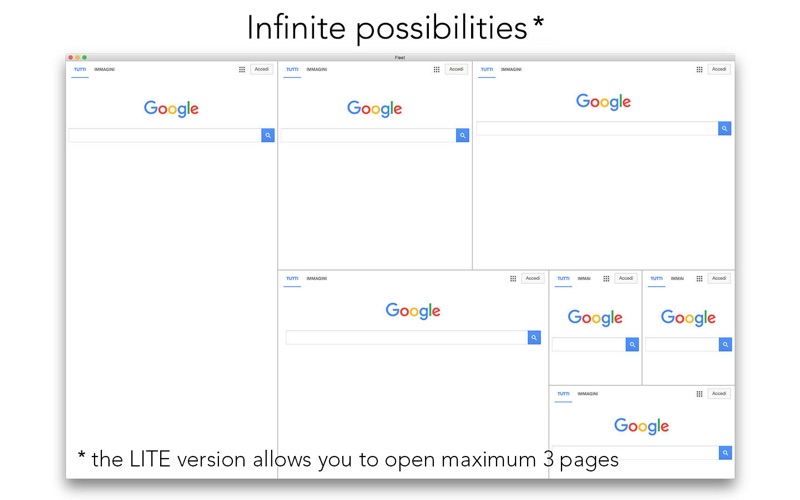
Save Time with Fleet. Experience the satisfaction of having Total Control. Watch it in action on SOPONEXT.com. (direct link https://youtu.be/ZgDDfi7P5sM) With Fleet you can control and compare multiple web pages at the same time without wasting time or space. You don't need to select a page, or refresh it. It's all in front of you, and web pages self-refresh. And now, If you need, they can scroll simultaneously. Arrange your best configuration today. The Power of Fleet: ● Exclusive Page Arrangement System with Splitting feature and Resizable Edges. ● Magic Command Bar that appares\disappares pressing one key: Alt. ● Automatic Refresh with Customizable Time Interval. ● Customizable Page Layout Zoom. ● Mobile/Desktop Switch. ● Simultaneous Scrolling available! (Thanks to the Eugene feedback) ● Drag&Drop Links from Page to Page. (useful for divide the engine results) ● FullWindow Mode (for a single page quick look) ● Pages order Swappable. ● Automatic Filling Fields Supported. ● No Edit mode needed, you can use and edit anything at the same time. ● Little ADBlocker. ● Very thin window title bar to save pace. ● Refresh All Pages Command. Other reasons why you will love it: ● Option: Start new pages in Mobile. ● Option: Open Tab-Link in Default Browser. ● Option: Open All Link in Default Browser. ● Customizable Dividers Color. ● Customizable Dividers Thickness. ● Back/Forward Gesture for Mouse/Trackpad. ● Clean: no borders, no tall static bars. ● Common browser items, like: back, forward, reload, home, search/address bar. ● FullScreen Mode supported. ● SpletScreen Mode supported. (very useful to put Fleet near your default Browser) ● History and related clear button supported. ● Configuration Auto Savable. ● Upload supported. ● Download supported. ● Selectable Search Engine. ● Customizable Home Page. ● Full Keyboard shortcuts support. (Hold Alt to show the All-Pages commands) ● Web Inspector (for web developers - right click on the page). ● Low RAM usage. ● Only 2.0MB required. How to arrange: The system is based on the space splitting. Every page space can be splitted in 2, through 2 buttons: Split Vertically & Split Horizontally. With this simple system you can create INFINITE POSSIBILITIES. Remember: -Using the actions on the menu "Page", they will impact on the page pointed by the cursor, alternatively on the last focused page. -Fleet is a friend of your default browser, it doesn't replace it. They can work together. -Some websites use a responsive layout, it means that they change interface when you resize the page. So they don't change interface when you switch between Mobile Mode and Desktop Mode. -The refresh time is set on purpose as 20% longer or shorter than the set timing (example: 100 seconds could become 80 or 120). This system prevents websites from blocking your IP. -Obviously, no extension are available, but we have developed a little ADBlocker. Why only surfing the web when you can navigate on it with a Fleet? Start today to Save Time. Create your perfect Arrangement! Version with limitations. Please, leave 5 stars and a positive feedback if you like our app. But support us reporting suggestions or bugs to: [email protected]. Enjoy. -SOPONEXT
Installs
Apple does not publish download counts. Estimates are in testing.
We publish iOS estimates only after they pass a back-test against real numbers. Chart history below is measured.
Estimated store revenue Estimated Beta
App Store, worldwide, monthly rate from the last 14 chart days to 21 Nov 2026
Below the top 100 grossing apps in the markets we calibrate. In the United States that usually means under about $6.4M a month. App Store purchases and subscriptions only, before Apple's 15 to 30% fee. Ads and web payments are not included.
Ratings
No rating breakdown published for this app.
Recent reviews
Latest public reviews from the store
No reviews in our sample for this app yet.
Top chart positions
Latest App Store chart ranks by country, last 10 days
Not in any tracked top chart in the last 10 days.
Fleet: The Multibrowser - Lite history
Release, install milestones, listing and store changes
- First released on the store 7 May 2019
Update frequency
How often Fleet: The Multibrowser - Lite ships a new version, month by month
0 updates in the last 12 months. Less often than most similar apps: they shipped a median of 1 updates in the same year.
Recent versions
Current version 3.1.5
- Version 3.1.518 May 2019
● Fixed the Titlebar Texts in certain cases. ● Fixed the app Launch for El Capitan. ● Fixed the History at Launch. ● Fixed some Texts in English. ● Removed unuseful appended strings to urls during the mobile/desktop changing. ● Now the CommandBar is permanent during clicks on the buttons holding Alt pressed. ● New you can set 0px (invisible) for Dividers Thickness. ● Fixed the updating of the History ● Fixed the Reload animation for the desktop mode
Listing keywords
Words and phrases Fleet: The Multibrowser - Lite repeats most in its store listing
Top phrases: default browser (4), link in default (2), change interface (2), customizable dividers (2), little adblocker (2).
Highlighted words also appear in the title. Counts cover the title, short description and description.
Compliance
What the listing and the app package show
- Store status
- Live
- Upkeep
- No update since 18 May 2019
- Age rating
- 17+
Apps like Fleet: The Multibrowser - Lite
 Library of AviationNazmi Yavuz★ 4.82
 MyNOVECNorthern Virginia Electric Cooperative★ 2.28
 打工人小组件光翔 卓★ 4.96
 TruckbaysTruckbays LLC★ 4.3
 Tornado PRO PlayerMohammed Altam★ 4.44
 VDX - Video ManagerARISEPEAK LP★ 1.74
 TV CastingZeasn Info Technology Co., Ltd.★ 1.86
 MySontiqSontiq, Inc.★ 2.4
 Laboratory TimerShazino★ 4.66
Fleet: The Multibrowser - Lite: questions and answers
Who makes Fleet: The Multibrowser - Lite?
Fleet: The Multibrowser - Lite is published by SopoNext.
When was Fleet: The Multibrowser - Lite last updated?
The latest version (3.1.5) was released on 18 May 2019.
Is Fleet: The Multibrowser - Lite free?
Yes. Fleet: The Multibrowser - Lite is free to download.
Is Fleet: The Multibrowser - Lite still available?
Yes. Fleet: The Multibrowser - Lite is live on App Store as of 10 May 2026.
Track Fleet: The Multibrowser - Lite and its competitors
Watch any app for new versions, rating drops, chart moves and removals. Free plan, no card.