
- Installs
- —
- Apple does not publish download counts
- Rating
- 4.12
- Ratings
- 109
- 109 reviews
- Version
- 3.1.6
- Updated 14 Jul 2025
- Released
- 17 May 2020
- Tracked since 11 May 2026
- Size
- 15 MB
- Needs 16.6
Screenshots
About Flowchart Designer 3
The description on the store listing
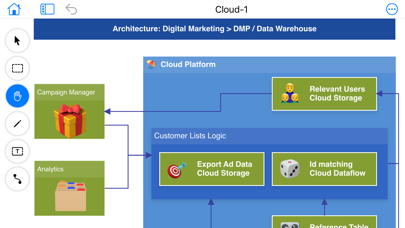
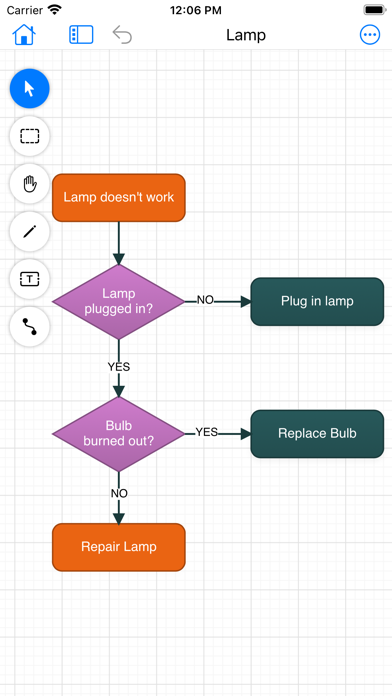
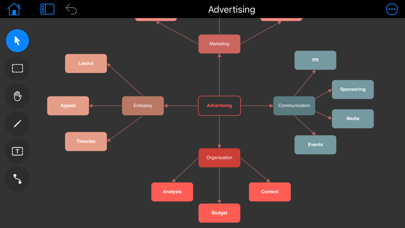
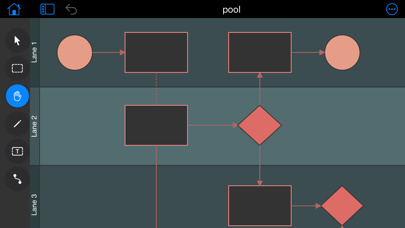
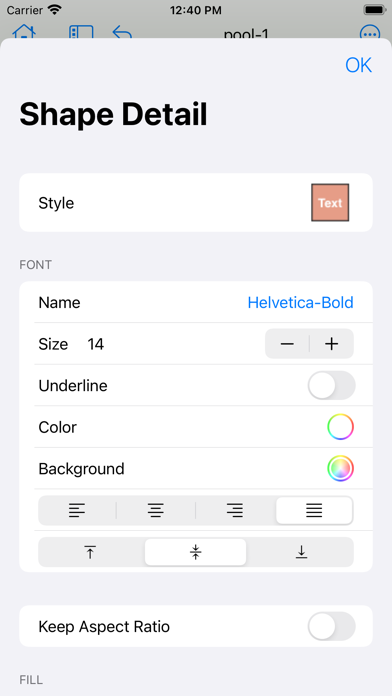
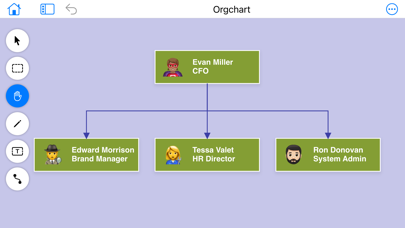
Flowchart Designer 3 is a simple tool to create flowcharts, org charts, process charts, sitemaps, and more. It comes a lot of shape templates and containers, which can be decorated with styles. With Flowchart Designer 3, you can create an attractive flowchart in minutes.
Main Features:
- Drag to add new nodes;
- Infinite Canvas;
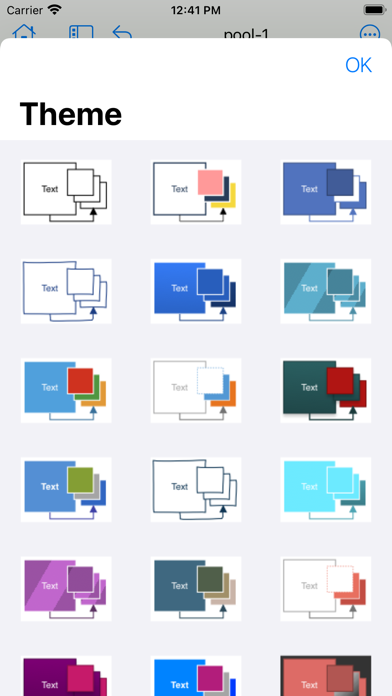
- 24 attractive themes;
- Use container to organize nodes;
- Group nodes to make complex shape;
- Smart Connectors;
- Swim Lanes;
- Basic shapes for free use, and you can get more shapes by purchase;
- Unlimited undo operations;
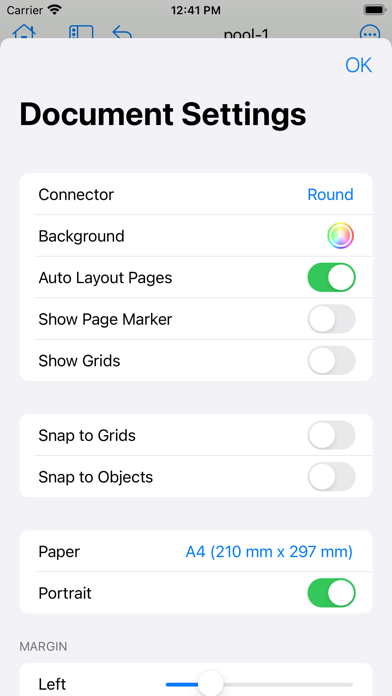
- Export as pdf, png.
We hope that you'll find our product helpful and a delight to use. To get in touch, email us at …
Read the full description
Flowchart Designer 3 is a simple tool to create flowcharts, org charts, process charts, sitemaps, and more. It comes a lot of shape templates and containers, which can be decorated with styles. With Flowchart Designer 3, you can create an attractive flowchart in minutes. Main Features: - Drag to add new nodes; - Infinite Canvas; - 24 attractive themes; - Use container to organize nodes; - Group nodes to make complex shape; - Smart Connectors; - Swim Lanes; - Basic shapes for free use, and you can get more shapes by purchase; - Unlimited undo operations; - Export as pdf, png. We hope that you'll find our product helpful and a delight to use. To get in touch, email us at [email protected]
Installs since 29 Aug 2026
Apple does not publish download counts. Estimates are in testing.
Estimated store revenue Estimated Beta
App Store, worldwide, monthly rate from the last 12 chart days to 19 Nov 2026
Below the top 100 grossing apps in the markets we calibrate. In the United States that usually means under about $6.4M a month. App Store purchases and subscriptions only, before Apple's 15 to 30% fee. Ads and web payments are not included.
Ratings
109 ratings, 109 reviews
No rating breakdown published for this app.
Recent reviews
Latest public reviews from the store
- 6 Oct 2023
Great app! Has a few bugs...
Been using this for over a year and it's been mostly great! I've been having issues with front to back orders of objects. The move back functions work, but the bring forward options are always greyed out. Also, though I sometimes see object order correct on my screen, it doesn't print with the same object order. I have to close and reopen the file so I can see it like how it prints which isn't correct. Then I can try to fix it, but that has issues due to object order bugs.
- 30 Jun 2023
easy to use Mac touch pad friendly
There are a few free flow chart and design apps for the iPad, and while they do the job for me, I was thrilled to discover a Mac-compatible alternative. That moment was the best of my life. This program is a pretty straightforward chart or flowchart, and I can use it on my iPad, iPhone, and Mac mini. It doesn't matter what approach to mind mapping you're trying to adopt. Dad has all the fundamental features necessary for easily producing a professional-looking flowchart. Obviously, I shelled out for the full version, and I couldn't be happier; please keep improving flow chart designer; it's a fantastic tool. ~ Robert Smith, policy Manager
- 24 Jun 2023
Easy to use and professional results
Got this to create some flowcharts to include with research submission. This is a very intuitive interface that is versatile and easy to use. Allows for items to be images as well as the typical shapes. My only wish is that the default font could be permanently changed away from helvetica; but the fix is easy enough by changing the style in the first item and then just copying it. Great product.
- 18 Nov 2021
Nearly perfect
This is a very powerful and intuitive tool for making a wide variety of great looking flow charts. The customization options are complete and easily accessible. Alignment, snap, line styles, colors, sizing - it’s all there. The only problem I’ve found is with text. For every object type including the text tool itself, the text alignment option (left, right, center, justify) is broken. If you ever de-center text you can never center it again because the center option does not work. Thankfully, center is the default so all text objects are initially centered. The fee for purchasing the full set of shapes is well worth the $7.99 one-time price. I hope the text alignment issue gets fixed, then this app will be perfect.
What reviewers bring up
Topics mentioned in the latest 8 reviews, by how many reviews mention them
Liked in good reviews (7 reviews)
- flow 5
- features 3
- designer 3
- easily 3
- charts 3
- same 3
- able 3
- few 3
Raised in bad reviews (1 reviews)
No topic comes up twice.
Top chart positions
Latest App Store chart ranks by country, last 10 days
Not in any tracked top chart in the last 10 days.
Flowchart Designer 3 history
Release, install milestones, listing and store changes
- First released on the store 17 May 2020
Update frequency
How often Flowchart Designer 3 ships a new version, month by month
0 updates in the last 12 months. Less often than most similar apps: they shipped a median of 2 updates in the same year.
Recent versions
Current version 3.1.6
- Version 3.1.614 Jul 2025
Some issues fixed; Added new version update guide.
Listing keywords
Words and phrases Flowchart Designer 3 repeats most in its store listing
Top phrases: flowchart designer (3).
Highlighted words also appear in the title. Counts cover the title, short description and description.
Compliance
What the listing and the app package show
- Store status
- Live
- Upkeep
- Updated 14 Jul 2025
- Age rating
- 4+
Apps like Flowchart Designer 3
 Baby + Pregnancy Collage MakerT-Logic★ 4.69
 Cartoon Photo Editor: PicToonRomain Sion★ 4.56
 Nail Diva - Try On NailsMaksym Sutkovenko★ 4.4
 How to draw Anime Ar drawingMellas Ayman★ 4.42
 Genie AI - AI Video Generator发家 罗★ 3.3
 Vixa – AI Video GeneratorKOEL STUDIO LIMITED★ 4.27
 JGGL: AI Generated ImagesAILAB FOR CLOUD SERVICE & DATACENTERS PROVIDERS CO. L.L.C★ 4.76
 MyEdit: AI Photo GeneratorCyberLink★ 2.93
 AI Action Figure Video MakerTulsi Vasani★ 3.52
Flowchart Designer 3: questions and answers
Who makes Flowchart Designer 3?
Flowchart Designer 3 is published by 光建 张.
When was Flowchart Designer 3 last updated?
The latest version (3.1.6) was released on 14 Jul 2025.
Is Flowchart Designer 3 free?
Yes. Flowchart Designer 3 is free to download.
Is Flowchart Designer 3 still available?
Yes. Flowchart Designer 3 is live on App Store as of 14 Nov 2026.
Track Flowchart Designer 3 and its competitors
Watch any app for new versions, rating drops, chart moves and removals. Free plan, no card.