
- Installs
- —
- Apple does not publish download counts
- Rating
- 3.25
- Ratings
- 4
- 4 reviews
- Version
- 3.5.4
- Updated 18 Mar 2026
- Released
- 21 Sep 2021
- Tracked since 10 May 2026
- Size
- 136 MB
- Needs 15.2
Screenshots
About FormConnect Pro+
The description on the store listing
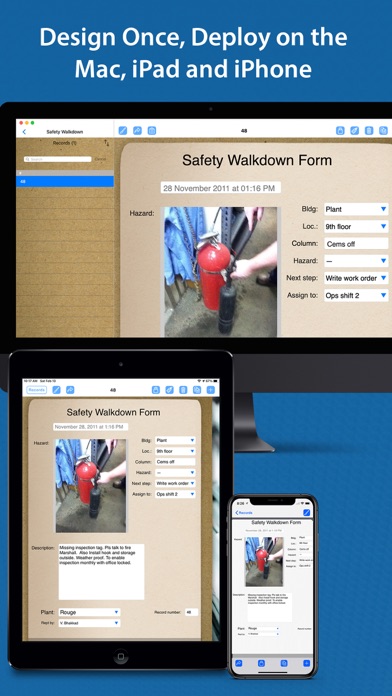
FormConnect Pro Plus is a comprehensive form creation solution for iPad, iPhone and Mac users. Offering advanced features and a high level of customization, FormConnect Pro Plus includes SmartForm technology features for the designing and filling out of your forms. This includes the ability to automate many functions when filling out the form, syncing forms and data between your iPad, iPhone and Mac devices, and collaborating with other users when working on the same form. FormConnect Pro Plus is a single user license that can be downloaded and used on all three Apple platforms. It is perfect for small to medium sized businesses
Form Design Features:
• Create an unlimited number of form …
Read the full description
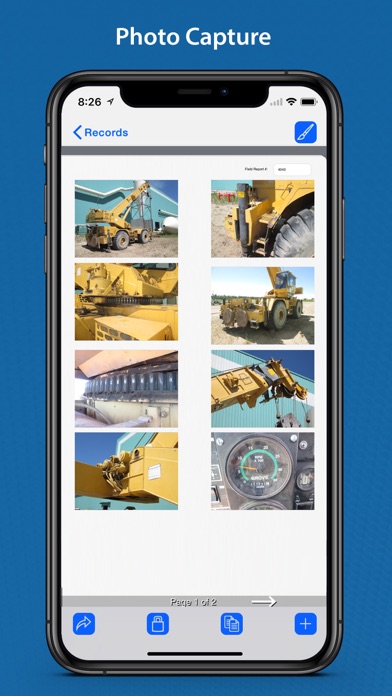
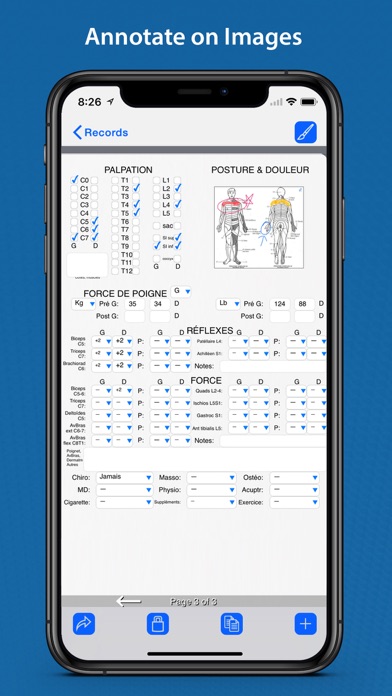
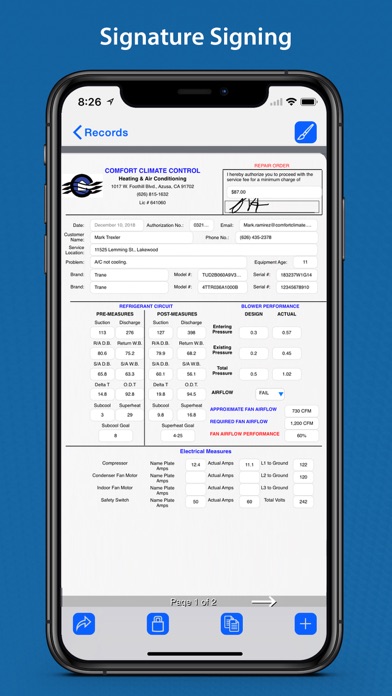
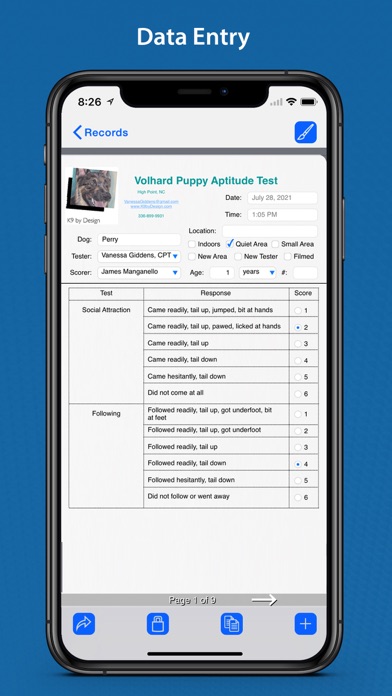
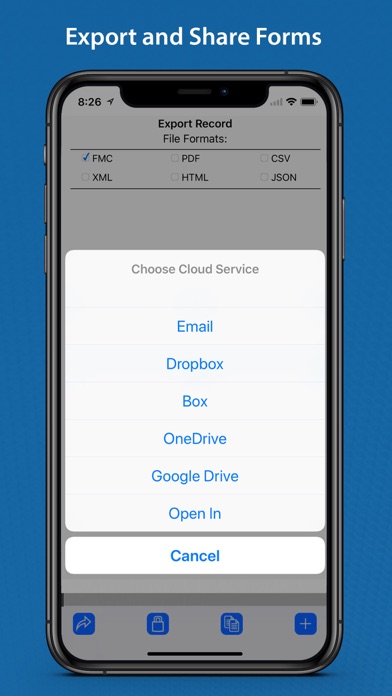
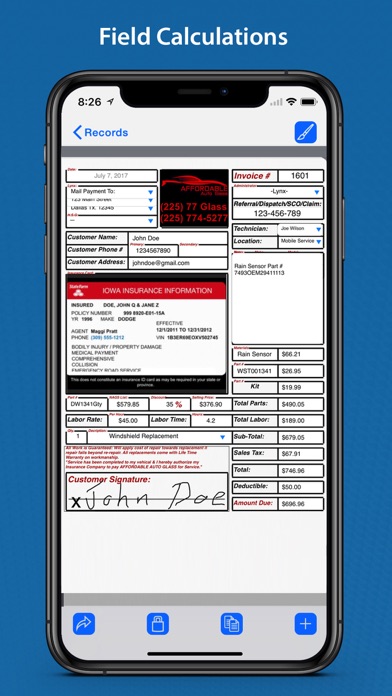
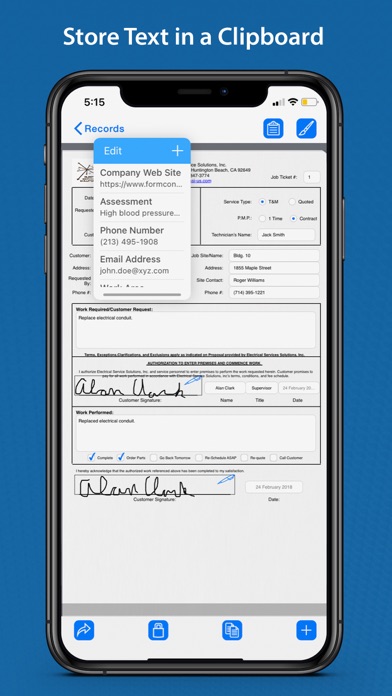
FormConnect Pro Plus is a comprehensive form creation solution for iPad, iPhone and Mac users. Offering advanced features and a high level of customization, FormConnect Pro Plus includes SmartForm technology features for the designing and filling out of your forms. This includes the ability to automate many functions when filling out the form, syncing forms and data between your iPad, iPhone and Mac devices, and collaborating with other users when working on the same form. FormConnect Pro Plus is a single user license that can be downloaded and used on all three Apple platforms. It is perfect for small to medium sized businesses Form Design Features: • Create an unlimited number of form templates. • Choose from multiple field types (text, date, checkbox, radio buttons, drop-down, text labels, photos, signatures, image, draw/annotate, table, GPS, barcode). • Choose from multiple themes (clipboard, clip fastener, spiral bound, journal, moleskin, stainless steel). • Customize the Alignment of a field (left, right, center). • Customize the formatting of the text (bolding, italicizing, text color). • Adjust the length of a field. • Adjust the font size of a field. • Organize various fields into a table with rows and columns. Form Filling Features: • Fill out a form an unlimited number of times. • Touch screen and external keyboard support. • Snap photos with the iPad or iPhone’s camera. • Import photos from the photo library. • Lock forms from being altered once they have been filled out. • Print forms to external printers. • Store data locally and in Apple's iCloud. • Annotate/draw on photos and images. • Signature Signing. • Import and export form data. • Export data into the following formats: (PDF, CSV, XML, HTML, FMC, JSON). • Export forms via email or to cloud services (Dropbox, Box, Google Drive, Microsoft OneDrive). • Pre-populate form fields. • Prevent users from editing a form. • Auto increment a field on the form. • A spreadsheet-like function for summing rows and columns. • Require a field be mandatory before it can be saved. • Kiosk data entry mode for displaying a simpler user interface for customers. • A GPS field setting that displays latitude and longitude coordinates. SmartForm Automation Features: • Sync your forms across all your devices (iPad, iPhone and Mac). • Collaborate with multiple users when working on the same form. • Folders - Organize your forms into multiple folders for easy access. • Clipboard - Store text in a clipboard that can be copied and pasted into a field on the form. • Index Tabs - Place multiple tabs on the form to navigate between pages. • Field Linkage - Link multiple fields together so that one field can update another field. • Form Linkage - Link multiple forms together so that one form can update another form. • Automatically upload forms to cloud service providers. • Form Tabs - View multiple forms by opening tabs. • Auto Launcher - Open multiple forms simultaneously. • Scripting - Create scripts to automate a series of commands. • Toolbar Customization - Show/hide any of the buttons on the toolbar. • Page Rearrangement - Rearrange the pages on the form. • Nested Lists - A list within a list, creating a hierarchical structure where items can be grouped and organized. • Table Lookup - Organize various fields on the form into a table layout. • Mail Merge. • Report Writing Functionality. • Barcode and QR Code Scanning. • Database Querying. • Keyboard shortcuts to execute commands. • Siri Shortcuts to automate tasks. • Widgets placed on the home page to open a form. Cloud Syncing: • Auto syncing of forms from one device to another. • Creation of groups where team members can collaborate on the same form. • Auto backup of forms to iCloud. • Restoration of forms that have been deleted. • Automatically upload forms to cloud service providers. Terms of Use: https://www.formconnections.com/terms-of-use/ Privacy Policy: https://www.formconnections.com/about-2/privacy-policy/
Installs
Apple does not publish download counts. Estimates are in testing.
We publish iOS estimates only after they pass a back-test against real numbers. Chart history below is measured.
Estimated store revenue Estimated Beta
App Store, worldwide, monthly rate from the last 13 chart days to 20 Nov 2026
Below the top 100 grossing apps in the markets we calibrate. In the United States that usually means under about $6.4M a month. App Store purchases and subscriptions only, before Apple's 15 to 30% fee. Ads and web payments are not included.
Ratings
4 ratings, 4 reviews
No rating breakdown published for this app.
Recent reviews
Latest public reviews from the store
No reviews in our sample for this app yet.
Top chart positions
Latest App Store chart ranks by country, last 10 days
Not in any tracked top chart in the last 10 days.
FormConnect Pro+ history
Release, install milestones, listing and store changes
- First released on the store 21 Sep 2021
Update frequency
How often FormConnect Pro+ ships a new version, month by month
1 updates in the last 12 months. About as often as similar apps, which shipped a median of 1 updates in the same year.
Recent versions
Current version 3.5.4
- Version 3.5.418 Mar 2026
- Bug fixes.
Listing keywords
Words and phrases FormConnect Pro+ repeats most in its store listing
Top phrases: formconnect pro (4), formconnect pro plus (3), iphone and mac (3), ipad iphone (3), multiple forms (3).
Highlighted words also appear in the title. Counts cover the title, short description and description.
Compliance
What the listing and the app package show
- Store status
- Live
- Upkeep
- Updated 18 Mar 2026
- Age rating
- 4+
Apps like FormConnect Pro+
 Robin - Mobile AppRobin Powered, Inc★ 3.32
 Bright AisleMedia Solutions Corp★ 2.52
 Rhingie: phone call 2nd numberDating onlain, ooo★ 3.96
 PayClockLathem Time Corporation★ 2.08
 云电话-网络电话虚拟隐私小号国辉 李★ 4.74
 QuicklynQuicklyn★ 4.86
 Diligent BoardsDiligent Corporation★ 3.32
 DATABASICSDATABASICS★ 3.8
 vMEyeSuperGuangzhou Kedi Intelligence Technology Co., Ltd.★ 3.14
FormConnect Pro+: questions and answers
Who makes FormConnect Pro+?
FormConnect Pro+ is published by FormConnections, Inc..
When was FormConnect Pro+ last updated?
The latest version (3.5.4) was released on 18 Mar 2026.
Is FormConnect Pro+ free?
Yes. FormConnect Pro+ is free to download.
Is FormConnect Pro+ still available?
Yes. FormConnect Pro+ is live on App Store as of 1 Jul 2026.
Track FormConnect Pro+ and its competitors
Watch any app for new versions, rating drops, chart moves and removals. Free plan, no card.