
- Installs
- —
- Apple does not publish download counts
- Rating
- 4.54
- Ratings
- 122
- 122 reviews
- Version
- 25.0
- Updated 24 Sep 2026
- Released
- 1 May 2014
- Tracked since 11 May 2026
- Size
- 61 MB
- Needs 11.0
Screenshots
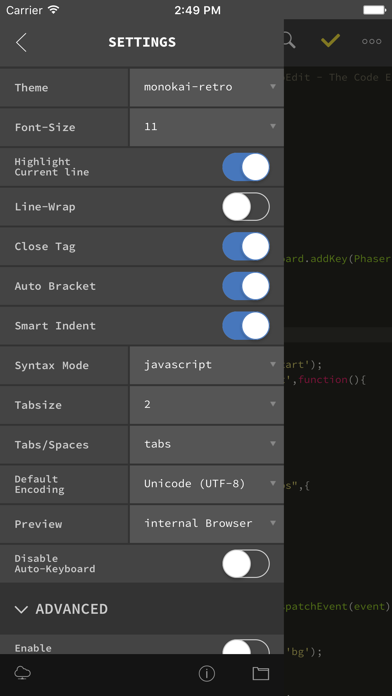
About GoCoEdit - Code & Text Editor
The description on the store listing
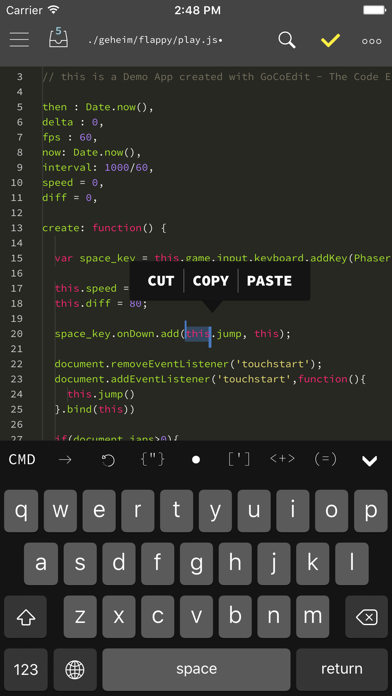
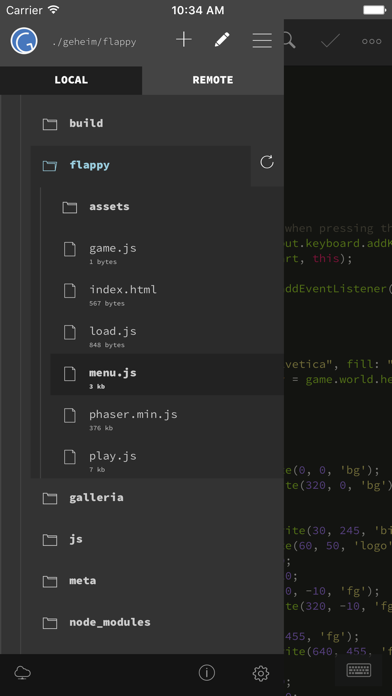
GoCodeEditor is a Code Editor optimized for fast opening and editing local and remote files (Dropbox, OneDrive, FTP, SFTP/SSH) on your iOS Device.
FEATURES:
------------------------------
• Sublime like Code-Editor!
• Universal App (use it on your iPad, iPhone & iPod Touch)
• iPhone X (s/s Max) support
• Full iPad Pro support (including smart keyboard support, shortcuts, split-screen multitasking)
• iPadOS Mouse & Trackpad
• NEW! Multi-caret Editing
• NEW! Siri Shortcuts
- create newfile / start shell / connect to shell / preview
- more soon...
• Drag & Drop Support
- Support for Drag & Drop files from the Files App
- Support for Drag & Drop files / repos and folders from …
Read the full description
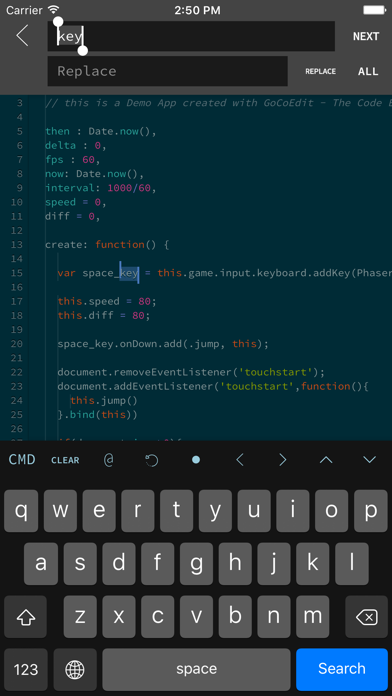
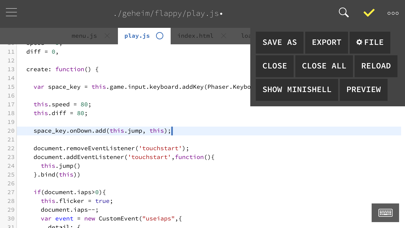
GoCodeEditor is a Code Editor optimized for fast opening and editing local and remote files (Dropbox, OneDrive, FTP, SFTP/SSH) on your iOS Device. FEATURES: ------------------------------ • Sublime like Code-Editor! • Universal App (use it on your iPad, iPhone & iPod Touch) • iPhone X (s/s Max) support • Full iPad Pro support (including smart keyboard support, shortcuts, split-screen multitasking) • iPadOS Mouse & Trackpad • NEW! Multi-caret Editing • NEW! Siri Shortcuts - create newfile / start shell / connect to shell / preview - more soon... • Drag & Drop Support - Support for Drag & Drop files from the Files App - Support for Drag & Drop files / repos and folders from Working Copy App - Support for Dragging local files from GoCoEdit to other Apps • Compatible with Apple Watch Start a ssh-shell from your wrist right now! Run your self defined scripts with one tap. • Extra keybar with swipe functions and trackball to precisely move the cursor and select text • Syntax highlighting for many coding languages like: (apache, arduino, asp/vb.net, c, c#, c++, ceylon, clojure, coffeescript, css, dart, dockerfile, elixir, erlang, fortran, go, handlebars, haskel, html, jade, java, javascript (es6 support), jsx, kotlin, latex/stex, less, lisp, livescript, lua, markdown, mathematica, nginx, objective-c, pascal, perl, php, plist, powershell, pug, puppet, python, r, rss, ruby, rust, sass, scala, shader, shell, sql, squirrel, stylus, svelte, swift, typescript, verilog, vue(js), xml, yaml) • Some comfort features: code folding, code hinting, auto indent, auto close brackets, line wrapping, smart indent, tag and bracket matching, find by regular expression, replace, replace all, symbolic/function search for many syntax modes • Quick CMD-mode (keep your hands on the On-Screen-Keyboard) - p.e. press cmd+c, cmd+v to copy and paste selected text - over 15 shortcuts supported • Different themes ( include solarized, monokai and many more ) and font-sizes • Import / export / open files from icloud drive and other file providers • Open entire folders or repositories from the Git client Working Copy or the Files App using the iOS document picker • Extendable - Custom Syntax Modes -- create your own Syntax highlighting modes now you can write own modes and use it for your own file types - Custom Themes -- create your own editor themes - Snippets -- use short fragments of text again and again ( with filed and placeholders support ) • Preview Browser with Javascript console ( in iPad version resizeable for preview iPad or iPhone layouts ) • Markdown Preview & HTML Export • Connect to your servers via SFTP, FTP, DRIVE, ONEDRIVE or DROPBOX NEW! with OneDrive 365 and OneDrive for Business support • NEW! File has changed detection ( GCE is now able to detect external file changes on local and remote files ) • Upload and Download files/folders or edit files directly on your server/dropbox/drive/onedrive without download • Very fast reconnect and recover of open files after restart • Edit your files directly on your server without download. • Integrated Shell (ssh) to perform background tasks like a Grunt, Gulp, npm or another shell job ( type direct or define scripts and run it with a single tap ) • Supporting advanced features like textselection by cursor, Splitview, Slide-Over and Drag & Drop • 3D Touch support - Show/move cursor by 3D touch the keyboard - Quick Actions (new file, start shell, connect shell to last server, show preview of last file) • External/Bluetooth keyboard support ( all iOS shot-cut keys are supported + lots of shortcuts available ) ------------------------------ If you want to support the project and increase the development speed become a patreon. ------------------------------
Installs since 29 Aug 2026
Apple does not publish download counts. Estimates are in testing.
Estimated store revenue Estimated Beta
App Store, worldwide, monthly rate from the last 12 chart days to 19 Nov 2026
Below the top 100 grossing apps in the markets we calibrate. In the United States that usually means under about $6.4M a month. App Store purchases and subscriptions only, before Apple's 15 to 30% fee. Ads and web payments are not included.
Ratings
122 ratings, 122 reviews
No rating breakdown published for this app.
Recent reviews
Latest public reviews from the store
- 20 Mar 2026
Great native OneDrive integration
I use this for editing markdown files that Claude maintains in OneDrive since Microsoft does not natively support editing non-office docs in the OneDrive client.
- 31 Mar 2025
Wish I could give it a 5
If you’re an old-school text editing coder, this app is a great bridge between touch screen and raw text editing. It will also integrate with several cloud storage solutions, so you can use any storage you already use. The only problem is: it doesn’t remember your preferences across updates (like every other app on the planet does). A simple, but important detail that is the reason I can’t give it a 5/5. My workaround: I have a note in the Notes app where I keep track of whatever settings I change in this app. Otherwise it would be like reinventing the wheel every time this app (or the OS) updates. But this shouldn’t be necessary. The app should remember settings across updates. It seems like it should also be able to remember your last position in a file, and take you there instead of the top of the file every time you re-open a file. A setting for “top, bottom, previous” location on open would be nice. My other (less important) feature request would be that if you’re using an external keyboard, being able to set VI or Emacs key bindings would be a bit awesome. (I’m an old vi / vim user)
- 10 Jan 2025
Awesome
This is so useful. Stop working with Google Drive recently though. Is there someway around this?
- 18 Dec 2024
Finally! I’ve struck gold with this!
My teams workflow, we do everything on the server… I know, I know, git commit push pull… Not in a wordpress shop. This is fantastic for loading up all of your SFTP client server accounts for easy access and simple editing of their style.css or functions.php. The addition of our standard color themes for the IDE is nice to make it universal feel to set your VSCode or Nova/Panic IDE similarly. I’m so excited about this I’m probably not even making sense. This is it. I’ve purchased all of the expensive guys, Txtastic, Co da, all of them, this is worth every penny.
What reviewers bring up
Topics mentioned in the latest 50 reviews, by how many reviews mention them
Liked in good reviews (40 reviews)
- editor 15
- files 14
- other 8
- code 8
- ios 8
- support 7
- remote 7
- features 6
Raised in bad reviews (5 reviews)
- function 2
Top chart positions
Latest App Store chart ranks by country, last 10 days
- Countries ranked
- 2 of 50
- Best rank
- #23
- Top 10 placements
- 0
- of 2 chart placements
- Average rank
- #52.5
Best countries on App Store
- 🇨🇿 Czechia · Top paid, Productivity#23
- 🇯🇵 Japan · Top paid, Productivity#82
GoCoEdit - Code & Text Editor history
Release, install milestones, listing and store changes
- First released on the store 1 May 2014
Update frequency
How often GoCoEdit - Code & Text Editor ships a new version, month by month
2 updates in the last 12 months. More often than most similar apps: they shipped a median of 1 updates in the same year.
Recent versions
Current version 25.0
- Version 25.024 Sep 2026
- updated for iOS27
- Version 24.07 Jul 2026
- Google Drive is back :) - minor bugfixes
- Version 23.121 Sep 2025
• Fixed a with copy and paste in upcomming iOS versions • Fixed some minor layout issues
Listing keywords
Words and phrases GoCoEdit - Code & Text Editor repeats most in its store listing
Top phrases: drag drop (4), drag drop files (2), local and remote (2), start shell connect (2), support for drag (2).
Highlighted words also appear in the title. Counts cover the title, short description and description.
Compliance
What the listing and the app package show
- Store status
- Live
- Upkeep
- Updated 24 Sep 2026
- Age rating
- 4+
Apps like GoCoEdit - Code & Text Editor
 WardBulletJared Green★ 4.31
 Tally Counter WidgetT-Logic★ 4.42
 Widget: Custom Widgets GalleryPlanner X LLC★ 4.32
 Zoho Sheet—Spreadsheet on iPadZoho Corporation★ 4.58
 Texts on VideoGyoom★ 4.58
 NuminarNuminar Inc★ 4.56
 KilnLinkSkutt Ceramic Products, Inc.★ 1.88
 Mowr TechnologiesMowr Technologies LLC★ 4.55
 Jungle.Yaccov Snir★ 3.34
GoCoEdit - Code & Text Editor: questions and answers
Who makes GoCoEdit - Code & Text Editor?
GoCoEdit - Code & Text Editor is published by Christoph Gogolin.
When was GoCoEdit - Code & Text Editor last updated?
The latest version (25.0) was released on 24 Sep 2026.
Is GoCoEdit - Code & Text Editor free?
No. GoCoEdit - Code & Text Editor is a paid app priced at $8.99.
Is GoCoEdit - Code & Text Editor still available?
Yes. GoCoEdit - Code & Text Editor is live on App Store as of 14 Nov 2026.
Track GoCoEdit - Code & Text Editor and its competitors
Watch any app for new versions, rating drops, chart moves and removals. Free plan, no card.