
- Installs
- —
- Apple does not publish download counts
- Rating
- 4.88
- Ratings
- 4K
- 4K reviews
- Version
- 3.4
- Updated 22 Nov 2025
- Released
- 18 May 2014
- Tracked since 10 May 2026
- Size
- 10 MB
- Needs 15.6
Screenshots
About GraphNCalc83
The description on the store listing
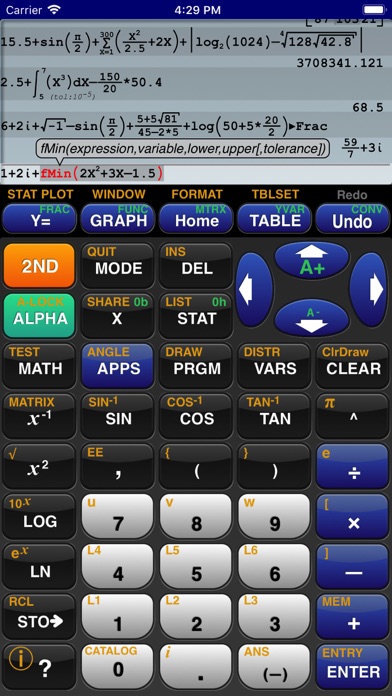
GraphNCalc83 uses touch, color and blazing speed to handle your math problems. The familiar calculator keyboard, arrow keys and functions are enhanced with full touch input for all graphs, editors and menus. Enter calculations in natural textbook format. Enter fractions and view result as fractions. Trace graphs with your finger. Zoom in and out with a pinch. Explore regressions with a tap on the screen. Scroll through the list, matrix and calculation history with a swipe. Tap the ? key for help. Written using the latest 64 bit math libraries, GraphNCalc83 harnesses the amazing computing resources of the iPhone and iPad to provide a colorful, fast and fluid experience. Graphs scroll, glide …
Read the full description
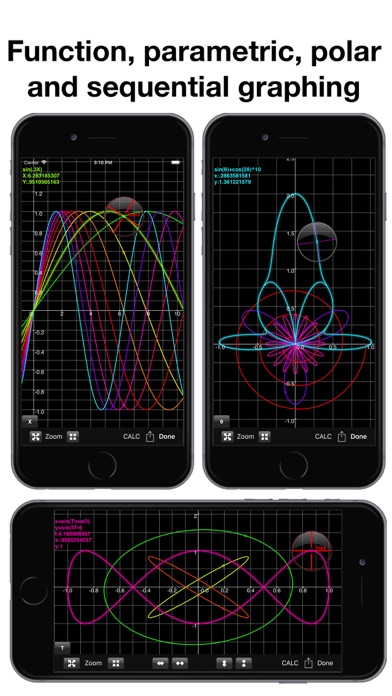
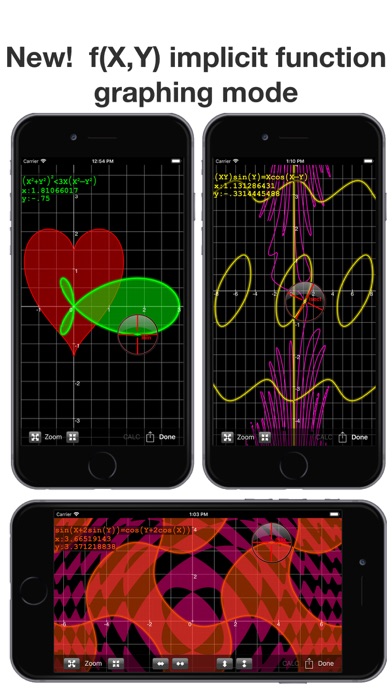
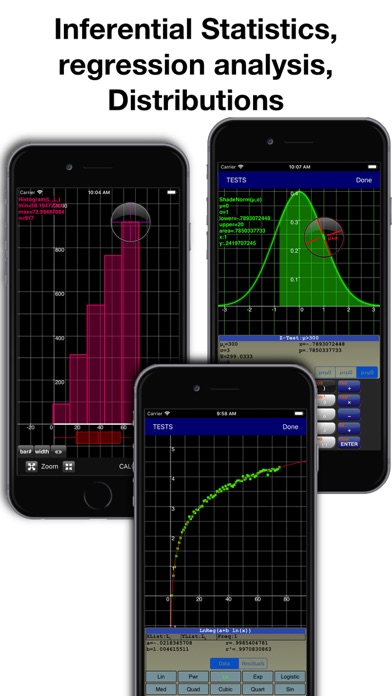
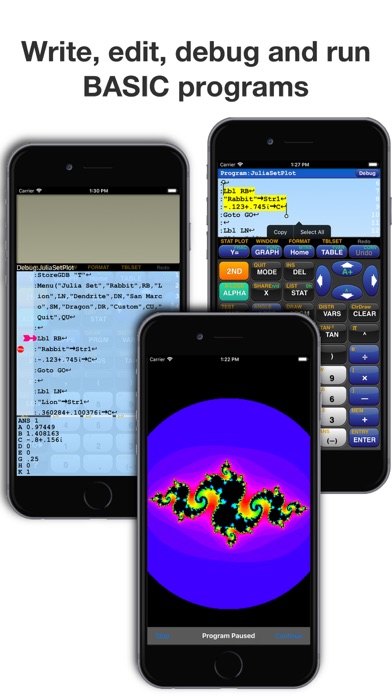
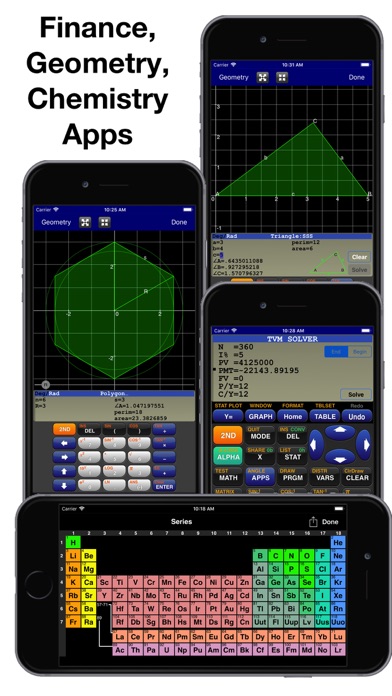
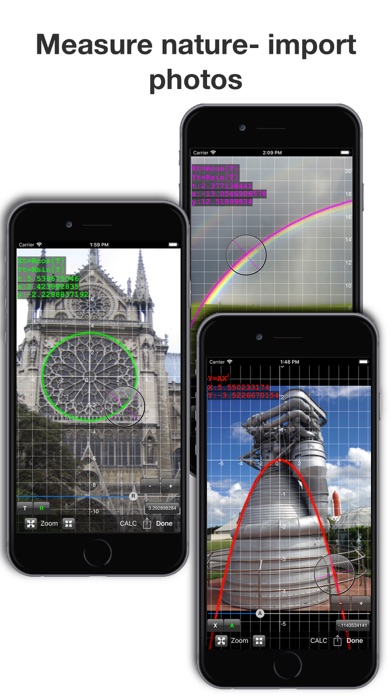
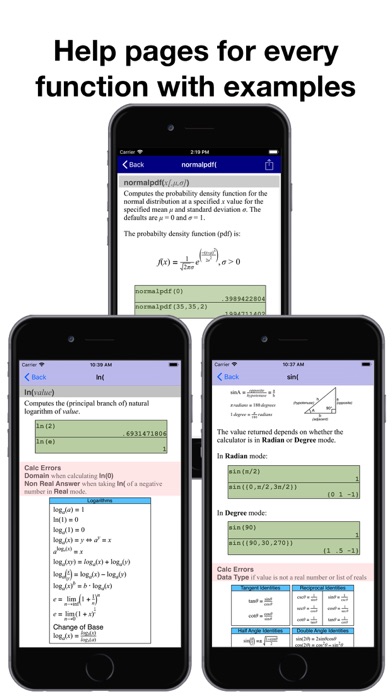
GraphNCalc83 uses touch, color and blazing speed to handle your math problems. The familiar calculator keyboard, arrow keys and functions are enhanced with full touch input for all graphs, editors and menus. Enter calculations in natural textbook format. Enter fractions and view result as fractions. Trace graphs with your finger. Zoom in and out with a pinch. Explore regressions with a tap on the screen. Scroll through the list, matrix and calculation history with a swipe. Tap the ? key for help. Written using the latest 64 bit math libraries, GraphNCalc83 harnesses the amazing computing resources of the iPhone and iPad to provide a colorful, fast and fluid experience. Graphs scroll, glide and zoom smoothly. Matrix, statistics and BASIC programs run 500x times faster than traditional calculators. GraphNCalc83 includes: Algebraic entry: Enter problems using full algebraic textbook notation. The command line editor includes interactive parenthesis matching and high lighting, undo and redo, bubble function help and a 200 level calculation history and recall stack. Generate a PDF report of calculations for mailing or printing using the SEND function. Math functions: Trigonometry, logarithms, function minimum, maximum, numeric integration and derivatives, general solver, real and imaginary numbers, combination, permutation, random number generation, normal, T, chi squared, Fisher, poisson and geometric distributions, binary shift and rotate, test and logic operations, list operations including sort, std. deviation, sum, sequence, matrix determinant, transpose, sum, ref, rref, addition, multiplication. Graph functions, parametric, f(x,y) and polar equations and statistics plots: Full color graphs with touch to trace, pinch zoom, function minimum, maximum, intersections, asymptotes and numeric integration. Output graphs in high resolution PDF format for mailing or printing. Interactively explore function behavior using variables tied to slider bars. Statistics, Inferential Statistics and Distributions: A set of inferential statistics worksheets and graphs of distributions are included. The regression analysis screen allows you to quickly compute, view and analyze a data set using a variety of curve fitting methods. Table: Analyze functions using the table viewer. Use the split screen mode to simultaneously view a graph and table. Matrix and Lists: Matrix and list editors and a full set of matrix and list operations are built in. Unit Converter and Constants: Convert between a wide variety of scientific, engineering and common units. A large set of physical constants are also included. BASIC programming: Create, edit, debug and run BASIC programs. Programs run more than 500 times faster than traditional calculators. Import and execute .83p and .8xp files. Chemistry: The calculator includes a full featured periodic table, a mass calculator and a data base of element properties. The touch interface allows you to view and interact with the periodic table to view by series, state, melting point, boiling point, electronegativity, electron affinity, valence, ionization, radius, hardness, modulus, density, conductivity, heat and year discovered. Geometry: The geometry application computes perimeter and area for a variety of 2d geometric figures including squares, rectangles, parallelograms, triangles, polygons, circles, arcs and ellipses. A full triangle solver and interactive unit circle grapher are built in. Solve line intersections, project a point to a line and find a circle given 3 points. Finance: Compute time value of money problems including annuities, lump sums and uneven cash flow analysis with IRR and NPV Built-in user guide: A user guide is included and is a touch away using the ? key or ⓘ on any menu. All functions have a full manual page with description of arguments and examples of use. Pop up bubble help displays function arguments during problem entry and program editing.
Installs, last 30 days
Apple does not publish download counts. Estimates are in testing.
Estimated store revenue Estimated Beta
App Store, worldwide, monthly rate from the last 14 chart days to 21 Nov 2026
Below the top 100 grossing apps in the markets we calibrate. In the United States that usually means under about $6.4M a month. App Store purchases and subscriptions only, before Apple's 15 to 30% fee. Ads and web payments are not included.
Ratings
4,045 ratings, 4,045 reviews
No rating breakdown published for this app.
Recent reviews
Latest public reviews from the store
- 25 Nov 2025
Best iOS Calculator Deal for Your Money
If you have ever spent over $100 on a calculator, and I have done this multiple times, you quickly realize that software calculators are far better deal. They can be updated with software updates and they can keep pace with the evolving field of calculation. This app is ridiculously identical to the TI 84 class of calculators and though I understand that you can’t use this app on a test if you’re interested in doing all of the calculations for a class that requires that you use the TI 84 calculator. This app is a no-brainer. It’s fast and accurate has all kinds of killer features and the developer, Ernie Brock, updates it all the time with new stuff and he fixes things in those rare cases when there’s a bug. I recommend this app to all of my students.
- 22 Aug 2025
Great calculator!
I love this calculator! I’m a math teacher and have been using it for years. It looks and works just like the old TI-83 so there is no learning curve if you are used to the original. Because of the touch screen to make zooming and tracing easy the graphing is much better than the original and, obviously, much faster. The last update changed the display so that the lines of entries alternate colors, which I don’t happen to care for, but that is just a personal preference. The developer did (does) a fantastic job with this app. I don’t know how long ago I wrote the above paragraph, but it’s been several years at least. Since they asked, I’ll just say for the record that I’m still using it and I still think it is a great app. They asked again, and I will echo what I said previously. However many years later it is—and I’ve lost track—I’m still in love with this calculator. I use it almost daily, even though I’m no longer teaching. I still do some programming (project Euler mostly) and it’s hard to say how handy this calculator is.
- 4 Apr 2024
Great for stats students
I am a statistics teacher and I have my student’s download this app on their phones. Not only is it cheaper than buying a TI calculator but it is actually better. When I make graphs, I can share them through email or text. i also have the ability to use the touch screen to get the correct domain and range of my graph that I want. No more typing in or zooming in which takes so much time on the calculator. You can also use the touch screen to trace around a line. The calculator makes a little vibration when you hit max, min, intersection points. I love this app. I even have my friends download too because it is so. Much more powerful than a calculator because you can see what your inputs are and scroll to see past calculations. I could go on. Worth every cent.
- 20 Sep 2021
It just keeps getting better AND .......Most likely It’s all you need and want😃
I have said this before and I am saying it again be because this calculator just keeps getting better. Most likely it’s all you need! Ohh yess....did I mention the chemistry and Environmental engineering utility! From personal experience this is an ample scientific calculator that can get you through graphing, and bio-statistics,and physics. You will never misplace it, as it is on your tablet and smart phone in a pinch. The programmers care about your user experience, readily offering tips and promptly answering troubleshooting/ how to use the functions. The built help menus are unparalleled. This is one app I won’t be deleting to free up space! Also I think the user interface is extremely intuitive and rich with extras that you simply don’t get with all the handheld calculators that it replaces. Lastly it actually works natively smooth as if it belongs in iOS on your device screen.
What reviewers bring up
Topics mentioned in the latest 8 reviews, by how many reviews mention them
Liked in good reviews (8 reviews)
- calculator 7
- graphing 5
- screen 5
- developer 4
- actually 4
- zooming 4
- better 4
- touch 4
Raised in bad reviews (0 reviews)
No topic comes up twice.
Top chart positions
Latest App Store chart ranks by country, last 10 days
- Countries ranked
- 1 of 50
- Best rank
- #70
- Top 10 placements
- 0
- of 1 chart placements
- Average rank
- #70
Best countries on App Store
- 🇺🇸 United States · Top paid, Education#70
| Country | Chart | Category | Rank | Best (10 days) | Date |
|---|---|---|---|---|---|
| 🇺🇸 United States | Top paid | Education | #70 | #70 | 18 Nov 2026 |
GraphNCalc83 history
Release, install milestones, listing and store changes
- First released on the store 18 May 2014
Update frequency
How often GraphNCalc83 ships a new version, month by month
1 updates in the last 12 months. Less often than most similar apps: they shipped a median of 2 updates in the same year.
Recent versions
Current version 3.4
- Version 3.422 Nov 2025
•Update for iOS26 •Fixed bugs in BASIC debugger •Long tap history to copy to paste buffer
Listing keywords
Words and phrases GraphNCalc83 repeats most in its store listing
Top phrases: faster than traditional (2), function minimum maximum (2), mailing or printing (2), matrix and list (2), basic programs (2).
Highlighted words also appear in the title. Counts cover the title, short description and description.
Compliance
What the listing and the app package show
- Store status
- Live
- Upkeep
- Updated 22 Nov 2025
- Age rating
- 4+
Apps like GraphNCalc83
 Ule: learn English languageSmertrios★ 4.64
 Lecturio Nursing | NCLEX PrepLecturio GmbH★ 4.85
 TOEFL Prep & PracticeMagoosh★ 4.74
 Phonics Island Letter soundsCFC s.r.o.★ 4.58
 1st Grade Learning: School EdRosiMosi LLC★ 4.43
 ASWB Social Work Exam PrepSpringer Publishing Company★ 4.66
 ABC Spanish English DictionaryPPCLINK Software★ 4.16
 Coursiv - AI CertificatesCoursiv Limited★ 4.77
 L.O.L. Surprise! Disco HouseTutoTOONS★ 4.19
GraphNCalc83: questions and answers
Who makes GraphNCalc83?
GraphNCalc83 is published by Ernest Brock.
When was GraphNCalc83 last updated?
The latest version (3.4) was released on 22 Nov 2025.
Is GraphNCalc83 free?
No. GraphNCalc83 is a paid app priced at $12.99.
Is GraphNCalc83 still available?
Yes. GraphNCalc83 is live on App Store as of 21 Nov 2026.
Track GraphNCalc83 and its competitors
Watch any app for new versions, rating drops, chart moves and removals. Free plan, no card.