
- Installs
- —
- Apple does not publish download counts
- Rating
- 4.12
- Ratings
- 26
- 26 reviews
- Version
- 2.1
- Updated 31 May 2021
- Released
- 1 Oct 2019
- Tracked since 10 May 2026
- Size
- 6 MB
- Needs 13.0
Screenshots
About Hexer — Hex File Viewer
The description on the store listing
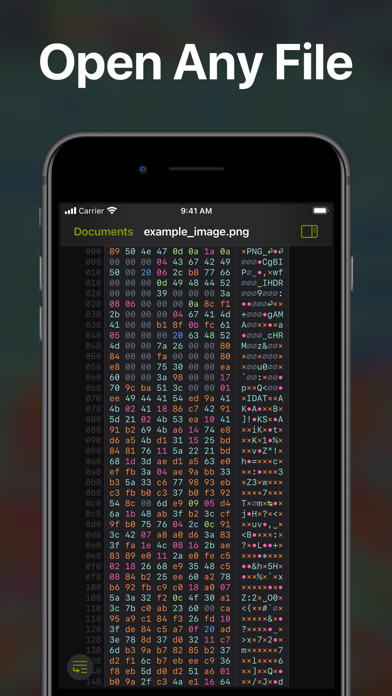
Hexer is a desktop level hex viewer packed with features. It was developed from the ground up for iOS and iPadOS. It is natural and intuitive to use for everyone. It is integrated with the Files app. So you can browse Dropbox, Google Drive, your git repositories, your downloads, your documents in iCloud Drive or your desktop. Or you can just share any file to it.
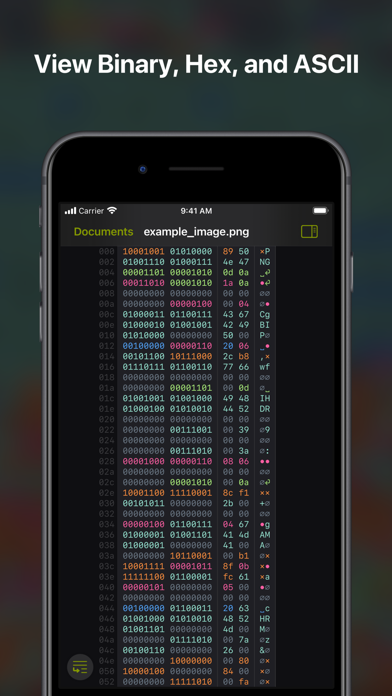
Bytes are highlighted in different colors: Printable characters are cyan, spaces blue, null bytes grey, control characters pink and so on. The colors appear across the binary, hexadecimal, and ascii column — or can just be turned off completely.
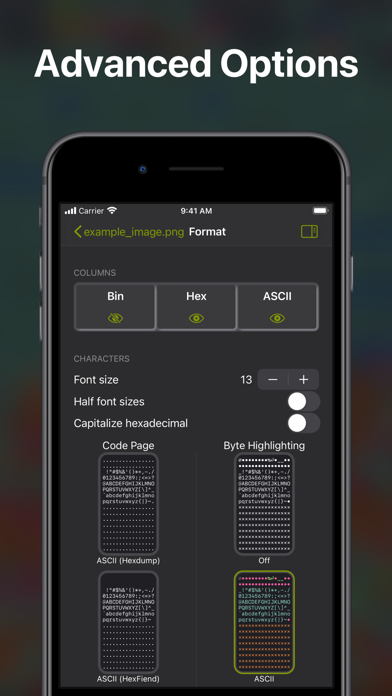
▶ Many advanced options
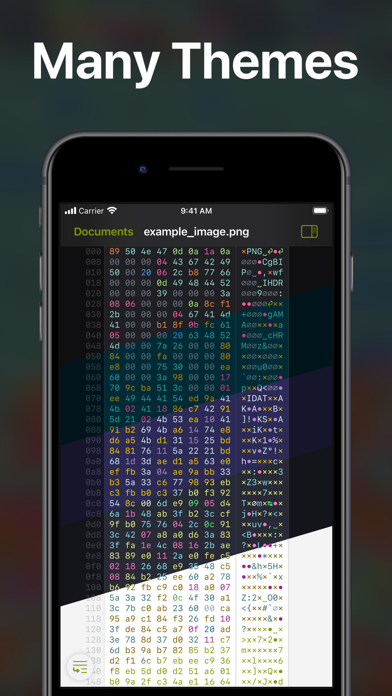
• Many popular themes from text editors and terminals
• Line …
Read the full description
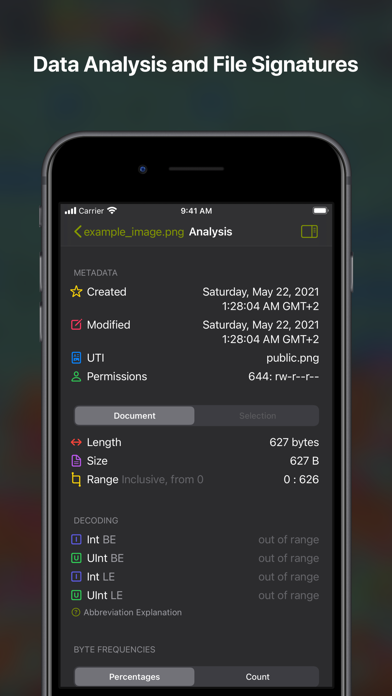
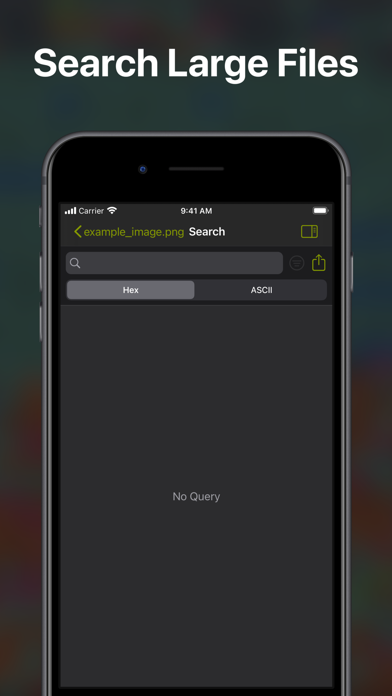
Hexer is a desktop level hex viewer packed with features. It was developed from the ground up for iOS and iPadOS. It is natural and intuitive to use for everyone. It is integrated with the Files app. So you can browse Dropbox, Google Drive, your git repositories, your downloads, your documents in iCloud Drive or your desktop. Or you can just share any file to it. Bytes are highlighted in different colors: Printable characters are cyan, spaces blue, null bytes grey, control characters pink and so on. The colors appear across the binary, hexadecimal, and ascii column — or can just be turned off completely. ▶ Many advanced options • Many popular themes from text editors and terminals • Line numbers (offsets) • Overscroll • Complete control over the formatting of what you copy or share • Column counts in powers of two (8 bytes, 16, 32, ...) or in any number that fits • Interpret bytes as ASCII, ISO Latin 1 or EBCDIC • The UI is navigable by keyboard and there are keyboard shortcuts to toggle almost everything • Further features for you to discover ▶ Search • Search for content in the hexadecimal, ASCII or binary column • Preview results with context and jump to and highlight them in the document • Filter results with Regular Expression and based on case sensitivity • Jump between results with arrow keys ▶ Analysis • Get information about the selection or the entire document • Decode to integers • See byte frequencies • See detected file signatures (magic numbers) • Read metadata like creation date and Unix permissions ▶ The App is made by a real person out of love When you buy the app (no hidden in app purchases) the money goes straight to me to support development. If you have any questions or feature requests you can just write me an email and let me know. I will continue development with many more planned features like editing. ▶ The App is friendly There are no in app purchases, ads, tracking, nor is there any data collected. You buy it once and then use it. Nothing more. Nothing less.
Installs
Apple does not publish download counts. Estimates are in testing.
We publish iOS estimates only after they pass a back-test against real numbers. Chart history below is measured.
Estimated store revenue Estimated Beta
App Store, worldwide, monthly rate from the last 13 chart days to 20 Nov 2026
Below the top 100 grossing apps in the markets we calibrate. In the United States that usually means under about $6.4M a month. App Store purchases and subscriptions only, before Apple's 15 to 30% fee. Ads and web payments are not included.
Ratings
26 ratings, 26 reviews
No rating breakdown published for this app.
Recent reviews
Latest public reviews from the store
No reviews in our sample for this app yet.
Top chart positions
Latest App Store chart ranks by country, last 10 days
- Countries ranked
- 42 of 50
- Best rank
- #13
- Top 10 placements
- 0
- of 45 chart placements
- Average rank
- #41.3
Best countries on App Store
- 🇨🇦 Canada · Top paid, Developer Tools#13
- 🇮🇹 Italy · Top paid, Developer Tools#18
- 🇦🇪 United Arab Emirates · Top paid, Developer Tools#20
- 🇦🇷 Argentina · Top paid, Developer Tools#20
- 🇫🇮 Finland · Top paid, Developer Tools#21
- 🇭🇺 Hungary · Top paid, Developer Tools#22
| Country | Chart | Category | Rank | Best (10 days) | Date |
|---|---|---|---|---|---|
| 🇨🇦 Canada | Top paid | Developer Tools | #13 | #2 | 20 Nov 2026 |
| 🇮🇹 Italy | Top paid | Developer Tools | #18 | #17 | 20 Nov 2026 |
| 🇦🇪 United Arab Emirates | Top paid | Developer Tools | #20 | #20 | 20 Nov 2026 |
| 🇦🇷 Argentina | Top paid | Developer Tools | #20 | #20 | 20 Nov 2026 |
| 🇫🇮 Finland | Top paid | Developer Tools | #21 | #19 | 20 Nov 2026 |
| 🇭🇺 Hungary | Top paid | Developer Tools | #22 | #20 | 20 Nov 2026 |
| 🇺🇸 United States | Top paid | Developer Tools | #22 | #10 | 20 Nov 2026 |
| 🇳🇿 New Zealand | Top paid | Developer Tools | #23 | #23 | 20 Nov 2026 |
| 🇷🇺 Russia | Top paid | Developer Tools | #23 | #23 | 20 Nov 2026 |
| 🇦🇺 Australia | Top paid | Developer Tools | #24 | #22 | 20 Nov 2026 |
Hexer — Hex File Viewer history
Release, install milestones, listing and store changes
- First released on the store 1 Oct 2019
Recent versions
Current version 2.1
- Version 2.131 May 2021
This version brings new icons as well as many medium and small improvements including new features. Search Filters and Improvements: • Filter ASCII search with RegEx and select case sensitivity • Share search results • Select search results in the document Jump to Offset: • Jump to a given hexadecimal offset • Highlight the byte at the given index Codepages Support: • Select one of multiple codepages • Support for ASCII, ISO Latin, and EBCDIC • Select multiple syntax themes for each • Classic HexFiend and HexDump modes Metadata Information: • View metadata in analysis tab • Inspect UTI, creation date, modification date and Unix Permissions iPadOS Cursor Support: • Cursor snaps accurately to bytes • Cursor snaps to byte frequencies • Added secondary click options to many buttons Visual Improvements: • New app icons! • New “Shaded of Purple” theme • Alternating rows option • Indicate currently open sidebar • Change sidebar color to resemble iWork apps • Increase sidebar width • Removed sidebar slideover mode • Indicated byte in frequency grid • Changed some contrasts for accessibility • Linked new website and mail • Further small design tweaks Bug Fixes and Improvements: • Removed a bunch of crashes and memory leaks • Improved performance when scrolling and resizing in a variety of ways • Restored ability to launch on M1 Macs • Decreased app size
Listing keywords
Words and phrases Hexer — Hex File Viewer repeats most in its store listing
Highlighted words also appear in the title. Counts cover the title, short description and description.
Compliance
What the listing and the app package show
- Store status
- Live
- Upkeep
- No update since 31 May 2021
- Age rating
- 4+
Apps like Hexer — Hex File Viewer
 iProxy - Sys admin toolsN-Lab★ 4.06
 WA Virtual Number - WANoMarkakod Reklam Tasarim ve Yazilim Hizmetleri Ticaret Limited★ 4.44
 C/C++ LLVM Clang小文 黄★ 4.32
 StoreView: App Screenshot ToolElshan Aliyev★ 4.53
 Yomo: Docker & Portainer春晖 杜★ 4.79
 Termux -TERMUX LIMITED LIABILITY COMPANY★ 4.4
 Debug Anywhere浩鑫 庄★ 4.62
 Easy SSHArgsment Limited★ 4.55
 SSL CheckerOrave Technologies★ 4.61
Hexer — Hex File Viewer: questions and answers
Who makes Hexer — Hex File Viewer?
Hexer — Hex File Viewer is published by Hans Schulein.
When was Hexer — Hex File Viewer last updated?
The latest version (2.1) was released on 31 May 2021.
Is Hexer — Hex File Viewer free?
No. Hexer — Hex File Viewer is a paid app priced at $3.99.
Is Hexer — Hex File Viewer still available?
Yes. Hexer — Hex File Viewer is live on App Store as of 1 Jul 2026.
Track Hexer — Hex File Viewer and its competitors
Watch any app for new versions, rating drops, chart moves and removals. Free plan, no card.